

An open-source scheduling platform that offers deep customization and control, making it a strong choice for developers and privacy-conscious organizations, but potentially overly complex for users seeking a simple, out-of-the-box solution.
Excellent for developers and teams who need a customizable, self-hostable scheduling solution; weaker for individuals or teams who prioritize simplicity and a wide range of pre-built integrations.
Analysis based on product data, pricing structure, traffic signals, and public user sentiment.
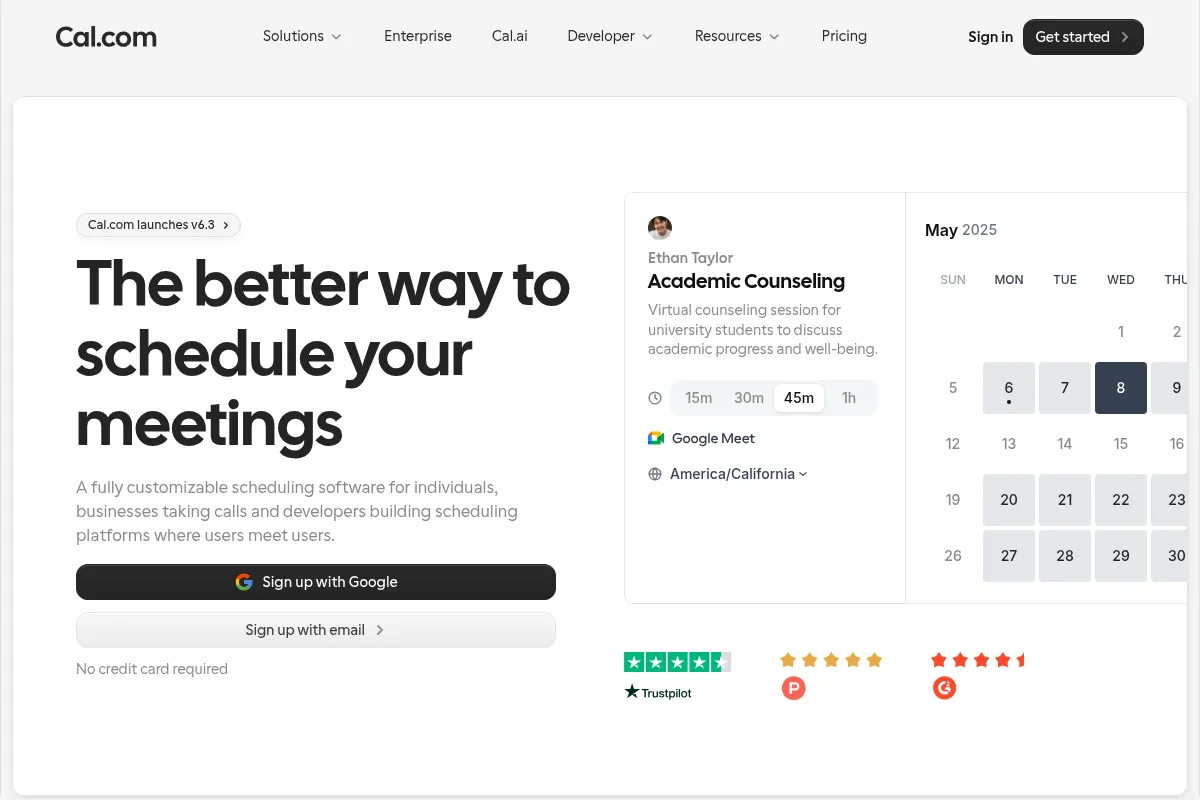
Who Should Use Cal.com?
Typical users
Developers, tech-savvy teams, and organizations that require a high degree of customization, data control, and the ability to self-host their scheduling infrastructure. Also a good fit for privacy-focused businesses in regulated industries like healthcare.
Maturity fit
scaling to advanced
Choose this if…
- You want to white-label and deeply integrate a scheduling solution into your own product.
- Data privacy and the ability to self-host are non-negotiable.
- You need granular control over scheduling workflows and user permissions.
- You value an open-source model and want the ability to contribute to or modify the codebase.
- You need advanced team scheduling features like round-robin and collective event types.
Skip this if…
- You need a simple, plug-and-play scheduling tool with minimal setup.
- A vast library of out-of-the-box integrations is more important than customization.
- You don't have the technical resources to manage a self-hosted application.
- You find extensive settings and a potential learning curve to be a significant deterrent.
- You require a dedicated native mobile application for on-the-go booking management.
About Cal.com
Cal.com is an open-source scheduling infrastructure that provides a flexible and customizable alternative to tools like Calendly. It's designed for users who want more control over their scheduling processes, from individual developers to large enterprises. The platform can be self-hosted for maximum data privacy or used as a cloud-based service.
Official profiles
What it actually does
Cal.com allows users to create shareable booking links that sync with their existing calendars to show their availability. It automates the process of scheduling meetings, sending reminders, and managing appointments. For teams, it offers features like round-robin scheduling to distribute meetings evenly and collective bookings for group events.
What makes it different
The primary differentiator for Cal.com is its open-source nature, which allows for extensive customization and self-hosting. This gives users complete control over their data and the ability to tailor the platform to their specific workflows. Unlike many competitors, its free tier is notably generous, offering unlimited bookings and calendar connections.
Ratings across the web


Ratings aggregated from independent review platforms.
Key Features
Open-Source and Self-Hosting
Provides full data ownership and deep customization possibilities for technically proficient users.
Advanced Team Scheduling
Features like round-robin, collective events, and routing forms automate and optimize how teams manage their availability and distribute meetings.
Workflow Automation
Allows for the creation of automated sequences of emails and SMS messages before and after meetings to streamline communication.
White-Labeling and API Access
Enables businesses to integrate Cal.com's scheduling functionality into their own products with their own branding.
Generous Free Tier
The free plan for individuals includes unlimited bookings, calendar connections, and event types, which is more than many competitors offer.
Routing Forms
Qualify leads and gather information from bookers before a meeting is scheduled, directing them to the right person or event type.
Cal.ai
An AI-powered assistant that can handle scheduling and reminders over the phone.
HIPAA and SOC 2 Compliance
The Enterprise plan offers features and agreements to meet the security and privacy requirements of healthcare and other regulated industries.
Pricing
Individuals
- 1 User
- Unlimited event types
- Unlimited calendar connections
- Workflow automation
- Accept payments via Stripe
Teams
- Everything in Individuals
- Round-robin scheduling
- Collective events
- Routing forms
- Remove Cal.com branding
Organizations
- Everything in Teams
- SAML SSO & SCIM
- Role-based access control
- White-labeling
- Priority support
Enterprise
- Everything in Organizations
- HIPAA compliance (BAA)
- SOC 2 Type II
- On-premise deployment option
- 24/7 support
Pricing checked 6 months ago
Pricing guidance
- When you need to schedule meetings for a team and distribute them automatically.
- When removing Cal.com branding becomes a priority for your business.
- When you need to use routing forms to qualify leads before they book a meeting.
- When you require advanced security features like SAML SSO for your organization.
- The free plan includes Cal.com branding on booking pages.
- Self-hosting the 'free' version still requires your own server infrastructure and technical expertise, which has associated costs.
- Advanced compliance features like HIPAA and SOC 2 are only available on the custom Enterprise plan.
- Priority support is reserved for higher-tiered paid plans.
Offers a highly competitive free tier for individuals and fair, feature-based pricing for teams and organizations that scales with advanced needs.
Pros & Cons
Strengths
-
Highly Customizable
Its open-source nature allows for extensive customization of both the user interface and functionality, making it adaptable to specific business needs.
-
Data Privacy and Control
The option to self-host gives organizations complete control over their data, which is a significant advantage for privacy-conscious businesses.
-
Generous Free Plan
The free tier for individuals is very feature-rich, offering unlimited bookings and calendar connections, making it a strong competitor to paid alternatives.
-
Robust Team Features
Features like round-robin scheduling, collective events, and routing forms are well-suited for teams and organizations with complex scheduling needs.
-
Active Development
As an open-source project, it benefits from community contributions and appears to have a faster pace of innovation and feature releases.
Weaknesses
-
Steep Learning Curve
The high degree of customization and extensive settings can be overwhelming for new users, and the initial setup can be complex.
Affects: Non-technical users and those seeking a simple solution
-
Self-Hosting Complexity
While a major pro for some, self-hosting requires technical expertise and server infrastructure, which can be a barrier for individuals and small businesses.
Affects: Users without technical resources
-
Fewer Native Integrations than Competitors
While it offers many integrations and an API, competitors like Calendly have a larger library of pre-built, out-of-the-box integrations.
Affects: Users who rely on a wide range of specific third-party tools
-
Potential for Bugs in Self-Hosted Version
Some users have reported issues and a significant number of open issues on GitHub related to the self-hosted version, suggesting it may be less stable than the cloud offering.
Affects: Users who choose to self-host
-
No Native Mobile App
The lack of a dedicated mobile application can make managing bookings on the go less convenient compared to competitors that offer this.
Affects: Users who frequently manage their schedule from a mobile device
Real User Sentiment
User sentiment is largely positive, with a strong appreciation for its open-source nature, customizability, and feature-rich free plan. Some users, however, find it complex to set up and note a steeper learning curve compared to simpler tools.
Users tend to like
- The flexibility and deep customization options.
- The generous free plan for individuals.
- The ability to self-host for data privacy.
- The clean and modern user interface.
- Responsive and helpful customer support.
Users commonly complain about
- The initial setup can be complex and overwhelming.
- A steep learning curve for advanced features.
- The self-hosted version can be buggy or difficult to configure.
- The lack of a native mobile app.
- Some users desire even more customization options for workflows.
Recurring tradeoffs
- Simplicity vs. Customization: Users trade the straightforward, out-of-the-box experience of tools like Calendly for the greater control and flexibility of Cal.com.
- Cloud vs. Self-Hosted: Users can choose the convenience of the cloud version or opt for the data control and privacy of self-hosting, which requires more technical overhead.
- Ease of Use vs. Feature Depth: The platform is powerful but requires more effort to master compared to more basic scheduling tools.
Happiest users
Developers and tech-savvy teams who can take full advantage of the open-source, API-first architecture and self-hosting capabilities are the most satisfied.
Often frustrated
Users looking for a very simple, quick-to-set-up scheduling tool with no learning curve may find the array of options and initial configuration process frustrating.
Use Cases
Sales Teams
Using round-robin scheduling and routing forms to automatically assign new leads to the next available sales representative.
Recruiting
Embedding a scheduling link in job postings for candidates to book interviews, with automated reminders for both parties.
Consultants and Freelancers
Accepting payments for consultations via Stripe integration at the time of booking.
Healthcare Providers
Utilizing the HIPAA-compliant Enterprise plan to securely schedule patient appointments.
SaaS Companies
White-labeling Cal.com and integrating its scheduling infrastructure directly into their own application using the API.
Customer Support Teams
Allowing customers to book support calls with the right team member based on their issue.
Educational Institutions
Managing student appointments with advisors or faculty office hours.
Frequently Asked Questions
Is Cal.com really free?
Yes, Cal.com has a very generous free plan for individuals. It includes unlimited bookings, unlimited event types, and connections to all your calendars. You can also accept payments through Stripe on the free plan. The free plan does include Cal.com branding. Paid plans are required for team features and to remove branding.
What is the main difference between Cal.com and Calendly?
The primary difference is that Cal.com is open-source, offering deep customization and the ability to self-host for greater data control. Calendly is a closed-source, more straightforward tool known for its simplicity and ease of use. Cal.com's free plan is also significantly more generous than Calendly's.
What are the limitations of Cal.com?
The main limitations include a steeper learning curve compared to simpler tools, and the complexity of setting up and maintaining a self-hosted instance. It also has fewer out-of-the-box native integrations than some competitors like Calendly and currently lacks a dedicated mobile app.
What integrations does Cal.com support?
Cal.com integrates with all major calendar providers like Google Calendar and Outlook, video conferencing tools like Zoom and Google Meet, and payment processors like Stripe. It also connects to thousands of other apps through Zapier and offers a robust API for custom integrations.
Can I self-host Cal.com?
Yes, you can self-host the open-source version of Cal.com. This gives you complete control over your data and allows for extensive customization. However, it requires technical expertise to set up and maintain your own server infrastructure.
Is Cal.com suitable for enterprises?
Yes, Cal.com offers an Enterprise plan with features like SAML SSO, SCIM provisioning, role-based access control, and priority support. They also offer a HIPAA-compliant version with a signed BAA for healthcare organizations and are SOC 2 certified.
Can I remove the Cal.com branding?
Yes, you can remove the Cal.com branding from your booking pages by upgrading to the paid 'Teams' plan or a higher tier. The free plan includes Cal.com branding.
Why trust this page?
This evaluation combines product positioning, pricing analysis, traffic and market signals, and public user sentiment into a single decision-support page. Content is generated editorially — not copied from the vendor's website.
Funding & Company
Founded
2021
Stage
Series a
Total Raised
$32.4M
Latest Round
Series A (Apr 2022)
Notable Investors
Cal.com has raised a total of $32.4 million over two rounds, including a $25 million Series A in April 2022. This funding provides the company with a significant runway to develop its open-source scheduling infrastructure and compete with established players.
Market Signals & Traffic
Estimated visits, global rank, geography, traffic sources, monthly visit trends, and organic search keywords (Similarweb)—on a dedicated page built for depth and search.
- Estimated visits
- 3,383,600
- Global rank
- #13,052
- Snapshot
- Apr 2026
- Traffic trend
- Surging
Estimated monthly visits
Similar Tools
Claude
AI Assistant

A conversational AI assistant for writing, analysis, coding, and more.
Cursor
AI Assistant

An AI-powered code editor designed to help developers build software faster.
Pi AI
AI Assistant

A friendly and supportive AI companion for conversations and advice.
Gojiberry AI
AI Assistant

AI-powered sales agent that finds warm leads on LinkedIn and automates outreach to book demos.
FaceApp
Content Creation, Design

AI-powered mobile app for realistic photo and video editing.
Figma AI
Developer Tools, Content Creation

Collaborative interface design and prototyping tool for digital products.