

Enter Pro
A conversational development environment that prioritizes architectural planning over raw code generation, making it a high-speed alternative for founders shipping full-stack MVPs.
Excellent for rapid prototyping with integrated backends, weaker for developers who need deep control over custom infrastructure beyond Supabase.
Analysis based on product data, pricing structure, traffic signals, and public user sentiment.
Who Should Use Enter Pro?
Typical users
Solo founders, product managers, and frontend developers who want to move from idea to live URL without manual environment setup.
Maturity fit
beginner to scaling
Choose this if…
- You want a functional full-stack app without manually configuring databases or auth
- Your priority is speed of iteration over fine-grained control of the codebase
- You prefer a guided 'Plan Mode' that structures the app before writing code
Skip this if…
- You need to integrate with a highly specific, non-PostgreSQL legacy database
- Your workflow requires a local IDE and complex CI/CD pipelines from day one
- You are building high-compliance software that forbids third-party AI orchestration
About Enter Pro
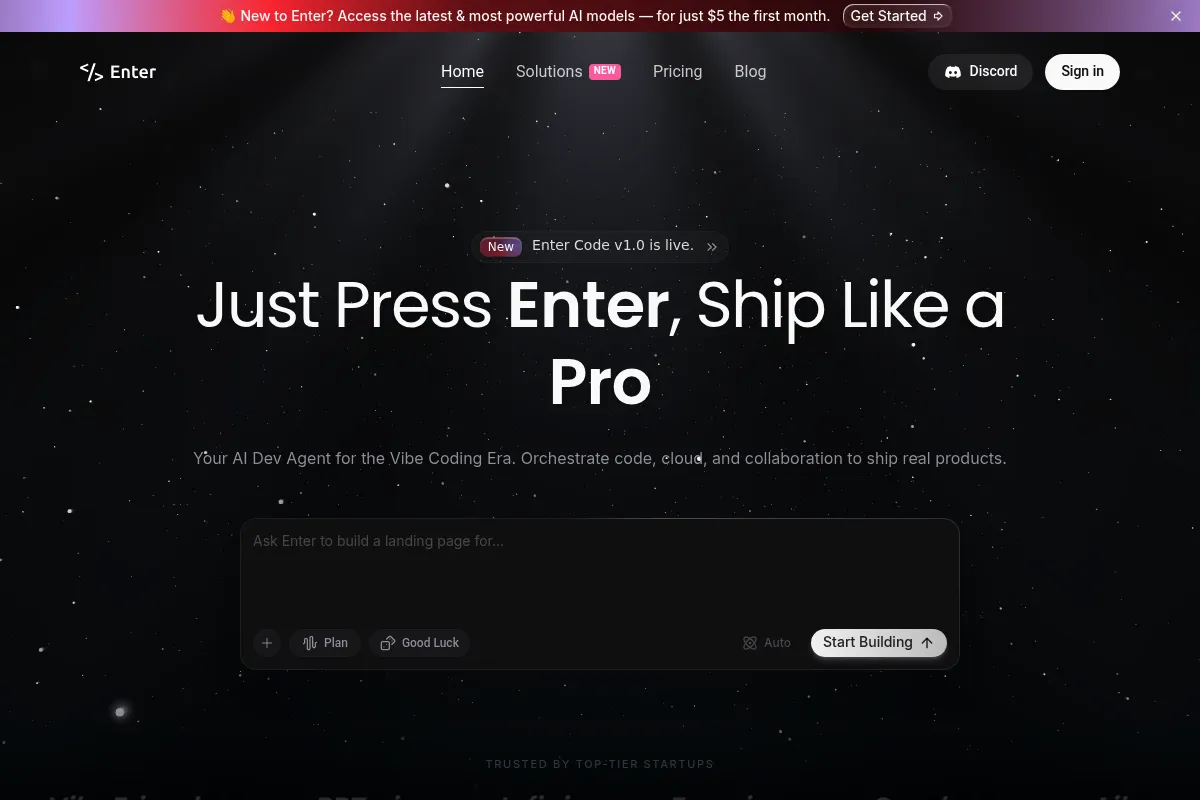
Enter Pro is an AI-native development platform designed for 'vibe coding,' where users build software through natural language. It combines a chat interface with a visual editor and automated deployment to turn prompts into production-ready React applications. The platform differentiates itself by enforcing a planning phase to reduce the logic errors common in other AI builders.
Official profiles
What it actually does
Users describe their application requirements in a chat interface, and the tool generates the frontend UI, backend logic, and database schemas. It provides a real-time preview, a visual editor for CSS tweaks, and one-click deployment to custom domains.
What makes it different
Unlike tools that jump straight to code, Enter Pro features a 'Plan Mode' that acts as a virtual technical lead, architecting the feature list and database structure for user approval first. It also offers multi-model orchestration, allowing users to toggle between Claude, GPT, and Gemini models within the same project to handle different tasks like UI design or complex logic.
Key Features
Plan Mode
Forces architectural mapping before code generation to prevent logic loops.
Visual Editor
Allows direct manipulation of fonts, layouts, and colors on the live preview.
Supabase Integration
Automates database, auth, and storage setup without manual configuration.
GitHub Sync
Enables two-way synchronization for developers who want to move to local editors.
AI Agents Builder
Creates specialized agents within the app to handle specific logic tasks.
Stripe Integration
Provides pre-built flows for handling payments and subscriptions.
Model Switching
Lets users choose specific LLMs (Claude 3.5, GPT-4o) for different development stages.
Pricing
Free
- 100 daily credits
- Standard AI models
- Community support
- 1 member workspace
Starter
- 1,000 monthly credits
- GitHub sync
- Custom domain support
- Code download/export
- Remove Enter badge
Pro
- 2,000 monthly credits
- 500 monthly AI credits
- Latest premium models
- Up to 20 workspace members
- Hands-on bug resolution
Pricing checked 4 months ago
Pricing guidance
- When you need to remove the platform branding
- When you need to export code to GitHub
- When you require access to Claude 3.5 Sonnet for complex logic
- Credits do not always roll over on the Free tier
- Premium models are gated behind the Pro tier AI credits
Aggressively priced to undercut competitors like Lovable and Bolt.new, particularly with the $5 Starter tier.
Pros & Cons
Strengths
-
Structured development workflow
The mandatory planning stage reduces the 'hallucination' rate by ensuring the AI understands the database relationships before it starts writing React components.
-
Integrated deployment and hosting
Eliminates the friction of setting up Vercel or Netlify manually, allowing non-technical users to go live in minutes.
-
Visual and chat-based editing
The hybrid approach lets you use chat for big changes and a visual editor for pixel-perfect tweaks, which is faster than describing CSS changes in text.
Weaknesses
-
Credit-based usage limits
The platform uses a credit system for AI interactions; complex debugging sessions can deplete monthly quotas faster than expected.
Affects: Power users and those building complex logic
-
Backend vendor lock-in
While it supports code export, the 'easy' path is heavily optimized for Supabase, making it harder to use other backend-as-a-service providers.
Affects: Teams with existing infrastructure preferences
-
Code quality at scale
As projects grow in complexity, the AI can struggle to maintain clean state management, requiring manual refactoring by a developer.
Affects: Scaling startups moving beyond the MVP phase
Real User Sentiment
Generally positive, with users praising the speed of UI generation but noting the typical AI limitations with complex state logic.
Users tend to like
- The 'Plan Mode' for preventing project drift
- Speed of generating responsive Tailwind layouts
- Ease of Supabase integration
Users commonly complain about
- Credit consumption during debugging loops
- Occasional UI glitches in the visual editor
- Difficulty in managing very large file trees
Recurring tradeoffs
- Speed vs. Code Cleanliness: It ships fast but the generated code can be verbose.
Happiest users
Non-technical founders building their first MVP or developers doing rapid UI prototyping.
Often frustrated
Senior engineers trying to force the tool into a highly specific, pre-existing architectural pattern.
Use Cases
SaaS MVP
Quickly building a functional dashboard with user auth and payments.
Internal Tools
Creating a custom CRM or inventory tracker for a small team.
AI Micro-apps
Launching a wrapper for specific LLM tasks with a custom UI.
Landing Pages
Generating high-conversion pages with dynamic components.
Portfolio Sites
Building interactive, code-heavy showcases for creative work.
Frequently Asked Questions
Can I export my code from Enter Pro?
Yes, code export and GitHub synchronization are available starting on the Starter plan ($5/mo). This allows you to move your project to a local environment or host it on your own infrastructure if you outgrow the platform.
How does Enter Pro compare to Lovable or Bolt.new?
Enter Pro is more structured than Lovable, using its 'Plan Mode' to architect the app before coding. While Bolt.new is more developer-centric with a full terminal, Enter Pro targets a middle ground with a visual editor and a more guided, chat-first experience.
Do I need a Supabase account to use Enter Pro?
For full-stack functionality like databases and authentication, you will need to connect a Supabase account. Enter Pro automates the connection and schema generation, but the data lives in your own Supabase instance.
Is there a limit on how many apps I can build?
The number of projects is generally unlimited, but your ability to build and iterate is governed by your monthly credit balance. The Pro plan offers the highest credit limits for active development.
Does Enter Pro support mobile app development?
It primarily builds web applications using React and Tailwind CSS. While these apps are responsive and work on mobile browsers, it does not currently generate native iOS or Android binaries (IPA/APK files).
What AI models does Enter Pro use?
The platform orchestrates multiple models including GPT-4o, Claude 3.5 Sonnet, and Gemini. Users on the Pro plan can manually select which model to use for specific tasks to optimize for speed or reasoning quality.
Why trust this page?
This evaluation combines product positioning, pricing analysis, traffic and market signals, and public user sentiment into a single decision-support page. Content is generated editorially — not copied from the vendor's website.
Funding & Company
Founded
—
Stage
Bootstrapped
Total Raised
Bootstrapped
Latest Round
—
Enter Pro appears to be a bootstrapped company, as there is no public record of any external funding rounds, investors, or a valuation. The company relies on a freemium model, offering a free entry point to attract users to its AI-powered application development platform.
Market Signals & Traffic
Estimated visits, global rank, geography, traffic sources, monthly visit trends, and organic search keywords (Similarweb)—on a dedicated page built for depth and search.
- Estimated visits
- 0
- Global rank
- —
- Snapshot
- May 2026
- Traffic trend
- —
Alternatives to Enter Pro
View all alternativesv0
Developer Tools, Website Builder, AI Assistant

AI-powered platform to generate full-stack web apps from prompts.
Wix AI
Design, Content Creation, Productivity

All-in-one website builder with drag-and-drop functionality and AI tools.
Similar Tools
Backendless
Developer Tools, Website Builder, Automation & Agents

Visual app development platform with backend-as-a-service and UI builder.
Omnea
Automation & Agents, Workflow, Privacy & Compliance

Streamline procurement and supplier management with automated intake-to-pay workflows.
AgentOpus
Automation & Agents, Workflow, Developer Tools

Visual builder for creating and deploying autonomous agent workflows
FurtherAI
Automation & Agents, Workflow, Productivity

Workflow automation platform for the commercial insurance industry
Fireflies.ai
AI Assistant, Productivity, Documentation

AI meeting assistant that records, transcribes, and summarizes calls.
ActiveCampaign
Email Marketing, Marketing Automation, Automation

Marketing automation and CRM platform for personalized customer experiences.