

A multimodal AI assistant that excels at processing vast amounts of information and integrating directly into the Google ecosystem, but can be less reliable for creative tasks and basic assistant functions compared to more focused competitors.
Excellent for users deeply embedded in Google Workspace who need to analyze documents and data; weaker for those seeking a consistently reliable creative partner or a simple voice assistant replacement.
Analysis based on product data, pricing structure, traffic signals, and public user sentiment.
Who Should Use Gemini?
Typical users
Individual power users, researchers, developers, and small teams who rely heavily on Google's suite of applications (Gmail, Docs, Drive) for their daily workflow.
Maturity fit
beginner to scaling
Choose this if…
- Your work requires analyzing long documents, videos, or large codebases.
- You want an AI assistant that is natively integrated into Google Docs, Gmail, and Drive.
- Access to real-time information from Google Search within your AI is a priority.
- You value the bundle of 2TB of Google Drive storage that comes with the paid plan.
Skip this if…
- You need a simple, fast, and reliable voice assistant for basic tasks like setting timers.
- Your primary need is for creative writing, where competitors are often more consistent.
- You are concerned about your conversation data being reviewed by humans.
- Your workflow is centered around the Microsoft ecosystem.
About Gemini
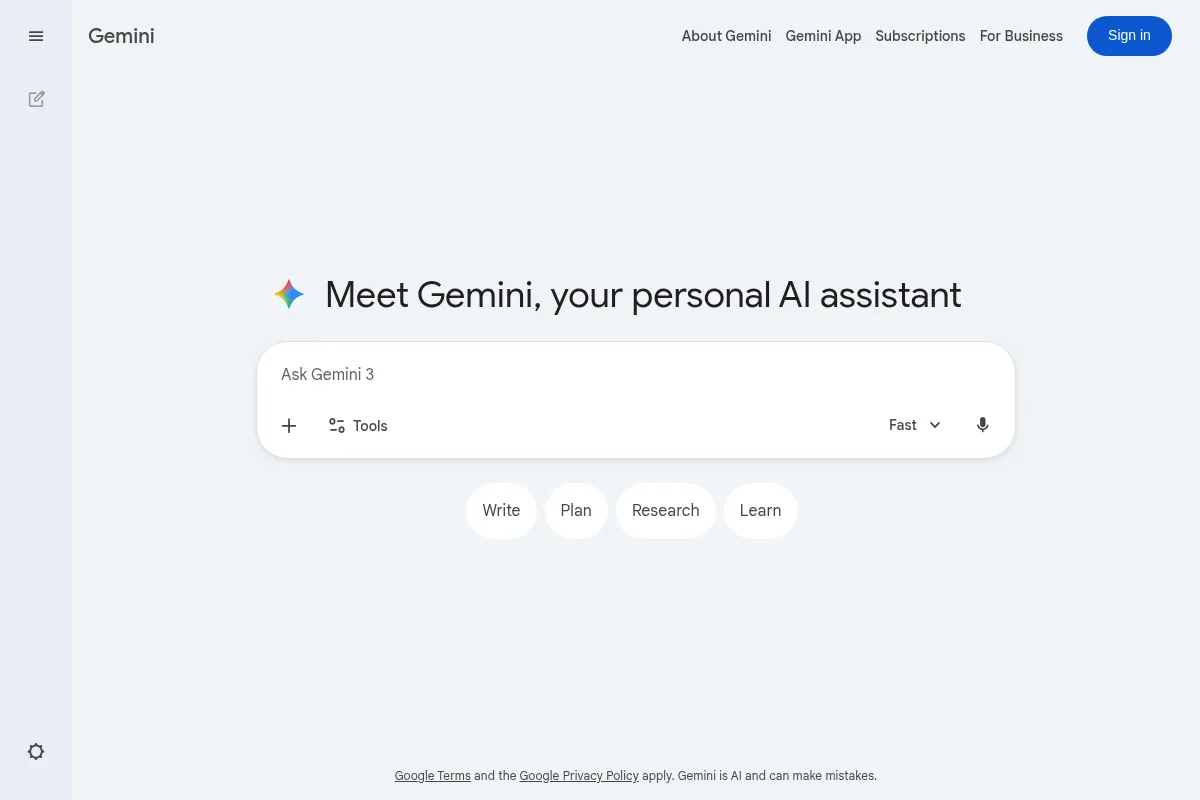
Gemini is Google's family of generative AI models, accessible through a conversational chatbot interface. It's designed to be a multimodal personal assistant, capable of understanding and processing text, code, images, audio, and video. It exists to provide a powerful AI directly within the Google ecosystem, competing with alternatives like OpenAI's ChatGPT.
What it actually does
Gemini functions as a chatbot that can answer questions, summarize complex documents, generate content, write and debug code, and analyze images and videos. Through its paid tiers, it integrates directly into Google Workspace apps like Gmail and Docs to draft emails, create document outlines, and more. The core offering is a conversational interface for accessing Google's latest AI models.
What makes it different
Gemini's primary differentiator is its native multimodality and deep integration with the Google ecosystem. [23] Unlike competitors that added multimodal features over time, Gemini was built to handle diverse data types from the ground up. [34] Its ability to process extremely long contexts—up to 1 million tokens in the Pro version—allows it to analyze entire books or hours of video in a single prompt, a significant architectural advantage. [20]
Ratings across the web



Ratings aggregated from independent review platforms.
Key Features
Gemini in Workspace
Access Gemini's capabilities directly within the side panel of Gmail, Docs, Sheets, and Drive to summarize, analyze, and generate content without switching tabs. [30]
1.5 Pro Model with 1M Token Context Window
Process and reason about vast amounts of information at once, such as 1,500-page documents, an hour of video, or 30,000 lines of code. [4, 33]
Multimodal Input
Go beyond text by uploading images, documents, and video clips for analysis, summarization, or to answer specific questions about the content. [4]
Gems
Create personalized versions of Gemini tailored to specific tasks or tones, such as a running coach or a programming tutor. [33]
Deep Research
An advanced feature that autonomously browses the web to synthesize information from multiple sources into a comprehensive report. [6, 43]
Google App Extensions
Connects to Google Maps, Flights, and YouTube to pull real-time information directly into the chat, streamlining planning and research. [43]
NotebookLM Integration
A research and writing assistant that can create summaries, explain complex ideas, and even generate audio overviews from your source documents. [6, 31]
Pricing
Gemini
- Access to the Gemini 1.0 Pro model
- Limited access to the 1.5 Pro model
- Image generation
- Integration with Google apps (Maps, Flights, etc.) via Extensions
Google One AI Premium
- Access to the more capable Gemini 1.5 Pro model
- Integration into Gmail, Docs, Sheets, and more
- 2 TB of Google One storage
- Advanced features like Deep Research and a 1M token context window
- Access to NotebookLM Plus
- Video generation with Veo
Gemini for Workspace
- For business accounts
- All features of AI Premium
- Enterprise-grade security and data privacy controls
- Admin controls and AI-enhanced data loss prevention
Pricing checked 6 months ago
Pricing guidance
- You need to analyze long documents, videos, or codebases that exceed the free tier's limits.
- You want to use AI directly within Google Docs, Gmail, or Sheets to speed up your workflow.
- You are consistently hitting the usage limits on the more advanced models in the free tier.
- You need the 2TB of cloud storage that's bundled with the plan.
- Free users have limited daily access to the more powerful 1.5 Pro model. [44]
- Image generation on the free and Pro plans includes a watermark. [36]
- Video uploads for analysis are limited to 5 minutes on the free plan, versus 1 hour for paid subscribers. [38]
Premium positioning for its advanced features, but bundled with cloud storage to create a strong value proposition for existing Google power users.
Pros & Cons
Strengths
-
Massive Context Window
The ability of the 1.5 Pro model to handle up to 1 million tokens allows for in-depth analysis of large documents, codebases, or videos that is difficult for competitors to match. [20] This is a key advantage for researchers and developers.
-
Deep Google Ecosystem Integration
For users living in Google Workspace, the ability to use Gemini directly in Docs, Gmail, and Drive is a significant workflow enhancement, reducing the need to copy and paste between applications. [23]
-
Strong Value with Bundled Storage
The primary paid plan, Google One AI Premium, includes 2TB of Google Drive storage, making the effective cost of the advanced AI features more palatable for those who already need cloud storage. [8, 27]
-
Excellent Multimodal Capabilities
Built from the ground up to be multimodal, Gemini excels at understanding and reasoning across different data types like text, images, and video simultaneously. [34]
Weaknesses
-
Inconsistent as a Voice Assistant
When replacing Google Assistant on Android devices, users report that Gemini is often slower and less reliable for basic commands like setting timers or controlling smart home devices. [39]
Affects: Android users, Smart home users
-
Privacy Concerns
Google states that human reviewers may read conversations to improve the service, and warns users not to enter confidential information. [17, 19] Some reviewed data is retained for up to three years, even if the user deletes their activity. [19, 47]
Affects: Users handling sensitive or proprietary information
-
Can Be Factually Inaccurate
Like all LLMs, Gemini can "hallucinate" and produce incorrect information. Some users report it gets basic facts wrong more often than competitors, requiring diligent fact-checking. [21, 46]
Affects: Users relying on it for factual research
-
Underwhelming for Creative Tasks
While capable, competitors like ChatGPT are often cited as being superior for creative writing, generating more refined and less generic text. [7, 11]
Affects: Writers, marketers, content creators
Real User Sentiment
User sentiment is mixed but leans positive for specific use cases. Users who leverage the deep integration with Google Workspace and the long-context analysis capabilities are generally impressed. [49] However, many users replacing Google Assistant with Gemini on their phones are frustrated by its slowness and unreliability for basic tasks. [39]
Users tend to like
- Deep integration with Google Workspace apps [23]
- The power of the 1.5 Pro model's 1 million token context window for research [20]
- Bundled 2TB of storage provides excellent value [8]
- Real-time information from Google Search [12]
- Multimodal analysis of images and documents [49]
Users commonly complain about
- Worse than the original Google Assistant for basic voice commands [39]
- Can be slow to respond or refuse simple requests [39]
- Factual inaccuracies and "hallucinations" [21]
- Privacy implications of human review of conversations [17]
- Generates more generic or verbose text than competitors [40]
Recurring tradeoffs
- Users trade the speed and reliability of the old Google Assistant for the more advanced, but slower, conversational AI capabilities.
- Users gain deep integration into the Google ecosystem at the cost of privacy, as their data may be reviewed.
- Users get a powerful, multimodal research tool that may be less adept at creative or nuanced writing tasks compared to alternatives.
Happiest users
Researchers, developers, and professionals who are deeply integrated into the Google Workspace ecosystem and need to summarize or analyze large volumes of data. [22]
Often frustrated
Long-time Android users who enabled Gemini as their default assistant and now find basic voice commands for timers, alarms, and smart home control to be unreliable. [39]
Use Cases
Researcher
Uploading a 400-page PDF of a scientific paper and asking Gemini to summarize the key findings and methodology.
Developer
Providing a large codebase and asking Gemini 1.5 Pro to identify potential bugs, explain complex functions, or suggest optimizations.
Marketer
Using the Gemini side panel in Google Docs to generate a blog post outline based on a project brief and then draft the content.
Project Manager
Asking Gemini to summarize the last 20 emails from a specific client in Gmail to get up to speed on a project.
Student
Uploading a lecture recording and asking Gemini to create a study guide with key concepts and potential exam questions.
Small Business Owner
Using the integration with Google Maps to plan a multi-stop delivery route and draft an email to the clients with estimated arrival times.
Frequently Asked Questions
Is Gemini better than ChatGPT?
It depends on the task. Gemini is generally better for tasks requiring real-time information from the web, deep integration with Google apps (Docs, Gmail), and analyzing very long documents or videos due to its larger context window. [7, 11] ChatGPT is often considered superior for creative writing, coding assistance, and providing more consistently reasoned, less verbose responses. [9, 22]
Is Gemini Advanced worth the $20/month price?
It's worth it if you heavily use Google Workspace and will benefit from the AI integrations in Docs and Gmail, or if your work involves analyzing large files. [3] The included 2TB of Google One storage is a major factor; if you already pay or need to pay ~$10/month for that storage, the incremental cost for one of the most powerful AI models is much easier to justify. [26] If you only need a basic chatbot, the free version is sufficient. [35]
What are the main limitations of Gemini?
The primary limitations are its potential for factual inaccuracy, privacy concerns due to human review of conversations, and its unreliability as a replacement for Google Assistant for basic tasks. [17, 39] While powerful, it can also be slower and produce more generic content than some competitors. [40] Users should not input sensitive personal or business information. [19]
How does Gemini integrate with other Google apps?
With a paid subscription, Gemini integrates directly into a side panel in Gmail, Docs, Sheets, Slides, and Drive. [30] This allows you to summarize emails, draft documents, create formulas, and analyze data without leaving the application. It also has 'Extensions' that connect to Google Maps, Flights, and YouTube to pull in real-time data for planning and research. [41]
Is my data safe with Gemini?
While Gemini uses Google's standard security infrastructure, there are significant privacy considerations. Google states that conversations may be reviewed by human trainers to improve the AI, and they explicitly warn against entering confidential information. [17, 19] Reviewed conversations can be stored for up to three years, separate from your main activity history. [47] For business use, the Gemini for Workspace plans offer enhanced privacy and data governance controls. [1]
What's the difference between the free and paid Gemini plans?
The free plan offers access to the capable Gemini 1.0 Pro model for general use. The paid 'Google One AI Premium' plan provides access to the more advanced Gemini 1.5 Pro model, which has a much larger context window for analyzing big files, integrates directly into Workspace apps, and is bundled with 2TB of cloud storage. [3, 44]
Why trust this page?
This evaluation combines product positioning, pricing analysis, traffic and market signals, and public user sentiment into a single decision-support page. Content is generated editorially — not copied from the vendor's website.
Funding & Company
Founded
1998
Stage
Public
Total Raised
$80.04B
Latest Round
Post-IPO Equity (Jun 2026)
Notable Investors
Gemini is a product developed and owned by Alphabet (Google), a public company with a multi-trillion dollar market capitalization. Its development is not funded by venture capital but by Alphabet's immense corporate resources, including a recent $80 billion equity raise intended to expand its AI infrastructure.
Market Signals & Traffic
Estimated visits, global rank, geography, traffic sources, monthly visit trends, and organic search keywords (Similarweb)—on a dedicated page built for depth and search.
- Estimated visits
- 2,761,516,571
- Global rank
- #18
- Snapshot
- Apr 2026
- Traffic trend
- Surging
Estimated monthly visits
Alternatives to Gemini
View all alternativesClaude
AI Assistant

A conversational AI assistant for writing, analysis, coding, and more.
Perplexity
AI Assistant, Content Creation

AI-powered conversational search engine providing cited, comprehensive answers.
Jasper
Content Creation, AI Assistant

AI-powered content creation platform for marketing and business teams.
Similar Tools
Merlin
AI Assistant, Content Creation

An AI-powered assistant to research, write, and summarize content across the web.
Wordtune
AI Assistant, Content Creation

AI-powered writing assistant for rewriting, refining, and improving text.
Anything
AI Assistant, Content Creation

An AI-powered platform that builds web and mobile applications from text prompts.
Grammarly
AI Assistant, Content Creation

AI-powered writing assistant for clear, effective, and authentic communication.
Notion AI
AI Assistant, Content Creation

AI assistant integrated into Notion for content creation and task automation.
HyperWrite
AI Assistant, Content Creation

AI-powered writing assistant for content creation, research, and task automation.