

Lex
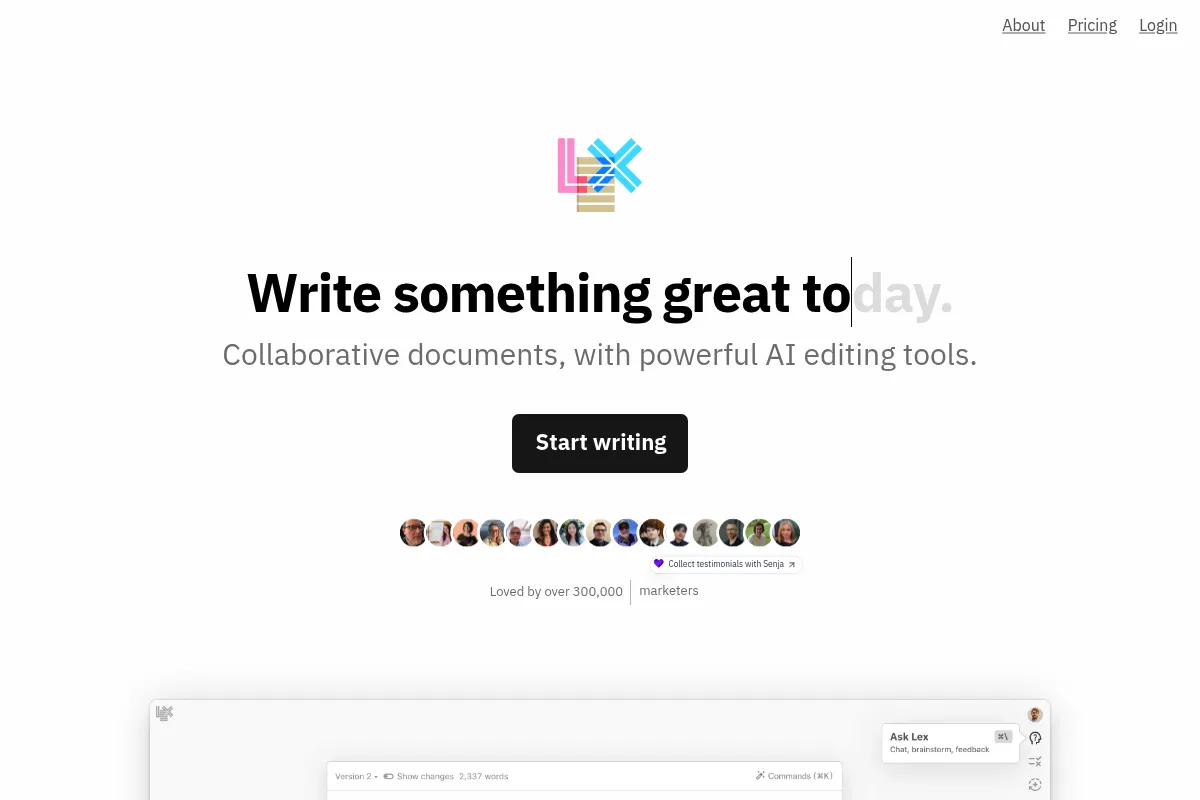
A minimalist, AI-native word processor designed for long-form drafting and research—best for professional writers who want an intelligent co-pilot rather than an automated content generator.
Excellent for journalists and researchers who need contextual AI assistance during the drafting process, weaker for teams requiring complex project management or database functionality.
Analysis based on product data, pricing structure, traffic signals, and public user sentiment.
Who Should Use Lex?
Typical users
Solo writers, journalists, researchers, and content-heavy marketing teams who prioritize a clean writing environment.
Maturity fit
Beginner to scaling
Choose this if…
- You want AI to suggest the next sentence based on your specific writing style
- Your priority is a distraction-free interface over complex formatting options
- You need to chat with your document to find contradictions or missing information
Skip this if…
- You require a full-featured CMS or database-driven workspace like Notion
- Your workflow depends on offline-first desktop applications
- You are looking for a tool to bulk-generate SEO articles with minimal human input
About Lex
Lex is an AI-integrated writing platform built by the team behind the Every media collective. It aims to fix the 'blank page' problem by embedding large language models directly into a collaborative, Google Docs-style interface.
What it actually does
Lex provides a clean drafting space where AI acts as a collaborator. It can finish sentences, rewrite paragraphs for clarity, generate outlines from rough notes, and answer questions using the document's content as context.
What makes it different
Most AI writing tools focus on 'generation' (outputting 500 words from a prompt), whereas Lex focuses on the 'writing' process itself. Its 'Checkmate' feature and contextual sidebar chat are designed to help a human writer think more clearly rather than replacing them.
Key Features
Checkmate
Analyzes your draft to identify logical inconsistencies or weak arguments.
Ask Lex
A sidebar assistant that answers questions based specifically on the text you've written.
Smart Autocomplete
Predicts the next few words or sentences to maintain momentum without leaving the flow.
Inline Commands
Allows for instant rewriting, shortening, or expanding of text via keyboard shortcuts.
Research Integration
Pulls in information from the web or uploaded PDFs to inform the writing process.
Minimalist UI
Removes toolbars and distractions to focus entirely on the text.
Public Sharing
Enables one-click publishing of drafts to a clean, readable web link.
Pricing
Free
- Limited AI usage
- Basic document editing
- Real-time collaboration
- Standard models only
Lex Plus
- Unlimited AI usage
- Access to GPT-4o and Claude 3.5
- Priority support
- Advanced 'Checkmate' features
- Early access to new tools
Pricing checked 4 months ago
Pricing guidance
- When you hit the daily AI response limit
- When you need the reasoning power of Claude 3.5 or GPT-4o
- When you want to use the 'Checkmate' feature on longer drafts
- AI usage is 'unlimited' but subject to a fair use policy
- Some advanced models may have higher 'token costs' even on paid plans
Premium pricing for a specialized tool, positioned as a professional utility for high-output writers.
Pros & Cons
Strengths
-
Superior contextual awareness
Unlike generic LLM interfaces, Lex understands the specific nuances of your current document, leading to more relevant suggestions.
-
Distraction-free environment
The interface is intentionally sparse, which helps professional writers stay in 'flow state' longer than in feature-heavy editors.
-
High-quality model access
Subscribers get access to top-tier models like GPT-4o and Claude 3.5 Sonnet directly within the editor.
Weaknesses
-
High subscription cost
At $15/month, it is a significant expense for a tool that primarily replaces a free word processor and a $20 ChatGPT sub.
Affects: Solo creators and casual writers
-
Limited organizational features
It lacks the folder depth, tagging, or database capabilities found in Notion or Obsidian.
Affects: Researchers managing hundreds of interconnected notes
-
No offline mode
As a web-based tool, you cannot write or use AI features without an active internet connection.
Affects: Travelers and users in low-connectivity areas
Real User Sentiment
Generally very positive among professional writers who value the 'Checkmate' feature and the clean UI over raw feature count.
Users tend to like
- The 'Checkmate' feature for editing
- The speed of the interface
- The quality of the AI's tone matching
Users commonly complain about
- The price point relative to other AI tools
- Lack of a mobile app
- Occasional bugs with document syncing
Recurring tradeoffs
- Users trade the deep organizational power of Notion for a better drafting experience.
Happiest users
Newsletter writers and journalists who draft 1,000+ words daily.
Often frustrated
Students or casual bloggers who find the $15/month price tag hard to justify.
Use Cases
Newsletter Drafting
Using AI to brainstorm hooks and structure weekly updates.
Academic Research
Uploading PDFs and using 'Ask Lex' to synthesize findings into a draft.
Ghostwriting
Leveraging the style-matching AI to maintain a specific client's voice.
Content Marketing
Collaborative drafting where multiple editors can leave comments and use AI to polish copy.
Novel Writing
Using the outliner and autocomplete to push through writer's block in long-form fiction.
Frequently Asked Questions
Is Lex better than Google Docs?
For pure writing and AI integration, yes. Lex offers a cleaner UI and native AI features that Google Docs currently lacks. However, Google Docs remains superior for complex document formatting, extensive plugin ecosystems, and enterprise-grade permission management.
How much does Lex cost?
Lex has a limited free tier. The 'Lex Plus' plan costs $15 per month (or $144 billed annually), which provides unlimited access to high-end models like GPT-4o and Claude 3.5 Sonnet.
Can Lex write an entire article for me?
While it can generate text, Lex is designed to be a co-writer. It works best when you provide the initial ideas and direction, using the AI to expand, refine, or unblock specific sections rather than generating 100% of the content from a single prompt.
Does Lex have a mobile app?
As of mid-2024, Lex does not have a dedicated mobile app. The web interface is mobile-responsive, but it is primarily designed for a desktop browser experience.
What AI models does Lex use?
Lex allows users to toggle between several top-tier models, including OpenAI's GPT-4o and Anthropic's Claude 3.5 Sonnet, depending on the user's preference for speed or reasoning depth.
How does Lex handle privacy and data?
Lex states that they do not use your private documents to train their models. However, like most AI tools, your data is processed by third-party providers like OpenAI or Anthropic when you use AI features.
Why trust this page?
This evaluation combines product positioning, pricing analysis, traffic and market signals, and public user sentiment into a single decision-support page. Content is generated editorially — not copied from the vendor's website.
Funding & Company
Founded
2023
Stage
Seed
Total Raised
$2.75M
Latest Round
Seed (Aug 2023)
Notable Investors
Lex has raised a total of $2.75 million in a single Seed round led by True Ventures in August 2023. This early-stage funding provides the company with initial capital to develop its AI-powered word processor and establish a market presence.
Market Signals & Traffic
Estimated visits, global rank, geography, traffic sources, monthly visit trends, and organic search keywords (Similarweb)—on a dedicated page built for depth and search.
- Estimated visits
- 65,172
- Global rank
- #529,444
- Snapshot
- Apr 2026
- Traffic trend
- Falling
Estimated monthly visits
Alternatives to Lex
View all alternativesGrammarly
AI Assistant, Content Creation

AI-powered writing assistant for clear, effective, and authentic communication.
Jasper
Content Creation, AI Assistant

AI-powered content creation platform for marketing and business teams.
Writesonic
AI Assistant, Content Creation

AI-powered platform for content creation, SEO, and AI search visibility.
Similar Tools
Bookmark AI
AI Assistant, Content Creation, Productivity

AI-powered website builder for non-technical users.
Meta AI
AI Assistant, Content Creation, Productivity

AI-powered assistant integrated across Meta's platforms for communication and content creation.
Grok
AI Assistant, Content Creation, Productivity

AI chatbot for truth-seeking answers, coding, and image/video generation.
1min.AI
AI Assistant, Content Creation, Productivity

Unified workspace for text, image, video, and audio generation.
Malva AI
AI Assistant, Content Creation, Productivity

Curated directory and toolkit for free content creation tools.
Henry
AI Assistant, Workflow, Documentation

Assistant for immigration lawyers to automate legal document drafting.