

Malva AI
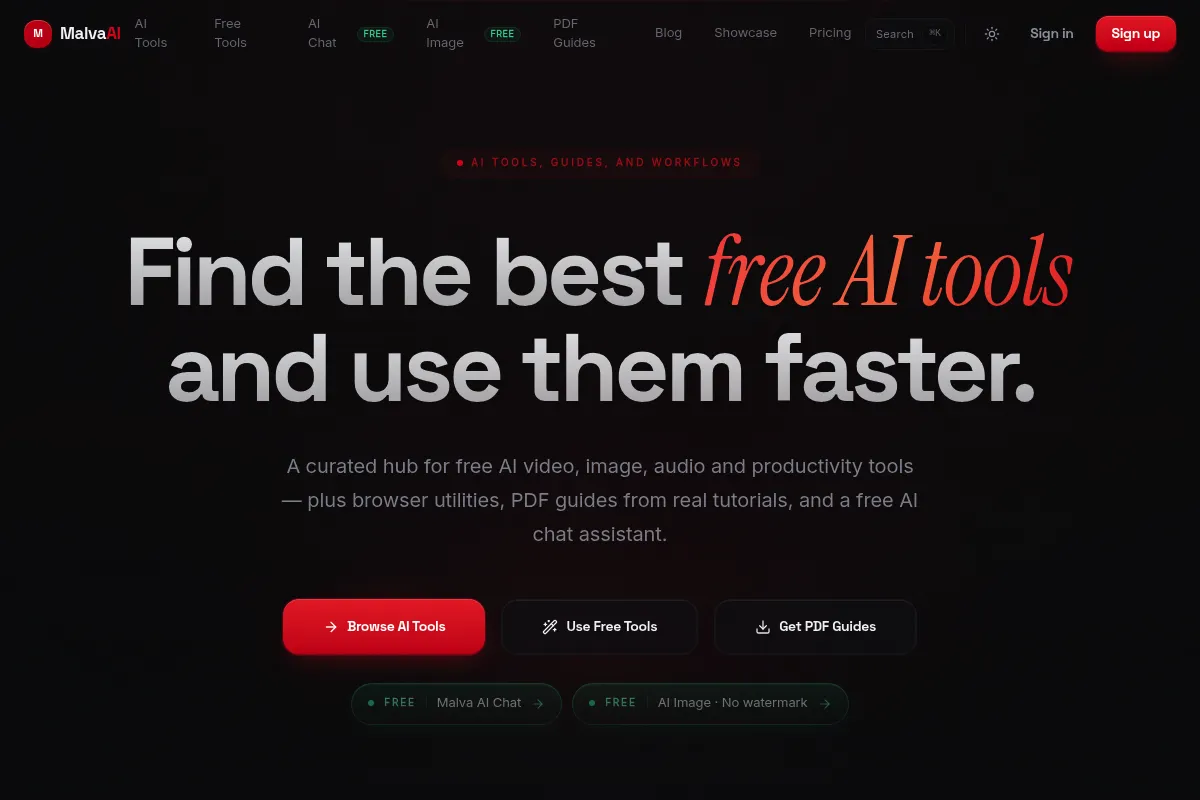
A curated resource hub that bundles a directory of free AI tools with basic internal utilities for chat, research, and image generation, specifically tailored for faceless YouTube creators.
Best for beginners building automated content channels on a budget, but redundant for those already paying for ChatGPT Plus or Midjourney.
Analysis based on product data, pricing structure, traffic signals, and public user sentiment.
Who Should Use Malva AI?
Typical users
Solopreneurs, aspiring YouTube automation creators, and budget-conscious founders looking for free alternatives to premium AI suites.
Maturity fit
beginner
Choose this if…
- You want to find free alternatives to expensive AI tools without manual searching
- Your primary goal is building faceless social media channels
- You need a simple, unified interface for basic AI chat and PDF analysis
Skip this if…
- You already have subscriptions to industry leaders like ChatGPT Plus, Claude, or Midjourney
- You require advanced video editing or high-fidelity AI voiceovers natively in the platform
- You need deep API integrations with existing marketing stacks
About Malva AI
Malva AI functions as a meta-tool for content creators. It combines a searchable database of free AI resources with its own set of internal AI wrappers to streamline the early stages of content production and research.
What it actually does
The platform provides a filtered directory of over 100 free AI tools categorized by use case. It also includes built-in modules for generating AI images, chatting with PDFs for research, and an AI assistant for scriptwriting and brainstorming.
What makes it different
Unlike generic AI directories that just link out, Malva AI attempts to be a functional workspace by embedding basic versions of the tools it recommends. It specifically targets the 'faceless channel' niche, prioritizing tools that help with stock footage, voiceovers, and script automation.
Key Features
Free Tool Directory
Aggregates verified free or freemium AI tools to reduce software spend.
Malva Chat
A general-purpose assistant for drafting scripts and social media posts.
PDF Researcher
Allows users to upload documents and extract key data points for content creation.
Image Generator
Creates visual assets for thumbnails or video overlays directly in the dashboard.
Niche Finder
Tools and guides specifically for identifying profitable YouTube categories.
Workflow Templates
Pre-defined prompts and steps for automating content production.
Pricing
Free
- Access to tool directory
- Limited daily AI chat messages
- Basic PDF uploads
- Standard image generation
Pro
- Unlimited AI Chat
- Priority access to new tools
- Higher resolution image generation
- Unlimited PDF research uploads
- Exclusive YouTube automation guides
Pricing checked 4 months ago
Pricing guidance
- When you hit daily limits on the AI chat assistant
- When you need to process large volumes of PDFs for research
- When you want access to the 'Pro' curated lists of high-growth niches
- Image generation quality is capped compared to standalone tools like Midjourney
- The 'Unlimited' chat may be subject to fair use policies typical of API wrappers
Budget-friendly entry-level pricing designed to undercut premium AI assistants.
Pros & Cons
Strengths
-
Centralized 'Free' Stack
Saves significant time for creators who would otherwise spend hours hunting for non-paid versions of popular AI services.
-
Low Barrier to Entry
The interface is stripped of complex settings, making it accessible for users who are not technically inclined.
-
Focused on Monetization
The tool selection and internal utilities are specifically geared toward high-output content formats like YouTube Shorts and TikTok.
Weaknesses
-
Wrapper Limitations
The internal AI tools (Chat, Image Gen) are essentially wrappers for existing models and lack the advanced features of the native platforms.
Affects: Power users needing granular control
-
Directory Decay
Free AI tools frequently pivot to paid models; the directory requires constant manual updates to remain accurate.
Affects: Users relying on the 'free' promise for long-term workflows
-
Basic Feature Set
It lacks native video editing or advanced audio syncing, meaning users still need to export to other software to finish a project.
Affects: Creators looking for an all-in-one production suite
Real User Sentiment
Generally positive among beginners who appreciate the curation, though experienced creators find the internal tools redundant.
Users tend to like
- The convenience of having free tools categorized in one place
- Simple UI that doesn't overwhelm new users
- Affordability compared to paying for 3-4 separate AI subscriptions
Users commonly complain about
- Internal AI models can feel generic
- Some listed 'free' tools in the directory have very restrictive trial limits
- Lack of advanced video editing features
Recurring tradeoffs
- You trade the power and depth of specialized tools for the convenience of a centralized, cheaper hub.
Happiest users
New creators starting their first YouTube channel who want to keep their overhead at zero.
Often frustrated
Professional editors or marketers who find the AI output quality insufficient for high-end brand work.
Use Cases
Faceless YouTube Channels
Finding free voiceover and stock footage tools to build a channel without showing your face.
Academic Research
Using the PDF tool to summarize long papers into video scripts.
Social Media Management
Generating quick daily post ideas and images for small business accounts.
Niche Research
Identifying trending topics for new content ventures using the curated guides.
Cost Cutting
Replacing a $20/mo ChatGPT subscription with a cheaper alternative that includes extra directory features.
Frequently Asked Questions
Is Malva AI actually free?
Malva AI offers a free tier that includes access to its directory and limited use of its internal AI tools. However, many of the third-party tools it lists in its directory may have their own 'freemium' limits or require separate accounts.
How does Malva AI compare to 'There's An AI For That'?
While 'There's An AI For That' is a massive, general-purpose directory, Malva AI is smaller and more curated, specifically focusing on content creators and providing internal tools like PDF chat and image generation that the larger directories lack.
Can I create full videos inside Malva AI?
No. Malva AI helps you find the tools to make videos and provides scripts and images, but it does not have a built-in video timeline or editor. You will still need software like CapCut or Premiere Pro.
What AI models does Malva use?
Malva does not publicly disclose its specific model versions, but it functions as a wrapper for standard LLMs (likely GPT-based) and image generation models (likely Stable Diffusion) to provide its internal chat and image features.
Does Malva AI integrate with YouTube?
It does not have a direct API integration to upload videos to YouTube. It is a research and asset generation tool used during the pre-production and production phases.
Is the Pro plan worth $9.99?
It is worth it if you do not already pay for a premium LLM and you value the time saved by using their curated 'Pro' resources and unlimited internal chat. If you already have ChatGPT Plus, the Pro plan offers little additional functional value.
Why trust this page?
This evaluation combines product positioning, pricing analysis, traffic and market signals, and public user sentiment into a single decision-support page. Content is generated editorially — not copied from the vendor's website.
Funding & Company
Founded
—
Stage
Bootstrapped
Total Raised
Bootstrapped
Latest Round
—
Malva AI appears to be a bootstrapped company with no publicly disclosed venture capital funding. The company's operations are likely sustained by revenue from its 'Pro' and 'Lifetime' subscription plans.
Market Signals & Traffic
Estimated visits, global rank, geography, traffic sources, monthly visit trends, and organic search keywords (Similarweb)—on a dedicated page built for depth and search.
- Estimated visits
- 74,393
- Global rank
- #353,654
- Snapshot
- Apr 2026
- Traffic trend
- —
Estimated monthly visits
Alternatives to Malva AI
View all alternativesCanva AI
Content Creation

Online design tool for creating graphics, presentations, videos, and websites.
Copy.ai
Content Creation, AI Assistant

AI-powered copywriting and content generation platform.
Jasper
Content Creation, AI Assistant
AI-powered content creation platform for marketing and business teams.
Similar Tools
1min.AI
AI Assistant, Content Creation, Productivity

Unified workspace for text, image, video, and audio generation.
Grok
AI Assistant, Content Creation, Productivity

AI chatbot for truth-seeking answers, coding, and image/video generation.
Bookmark AI
AI Assistant, Content Creation, Productivity

AI-powered website builder for non-technical users.
Lex
AI Assistant, Content Creation, Productivity

Modern word processor with integrated writing and editing assistance
Meta AI
AI Assistant, Content Creation, Productivity

AI-powered assistant integrated across Meta's platforms for communication and content creation.
Doodle
Productivity, Communication, Automation

Online scheduling tool for coordinating meetings and group events