

Canva AI integrates generative AI into a user-friendly design platform, making visual content creation more accessible for a broad audience.
A comprehensive design tool with integrated AI features, best for individuals and small teams needing quick visual content, but less ideal for highly specialized or complex design workflows.
Analysis based on product data, pricing structure, traffic signals, and public user sentiment.
Who Should Use Canva AI?
Typical users
Individuals, small businesses, marketers, and content creators who need to produce a variety of visual assets quickly and efficiently. This includes social media managers, small business owners, and freelancers.
Maturity fit
beginner to scaling
Choose this if…
- You need to create social media graphics, presentations, or simple marketing materials rapidly.
- You want an all-in-one platform for design, writing, and basic image editing.
- You have limited design experience and need an intuitive interface.
- You want to experiment with AI-generated visuals without a steep learning curve.
Skip this if…
- You require highly specialized design software with advanced control (e.g., Adobe Creative Suite).
- Your workflow demands complex vector graphics or intricate photo manipulation.
- You need to generate large volumes of highly specific, photorealistic imagery consistently.
- You are looking for a dedicated AI art generator with extensive parameter control.
About Canva AI
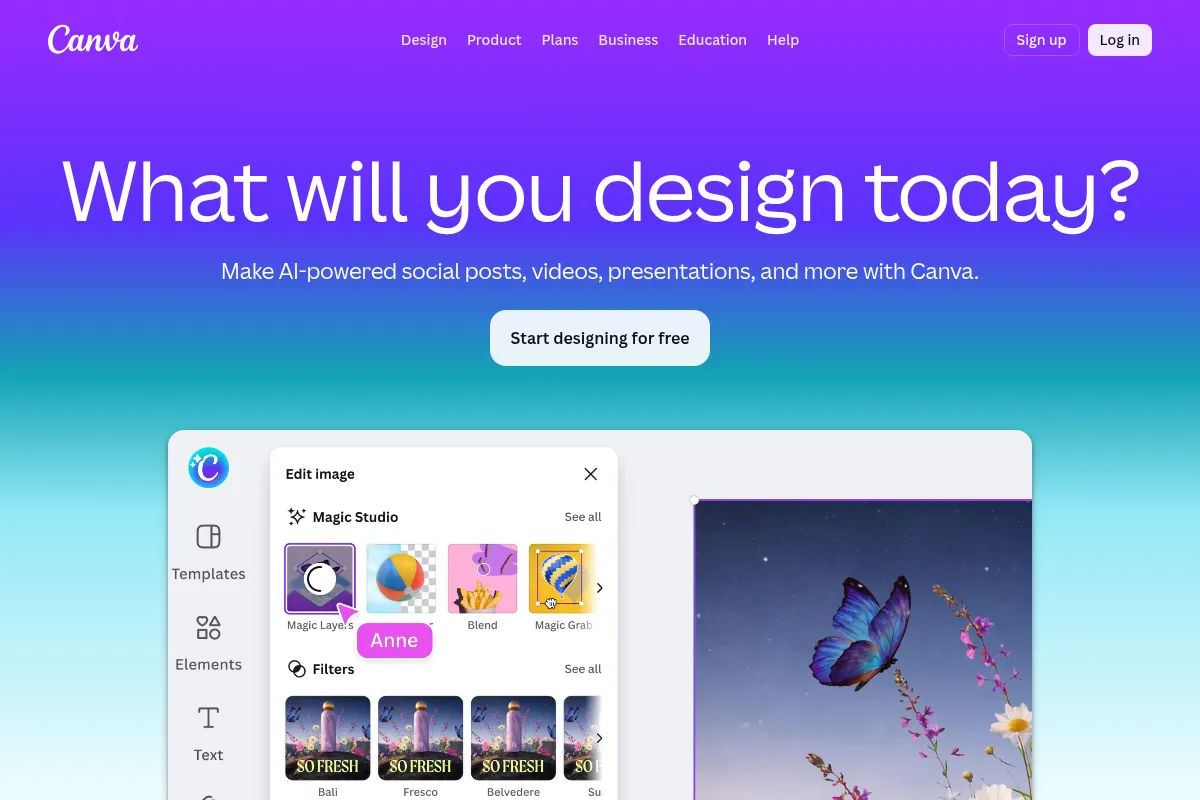
Canva AI is an extension of the popular Canva design platform, incorporating generative AI features to assist users in creating a wide range of visual content. It aims to democratize design by making AI-powered tools accessible and easy to use for individuals and businesses of all sizes, from initial concept to final output.
What it actually does
Canva AI offers a suite of tools that generate text, images, and designs based on user prompts. It can also assist with editing existing visuals, translating content, and even generating code. The AI is integrated directly into the Canva editor, allowing for a fluid workflow from AI generation to refinement.
What makes it different
Canva's key differentiator is its integration of AI tools within a widely adopted, user-friendly design ecosystem. Unlike specialized AI tools, Canva AI offers a holistic approach, combining generative capabilities with its extensive template library and editing features, making advanced AI accessible to a non-technical user base.
Ratings across the web



Ratings aggregated from independent review platforms.
Key Features
Magic Design
Generates multiple design templates from an image or prompt, offering a quick starting point for various projects.
Magic Write
Acts as an AI writing assistant within Canva, helping to brainstorm, draft, and refine text content for designs.
Text to Image
Creates unique images from text descriptions, useful for custom visuals when stock photos don't suffice.
Magic Eraser
Allows users to easily remove unwanted objects from images by simply brushing over them.
Beat Sync
Automatically synchronizes video cuts and transitions to the beat of a chosen audio track, simplifying video editing.
Brand Hub Integration
Ensures AI-generated content aligns with brand guidelines by incorporating colors, fonts, and logos.
Pricing
Canva Free
- Limited AI usage
- Access to basic design tools
- Millions of free templates and elements
- 5GB cloud storage
Canva Pro
- Full access to most AI design tools
- 500 Magic Media credits per month
- Unlimited Magic Design use
- Enhanced Magic Eraser and Magic Edit
- 1TB cloud storage
Canva for Teams
- All Pro features
- Team collaboration tools
- Brand Kit integration
- Admin controls for AI usage
- Increased Magic Media credits (1,000+ depending on team size)
Canva Enterprise
- Advanced security (SSO, SCIM)
- Multi-team management
- IP indemnity for AI
- Dedicated support
- Higher access to premium AI tools
Pricing checked 6 months ago
Pricing guidance
- You consistently hit AI usage limits on the free plan.
- You need access to premium templates, stock photos, and advanced AI features like Magic Eraser and Magic Edit.
- You require more storage space for your projects.
- You need to collaborate with a team and utilize brand management tools.
- AI usage is capped monthly, with different tools consuming varying amounts of credits.
- Some advanced AI features are exclusive to paid plans.
- While AI outputs are editable, achieving specific photorealistic results can be challenging and may require manual refinement.
- Canva for Teams pricing has increased significantly, making it more expensive for smaller teams.
Canva offers a tiered pricing structure that is accessible for individuals and small teams, with increasing value and features at higher tiers, though the cost for teams has become a point of contention.
Pros & Cons
Strengths
-
Accessibility and Ease of Use
Canva's intuitive interface makes its AI features accessible to users with little to no design experience, lowering the barrier to entry for creating professional-looking content.
-
All-in-One Creative Suite
Integrates various AI tools for design, writing, and image generation within a single platform, reducing the need to switch between multiple applications.
-
Speed and Efficiency
AI features like Magic Design and Magic Write significantly speed up the content creation process, allowing users to generate ideas and assets much faster.
-
Editable AI Outputs
All AI-generated designs and images can be fully edited within the Canva editor, giving users control to refine and customize the output to their exact needs.
Weaknesses
-
Limited Control for Advanced Users
While user-friendly, the AI tools offer less granular control compared to specialized professional design software, which may frustrate experienced designers seeking precise manipulation.
Affects: Professional designers and advanced users
-
AI Usage Limits
Free and even some paid plans have limitations on AI usage, which can pause access once a certain threshold is reached, potentially disrupting workflows.
Affects: Heavy AI users and free plan users
-
Variable Output Quality
The quality and consistency of AI-generated images can vary, with photorealistic outputs sometimes being less reliable or requiring significant editing.
Affects: Users requiring highly specific or photorealistic imagery
-
Pricing for Teams
The shift to a per-person pricing model for Canva for Teams has led to significant cost increases for some businesses, making it less budget-friendly for smaller teams.
Affects: Small to medium-sized teams
Real User Sentiment
Generally positive, with users appreciating the accessibility and speed of AI features, though some express frustration with usage limits and the quality of specific AI outputs.
Users tend to like
- Ease of use and intuitive interface
- Speed of content generation
- Integration of various AI tools in one platform
- Editable AI-generated designs
- Magic Design for quick template generation
Users commonly complain about
- AI usage limits can be restrictive
- Quality of AI-generated images can be inconsistent, especially for photorealism
- Canva for Teams pricing increase has been a concern for some businesses
- Less control for advanced design professionals
Recurring tradeoffs
- Ease of use vs. advanced control
- Generous free tier vs. AI credit limitations
- Integrated AI suite vs. specialized AI tools
Happiest users
Beginners, marketers, and small business owners who value speed, convenience, and an all-in-one solution for their design needs.
Often frustrated
Professional designers seeking granular control, and users who frequently hit AI usage limits on lower-tier plans.
Use Cases
Creating social media posts and stories
Quickly generate multiple design options for platforms like Instagram, Facebook, and TikTok.
Designing presentations and pitch decks
Use AI to draft slides, generate visuals, and refine content for business presentations.
Generating custom illustrations and graphics
Create unique images for blog posts, websites, or marketing materials using text prompts.
Drafting marketing copy and captions
Utilize Magic Write to brainstorm ideas, write headlines, and generate social media captions.
Editing and enhancing photos
Remove unwanted objects, adjust backgrounds, or create variations of existing images with AI tools.
Producing short promotional videos
Utilize AI features like Beat Sync to quickly create engaging video content for social media.
Frequently Asked Questions
What is Canva AI?
Canva AI refers to the suite of artificial intelligence-powered features integrated into the Canva platform. These tools assist users in various aspects of content creation, including generating designs, images, and text, as well as editing existing visuals. Features like Magic Design, Magic Write, and Text to Image are part of Canva AI, aiming to make design more accessible and efficient for users of all skill levels.
Is Canva AI free to use?
Canva offers a free plan with limited access to some AI features. Free users receive a restricted number of AI uses to try out the tools. For more extensive AI capabilities, higher usage limits, and access to premium AI features, users need to upgrade to Canva Pro or Canva for Teams plans. The exact number of AI uses and available features vary by plan.
How does Canva AI compare to specialized AI design tools?
Canva AI excels in its integration within a user-friendly, all-in-one design platform, making it highly accessible for beginners and for quick content creation. Specialized AI design tools might offer more advanced control, deeper customization, or higher fidelity for specific tasks like photorealistic image generation or complex vector art. Canva AI is best for broad usability and speed, while specialized tools cater to niche, high-precision needs.
What are the limitations of Canva AI?
Key limitations include usage caps on AI features, which can pause access once limits are reached, especially on free plans. The quality of AI-generated images, particularly photorealistic ones, can be inconsistent and may require significant editing. For advanced design professionals, the level of control offered by Canva AI may be less than that of dedicated professional design software. Additionally, the pricing for Canva for Teams has become a point of concern for some businesses due to a significant increase.
Does Canva AI have integrations with other tools?
Yes, Canva has an AI Connector that allows integration with AI agents like ChatGPT and Claude, enabling users to interact with Canva's design tools directly from their AI chat interfaces. This allows for tasks such as searching and summarizing Canva content, generating editable designs, and autofilling templates. Canva also offers integrations with other apps through its App Marketplace, some of which are AI-powered.
Can I use AI-generated content from Canva for commercial purposes?
Yes, you can use AI-generated content (Output) from Canva for any lawful purpose, provided you comply with Canva's AI Product Terms and Acceptable Use Policy. However, Canva may impose limits on the number of outputs you can create, and these limits are operational controls, not fixed entitlements. Users are advised to review Canva's terms of service for specific guidelines on commercial use and intellectual property rights related to AI-generated content.
How does Canva manage AI usage limits?
Canva implements AI Usage Limits, which are operational controls rather than fixed entitlements. These limits can vary by AI product and interaction. If you reach an AI Usage Limit, you may experience slowdowns, pauses, or other restrictions until the limit resets, typically at the start of your plan cycle. Users can check their AI usage in their account settings. Paid plans generally offer higher AI access than the free plan.
What is Magic Design in Canva AI?
Magic Design is a feature within Canva AI that generates multiple design templates based on an uploaded image or a text prompt. It quickly provides users with a selection of design options, including matching fonts and graphics, to kickstart their creative process. This feature is particularly useful for users who need design ideas or want to speed up the initial stages of creating social media posts, presentations, or other visual content.
Why trust this page?
This evaluation combines product positioning, pricing analysis, traffic and market signals, and public user sentiment into a single decision-support page. Content is generated editorially — not copied from the vendor's website.
Funding & Company
Founded
2012
Stage
Late stage
Total Raised
$571.6M
Latest Round
Series F (Sep 2021)
Notable Investors
Canva has raised over $570 million in primary funding, culminating in a $200 million round in September 2021 that valued the company at $40 billion. Subsequent secondary share sales, while at a lower $26 billion valuation during the 2022-2023 market correction, demonstrate continued investor and employee confidence in its long-term value. This substantial funding and a history of profitability provide a formidable foundation for product development and market expansion.
Market Signals & Traffic
Estimated visits, global rank, geography, traffic sources, monthly visit trends, and organic search keywords (Similarweb)—on a dedicated page built for depth and search.
- Estimated visits
- 973,355,461
- Global rank
- #31
- Snapshot
- Apr 2026
- Traffic trend
- Surging
Estimated monthly visits
Alternatives to Canva AI
View all alternativesVisme
Content Creation, Design, Productivity

All-in-one platform for creating presentations, infographics, and visual content.
Figma AI
Developer Tools, Content Creation
Collaborative interface design and prototyping tool for digital products.
InVideo
Video Creation, Content Creation

An AI-powered video creation platform for quickly producing professional-quality videos.
Similar Tools
NightCafe
Content Creation
AI art generator that turns text and images into stunning visual masterpieces.
Outrank
Content Creation

An AI-powered platform that automates SEO analysis and content creation to grow organic traffic.
Deep Dream Generator
Content Creation

AI-powered platform for creating surreal and dream-like digital art.
Midjourney
Content Creation

AI tool that generates images from natural language text prompts.
Wattpad
Content Creation

Social storytelling platform for reading, writing, and sharing original stories.
Leonardo AI
Content Creation

AI platform for creating and editing visual assets like images and video.