

InVideo is an AI-powered video generator that excels at rapidly producing high volumes of short-form social media content, but its reliance on a credit system and lack of fine-tuned editing control make it less suitable for projects requiring brand precision or complex storytelling.
Excellent for marketers and content creators who prioritize speed and quantity for social media; weaker for video professionals needing granular creative control and predictable costs.
Analysis based on product data, pricing structure, traffic signals, and public user sentiment.
Who Should Use InVideo?
Typical users
Social media managers, content creators, and small business owners who need to produce a consistent stream of short-form videos for platforms like TikTok, Instagram Reels, and YouTube Shorts without prior video editing experience.
Maturity fit
beginner to scaling
Choose this if…
- Your primary goal is to create social media videos from text prompts quickly.
- You value speed and automation over detailed, manual editing control.
- You need to produce a large quantity of video content and are comfortable with a credit-based system.
- You want access to a large, integrated library of stock footage and music.
- You are creating 'faceless' videos for channels that don't require on-screen personalities.
Skip this if…
- You require precise control over scene transitions, animations, and visual effects.
- Your projects have strict brand guidelines that the AI might not consistently follow.
- You are on a tight budget and find credit-based pricing for revisions unpredictable and potentially costly.
- You need to produce long-form, narrative-driven content that requires detailed storytelling.
- Your workflow involves complex edits, color grading, or advanced audio mixing.
About InVideo
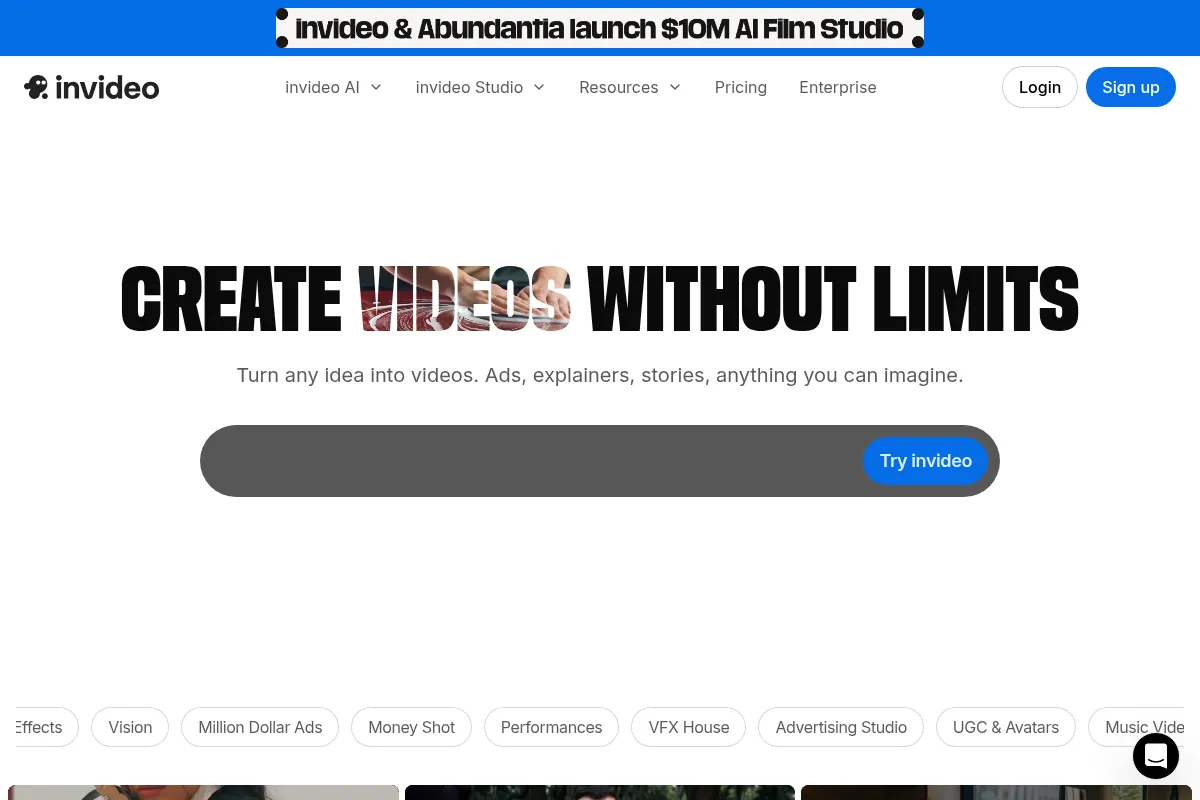
InVideo is an online, AI-driven video creation platform designed to automate the production of short-form videos. It primarily serves marketers and creators who need to convert ideas into publish-ready content with minimal manual effort. The tool uses text prompts to generate entire videos, including scripts, stock footage, voiceovers, and text overlays.
What it actually does
Users input a text prompt describing a video idea, and InVideo's AI generates a script, selects relevant stock footage from its library, adds a synthetic voiceover, and applies text and transitions. The platform allows for edits through text commands, such as changing scenes or translating the narration. It is built for creating social media content like TikToks, Reels, and promotional clips at scale.
What makes it different
InVideo's primary differentiator is its end-to-end, prompt-based workflow that generates a complete first draft of a video, unlike traditional editors that require manual assembly. While other tools offer text-to-video features, InVideo combines scriptwriting, media sourcing, voiceover, and editing into a single automated step. However, this speed comes at the cost of the granular control found in more traditional or specialized AI video tools.
Ratings across the web



Ratings aggregated from independent review platforms.
Key Features
AI Video Generation
The core function that turns a single text prompt into a complete video draft, including script, visuals, and narration, in minutes.
Text-Based 'Magic Box' Editing
Allows users to make changes to the video by typing commands like "remove subtitles" or "change the footage in scene 3," which is faster than manual timeline editing for simple revisions.
Vast Stock Media Library
Integrates over 16 million royalty-free images and video clips from sources like iStock, reducing the need to find and license assets separately.
Realistic AI Voiceovers
Provides a selection of human-sounding AI voices in multiple languages and accents, eliminating the need for manual voice recording.
Pre-made Workflows & Templates
Offers structured templates for specific video types like ads, faceless videos, or explainers, simplifying the creation process for users who don't want to start from a blank prompt.
AI Avatar Creator
A feature that can generate a digital avatar from a user's video, though user feedback suggests the quality is not yet sufficient for professional use.
Pricing
Free
- 10 minutes of AI generation per week
- Watermark on all videos
- 720p export resolution
- Limited stock media and AI voices
Plus
- 50 AI minutes per month
- No watermark
- 1080p export resolution
- 80 iStock credits per month
Max
- 200 AI minutes per month
- No watermark
- 1080p export resolution
- 320 iStock credits per month
Pricing checked 6 months ago
Pricing guidance
- When you need to remove the InVideo watermark.
- When you require 1080p or higher export quality for platforms like YouTube.
- When you consistently run out of the 10 weekly minutes on the free plan.
- When you need access to the premium iStock media library to improve video quality.
- Every AI regeneration or significant edit consumes credits, not just the initial creation.
- Unused weekly or monthly generation minutes do not roll over.
- The quality of stock footage on the free plan is significantly lower than on paid plans.
- The credit system can be confusing, with users reporting unexpected deductions for minor edits.
The pricing is positioned as an affordable alternative to hiring human editors, but the credit-based model can lead to unpredictable and potentially high costs for users who need multiple revisions.
Pros & Cons
Strengths
-
Extremely fast video creation
The platform can generate a full video draft from a text prompt in minutes, making it highly efficient for users who need to produce content at a high volume.
-
User-friendly for beginners
The interface is intuitive and requires no prior video editing experience. If you can write a prompt, you can create a video, lowering the barrier to entry for content creation.
-
Large integrated stock media library
With access to over 16 million assets, users can easily find relevant visuals without leaving the platform or paying for separate stock subscriptions.
-
Good for high-volume social content
Best suited for creating short, trendy videos for platforms like TikTok and Instagram Reels where speed and quantity are more critical than cinematic quality.
Weaknesses
-
Credit system is costly and confusing
Users report that credits are consumed for every generation and revision, which can become expensive quickly. Many feel the credit usage is not transparent, with edits draining credits without clear warnings.
Affects: Users on a budget and those requiring multiple revisions.
-
Lacks fine-grained editing control
The AI-driven process offers limited manual control over details like timing, transitions, and precise visual placement. This is a significant drawback for creating polished, professional-grade videos.
Affects: Professional video editors and users with strict brand guidelines.
-
Inconsistent AI output quality
The AI can produce irrelevant visuals, spelling errors, or awkward pacing, requiring users to spend credits on revisions to fix the AI's mistakes. The final quality is often described as decent but not client-ready.
Affects: Users creating videos for professional or commercial purposes.
-
Free plan is highly restrictive
The free plan includes a prominent watermark, offers lower resolution exports (720p), and lacks a commercial license, making it unsuitable for anything beyond personal testing.
Affects: Users trying to evaluate the tool for professional use.
Real User Sentiment
User sentiment is mixed. Many users praise InVideo for its speed and ease of use, especially beginners. However, a significant number of users express frustration with the credit-based pricing model, inconsistent AI quality, and poor customer support.
Users tend to like
- The speed of generating a first draft from a simple prompt.
- The intuitive, user-friendly interface for non-editors.
- The vast and easily accessible stock media library.
- Its effectiveness for creating simple, text-based social media videos.
Users commonly complain about
- The credit system feels like a 'bait and switch,' with revisions costing more than expected.
- The AI frequently makes mistakes, like choosing irrelevant footage or making spelling errors, which costs users credits to fix.
- Customer support is often unhelpful when users have issues with credit consumption or output quality.
- The final video quality is often not professional enough for client work or high-stakes marketing campaigns.
- The AI avatar feature produces poor quality results.
Recurring tradeoffs
- Users trade creative control and precision for speed and automation.
- The cost is lower than a human editor but can be unpredictable and high for those who need to iterate frequently.
Happiest users
Solo content creators and social media managers who need to produce a high volume of simple, short-form videos quickly and are less concerned with pixel-perfect branding.
Often frustrated
Video professionals, marketers with strict brand guidelines, and users on a tight budget who are surprised by the high cost of revisions.
Use Cases
Social Media Marketing
A marketing manager can generate dozens of short video clips for TikTok and Instagram Reels from a single content pillar or blog post.
Content Creation for Faceless Channels
A YouTube creator can produce informational or listicle-style videos without needing to appear on camera or record their own voice.
Quick Promotional Videos
A small business owner can create a simple video ad for a new product or sale by providing a brief description.
Turning Articles into Videos
A blogger can repurpose written content into video format to reach a wider audience on video-centric platforms.
Creating Explainer Videos
A startup can quickly generate a simple animated explainer video for their website by inputting the script.
Frequently Asked Questions
Is InVideo's free plan good enough to use?
No, the free plan is only suitable for testing the platform. All videos created have a watermark, are limited to 720p resolution, and do not come with a commercial license, making them unusable for any professional or business purpose.
How does InVideo's pricing and credit system work?
InVideo uses a subscription model that provides a certain number of 'AI minutes' per month. These minutes are consumed when the AI generates a video. Critically, making significant edits or regenerating scenes also consumes these credits. Many users find this system confusing and have reported that their credits deplete much faster than anticipated, especially when multiple revisions are needed.
What are the main limitations of InVideo?
The primary limitations are a lack of fine-grained editing control, inconsistent AI output that can require costly revisions, and a credit-based pricing model that can become expensive. It is not ideal for complex projects or those with strict branding requirements where precise control over every element is necessary.
Can I use my own footage and voiceover in InVideo?
Yes, you can upload your own media files, including video clips, images, and audio tracks, to incorporate into your projects. This allows you to combine your own assets with the AI-generated content and stock library.
How does InVideo compare to a competitor like Pictory?
Both InVideo and Pictory are designed to turn text into video quickly. InVideo often has a more polished interface and a wider range of templates geared towards social media. Pictory is frequently praised for its script-to-video accuracy. The choice often comes down to user interface preference and which tool's AI seems to better interpret a user's specific content.
Does InVideo have any integrations with other software?
InVideo operates primarily as a standalone, web-based platform. It does not offer significant direct integrations with other marketing or content creation software. Its workflow is self-contained, focused on creating and exporting a finished video file.
Can I create videos longer than a few minutes?
While technically possible on some plans, InVideo is optimized for short-form content (under 5 minutes). The AI's performance and coherence can decrease on longer projects, and the credit consumption for generating and editing longer videos can become very high, making it impractical for long-form content.
Why trust this page?
This evaluation combines product positioning, pricing analysis, traffic and market signals, and public user sentiment into a single decision-support page. Content is generated editorially — not copied from the vendor's website.
Funding & Company
Founded
2017
Stage
Series b
Total Raised
$52.5M
Latest Round
Series B (Jul 2021)
Notable Investors
InVideo has raised a total of $52.5 million across three funding rounds, including a significant $35 million Series B. This positions the company with substantial capital to develop its AI-powered video creation platform and compete in the crowded video editing market.
Market Signals & Traffic
Estimated visits, global rank, geography, traffic sources, monthly visit trends, and organic search keywords (Similarweb)—on a dedicated page built for depth and search.
- Estimated visits
- 7,734,333
- Global rank
- #5,468
- Snapshot
- Apr 2026
- Traffic trend
- Steady
Estimated monthly visits
Alternatives to InVideo
View all alternativesSynthesia
Video Creation, Content Creation, Training & Onboarding

An AI video generation platform for creating professional videos without traditional equipment.
Pictory
Content Creation, Video Creation

AI-powered platform to create engaging videos from text and existing content.
VEED AI
Video Creation, Content Creation

AI-powered online video editor for creating and enhancing content.
Similar Tools
D-ID
Video Creation, Content Creation

AI platform for creating realistic talking avatars and videos from images and text.
Kaiber
Video Creation, Content Creation

AI-powered platform for creating dynamic videos from text, images, and audio.
Runway ML
Video Creation, Content Creation

AI-powered creative suite for generating and editing video, images, and audio.
Elai.io
Video Creation, Content Creation

AI video generator that creates professional avatar-based videos from text.
Genmo
Video Creation, Content Creation

AI-powered platform to create videos from text or images.
DeepBrain AI
Video Creation, Content Creation

AI-powered video creation with customizable avatars and text-to-video.