

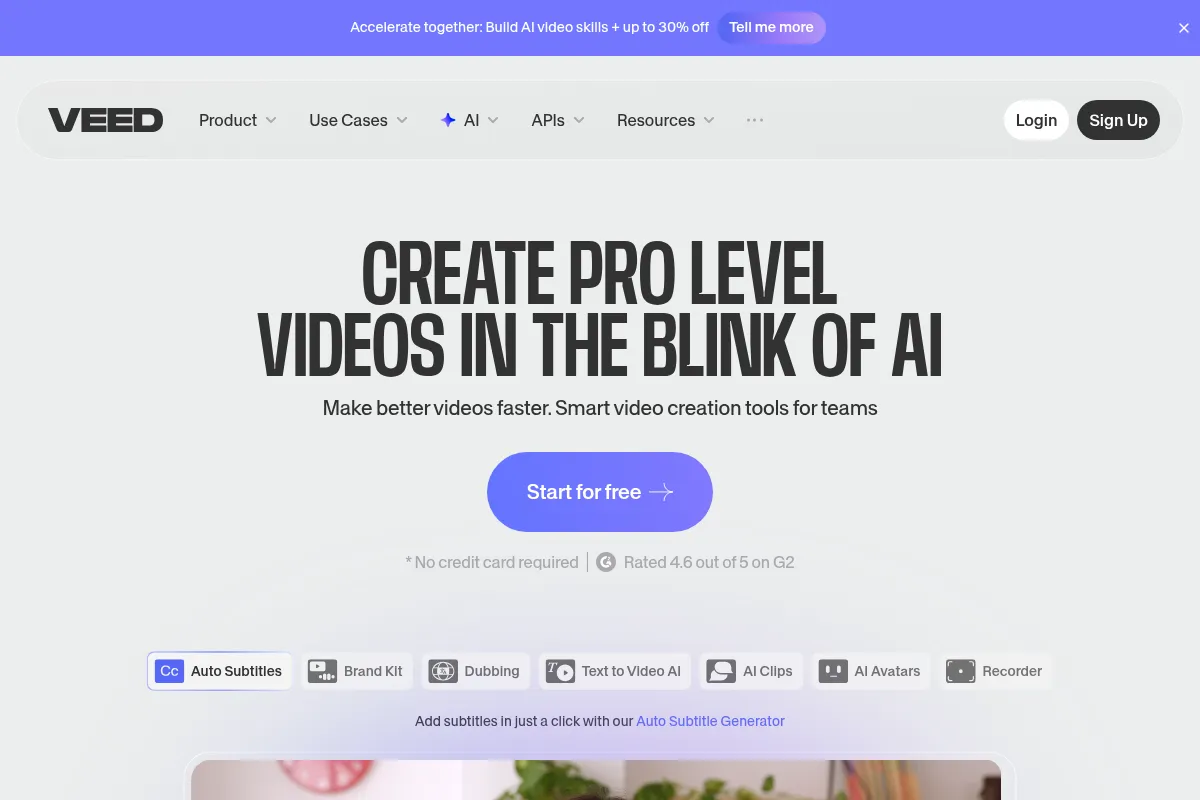
VEED AI is a browser-based video editor that uses AI to automate common tasks, making it accessible for users who need to create content quickly without extensive editing experience.
Best for quick content creation and automated editing, weaker for complex projects or advanced audio manipulation.
Analysis based on product data, pricing structure, traffic signals, and public user sentiment.
Who Should Use VEED AI?
Typical users
Content creators, marketers, and small businesses looking to produce social media videos, explainer videos, or promotional content efficiently. It's suitable for individuals or small teams without dedicated video editing expertise.
Maturity fit
beginner to scaling
Choose this if…
- You need to create videos quickly without a steep learning curve.
- Your primary goal is social media content or short promotional videos.
- You want to leverage AI for tasks like auto-subtitling, background removal, or AI avatars.
- You prefer a browser-based editor accessible from any device.
Skip this if…
- You require advanced audio editing capabilities.
- Your workflow involves very long or high-resolution video projects that demand high performance.
- You need deep customization and control found in professional desktop editing software.
- You rely heavily on real-time, multi-user collaboration for complex projects.
About VEED AI
VEED AI is an online video editor that utilizes AI to automate and simplify video creation and editing. It aims to make professional-quality video production accessible to users of all skill levels, particularly those focused on content creation for social media, marketing, and education, by offering a browser-based platform with drag-and-drop functionality and AI-powered tools.
Official profiles
What it actually does
VEED AI allows users to create and edit videos directly in their browser. It offers features such as AI-powered auto-subtitles, text-to-video generation, AI avatars, background removal, and a library of templates and stock media. The platform is designed for quick content production without the need for complex software installations.
What makes it different
VEED AI differentiates itself by integrating a wide array of AI tools directly into an accessible, browser-based editor, aiming for a balance between ease of use and feature depth. While competitors might specialize in text-based editing (like Descript) or offer more advanced professional features, VEED focuses on a broad suite of AI automations for everyday content creation needs.
Ratings across the web



Ratings aggregated from independent review platforms.
Key Features
AI Text-to-Video
Generates videos from text prompts, ideal for quickly creating explainer videos or social media content.
AI Avatars
Creates talking-head videos using digital avatars, useful for presentations or content without appearing on camera.
Auto Subtitles
Automatically generates subtitles in over 100 languages, significantly speeding up the captioning process.
AI Background Remover
Removes video backgrounds, useful for creating professional-looking content or green screen effects.
Magic Cut
Automatically generates highlight reels from longer videos, perfect for social media clips.
Pricing
Free
- 720p exports with watermark
- 10-minute video limit
- 2GB storage
- Limited AI tools
- Basic editing tools
Lite
- 1080p exports (no watermark)
- 12 hours/month auto-subtitles
- Full stock media library
- Simple brand kit
- Screen recording
Pro
- 4K exports
- 20GB file uploads
- 200GB project storage
- AI avatars (up to 4 hours/year)
- AI dubbing (up to 144 hours/year)
- Priority support
Business
- 5,000 credits/month
- Up to 1080p resolution
- Advanced Quality
- Expert team support
- Commercial use license
- Video with sound effects
- Fastest processing
Pricing checked 6 months ago
Pricing guidance
- When you need watermark-free, higher-resolution exports (1080p or 4K).
- When you hit storage limits or need to upload larger files.
- When you want to use advanced AI features like AI avatars, AI dubbing, or unlimited AI Studio generations.
- When you need more than 12 hours of auto-subtitles per month.
- Free plan includes watermarks and 720p export quality.
- AI features and advanced tools are often restricted to higher-tier plans.
- Some AI features may have regional availability limitations.
- Credit system for AI generation can be complex and may require additional purchases.
VEED offers a tiered pricing structure that starts affordably for basic use but scales up significantly for access to its more advanced AI features and higher export quality, positioning itself as an accessible yet capable tool for creators and small businesses.
Pros & Cons
Strengths
-
Ease of Use
VEED's drag-and-drop interface and browser-based nature make it accessible for beginners with no prior video editing experience.
-
AI Automation
Features like auto-subtitles, AI avatars, and text-to-video generation significantly speed up content creation and reduce manual effort.
-
All-in-One Platform
Combines editing, AI tools, stock media, and recording capabilities in a single browser-based environment, reducing the need for multiple software subscriptions.
-
Affordable Entry Point
Offers a free plan and relatively low-cost paid tiers, making it accessible for individual creators and small businesses.
-
Social Media Optimization
Provides tools for resizing videos for various social platforms and creating short-form content like clips and Reels.
Weaknesses
-
Performance Issues
Users report lag, buffering, and freezing, especially when editing longer or high-resolution videos, which can be frustrating.
Affects: Users working with large files or complex projects.
-
AI Feature Reliability
Some AI features, like AI avatars or eye contact correction, are described as experimental or not always performing as expected.
Affects: Users who rely heavily on the accuracy and consistency of AI tools.
-
Limited Audio Editing
The audio editing tools are considered basic, which may disappoint users with advanced audio production needs.
Affects: Audio professionals or those requiring sophisticated audio manipulation.
-
Limited Customization for Advanced Users
While user-friendly, it may not offer the deep customization and control found in professional desktop editing software.
Affects: Experienced video editors or those with highly specific creative requirements.
Real User Sentiment
User sentiment for VEED AI is mixed, with many praising its ease of use and time-saving AI features, while others express frustration with performance issues and limitations in advanced functionalities.
Users tend to like
- Ease of use for beginners
- Time-saving AI features (auto-subtitles, AI avatars)
- Browser-based accessibility
- All-in-one platform for content creation
- Affordable pricing for basic needs
Users commonly complain about
- Performance issues (lag, buffering) with larger files
- AI features can be unreliable or experimental
- Limited advanced audio editing capabilities
- Customer support responsiveness and billing concerns
- Pricing can become high for full feature access
Recurring tradeoffs
- Ease of use vs. advanced customization
- Speed of AI automation vs. potential performance hiccups
- Affordability of basic plans vs. cost of full feature access
Happiest users
Beginner content creators, social media managers, and small business owners who prioritize speed and ease of use for creating short-form video content.
Often frustrated
Professional video editors, users working with very large or complex projects, or those requiring highly accurate and advanced audio editing.
Use Cases
Creating social media videos (Reels, TikToks, Shorts)
VEED's AI tools and templates simplify the creation of platform-optimized content.
Producing explainer or tutorial videos
AI avatars and text-to-video features allow for quick creation of informative content.
Generating promotional videos or ads
The platform's ease of use and AI features enable rapid production of marketing materials.
Repurposing long-form content into short clips
AI Clip features can automatically generate highlight reels for social media.
Creating presentation-style videos without appearing on camera
AI avatars can narrate scripts, ideal for corporate communications or online courses.
Frequently Asked Questions
What is VEED AI?
VEED AI is a browser-based video editing platform that uses artificial intelligence to automate and simplify video creation. It offers features like AI text-to-video generation, AI avatars, auto-subtitles, background removal, and a library of templates and stock media. It's designed for users who want to create professional-quality videos quickly and efficiently without needing complex software.
Is VEED AI free to use?
VEED AI offers a free plan that allows basic editing, 720p exports with a watermark, and limited access to AI tools. For watermark-free exports, higher resolutions, and full access to advanced AI features, a paid subscription is required. The free plan is suitable for testing the platform or for very basic, non-critical projects.
How does VEED AI compare to Descript?
VEED AI focuses on a traditional timeline-based editing workflow enhanced by a broad suite of AI tools for content creation, making it very accessible for beginners and social media content. Descript, on the other hand, specializes in text-based editing, allowing users to edit video by manipulating transcripts, which is ideal for podcasting and interview-style content where audio accuracy and editing are paramount. VEED is generally considered easier to use, while Descript offers more advanced audio editing capabilities.
What are the limitations of VEED AI?
Key limitations include potential performance issues like lag and buffering, especially with larger files. Some AI features are described as experimental or may not always deliver consistent results. Advanced audio editing capabilities are basic, and while user-friendly, it may lack the deep customization options of professional desktop software. The free plan also has significant restrictions.
Does VEED AI have integrations?
VEED AI integrates with various social media platforms like Facebook, Instagram, YouTube, X (Twitter), and TikTok for direct sharing. It also offers API integrations for workflow automation with platforms like n8n, allowing connection to over 1,000 apps and services. Additionally, it integrates with other AI models through its AI Playground, such as Google Veo, Kling, and Seedance.
Why trust this page?
This evaluation combines product positioning, pricing analysis, traffic and market signals, and public user sentiment into a single decision-support page. Content is generated editorially — not copied from the vendor's website.
Funding & Company
Founded
2018
Stage
Series a
Total Raised
$35M
Latest Round
Series A (Feb 2022)
Notable Investors
VEED raised a significant $35 million Series A round in early 2022, led exclusively by top-tier firm Sequoia Capital. Prior to this, the company was bootstrapped, demonstrating strong product-market fit and revenue generation from its inception in 2018.
Market Signals & Traffic
Estimated visits, global rank, geography, traffic sources, monthly visit trends, and organic search keywords (Similarweb)—on a dedicated page built for depth and search.
- Estimated visits
- 10,853,752
- Global rank
- #3,076
- Snapshot
- Apr 2026
- Traffic trend
- Cooling
Estimated monthly visits
Alternatives to VEED AI
View all alternativesDescript
Content Creation, Video Creation

AI-powered audio and video editor that edits like a document.
HeyGen
Video Creation, Content Creation, AI Assistant

AI-powered video creation platform with realistic avatars and multi-language support.
InVideo
Video Creation, Content Creation

An AI-powered video creation platform for quickly producing professional-quality videos.
Similar Tools
Kite
Video Creation, Content Creation

A screen recorder that creates polished, professional product demo videos with 3D animations and AI voiceovers.
Elai.io
Video Creation, Content Creation

AI video generator that creates professional avatar-based videos from text.
Runway ML
Video Creation, Content Creation

AI-powered creative suite for generating and editing video, images, and audio.
Genmo
Video Creation, Content Creation

AI-powered platform to create videos from text or images.
InVideo
Video Creation, Content Creation
An AI-powered video creation platform for quickly producing professional-quality videos.
DeepBrain AI
Video Creation, Content Creation

AI-powered video creation with customizable avatars and text-to-video.