

A mobile-first video generation tool built on a proprietary model that prioritizes character consistency and motion control over broad cinematic world-building.
Best for social media creators needing consistent characters across clips, but less capable than Runway or Luma for high-resolution environmental rendering.
Analysis based on product data, pricing structure, traffic signals, and public user sentiment.
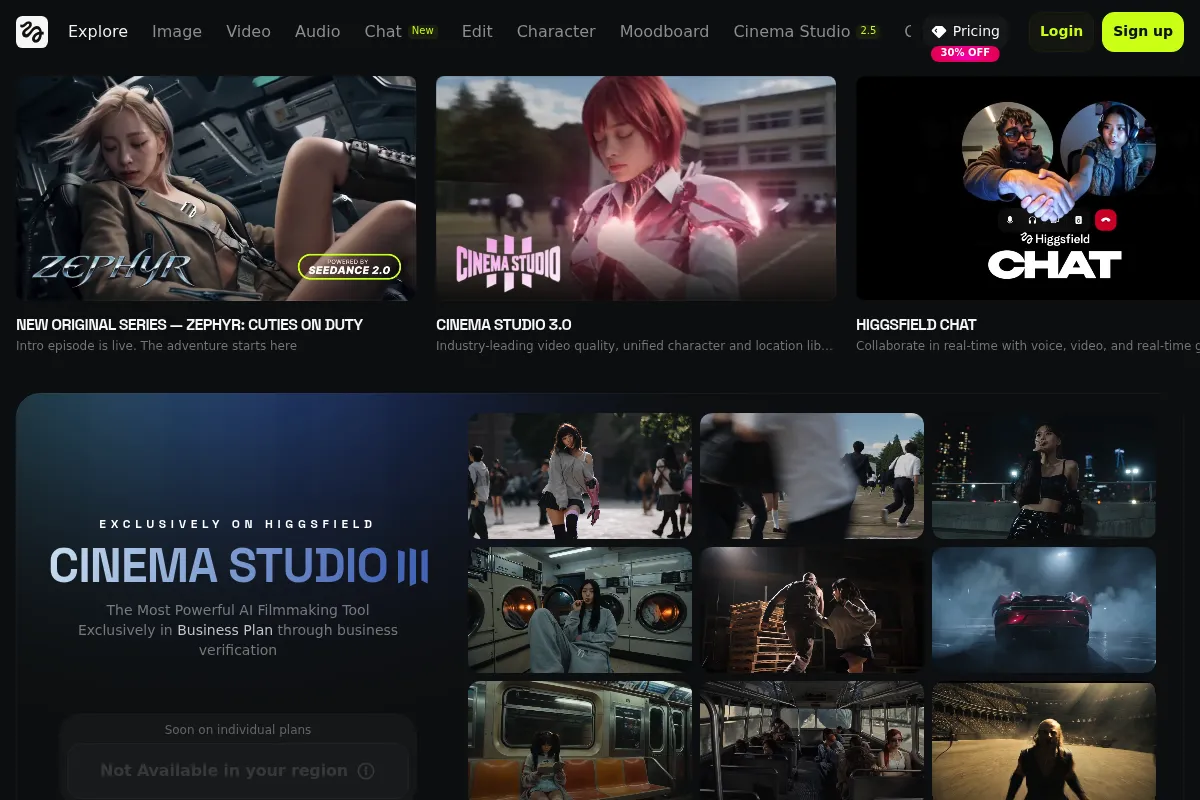
Who Should Use Higgsfield?
Typical users
Social media content creators, solo marketers, and experimental animators who need to put specific characters into various scenes.
Maturity fit
beginner to scaling
Choose this if…
- Your priority is keeping a character's face consistent across multiple generated clips.
- You want to guide AI motion using a reference video of yourself or others.
- You prefer a mobile-first workflow for quick social media turnaround.
Skip this if…
- You require a professional desktop-based timeline or advanced VFX integrations.
- You need clips longer than 4 seconds in a single generation.
- Your workflow relies on high-fidelity environmental physics rather than character-centric action.
About Higgsfield
Higgsfield is an AI video startup founded by former Meta AI leads, focusing on a proprietary video foundation model. It targets the 'prosumer' market by offering more granular control over character movement and appearance than generic text-to-video tools.
What it actually does
The platform generates short, high-motion video clips from text prompts or image references. Its primary application, 'Act,' allows users to upload a selfie or character reference and animate it using specific motion instructions or reference videos.
What makes it different
Unlike many competitors that wrapper OpenAI or Stable Video Diffusion, Higgsfield uses its own 'Diffuse and Control' architecture. This allows for 'Motion Transfer,' where the AI mimics the exact skeletal movement of a source video while applying a new character skin, solving the common problem of erratic AI movement.
Ratings across the web


Ratings aggregated from independent review platforms.
Key Features
Character Reference
Upload one photo to maintain facial features across all generated scenes.
Motion Reference
Use a video of a person dancing or moving to dictate exactly how the AI character should move.
Diffuse and Control Model
A proprietary model designed to handle complex human physics better than standard diffusion models.
Mobile-First Interface
Optimized for iOS, allowing for creation and sharing without a desktop setup.
Prompt Expansion
Automatically enhances simple user prompts to produce more detailed visual results.
Style Presets
One-tap filters for anime, 3D render, or cinematic realistic styles.
Pricing
Free
- 10 daily credits
- Standard generation speed
- Public gallery sharing
- Watermarked exports
Pro
- 1,000 monthly credits
- Priority generation queue
- No watermarks
- Commercial usage rights
Elite
- 5,000 monthly credits
- Early access to new models
- Highest resolution exports
- Dedicated support
Pricing checked 5 months ago
Pricing guidance
- When you need to remove watermarks for social media branding
- When you require commercial rights for client work
- When you run out of daily credits during a project
- Credits do not always roll over month-to-month
- High-resolution 'HD' toggles often cost double credits
- Commercial rights are only valid while the subscription is active
Competitive with other mobile AI tools like Luma or Pika, but cheaper than high-end enterprise video suites.
Pros & Cons
Strengths
-
Superior character consistency
While Runway and Pika often 'drift' character features, Higgsfield stays remarkably close to the reference image, making it viable for serialized storytelling.
-
Intuitive motion guidance
The ability to record yourself moving and have an AI character mimic that movement removes the 'prompt-engineering' guesswork from complex actions.
-
Fast generation speeds
Optimized for mobile, the tool typically returns 2-second clips faster than many web-based professional platforms.
Weaknesses
-
Short clip duration
Generations are capped at 2-4 seconds, which requires significant stitching and editing for longer narratives.
Affects: Long-form content creators
-
Mobile-centric limitations
The lack of a robust desktop web editor makes it difficult to integrate into professional post-production pipelines.
Affects: Professional editors and agencies
-
Aggressive credit consumption
High-quality 'Act' generations cost significant credits, and failed generations (common in AI) can quickly deplete daily or paid balances.
Affects: Budget-conscious creators
Real User Sentiment
Users are generally impressed by the character consistency but frustrated by the limitations of the mobile-only workflow and credit costs.
Users tend to like
- The 'Act' feature for realistic character movement
- Ease of use for non-technical creators
- High facial fidelity compared to competitors
Users commonly complain about
- Lack of a desktop version
- Occasional glitches in hand and limb rendering
- Credit system feels restrictive for heavy users
Recurring tradeoffs
- You trade environmental scale and cinematic 'epicness' for precise control over a single character's actions.
Happiest users
Influencers and social media managers who need to create 'talking head' or 'character-action' content quickly.
Often frustrated
Professional animators looking for a full replacement for tools like After Effects or Blender.
Use Cases
Social Media Ads
Creating consistent brand mascots that perform different actions in every ad.
Personalized Content
Using a selfie to put yourself into cinematic or fantastical scenarios.
Storyboarding
Quickly visualizing character movements for film or animation pitches.
Memes and Viral Content
Swapping faces onto trending dance videos or movie scenes.
Digital Avatars
Generating consistent video content for virtual influencers.
Frequently Asked Questions
Does Higgsfield have a free plan?
Yes, Higgsfield offers a free tier that provides 10 credits daily. However, these credits are consumed quickly (often 2-5 per generation), and free exports include a watermark. To remove watermarks and get more credits, you must upgrade to the Pro plan for $9.99/month.
How does Higgsfield compare to Runway Gen-3?
Runway Gen-3 is superior for cinematic environments, physics, and professional-grade resolution. Higgsfield is significantly better for character consistency—keeping the same face across different clips—and offers a more intuitive mobile experience for casual creators.
Can I use Higgsfield on my computer?
Currently, Higgsfield is primarily focused on its iOS app, 'Higgsfield Act.' While they have a web presence, the full suite of character and motion control features is optimized for mobile users. There is no full-featured desktop editor equivalent to Runway's web platform yet.
What is 'Motion Transfer' in Higgsfield?
Motion Transfer allows you to upload a 'driving video' (e.g., a video of someone doing a backflip) and a 'target image' (e.g., a photo of a knight). The AI will then generate a video of the knight performing the backflip, maintaining the knight's appearance while following the video's motion path.
Are there limits on video length?
Yes, most generations are limited to approximately 2 to 4 seconds. While you can stitch these clips together in the app's editor, you cannot currently generate a single continuous 30-second AI video in one prompt.
Can I use the videos for commercial purposes?
Commercial usage rights are typically reserved for paid subscribers (Pro and Elite tiers). If you are on the free plan, the content is generally intended for personal use and includes a watermark that cannot be legally removed for commercial ads.
Why trust this page?
This evaluation combines product positioning, pricing analysis, traffic and market signals, and public user sentiment into a single decision-support page. Content is generated editorially — not copied from the vendor's website.
Funding & Company
Founded
2023
Stage
Series a
Total Raised
$138.16M
Latest Round
Series A (Jan 2026)
Notable Investors
Higgsfield has raised a total of $138.16 million across three funding rounds, including a significant $130 million Series A round and extension. This substantial backing from notable investors like Accel, Menlo Ventures, and GFT Ventures indicates strong confidence in its AI video generation technology and rapid market adoption.
Market Signals & Traffic
Estimated visits, global rank, geography, traffic sources, monthly visit trends, and organic search keywords (Similarweb)—on a dedicated page built for depth and search.
- Estimated visits
- 24,244,640
- Global rank
- #1,786
- Snapshot
- May 2026
- Traffic trend
- Steady
Estimated monthly visits
Alternatives to Higgsfield
View all alternativesRunway ML
Video Creation, Content Creation

AI-powered creative suite for generating and editing video, images, and audio.
Luma
Content Creation, Video Creation, Design

AI platform for generating realistic video and 3D models.
Pika Labs
Content Creation, Video Creation

AI-powered platform to generate and edit videos from text and images.
Similar Tools
Shotcut
Video Creation, Content Creation

Open-source, cross-platform video editor for high-quality video production
InVideo
Video Creation, Content Creation

An AI-powered video creation platform for quickly producing professional-quality videos.
Magic Hour
Video Creation, Content Creation

Video generation platform for style transfer, animation, and face swapping.
VEED AI
Video Creation, Content Creation

AI-powered online video editor for creating and enhancing content.
Kaiber
Video Creation, Content Creation

AI-powered platform for creating dynamic videos from text, images, and audio.
Elai.io
Video Creation, Content Creation

AI video generator that creates professional avatar-based videos from text.