

Kaiber is an AI video generation platform that excels at creating stylized, artistic animations and audio-reactive visuals, but its credit-based pricing and lack of fine control make it less suitable for realistic or high-volume professional production.
Best for artistic and music-driven video creation, weaker for photorealism and predictable budgeting.
Analysis based on product data, pricing structure, traffic signals, and public user sentiment.
Who Should Use Kaiber?
Typical users
Musicians, visual artists, animators, and content creators looking for unique, stylized video content. It's also suitable for marketers needing eye-catching social media assets.
Maturity fit
beginner to scaling
Choose this if…
- You need to create stylized or abstract animations.
- You want to generate visuals that react to music.
- You prioritize artistic expression over photorealism.
- You need to quickly prototype visual ideas.
Skip this if…
- You require photorealistic video output.
- Your workflow demands precise control over every frame.
- You need to produce a high volume of videos with a predictable budget.
- You need advanced editing features beyond basic trimming and sequencing.
About Kaiber
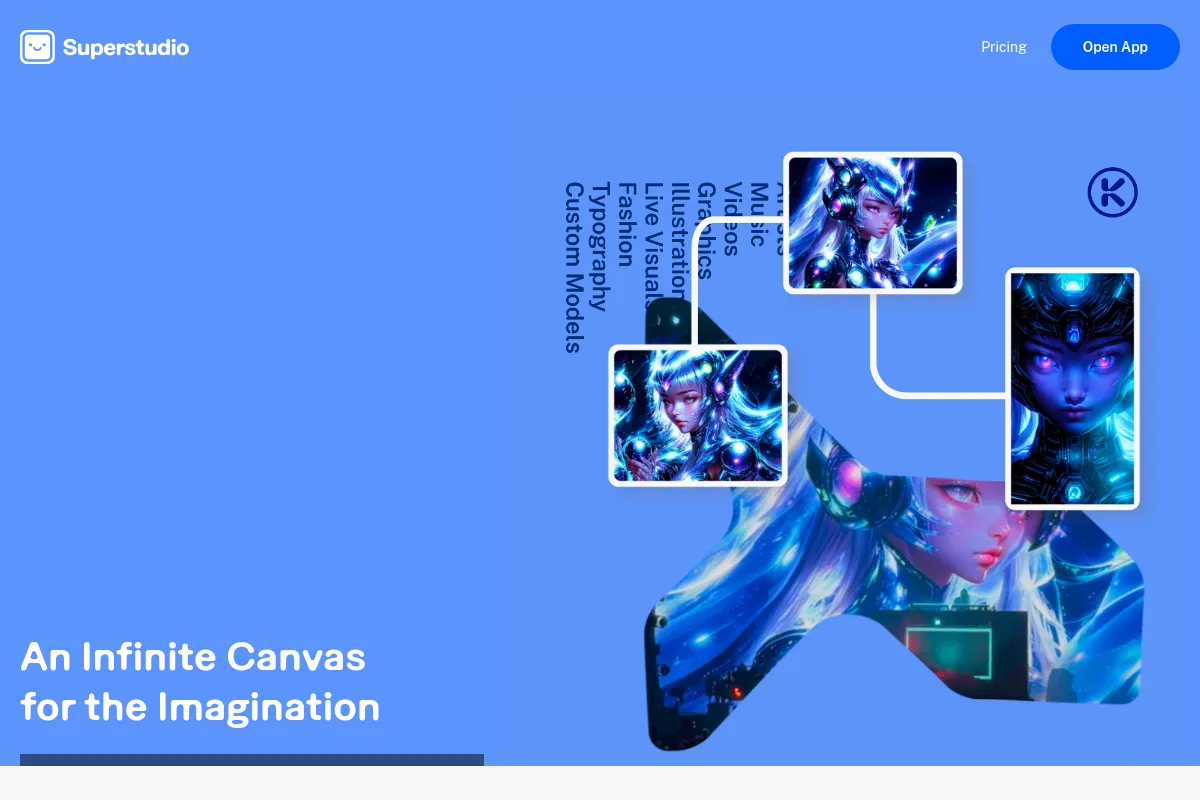
Kaiber is an AI-powered creative platform designed to transform text, images, and audio into dynamic videos and animations. It offers a Superstudio workspace with features like audioreactivity and customizable animations, aiming to simplify video production for artists, musicians, and content creators.
Official profiles
What it actually does
Kaiber allows users to generate videos from text prompts, images, or existing video clips. It can animate static images, transform video styles, and create visuals that synchronize with audio, offering a range of artistic styles and animation options.
What makes it different
Kaiber differentiates itself through its Superstudio, an integrated creative canvas that combines various AI models and tools. Its strong emphasis on audioreactivity for music synchronization and its diverse artistic style transfer capabilities set it apart from tools focused solely on photorealism or rapid generation.
Ratings across the web

Ratings aggregated from independent review platforms.
Key Features
Superstudio Canvas
A unified workspace for generating, refining, and organizing video projects.
Audioreactivity
Creates visuals that dynamically synchronize with uploaded audio tracks, ideal for music videos.
Transform
Applies various artistic styles and effects to existing videos.
Flipbook & Motion modes
Offers distinct animation styles for different creative needs.
Storyboard
Allows for planning and sequencing of scenes to build a narrative.
Custom Models
Enables users to train AI models on their own visual style for consistent branding.
4K Upscaling
Enhances video resolution for higher quality output.
Pricing
Flex
- 50 Credits
- Up to 2 Canvases
- 1 GB Storage
- Non-Commercial Use
Creator
- 1,400 Credits
- Unlimited Canvases
- 15 GB Storage
- Commercial Use
- Access to all premium models
Pro
- 7,500 Credits
- Unlimited Canvases
- 15 GB Storage
- Commercial Use
- 20% discount on extra credits
Enterprise
- Custom credit allocation
- Dedicated support
- Advanced features
Pricing checked 6 months ago
Pricing guidance
- When you consistently need more than 1,400 credits per month.
- When you require commercial use rights for your generated videos.
- When you need access to all premium AI models and features.
- When your projects demand higher resolution outputs that consume more credits.
- Credit consumption for upscaling to 4K is separate and significant.
- Previews and experimentation consume credits, making risk-free testing limited.
- Certain advanced models or features may have higher credit costs.
- While commercial use is generally included in paid plans, terms should always be verified.
Mid-tier positioning with a credit-based system that can become expensive for high-volume or high-resolution output.
Pros & Cons
Strengths
-
Strong artistic and stylized output
Kaiber excels at generating unique, artistic, and stylized visuals that stand out, making it ideal for creative projects where realism is not the primary goal.
-
Excellent for music synchronization
The audioreactivity feature is a significant advantage for musicians and content creators, allowing for dynamic visuals that sync perfectly with audio tracks.
-
Integrated creative workflow
Superstudio provides a unified canvas that combines various AI models and tools, simplifying the process of generating and refining video content without switching between multiple applications.
-
User-friendly interface
Despite its advanced capabilities, Kaiber is generally considered accessible to beginners, with an intuitive interface that lowers the barrier to entry for AI video creation.
Weaknesses
-
Credit-based pricing can be unpredictable
The credit system means costs can escalate quickly, especially for longer videos or higher resolutions, making budgeting difficult for frequent users.
Affects: Budget-conscious users and businesses needing predictable costs.
-
Limited control over fine details
Users often report inconsistencies with fine details like hands or text, and lack of precise frame-by-frame control compared to traditional editing software.
Affects: Users requiring photorealism or intricate animation control.
-
Upscaling costs extra credits
Achieving high-resolution output (1080p or 4K) requires additional credits beyond the initial generation cost, increasing the overall expense.
Affects: Users needing professional-quality output for commercial use.
-
Experimentation can be costly
Generating previews and iterating on prompts consumes credits, making extensive experimentation an investment that can quickly deplete credit balances.
Affects: Users who need to iterate frequently to achieve desired results.
Real User Sentiment
Users generally appreciate Kaiber for its artistic output and ease of use, particularly for music visualization and stylized animations. However, frustration arises from the credit system's cost and unpredictability, especially when aiming for high-resolution or extensive experimentation.
Users tend to like
- Audioreactivity for music synchronization.
- Unique artistic styles and transformations.
- User-friendly interface and Superstudio workflow.
- Quick generation of stylized animations.
Users commonly complain about
- Credit system is expensive and unpredictable.
- High-resolution (4K) upscaling costs extra credits.
- Inconsistent results and lack of fine-grained control.
- Experimentation and previews consume credits, making them costly.
Recurring tradeoffs
- Artistic output vs. photorealism.
- Ease of use vs. cost predictability.
- Creative freedom vs. fine-tuned control.
Happiest users
Musicians, visual artists, and content creators who value unique artistic styles and audio-reactive visuals over photorealism and predictable costs.
Often frustrated
Users on a tight budget, businesses needing scalable and predictable video production, or those requiring hyper-realistic output and precise editing control.
Use Cases
Creating music videos with synchronized visuals.
Animating static images for social media content.
Transforming existing video footage into different artistic styles.
Prototyping visual concepts for films or animations.
Generating eye-catching marketing assets with unique aesthetics.
Exploring new forms of digital art through AI-driven animation.
Frequently Asked Questions
What is Kaiber AI and what does it do?
Kaiber AI is an AI-powered creative platform that transforms text prompts, images, and audio into dynamic videos and animations. It offers a Superstudio workspace where users can generate, animate, and refine visuals using various AI models and tools. Its key features include audioreactivity for music synchronization, customizable animations, and artistic style transfers, making it suitable for musicians, artists, and content creators.
How much does Kaiber AI cost?
Kaiber AI offers a tiered pricing structure. There is a free 'Flex' plan with 50 credits for basic exploration. Paid plans include 'Creator' at $29/month with 1,400 credits, 'Pro' at $149/month with 7,500 credits, and custom 'Enterprise' plans. Pricing is largely based on a credit system, where different actions and video lengths consume varying amounts of credits. Upscaling to higher resolutions also requires additional credits.
Is Kaiber AI good for creating photorealistic videos?
Kaiber AI is generally not the best choice for photorealistic videos. While it offers various artistic styles and transformations, its strengths lie in stylized, abstract, and artistic animations. For photorealism, tools like Sora, RunwayML, or Pika Labs might offer more suitable capabilities.
What are the main limitations of Kaiber AI?
Key limitations of Kaiber AI include its credit-based pricing, which can become expensive and unpredictable, especially for high-resolution outputs or extensive experimentation. Users also report inconsistencies in fine details (like hands) and a lack of granular control compared to traditional editing software. Upscaling to 4K requires additional credits, increasing overall costs.
Can I use Kaiber AI for commercial projects?
Yes, paid plans for Kaiber AI generally include commercial use rights, making them suitable for brand campaigns, YouTube monetization, and client-facing content. However, it's always recommended to verify the latest Terms of Service for specific details regarding commercial usage, as free tiers often restrict these rights or include watermarks.
How does Kaiber AI compare to Pika Labs or RunwayML?
Kaiber AI excels in artistic styles and audioreactivity, making it ideal for musicians and visual artists. Pika Labs is known for its speed and ease of use for short, stylized clips, often favored for social media. RunwayML offers a broader suite of AI video tools, including advanced editing capabilities and strong photorealism, making it suitable for more professional or cinematic projects. The choice depends on whether you prioritize artistic expression (Kaiber), speed and social media focus (Pika), or advanced control and realism (RunwayML).
Does Kaiber AI have a free trial or free plan?
Yes, Kaiber AI offers a free 'Flex' plan which provides 50 credits, up to 2 canvases, and 1 GB of storage for non-commercial use. They also previously offered a 7-day free trial with 30-100 credits, though this may vary. The free plan is suitable for testing the platform's capabilities but is not sufficient for extensive projects or commercial use due to credit limitations and usage restrictions.
Why trust this page?
This evaluation combines product positioning, pricing analysis, traffic and market signals, and public user sentiment into a single decision-support page. Content is generated editorially — not copied from the vendor's website.
Funding & Company
Founded
2021
Stage
Seed
Total Raised
$10M
Latest Round
Seed (Oct 2024)
Notable Investors
Kaiber has raised a single Seed round of $10 million in late 2024, led by EQT Ventures with participation from Crush Ventures. This funding provides the company with foundational capital to develop its AI video generation platform and scale its team.
Market Signals & Traffic
Estimated visits, global rank, geography, traffic sources, monthly visit trends, and organic search keywords (Similarweb)—on a dedicated page built for depth and search.
- Estimated visits
- 0
- Global rank
- —
- Snapshot
- May 2026
- Traffic trend
- Rising
Estimated monthly visits
Alternatives to Kaiber
View all alternativesRunway ML
Video Creation, Content Creation

AI-powered creative suite for generating and editing video, images, and audio.
Pika Labs
Content Creation, Video Creation

AI-powered platform to generate and edit videos from text and images.
Luma
Content Creation, Video Creation, Design

AI platform for generating realistic video and 3D models.
Similar Tools
Higgsfield
Video Creation, Content Creation

Generate cinematic videos using text prompts and image references.
Submagic
Video Creation, Content Creation

Create viral short-form videos with dynamic captions and B-roll.
Viggle AI
Video Creation, Content Creation

AI tool to animate static images and create videos from motion.
InVideo
Video Creation, Content Creation

An AI-powered video creation platform for quickly producing professional-quality videos.
VEED AI
Video Creation, Content Creation

AI-powered online video editor for creating and enhancing content.
Elai.io
Video Creation, Content Creation

AI video generator that creates professional avatar-based videos from text.