

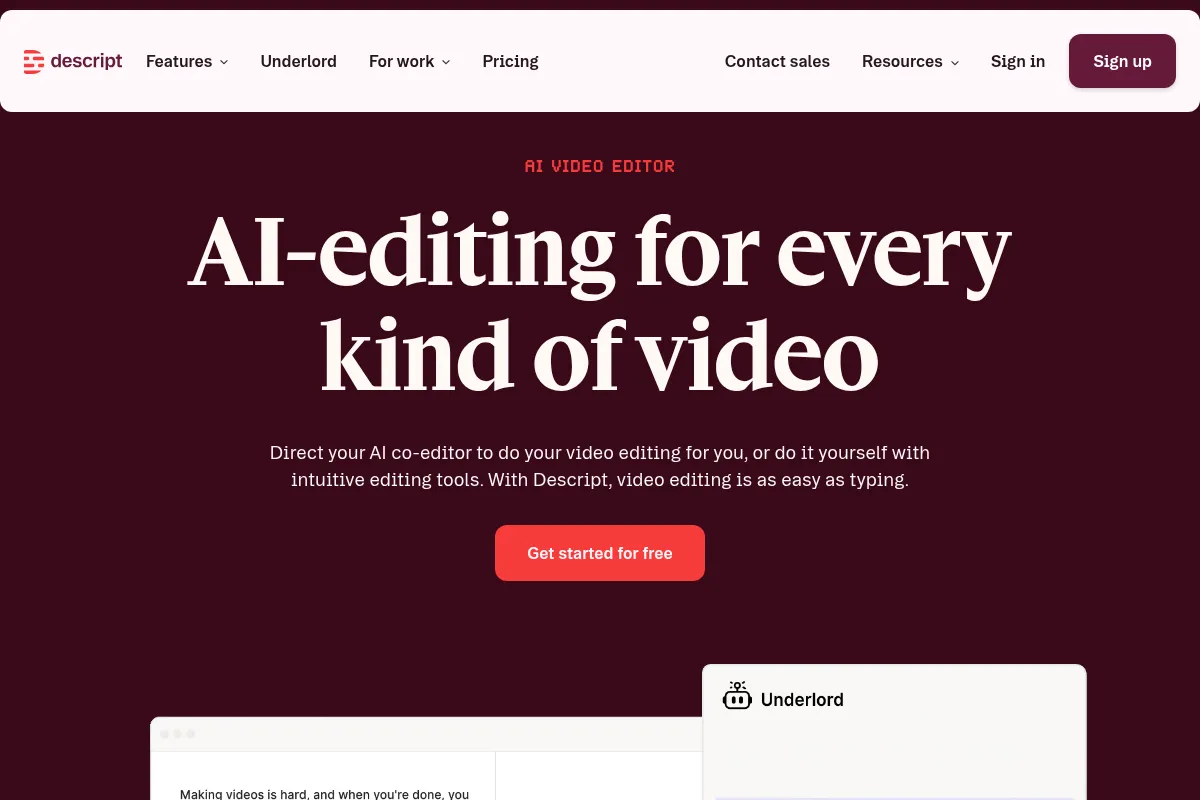
Descript is an AI-powered audio and video editor that simplifies content creation by allowing users to edit media by editing text transcriptions.
Best for creators who want to edit audio and video like a document, weaker for complex visual editing.
Analysis based on product data, pricing structure, traffic signals, and public user sentiment.
Who Should Use Descript?
Typical users
Content creators, marketers, educators, and podcasters who need to quickly edit spoken-word audio and video. This includes individuals and small teams looking to streamline their production workflow.
Maturity fit
beginner to scaling
Choose this if…
- You want to edit audio and video by editing text transcripts.
- You need to quickly remove filler words and shorten pauses.
- You want to improve audio quality with AI tools like Studio Sound.
- You need to collaborate on projects with others in real-time.
Skip this if…
- You require advanced visual effects, color grading, or complex timeline editing.
- Your primary need is professional-grade audio mixing and mastering.
- You need to edit very long-form, complex video projects with many visual elements.
- You are on a very tight budget and only need basic audio editing (consider Audacity).
About Descript
Descript is an all-in-one audio and video editing platform that uses AI to enable users to edit media by editing text transcripts. It aims to simplify content creation for podcasters, video creators, marketers, and educators by offering a more intuitive editing experience.
What it actually does
Descript automatically transcribes audio and video content, allowing users to edit the media by simply editing the text. It offers features like screen recording, AI-powered audio enhancement (Studio Sound), filler word removal, and collaborative editing, all within a single interface.
What makes it different
Descript's core differentiator is its text-based editing approach, which transforms the editing process from manipulating waveforms to editing text documents. This fundamentally changes the workflow, making it faster and more accessible for spoken-word content.
Ratings across the web



Ratings aggregated from independent review platforms.
Key Features
Text-Based Editing
Edit audio and video by editing the text transcript, making content manipulation as simple as editing a document.
Studio Sound
An AI feature that enhances audio quality, removes background noise and echo, making recordings sound professional.
Filler Word Removal
Automatically detects and removes filler words (e.g., "um," "uh") and long pauses, streamlining content and improving clarity.
Overdub
Allows users to create an AI clone of their voice to generate new audio or correct mistakes by typing.
Screen Recording
Built-in functionality to record screens with audio, ideal for tutorials and demos.
Collaboration
Real-time collaboration features allow multiple users to work on the same project simultaneously, similar to Google Docs.
AI Assistant (Underlord)
An AI co-editor that can help with tasks like generating summaries, titles, and social media posts.
Multi-track Editing
Supports layering audio, video, and graphics for more complex projects.
Pricing
Free
- 1 hour of transcription per month
- 1 hour of remote recording per month
- 720p export resolution (with watermark)
- 5 GB cloud storage
- Unlimited projects
Hobbyist
- 10 hours of transcription per month
- 1080p watermark-free exports
- 20 AI feature uses per month
- 30 minutes of AI speech per month
- 100 GB cloud storage
Creator
- 30 hours of transcription per month
- 4K watermark-free exports
- Unlimited AI feature uses
- 1 TB cloud storage
- Studio Sound, AI Green Screen, AI Eye Contact
Pro
- 30 hours of transcription per month
- 4K watermark-free exports
- Unlimited AI feature uses
- 1 TB cloud storage
- Studio Sound, AI Green Screen, AI Eye Contact
- Unlimited Overdub vocabulary
Business
- 40 hours of transcription per month
- 4K watermark-free exports
- Unlimited AI feature uses
- 1 TB cloud storage
- Priority support
Enterprise
- Custom transcription hours
- Custom AI credit allocation
- Dedicated support
- Advanced security features
Pricing checked 6 months ago
Pricing guidance
- You consistently exceed 30 hours of transcription per month.
- You need unlimited access to AI features like Studio Sound and Overdub.
- You require 4K watermark-free exports for professional content.
- Your team needs collaborative features and more storage.
- AI features consume credits, which can add up for heavy users.
- The 'Basic' plan has severe limitations on editing clips.
- While transcription hours are listed, heavy AI usage can consume them quickly.
- Some advanced AI features may have separate credit costs.
Descript offers a freemium model with tiered subscription plans that scale in transcription hours and AI feature access, becoming more expensive for power users and teams.
Pros & Cons
Strengths
-
Intuitive Text-Based Editing
Editing audio and video by manipulating text transcripts significantly speeds up the process for spoken-word content, making it accessible even for beginners.
-
Powerful AI Audio Enhancement
Studio Sound and filler word removal drastically improve audio quality and polish, saving significant time in post-production.
-
Streamlined Workflow
Combines recording, transcription, editing, and basic publishing tools in one platform, reducing the need to switch between multiple applications.
-
Collaboration Features
Enables real-time collaboration, making it efficient for teams to work together on projects simultaneously.
-
Generative AI Capabilities
Features like Overdub and AI-generated content creation offer advanced possibilities for content manipulation and generation.
Weaknesses
-
Steep Learning Curve for Advanced Features
While basic editing is intuitive, mastering advanced features and workflows can take time and effort, leading to initial frustration for some users.
Affects: Beginners exploring advanced features
-
Performance Bottlenecks
Some users report performance issues, including slow processing speeds and occasional freezing, which can disrupt the editing workflow.
Affects: Users working on large projects or with older hardware
-
Limited Visual Editing Capabilities
Descript is not a replacement for professional video editors like Premiere Pro or Final Cut Pro when it comes to complex visual effects, color grading, or intricate timeline editing.
Affects: Video editors requiring advanced visual manipulation
-
AI Feature Limitations and Costs
Many AI features are limited on lower-tier plans or consume AI credits, which can become costly for heavy users.
Affects: Users relying heavily on AI features
Real User Sentiment
Users generally praise Descript for its innovative text-based editing and powerful AI features that significantly speed up content creation. However, some users express frustration with the learning curve for advanced features, performance issues, and the cost of AI credits.
Users tend to like
- Text-based editing workflow
- Studio Sound for audio enhancement
- Filler word removal
- Ease of use for basic edits
- Real-time collaboration
Users commonly complain about
- Steep learning curve for advanced features
- Performance issues (lag, freezing)
- Cost of AI credits for heavy users
- Limited visual editing capabilities compared to professional NLEs
- Customer support responsiveness
Recurring tradeoffs
- Ease of use vs. depth of features
- Speed of editing vs. potential performance issues
- Affordability of basic plans vs. cost of AI features for power users
Happiest users
Podcasters, YouTubers, and content creators focused on spoken-word content who prioritize speed and efficiency.
Often frustrated
Video editors requiring advanced visual effects and color grading, or users who encounter performance issues and find AI costs prohibitive.
Use Cases
Editing podcast interviews by editing the transcript
Creating YouTube videos with quick cuts and AI-enhanced audio
Producing marketing explainer videos with screen recordings
Generating social media clips from longer content
Collaborating on video projects with remote team members
Improving audio quality of voiceovers with Studio Sound
Creating tutorials with integrated screen recording and voiceover
Frequently Asked Questions
What is Descript's free plan good for?
Descript's free plan is suitable for individuals or small teams to explore its basic functionality, including text-based editing and screen recording. It offers 1 hour of transcription per month and 720p watermark-limited exports. However, it's not designed for ongoing production due to these limitations and is best for testing the platform before committing to a paid plan.
How does Descript compare to Adobe Premiere Pro?
Descript excels at text-based editing for spoken-word content, offering a faster workflow for podcasts and dialogue-heavy videos. Adobe Premiere Pro is a professional-grade video editor with extensive timeline-based editing, advanced visual effects, and color grading capabilities. Descript is more accessible for beginners and streamlines editing, while Premiere Pro offers deeper control for complex visual projects.
What are the limitations of Descript?
Key limitations include a steeper learning curve for advanced features, potential performance issues like lag or freezing on larger projects, and limited visual editing capabilities compared to professional video editors. Additionally, many AI features consume credits, which can become costly for heavy users, and lower-tier plans have restrictions on export quality and AI usage.
Does Descript have integrations?
Yes, Descript offers integrations with various platforms to streamline workflows. These include cloud storage services like Google Drive, project management tools, and publishing platforms like YouTube and Podbean. Integrations allow for easier import of media and export of finished content, reducing the need for manual file transfers.
How accurate is Descript's transcription?
Descript claims up to 95% accuracy across 25+ languages with automatic speaker identification. Accuracy is generally high for clear audio with distinct speakers, but can decrease with background noise, multiple overlapping speakers, or accents. Users can edit the transcript to correct any inaccuracies.
Can I use Descript for professional video editing?
Descript is excellent for editing spoken-word content like podcasts, interviews, and vlogs, significantly speeding up the process. However, it is not a direct replacement for professional video editors like Adobe Premiere Pro or Final Cut Pro for projects requiring complex visual effects, advanced color grading, or intricate timeline manipulation. It's best used for content where dialogue is primary.
What happens if I run out of transcription hours or AI credits?
If you exceed your monthly transcription hours or AI credits on a paid plan, you can purchase 'top-ups' for additional hours or credits. This allows you to handle busy months without permanently upgrading your plan. For the Free plan, exceeding limits will restrict further use until the next billing cycle or require an upgrade.
Is Descript suitable for beginners?
Yes, Descript is generally considered user-friendly, especially for beginners, due to its intuitive text-based editing interface that mimics word processing. While basic editing is easy to grasp, mastering its advanced AI features and workflow may require some learning. The platform's design aims to lower the barrier to entry for content creation.
Why trust this page?
This evaluation combines product positioning, pricing analysis, traffic and market signals, and public user sentiment into a single decision-support page. Content is generated editorially — not copied from the vendor's website.
Funding & Company
Founded
2017
Stage
Series c
Total Raised
$100M
Latest Round
Series C (Nov 2022)
Notable Investors
Descript has raised a total of $100 million across four rounds, culminating in a $50 million Series C in late 2022 led by the OpenAI Startup Fund. This consistent backing from top-tier VCs and strategic partners signals strong confidence in its AI-driven approach to content creation, ensuring significant resources for product development and stability.
Market Signals & Traffic
Estimated visits, global rank, geography, traffic sources, monthly visit trends, and organic search keywords (Similarweb)—on a dedicated page built for depth and search.
- Estimated visits
- 3,133,827
- Global rank
- #13,699
- Snapshot
- Apr 2026
- Traffic trend
- Rising
Estimated monthly visits
Alternatives to Descript
View all alternativesVEED AI
Video Creation, Content Creation

AI-powered online video editor for creating and enhancing content.
Kapwing AI
Content Creation, Video Creation

Online video editor with AI tools for content creation and repurposing.
Similar Tools
Kapwing AI
Content Creation, Video Creation
Online video editor with AI tools for content creation and repurposing.
Pika Labs
Content Creation, Video Creation

AI-powered platform to generate and edit videos from text and images.
Fliki
Content Creation, Video Creation

AI-powered text-to-video and text-to-speech creator.
Pictory
Content Creation, Video Creation

AI-powered platform to create engaging videos from text and existing content.
Adobe Firefly
Content Creation, Video Creation

Generative AI tools for creating and editing images, video, and more.
LTX Studio
Content Creation, Video Creation

AI-powered platform for end-to-end video production.