

Kapwing is a browser-based video editor that uses AI to automate and speed up content creation, particularly for social media and repurposing.
Best for rapid social media content creation and repurposing, weaker for complex, high-fidelity video production.
Analysis based on product data, pricing structure, traffic signals, and public user sentiment.
Who Should Use Kapwing AI?
Typical users
Social media managers, content creators, marketers, and small teams looking to quickly produce and repurpose video content for various platforms. It's also suitable for educators and individuals needing accessible video editing tools.
Maturity fit
beginner to scaling
Choose this if…
- You need to quickly create short-form videos for social media.
- You want to repurpose long-form content into multiple clips.
- Real-time collaboration is a priority for your team.
- You prefer a browser-based editor over desktop software.
- You need automated subtitling and basic AI editing features.
Skip this if…
- You require advanced video editing features like complex color grading, multi-track audio editing, or sophisticated motion graphics.
- Your primary need is high-fidelity, broadcast-quality video output.
- You need to edit audio-heavy content with a text-based editor.
- You frequently work with very large, high-resolution video files that may cause performance issues.
- You need advanced AI video generation capabilities that go beyond repurposing and basic editing.
About Kapwing AI
Kapwing is a cloud-based video editing platform designed for creators and marketers who need to produce content quickly. It leverages AI to automate tasks like subtitling, content repurposing, and basic editing, aiming to simplify video production for various social media and marketing needs. The platform emphasizes collaboration and accessibility, operating entirely within a web browser.
Official profiles
What it actually does
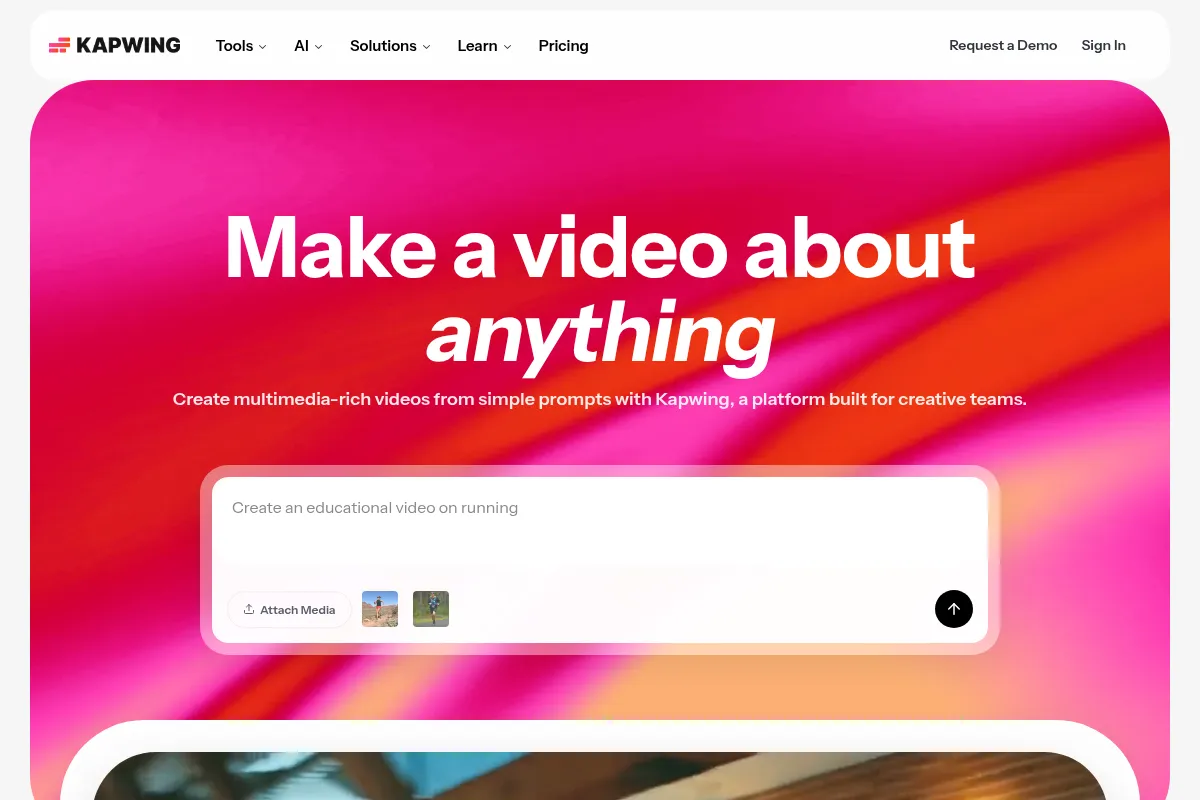
Kapwing allows users to create, edit, and collaborate on video and image content online. Its AI features can automatically generate subtitles, translate content, remove silences, and help repurpose existing videos into shorter clips optimized for different platforms. It also offers tools for AI video generation from text prompts.
What makes it different
Kapwing differentiates itself by integrating a wide array of AI models for various tasks within a single, browser-based editor, aiming to streamline the entire content creation workflow. Unlike tools that focus solely on AI generation or traditional editing, Kapwing combines both, with a strong emphasis on collaboration and speed for social media content.
Ratings across the web

Ratings aggregated from independent review platforms.
Key Features
AI Video Generator
Creates videos from text prompts or images, offering a starting point for content creation.
Smart Cut
Automatically removes silences and filler words from video content, saving editing time.
Auto Subtitling & Translation
Generates accurate subtitles and can translate them into multiple languages, improving accessibility and reach.
Repurpose Studio
Transforms long videos into multiple short clips optimized for social media platforms.
AI Assistant (Kai)
Acts as a chatbot to help brainstorm, generate, and edit content.
Collaboration Features
Enables real-time co-editing and commenting, similar to Google Docs, for team projects.
Brand Kit
Allows users to save and apply brand assets like logos, colors, and fonts for consistent branding.
AI Eye Contact
Adjusts video to make subjects appear to be looking directly at the camera, enhancing engagement.
Pricing
Free
- Unlimited exports with watermark
- 720p video quality
- 7-minute video duration limit
- 10 minutes/month auto-subtitler
- Limited AI features
- 10 credits
Pro
- No watermark
- 4K video quality
- 120-minute video duration limit
- 1000 minutes/month auto-subtitling
- Unlimited AI editing (with credit limits)
- 6GB file upload limit
- Unlimited projects
- Brand Kit
- Collaborative workspace
Business
- All Pro features
- 4000 credits/month
- 900 minutes/month dubbing
- Increased AI editing access
- Advanced collaboration features
Enterprise
- Custom credit amounts
- Advanced controls
- Dedicated account management
- Priority support
- Single Sign-On (SSO)
Pricing checked 6 months ago
Pricing guidance
- When you need to remove watermarks from exports.
- When you need to export videos longer than 7 minutes.
- When you require 4K video quality or higher export resolution.
- When you exceed the limited AI feature credits or auto-subtitling minutes.
- When you need to collaborate with a team in a shared workspace.
- AI features operate on a credit system, with limited credits on lower tiers, potentially leading to unexpected costs for heavy users.
- Free plan projects are subject to deletion after 3 days and limited to 3 projects per folder.
- While Pro plan allows exports up to 120 minutes, there are technical limitations that prevent exporting videos longer than this, even if the source is longer.
- Free plan auto-subtitler is limited to 10 minutes/month.
Kapwing offers a tiered subscription model, with a functional free tier and progressively more capable paid plans that remove limitations and unlock advanced features, positioning itself as an accessible yet scalable solution for content creators.
Pros & Cons
Strengths
-
Streamlined AI Automation
Kapwing excels at automating tedious tasks like subtitling, transcription, and repurposing content, significantly reducing production time for social media and marketing materials.
-
Strong Collaboration Features
The platform offers real-time collaboration, making it easy for teams to work together on projects, share feedback, and edit simultaneously, akin to a Google Docs experience for video.
-
User-Friendly Interface
Its intuitive, browser-based editor is accessible to beginners and experienced users alike, with a drag-and-drop functionality and a familiar timeline interface.
-
Content Repurposing Efficiency
The Repurpose Studio is particularly effective for transforming long-form content into multiple short, shareable clips for various social media platforms.
-
Integrated AI Models
Kapwing integrates multiple AI models for different tasks, allowing users to benefit from advancements in AI without managing complex integrations themselves.
Weaknesses
-
Limited Advanced Editing Capabilities
Lacks professional-grade features such as advanced color grading, complex motion graphics, or sophisticated audio mixing, which may require users to switch to other software for more demanding projects.
-
Potential for Quality Degradation
Some users report that exported videos can suffer from compression artifacts or quality loss, especially with high-resolution source material, making it less ideal for broadcast-quality output.
-
Performance Issues with Large Files
The browser-based nature can lead to performance lags or issues when working with very large files or complex projects, sometimes requiring videos to be broken into smaller chunks for export.
-
AI Generation Output Variability
While AI video generation is a feature, the output quality may not always meet professional standards without significant manual editing, and it relies on selecting existing stock footage rather than generating entirely from scratch.
-
Credit System for AI Features
Many AI features operate on a credit system, which can become costly for frequent or heavy users, with free credits being limited.
Real User Sentiment
Users generally find Kapwing to be an easy-to-use and efficient tool for video editing, especially for social media content and repurposing. The AI features are frequently praised for saving time, though some users express frustration with limitations and occasional technical glitches.
Users tend to like
- Ease of use and intuitive interface
- Speed and efficiency of AI features (e.g., auto-subtitling, Smart Cut)
- Effective content repurposing capabilities
- Real-time collaboration features
- Accessibility of a browser-based editor
Users commonly complain about
- Occasional glitches and performance issues, especially with large files
- Limitations in advanced editing features compared to professional software
- AI feature credit system can become expensive
- Quality degradation on exports
- Customer support response times
Recurring tradeoffs
- Ease of use and speed vs. depth of advanced editing features
- Browser-based accessibility vs. potential performance limitations with large files
- AI automation benefits vs. potential costs of credit systems
Happiest users
Social media managers, content creators, and small teams who prioritize speed, ease of use, and collaboration for producing social media content.
Often frustrated
Professional video editors or agencies requiring advanced features, those working with very large high-resolution files, or users who frequently hit AI credit limits without upgrading.
Use Cases
Repurposing long-form content (e.g., webinars, interviews) into short social media clips.
Creating engaging social media videos with automated subtitles and branding.
Generating quick promotional videos or explainer videos from text prompts.
Collaborating with team members on video projects in real-time.
Adding subtitles and translations to videos to reach a wider audience.
Producing educational content or tutorials with screen recordings and voiceovers.
Quickly editing and resizing videos for different platforms like TikTok, Instagram Reels, and YouTube Shorts.
Frequently Asked Questions
Is Kapwing free to use?
Kapwing offers a free plan that allows users to get started with basic video editing features, including unlimited exports with a watermark, 720p quality, and a 7-minute video duration limit. However, AI features are limited, and auto-subtitling is restricted to 10 minutes per month. For more advanced features, longer videos, higher quality exports, and expanded AI capabilities, paid plans like Pro, Business, or Enterprise are required.
What are the main differences between Kapwing and Descript?
Kapwing is primarily a timeline-based video editor focused on speed, collaboration, and social media content creation, excelling at repurposing and automated subtitling. Descript, on the other hand, is known for its text-based editing approach, making it ideal for dialogue-heavy content like podcasts and interviews, with advanced AI voice features. Kapwing is generally considered easier for beginners and better for team collaboration, while Descript offers more specialized audio editing and transcription capabilities.
What are the limitations of Kapwing's free plan?
The free plan has several limitations: exports include a Kapwing watermark, video quality is capped at 720p, and projects are limited to 7 minutes in length. AI features are restricted, with limited credits and auto-subtitling minutes (10 per month). File uploads are capped at 250MB, and free plan projects may be deleted after 3 days.
Does Kapwing integrate with other tools?
Kapwing offers plugins that integrate with other services, such as GIPHY for GIFs and Pexels for stock media, allowing users to access these assets directly within the Kapwing editor. While it doesn't have extensive third-party software integrations in the traditional sense, its browser-based nature and plugin system aim to bring external resources into its workflow.
Can I create professional-quality videos with Kapwing?
Kapwing is suitable for creating professional-looking videos, especially for social media and marketing purposes, due to its user-friendly interface, AI automation, and collaboration features. However, it lacks the advanced features found in professional desktop software like Adobe Premiere Pro or Final Cut Pro, such as sophisticated color grading, multi-track audio editing, or complex motion graphics. For broadcast-quality or highly complex video productions, users might find Kapwing's capabilities limiting.
How does Kapwing's AI video generation work?
Kapwing's AI video generator can create videos from text prompts, scripts, or images. It uses AI to select and stitch together stock footage, add voiceovers, and generate scenes. A key feature is the storyboard preview, which allows users to review and edit the shot list before generation, offering more control over the output. However, it primarily uses existing stock footage rather than generating entirely new visuals from scratch.
What is the pricing for Kapwing's Pro plan?
The Kapwing Pro plan costs $16 per member per month when billed annually, or $24 per member per month when billed monthly. This plan includes features like no watermarks, 4K video quality, longer export durations (up to 120 minutes), increased auto-subtitling minutes (1000/month), and access to more AI editing tools and collaborative workspace features.
Can Kapwing handle large video files?
Kapwing's browser-based nature can lead to performance issues when working with very large or high-resolution video files. While paid plans increase the file upload limit to 6GB, users have reported that complex projects or large files can cause the software to lag or require videos to be exported in smaller chunks. For extremely large files or demanding 4K workflows, dedicated desktop software might offer a more stable experience.
What are the licensing terms for images generated on Kapwing?
Images generated on Kapwing can be downloaded and used for personal and commercial purposes without requiring explicit permission, though attribution is appreciated for premium subscribers and required for free users. However, images cannot be resold without permission, used for AI training, or compiled to replicate a similar service.
Why trust this page?
This evaluation combines product positioning, pricing analysis, traffic and market signals, and public user sentiment into a single decision-support page. Content is generated editorially — not copied from the vendor's website.
Funding & Company
Founded
2017
Stage
Series a
Total Raised
$12.7M
Latest Round
Series A (Sep 2019)
Notable Investors
Kapwing has raised a total of $12.7M across two funding rounds. [4, 5] Its most recent financing was an $11M Series A in September 2019, led by CRV, following a $1.7M Seed round in 2018 led by Kleiner Perkins. [9, 15] The company has not announced any major funding for over six years, suggesting a shift towards sustainable, revenue-driven growth.
Market Signals & Traffic
Estimated visits, global rank, geography, traffic sources, monthly visit trends, and organic search keywords (Similarweb)—on a dedicated page built for depth and search.
- Estimated visits
- 0
- Global rank
- —
- Snapshot
- May 2026
- Traffic trend
- Falling
Estimated monthly visits
Alternatives to Kapwing AI
View all alternativesCanva AI
Content Creation

Online design tool for creating graphics, presentations, videos, and websites.
VEED AI
Video Creation, Content Creation

AI-powered online video editor for creating and enhancing content.
Descript
Content Creation, Video Creation

AI-powered audio and video editor that edits like a document.
Similar Tools
Pictory
Content Creation, Video Creation

AI-powered platform to create engaging videos from text and existing content.
Epidemic Sound
Content Creation, Video Creation

Royalty-free music and sound effects library for content creators.
Sora
Content Creation, Video Creation

AI-powered text-to-video generation platform by OpenAI.
Descript
Content Creation, Video Creation
AI-powered audio and video editor that edits like a document.
Vidu AI
Content Creation, Video Creation

AI-powered tool to generate cinematic videos from text and images.
LTX Studio
Content Creation, Video Creation

AI-powered platform for end-to-end video production.