

A specialized AI video editor that automates the 'Hormozi-style' short-form aesthetic—best for high-volume creators, but overkill for casual users who can use CapCut.
Excellent for rapid production of captioned social shorts, weaker for precise creative control or long-form editing.
Analysis based on product data, pricing structure, traffic signals, and public user sentiment.
Who Should Use Submagic?
Typical users
Solo content creators, social media managers, and marketing agencies producing 20+ short-form videos per month.
Maturity fit
scaling
Choose this if…
- Your priority is speed over granular creative control.
- You want to automate the 'talking head' style with captions and B-roll in under five minutes.
- You find manual keyframing and captioning in Premiere or CapCut too time-consuming.
Skip this if…
- You need a full-featured timeline editor for complex storytelling.
- You are on a tight budget; mobile apps like CapCut offer similar captioning for free or lower costs.
- You require high-precision B-roll that matches specific, niche contexts perfectly.
About Submagic
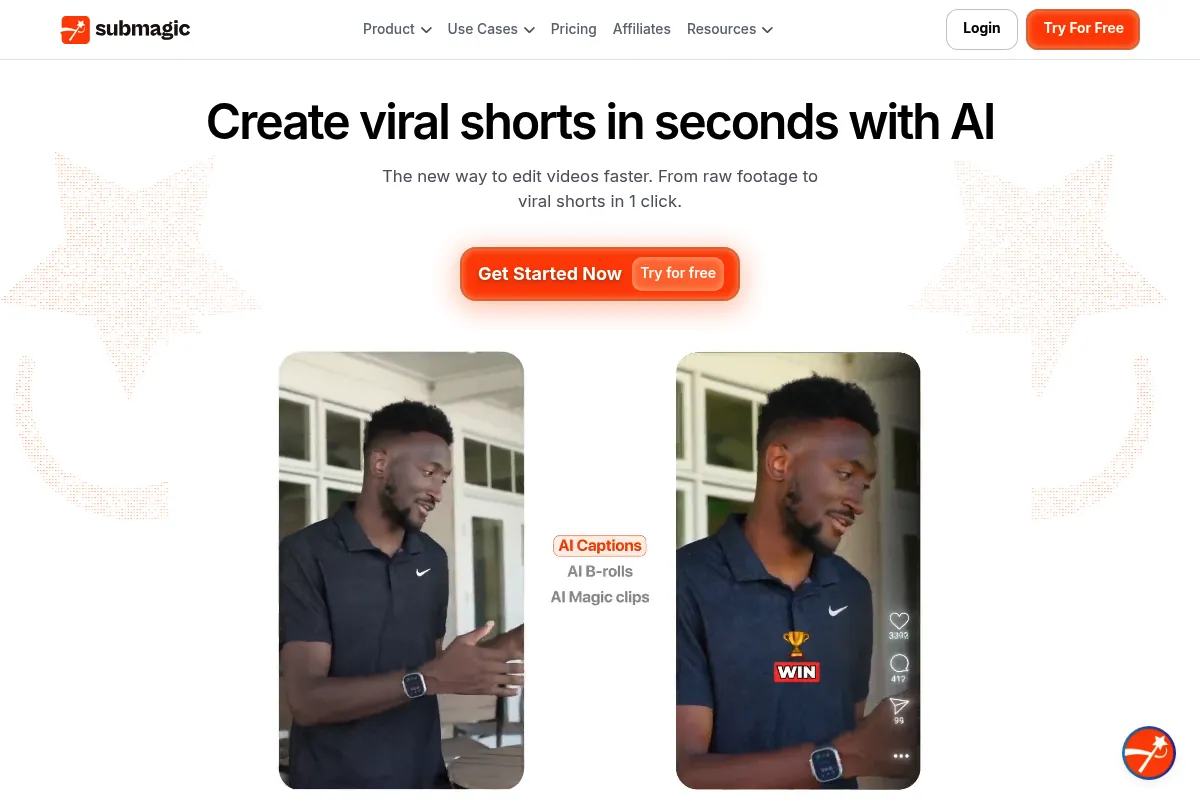
Submagic is a web-based AI video editor focused exclusively on short-form content for TikTok, Reels, and Shorts. It exists to eliminate the manual labor of transcribing, styling captions, and sourcing stock footage for talking-head videos.
What it actually does
The tool takes raw video uploads and automatically generates animated captions, removes silences, inserts relevant stock B-roll, and adds sound effects. It outputs a finished vertical video ready for social media distribution with minimal manual intervention.
What makes it different
Unlike general editors, Submagic focuses on 'retention editing'—specifically the fast-paced, high-stimulus style popularized by top influencers. Its unique edge is the automated B-roll injection, which attempts to match stock footage to the spoken transcript, a feature many competitors lack.
Ratings across the web



Ratings aggregated from independent review platforms.
Key Features
Dynamic Captions
Generates high-retention, animated text that syncs with speech patterns.
AI B-Roll
Automatically finds and overlays stock footage based on the video's context.
Magic Zooms
Simulates camera movement to emphasize key points without manual keyframing.
Auto-Cut
Identifies and removes dead air to keep the pacing tight.
Sound Effects
Automatically places 'whooshes' and 'pops' at transition points.
Description Generator
Creates SEO-friendly captions and hashtags for social platforms.
Pricing
Trial
- 3 videos per month
- Watermarked exports
- Basic captioning
Basic
- 20 videos per month
- 200MB upload limit
- All caption templates
- No watermarks
Pro
- 75 videos per month
- 400MB upload limit
- Invite up to 2 guests
- AI B-roll and sound effects
Agency
- 400 videos per month
- 600MB upload limit
- Invite up to 10 guests
- Priority support
Pricing checked 6 months ago
Pricing guidance
- When you need to post more than 5 times per week
- When you want to use the AI B-roll feature (not available on Basic)
- When you need to collaborate with a virtual assistant or editor
- File size limits are strict (200MB-600MB)
- Video length is generally capped at 90 seconds
- No true 'unlimited' tier exists
Premium pricing compared to mobile apps, justified only by the time saved on B-roll and caption styling.
Pros & Cons
Strengths
-
Extreme speed
-
Reduces the time to edit a 60-second short from hours to minutes by automating the most tedious parts of the workflow.
Weaknesses
-
Generic AI B-roll
The automated stock footage can sometimes be literal or cheesy, requiring manual replacement to maintain a high-quality brand image.
Affects: Professional brands and high-end creators
-
Restrictive video limits
The Basic plan limits you to 20 videos per month, which is insufficient for creators posting daily across multiple channels.
Affects: High-volume creators
-
Web-based performance
Uploading large 4K files to a browser-based tool can be slow and prone to crashes compared to desktop software.
Affects: Users with slow internet or high-resolution source footage
Real User Sentiment
Users generally praise the speed and caption accuracy but express frustration with the high monthly cost and occasional AI 'hallucinations' in B-roll selection.
Users tend to like
- Accuracy of the auto-transcription
- Modern, trendy caption templates
- Ease of removing silence automatically
- Clean, intuitive user interface
Users commonly complain about
- Subscription is expensive for casual use
- Difficulty canceling subscriptions
- AI B-roll can be irrelevant to the topic
- Lack of a mobile app
Recurring tradeoffs
- You trade creative control for speed; it is hard to do 'custom' work that doesn't look like a Submagic template.
Happiest users
Solopreneurs who need to churn out daily content without hiring an editor.
Often frustrated
Professional video editors who find the lack of a timeline and manual controls limiting.
Use Cases
Podcast Highlights
Turning long-form interviews into 'viral' snippets for TikTok.
Educational Shorts
Adding clear, engaging captions to 'how-to' talking head videos.
Faceless Channels
Using AI B-roll to create videos without showing the creator's face.
Real Estate Walkthroughs
Adding dynamic text and music to property tours.
Agency Scaling
Speeding up the workflow for social media managers handling multiple clients.
Frequently Asked Questions
Is there a free version of Submagic?
Submagic offers a free trial that allows you to create up to 3 videos per month. However, these videos will have a large, visible watermark. To remove the watermark and access higher video limits, you must subscribe to a paid plan starting at $20 per month.
Submagic vs CapCut: Which is better?
CapCut is a better all-around editor with a mobile app and more manual control for free. Submagic is better if you specifically want to automate the 'Hormozi' style captions and B-roll without doing any manual editing. Choose Submagic for speed and CapCut for creative flexibility.
What are the video length limits?
Submagic is designed for short-form content. While it can process videos up to several minutes, the features like AI B-roll and captions are optimized for videos under 90 seconds. File size limits range from 200MB to 600MB depending on your plan.
Does Submagic support languages other than English?
Yes, Submagic supports auto-captioning in over 48 languages, including Spanish, French, German, and Portuguese. It can also translate your captions into different languages to help reach a global audience.
Can I use my own B-roll?
Yes, while Submagic can generate B-roll for you using AI, you can also manually upload your own footage or search their integrated library of stock assets to replace anything the AI got wrong.
Does Submagic have a mobile app?
No, Submagic is currently a web-based platform. You must use a desktop or laptop browser to upload and edit your videos. For mobile-first editing, competitors like Captions.ai are a better fit.
Why trust this page?
This evaluation combines product positioning, pricing analysis, traffic and market signals, and public user sentiment into a single decision-support page. Content is generated editorially — not copied from the vendor's website.
Funding & Company
Founded
2023
Stage
Bootstrapped
Total Raised
Bootstrapped
Latest Round
—
Submagic is a bootstrapped company that has not raised any external venture capital funding. It has grown rapidly by reinvesting its own revenue, reaching an $8 million annual recurring revenue (ARR) milestone within two years of its 2023 launch.
Market Signals & Traffic
Estimated visits, global rank, geography, traffic sources, monthly visit trends, and organic search keywords (Similarweb)—on a dedicated page built for depth and search.
- Estimated visits
- 0
- Global rank
- —
- Snapshot
- May 2026
- Traffic trend
- Rising
Estimated monthly visits
Alternatives to Submagic
View all alternativesOpusClip
Video Creation, Content Creation, Marketing Automation

Repurpose long-form videos into viral short-form clips.
VEED AI
Video Creation, Content Creation

AI-powered online video editor for creating and enhancing content.
Descript
Content Creation, Video Creation

AI-powered audio and video editor that edits like a document.
Similar Tools
Elai.io
Video Creation, Content Creation

AI video generator that creates professional avatar-based videos from text.
Viggle AI
Video Creation, Content Creation

AI tool to animate static images and create videos from motion.
Runway ML
Video Creation, Content Creation

AI-powered creative suite for generating and editing video, images, and audio.
Magic Hour
Video Creation, Content Creation

Video generation platform for style transfer, animation, and face swapping.
Shotcut
Video Creation, Content Creation

Open-source, cross-platform video editor for high-quality video production
Kite
Video Creation, Content Creation

A screen recorder that creates polished, professional product demo videos with 3D animations and AI voiceovers.