

An AI video repurposing tool that automates the extraction of short-form clips from long-form content—best for high-volume creators, less effective for highly stylized or cinematic edits.
Excellent for podcasters needing rapid TikTok and Reels output, weaker for creators who require granular manual control over every frame.
Analysis based on product data, pricing structure, traffic signals, and public user sentiment.
Who Should Use OpusClip?
Typical users
Solo creators, social media managers, and marketing teams who need to turn podcasts or webinars into social clips at scale.
Maturity fit
beginner to scaling
Choose this if…
- Your primary content is talking-head videos or interviews
- You need to generate 10+ clips from a single video in under 10 minutes
- Your priority is speed and volume over custom artistic direction
- You want a 'virality score' to help prioritize which clips to post first
Skip this if…
- Your content relies heavily on visual pacing, physical comedy, or complex storytelling
- You need a full-featured video editor for long-form content
- You require pixel-perfect control over caption placement and animation
- You are on a tight budget and cannot afford a credit-based system that charges for the full source video length
About OpusClip
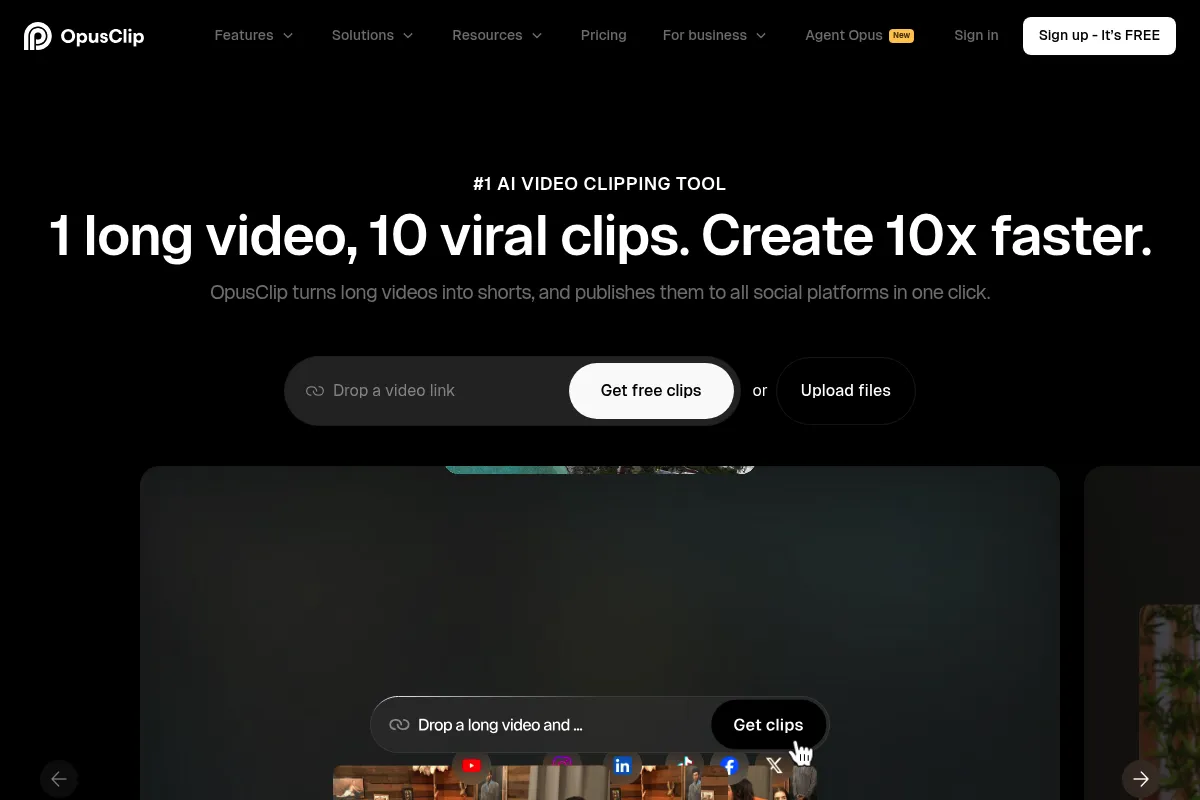
OpusClip is an AI-powered video repurposing tool designed to convert long-form videos into short-form clips for platforms like TikTok, YouTube Shorts, and Instagram Reels. It uses proprietary models to identify high-engagement moments, reframe landscape footage to vertical, and add animated captions automatically.
What it actually does
Users upload a video or paste a YouTube link, and the tool analyzes the transcript and visuals to extract the most 'viral' segments. It automatically centers the speaker, generates captions with emojis, and provides a score predicting the clip's performance potential.
What makes it different
Unlike standard editors, OpusClip focuses on 'virality prediction' and automated curation rather than just providing a timeline. Its 'ClipAnything' model is specifically trained to recognize hooks and punchlines in dialogue-heavy content, which differentiates it from generic AI editors that only cut based on silence.
Ratings across the web

Ratings aggregated from independent review platforms.
Key Features
ClipAnything
Identifies engaging segments based on dialogue and sentiment patterns.
Virality Score
Provides an AI-generated estimate of a clip's potential to trend.
Active Speaker Detection
Automatically keeps the person talking in the center of the vertical frame.
AI B-roll
Automatically adds relevant stock footage to cover cuts or emphasize points.
Filler Word Removal
Automatically cuts out 'um's and 'uh's to tighten the pacing.
Brand Templates
Allows users to save specific fonts, colors, and logos for consistent output.
XML Export
Lets professional editors move the AI-generated clips into pro software for final polishing.
Pricing
Free
- 60 processing minutes per month
- Watermarked exports
- 1080p resolution
- 3-day clip storage
- No editing capabilities
Starter
- 150 processing minutes per month
- No watermark
- AI Virality Score
- Basic editing tools
- Auto-post to TikTok/IG/YouTube
Pro
- 300 processing minutes per month
- AI B-roll generation
- XML export to Premiere/DaVinci
- Social media scheduler
- Team workspace (2 seats)
- Custom fonts and brand kits
Business
- Tailored credit volumes
- API access
- Priority processing
- Dedicated account support
Pricing checked 5 months ago
Pricing guidance
- When you need to remove the watermark for professional posting
- When you want to export projects to Premiere Pro for manual finishing
- When you need more than 150 minutes of source video processed per month
- Credits are consumed by the length of the source video, not the length of the clips produced.
- Free plan clips expire and become un-exportable after 72 hours.
- The Starter plan lacks the social media scheduler, forcing manual uploads.
Mid-range pricing that is competitive with Munch and Submagic, though the credit-based system can become expensive for high-volume livestreamers.
Pros & Cons
Strengths
-
Significant time savings on curation
It can scan a 60-minute podcast and return 15 usable clips in minutes, a task that would take a human editor hours of scrubbing.
-
High-accuracy auto-reframing
The face-tracking is reliable for talking-head content, ensuring the speaker stays in frame without manual keyframing.
-
Professional-grade export options
The ability to export XML files to Premiere Pro is a major advantage for teams that use AI for the first pass but want manual control for the final edit.
-
Low barrier to entry
The interface is simple enough that a non-editor can generate social-ready content by just pasting a link.
Weaknesses
-
Lack of contextual nuance
The AI often cuts clips too early or late, missing the setup for a joke or the resolution of a story because it doesn't truly 'understand' the narrative.
Affects: Creators of comedy, storytelling, or complex educational content
-
Credit system is based on input length
You are charged for every minute of the video you upload, even if the AI only finds one usable 30-second clip. This can feel wasteful for long, low-density videos.
Affects: Users with very long source files (e.g., 3-hour livestreams)
-
Generic AI B-roll
The automated B-roll insertion can sometimes feel disconnected or 'stocky,' occasionally placing irrelevant images over the speaker.
Affects: Brands trying to maintain a high-end or unique aesthetic
-
Limited manual editing tools
While it has an editor, it is far less flexible than tools like CapCut or Descript for making precise timing adjustments.
Affects: Power users who want to tweak every transition and layer
Real User Sentiment
Generally positive for its speed and 'magic' factor, though power users frequently complain about the AI's lack of narrative context.
Users tend to like
- Speed of generating multiple clips at once
- Accuracy of the auto-captioning
- Ease of the YouTube-to-Clip workflow
- The XML export feature for professional workflows
Users commonly complain about
- AI cutting off the end of sentences or jokes
- Virality scores feeling arbitrary or inaccurate
- Difficulty in contacting human customer support
- Credits being used up on 'bad' source footage
Recurring tradeoffs
- Users trade creative control for extreme speed; the tool is a 'volume play' rather than a 'quality play'.
Happiest users
Podcasters and interviewers who have hours of talking-head footage and need to fill a social media calendar quickly.
Often frustrated
Creators with highly edited, fast-paced, or visual-heavy content where the AI fails to identify the correct 'moments'.
Use Cases
Podcast Repurposing
Turning a 1-hour interview into 15 TikToks and Reels.
Webinar Marketing
Extracting key insights from a corporate presentation for LinkedIn.
YouTube Growth
Creating 'Shorts' versions of long-form tutorials to drive traffic to the main channel.
Agency Workflow
Managing short-form content for multiple clients using the Pro team workspace.
Stream Highlights
Clipping the best moments from a Twitch or YouTube livestream for social distribution.
Frequently Asked Questions
How does the credit system work?
One credit equals one minute of uploaded source video. If you upload a 30-minute video, 30 credits are deducted from your monthly balance, regardless of whether the AI generates 1 clip or 20 clips from that footage.
Is there a free version of OpusClip?
Yes, there is a 'Free Forever' plan that provides 60 minutes of credits per month. However, all exported videos will have a large OpusClip watermark, and clips are only stored for 3 days before they are deleted.
How does OpusClip compare to Munch?
OpusClip is generally faster and better at 'talking head' reframing, while Munch offers more robust social media trend analysis and keyword optimization. OpusClip's XML export makes it better for professional editors, whereas Munch is often preferred by social media managers for its analytics.
Can I edit the captions and the video?
Yes, but only on paid plans. The Starter and Pro plans include a built-in editor where you can fix transcription errors, change caption styles, and trim the start/end points of clips. The Free plan does not allow any editing.
Does it support languages other than English?
Yes, OpusClip supports over 20 languages, including Spanish, German, French, Portuguese, and Japanese. It can automatically detect the language and generate accurate captions in that language.
Can I export my clips to Adobe Premiere Pro?
Yes, this is a Pro-tier feature. You can export an XML file that allows you to open the AI-generated sequence in Premiere Pro or DaVinci Resolve, keeping all the cuts and captions intact for further manual editing.
Why trust this page?
This evaluation combines product positioning, pricing analysis, traffic and market signals, and public user sentiment into a single decision-support page. Content is generated editorially — not copied from the vendor's website.
Funding & Company
Founded
2022
Stage
Series b
Total Raised
$50M
Latest Round
Series B (Mar 2025)
Notable Investors
OpusClip has raised a total of $50 million across two significant funding rounds. This capital, backed by prominent investors like SoftBank Vision Fund 2, provides a strong financial runway to support product development and expansion in the competitive AI video editing market.
Market Signals & Traffic
Estimated visits, global rank, geography, traffic sources, monthly visit trends, and organic search keywords (Similarweb)—on a dedicated page built for depth and search.
- Estimated visits
- 5,427,409
- Global rank
- #8,165
- Snapshot
- Apr 2026
- Traffic trend
- Rising
Estimated monthly visits
Alternatives to OpusClip
View all alternativesMunch
Video Creation, Content Creation, Marketing Automation

Extract and edit viral short-form clips from long-form videos
VEED AI
Video Creation, Content Creation

AI-powered online video editor for creating and enhancing content.
Descript
Content Creation, Video Creation

AI-powered audio and video editor that edits like a document.
Similar Tools
Munch
Video Creation, Content Creation, Marketing Automation
Extract and edit viral short-form clips from long-form videos
Seedance
Video Creation, Content Creation, Marketing Automation

Multimodal video generation for cinematic multi-shot content.
VMEG AI
Video Creation, Content Creation, Marketing Automation

Create short-form social media videos from text scripts
Plexigen AI
Video Creation, Content Creation, Marketing Automation

Transform text and images into videos with synchronized audio.
Writesonic
AI Assistant, Content Creation

AI-powered platform for content creation, SEO, and AI search visibility.
E2B
Developer Tools, Automation & Agents

Secure cloud sandboxes for running code and AI agents