

A specialized video content management system that excels at archiving and indexing long-form educational content, though it lacks the modern UI and creative editing tools found in newer competitors.
Excellent for searchable lecture capture and internal training repositories, weaker for creative video production or external marketing.
Analysis based on product data, pricing structure, traffic signals, and public user sentiment.
Who Should Use Panopto?
Typical users
University IT administrators, instructional designers, and corporate L&D managers handling large volumes of internal video.
Maturity fit
scaling to advanced
Choose this if…
- Your priority is making internal video content searchable by spoken words or on-screen text
- You need deep integration with an LMS like Canvas, Blackboard, or Moodle
- You manage hundreds of hours of lecture or training footage that must be secure
Skip this if…
- You need a creative video editor for high-production marketing content
- Your primary use case is short-form asynchronous messaging (use Loom instead)
- You have a limited budget and don't require deep LMS integration
About Panopto
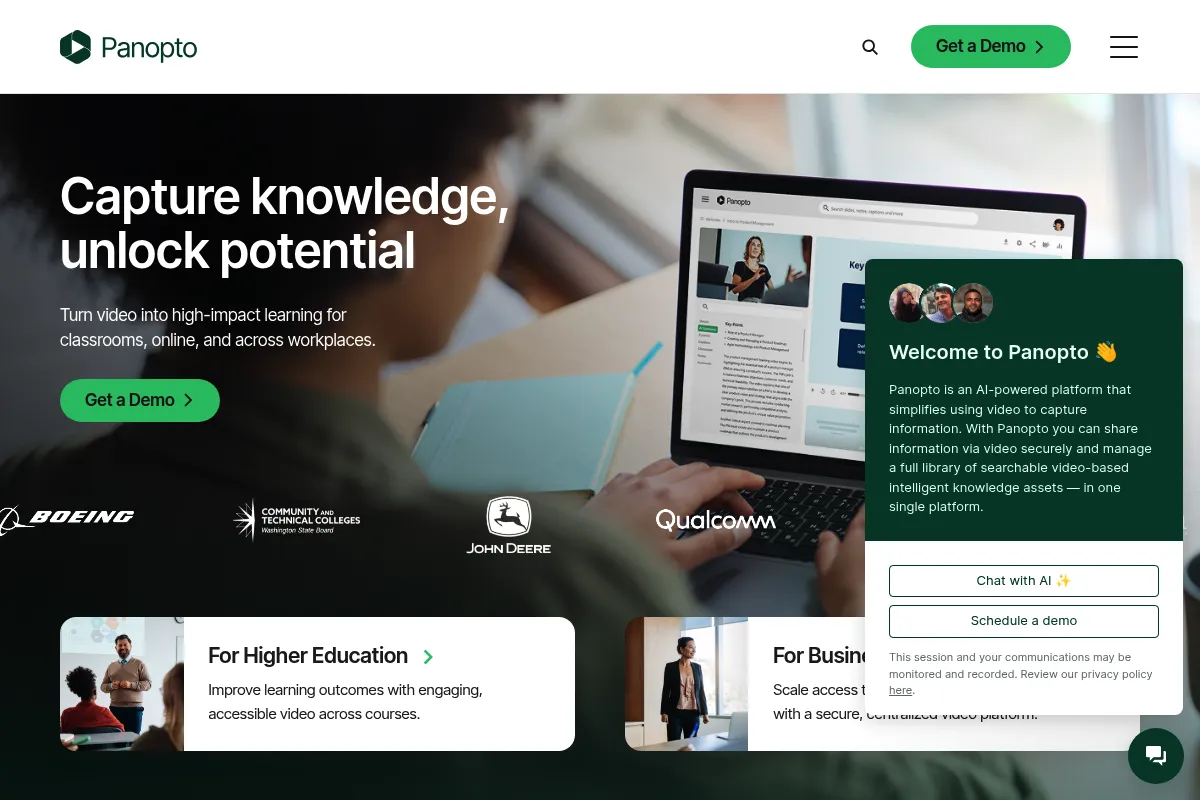
Panopto is a video content management system (VCMS) built to solve the problem of 'dark data' in video. It provides a secure environment for organizations to record, host, and search their internal video libraries, primarily serving the higher education and corporate training sectors.
Official profiles
What it actually does
It captures multi-source video (screen, webcam, and document camera simultaneously) and automatically indexes every word spoken or shown. Users can then search their entire library to find the exact moment a specific topic was discussed.
What makes it different
Its 'Smart Search' technology is the differentiator; it uses ASR (Automatic Speech Recognition) and OCR (Optical Character Recognition) to index video content at a granular level. Unlike standard hosting platforms, it allows for non-destructive editing and multi-stream synchronized playback.
Ratings across the web

Ratings aggregated from independent review platforms.
Key Features
Smart Search
Indexes every word spoken or shown on screen for instant retrieval.
Remote Recorder
Allows IT admins to schedule and control recordings in physical classrooms remotely.
Non-Destructive Editor
Edit videos without losing the original footage, allowing for easy reverts.
LMS Embeds
Places video libraries directly within course pages in Canvas or Blackboard.
Video Quizzing
Inserts knowledge checks directly into the timeline to track learner comprehension.
Automatic Captioning
Generates machine-transcripts for accessibility compliance.
Device-Agnostic Capture
Records from any USB camera, microphone, or screen capture source.
Pricing
Panopto Basic
- 5 hours of video storage
- 100 hours of streaming per month
- Smart Search and basic editing
- Community support
Panopto Pro
- 50 hours of video storage
- Unlimited streaming
- One-on-one ticket support
- Smart Search and analytics
Panopto Enterprise
- Unlimited storage and streaming
- LMS and SSO integrations
- Remote recording and live webcasting
- Dedicated account management
Pricing checked 5 months ago
Pricing guidance
- When you need to integrate with Canvas, Blackboard, or Moodle
- When you exceed 50 hours of archived content
- When you need to restrict access via corporate SSO
- The Pro plan lacks the advanced integration features that define the product's value
- Storage limits are based on hours, not file size, which can be confusing for high-bitrate uploads
Premium positioning for Enterprise, with a token 'Pro' tier to compete with consumer-grade tools.
Pros & Cons
Strengths
-
Unmatched search granularity
The ability to search for text inside a PowerPoint slide shown three years ago in a one-hour lecture is a massive time-saver for students and employees.
-
Reliable long-form capture
It handles multi-hour recordings with high stability, making it the standard for university lecture capture where failure is not an option.
-
Granular permission management
Integrates with SSO (Single Sign-On) to ensure sensitive corporate training or private lectures are only accessible to specific groups.
Weaknesses
-
Dated user interface
The backend management console and the video portal feel like software from the early 2010s, lacking the polish of modern SaaS tools.
Affects: Administrators and content creators
-
Basic editing functionality
The web-based editor is strictly for trimming and splicing; it cannot handle transitions, overlays, or advanced color correction.
Affects: Video producers and creative teams
-
Mobile app limitations
The mobile experience for both viewing and uploading is frequently cited as clunky and less reliable than the desktop version.
Affects: Students and remote workers
Real User Sentiment
Users generally respect Panopto for its utility and search capabilities but find the actual experience of using the software frustratingly old-fashioned.
Users tend to like
- Search results that take you to the exact second of a video
- Reliable integration with university systems
- The ability to watch multiple camera angles at once
Users commonly complain about
- The web editor is slow and unintuitive
- Uploading large files can be prone to errors
- The UI looks and feels ancient
Recurring tradeoffs
- You trade a modern, fast UI for deep, reliable search and institutional security.
Happiest users
University students looking for a specific keyword in a semester's worth of lectures.
Often frustrated
Creative professionals used to the speed of tools like Descript or Frame.io.
Use Cases
Lecture Capture
Automatically recording and uploading university classes for student review.
Corporate Onboarding
Creating a searchable library of training videos for new hires.
Meeting Archiving
Storing and indexing Zoom or Teams recordings for long-term knowledge management.
Compliance Training
Delivering mandatory training with quizzes to verify completion.
Executive Communications
Live streaming town halls to a global workforce with secure playback.
Frequently Asked Questions
How does Panopto pricing work for universities?
Panopto Enterprise pricing for universities is typically based on Full-Time Equivalent (FTE) student counts. This usually results in an annual contract ranging from $10,000 to over $50,000 depending on the size of the institution and required support levels.
Is Panopto better than Loom?
They serve different purposes. Loom is better for quick, casual screen shares and 'video emails.' Panopto is better for long-form content that needs to be archived, indexed, and integrated into a formal learning environment like an LMS.
Can I edit videos in Panopto?
Yes, but the editor is basic. It allows you to trim the beginning and end, cut out sections in the middle, and switch between different video sources (like webcam vs. screen). It is not a replacement for professional software like Premiere Pro.
Does Panopto integrate with Zoom?
Yes, Panopto has a strong Zoom integration that automatically imports cloud recordings into your Panopto library, where they are then transcribed and made searchable.
What are the main limitations of the free version?
The free version (Panopto Basic) limits you to only 5 hours of total storage and 100 hours of streaming per month. It also lacks the ability to integrate with any third-party software like an LMS or SSO.
How accurate is the automated captioning?
The ASR (Automatic Speech Recognition) is generally 70-90% accurate depending on audio quality and accents. For ADA compliance, most institutions use Panopto's integration with professional human captioning services like 3Play Media or Rev.
Why trust this page?
This evaluation combines product positioning, pricing analysis, traffic and market signals, and public user sentiment into a single decision-support page. Content is generated editorially — not copied from the vendor's website.
Funding & Company
Founded
2007
Stage
Acquired
Total Raised
$50.9M
Latest Round
Series B (Aug 2016)
Notable Investors
Panopto raised approximately $50.9M in venture capital before being acquired by private equity firm K1 Investment Management in April 2021. This acquisition provides significant financial backing and shifts the company's focus towards sustainable growth and profitability under an experienced software investor.
Market Signals & Traffic
Estimated visits, global rank, geography, traffic sources, monthly visit trends, and organic search keywords (Similarweb)—on a dedicated page built for depth and search.
- Estimated visits
- 12,224,231
- Global rank
- #5,453
- Snapshot
- Apr 2026
- Traffic trend
- Rising
Estimated monthly visits
Similar Tools
MiniMax
Content Creation, Video Creation, Music Generation

Multimodal platform for text, video, speech, and music generation
Inferact
Data Extraction, Automation, Workflow

Automated data extraction and analysis for complex documents
Virtue
Privacy & Compliance, Workflow, Automation

Governance and risk management platform for enterprise compliance
Celtra
Marketing Automation, Design, Content Creation

Creative automation platform for scaling digital advertising and marketing content.
Fireflies.ai
AI Assistant, Productivity, Documentation

AI meeting assistant that records, transcribes, and summarizes calls.
Colossyan
Video Creation, Content Creation, Training & Onboarding

AI video generation platform with realistic avatars for training and communication.