

Vybe
A chat-first internal tool builder that lets non-technical teams prompt their way to functional dashboards—strong for speed and simple CRUD, but risky for complex, long-term architecture.
Best for operations teams needing rapid, self-serve internal tools, weaker for developers who need full control over the underlying code and state.
Analysis based on product data, pricing structure, traffic signals, and public user sentiment.
Who Should Use Vybe?
Typical users
Ops, Finance, and GTM teams at scaling startups who are tired of waiting on engineering for internal dashboards.
Maturity fit
scaling
Choose this if…
- You want to build functional internal tools using natural language prompts instead of drag-and-drop
- Your priority is speed of deployment over pixel-perfect UI customization
- You need to connect to a wide variety of SaaS apps (3,000+) without writing custom API logic
Skip this if…
- You require full ownership and manual control over the generated React or SQL code
- Your application involves complex, multi-step state management that AI prompts struggle to map
- You have a strict 'no AI-generated code' policy for internal security compliance
About Vybe
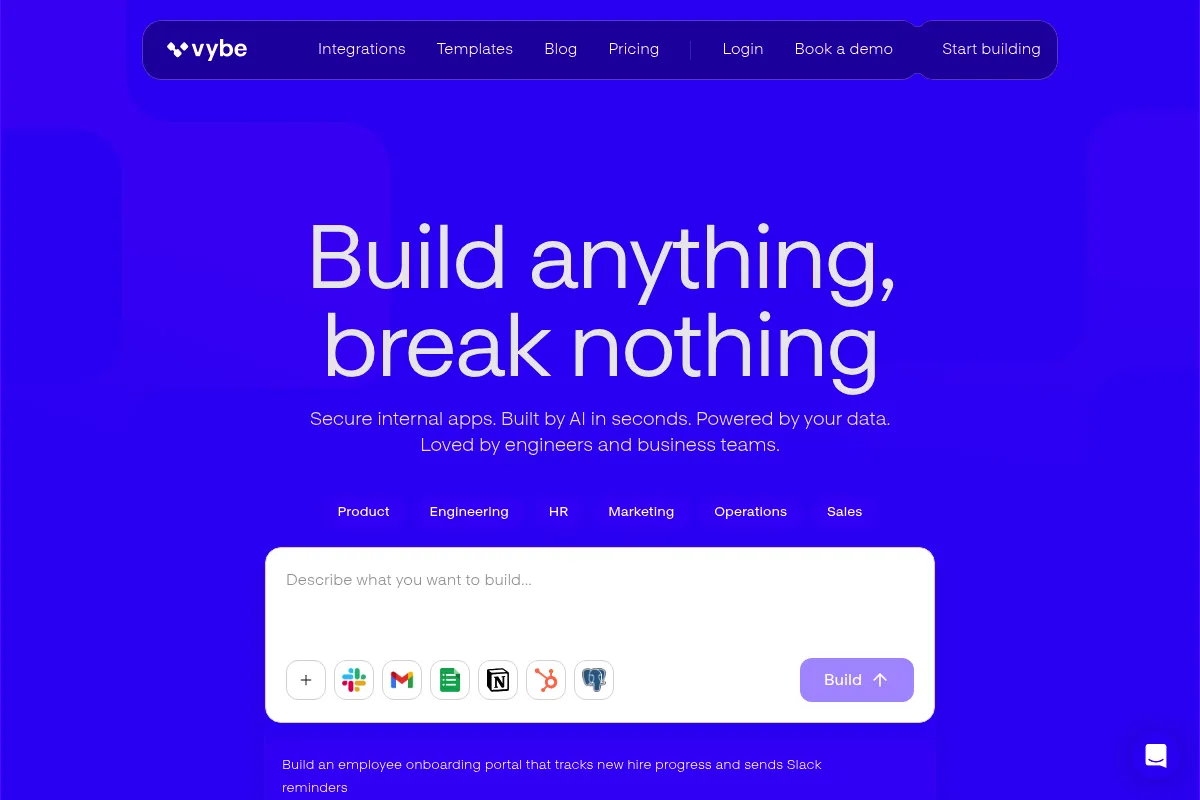
Vybe is an AI-native internal tool builder designed to eliminate the engineering bottleneck. It allows users to describe the tool they need in plain English and generates a secure, data-connected application in seconds. Unlike traditional builders, it emphasizes 'vibe coding' where the AI handles both the initial build and ongoing maintenance.
Official profiles
What it actually does
Vybe connects to your databases and APIs to generate custom web apps, admin panels, and dashboards via a conversational interface. It provides a library of pre-built UI components and handles the 'plumbing' of authentication, permissions, and deployment automatically.
What makes it different
Most internal tool builders stop at the 'build' phase; Vybe uses AI agents to 'operate' the tools after deployment. These agents monitor for errors, update data based on external triggers, and handle basic maintenance, reducing the long-term technical debt typically associated with low-code tools.
Key Features
AI Chat Interface
Build and iterate on application logic using text prompts.
Operational AI Agents
Proactively maintains tools and runs background workflows without manual intervention.
Component Library
Standardized tables, forms, and charts that ensure design consistency.
Enterprise Security
Includes SSO, audit trails, and RBAC on higher tiers.
Code Escape Hatches
Allows developers to step in and edit generated code when AI hits a wall.
Live Data Sync
Real-time updates from sources like Salesforce, HubSpot, and Stripe.
Interoperable Apps
Shared memory across different Vybe apps for connected workflows.
Pricing
Free
- 1 builder seat
- 100 daily credits (resets every 24h)
- Unlimited apps & integrations
- Standard connectors (Postgres, Slack, Sheets)
Pro
- 1 builder seat included
- 2,000 credits per month
- $7/month per end-user seat
- Unlimited app usage
Team
- 3 builder seats minimum
- 15,000 shared credits per month
- $12/month per end-user seat
- Granular permissions & SSH Tunneling
- Premium integrations (Salesforce, Snowflake)
Enterprise
- Unlimited credits
- SSO (Single Sign-On)
- BYOK (Bring Your Own Key)
- Custom SLAs & Security reviews
Pricing checked 5 months ago
Pricing guidance
- When you hit the 100-credit daily limit on the Free plan
- When you need to grant access to 'end-users' who aren't builders
- When you need premium connectors like Salesforce or Snowflake
- When you require SSH tunneling for secure database access
- Credits reset daily on the Free plan but are monthly on paid plans
- End-user seats are billed separately from builder seats
- Minimum 3-seat requirement for the Team plan
Premium pricing for builders with a per-user tax on end-users, making it expensive for large organizations with many viewers.
Pros & Cons
Strengths
-
Extreme speed to value
Goes from a text prompt to a functional, data-connected dashboard in minutes, which is significantly faster than manual drag-and-drop builders.
-
Accessible to non-developers
Allows GTM and Ops teams to build their own tools without pulling engineers off the core product roadmap.
-
Maintenance-free operations
The AI agent layer handles minor updates and error monitoring, preventing internal tools from 'rotting' over time.
Weaknesses
-
AI Hallucinations in complex logic
When generating complex SQL joins or multi-step API workflows, the AI can occasionally produce incorrect logic that requires technical oversight to fix.
Affects: Teams building high-stakes financial or data-writing tools
-
UI Rigidity
You are largely restricted to the layouts and components the AI provides; achieving a highly specific, custom brand look is difficult.
Affects: Design-conscious teams or customer-facing internal portals
-
Credit-based usage limits
The reliance on AI credits means costs can scale unpredictably if you are constantly iterating or running heavy automated workflows.
Affects: High-volume users on lower-tier plans
Real User Sentiment
Users are generally impressed by the speed of generation but remain cautious about the long-term maintainability of AI-written code.
Users tend to like
- The ability to build a working app from a single sentence
- Not having to write SQL queries manually
- The 'vibe coding' loop for rapid iteration
Users commonly complain about
- Occasional 'black box' behavior where logic is hard to debug
- UI can feel generic or 'boxy'
- Credit limits on the free tier are restrictive for heavy testing
Recurring tradeoffs
- You trade granular control for extreme development speed
- You trade predictable per-seat pricing for a mix of seat and credit-based costs
Happiest users
Ops managers and GTM leads who need to ship dashboards yesterday without waiting for a sprint cycle.
Often frustrated
Senior developers who want to fine-tune every CSS property or complex database transaction.
Use Cases
Sales Ops
Build a dashboard that pulls deal data from HubSpot and flags missing MEDDPICC scores.
Customer Support
Create a tool that summarizes Zendesk tickets using AI and posts alerts to Slack.
Finance
Generate a secure portal for viewing Stripe transaction history with custom filtering.
Engineering
Quickly stand up a database GUI for a new Postgres instance without manual configuration.
Marketing
Build a lead-scoring tool that connects a Google Sheet to an OpenAI summarization prompt.
Frequently Asked Questions
How does Vybe compare to Retool?
Retool is a developer-first tool requiring SQL and JavaScript knowledge to build complex apps. Vybe is AI-first, allowing non-technical users to build via chat. Retool offers more UI flexibility, while Vybe offers faster deployment and AI-driven maintenance.
Is there a free plan?
Yes, Vybe offers a 'Free Forever' plan with 1 builder seat and 100 daily credits. It includes unlimited apps and standard integrations, but lacks end-user seats and premium security features like SSH tunneling.
What are the main limitations?
The primary limitations are UI customization and the potential for AI logic errors. You cannot easily build highly bespoke designs, and complex business logic may require manual code 'escape hatches' to ensure accuracy.
What integrations are supported?
Vybe supports over 3,000 integrations, including major databases (Postgres, MySQL, MongoDB) and SaaS tools like Salesforce, Slack, Stripe, HubSpot, and Google Sheets.
Is my data secure with Vybe?
Vybe emphasizes enterprise security with features like SSH tunneling, role-based access control (RBAC), and SSO. On the Enterprise plan, they offer 'Bring Your Own Key' (BYOK) for added data sovereignty.
Do I need to know how to code to use Vybe?
No. Vybe is designed for non-technical users to build apps using natural language. However, knowing basic SQL or JavaScript is helpful for using 'escape hatches' to refine complex logic the AI might miss.
Why trust this page?
This evaluation combines product positioning, pricing analysis, traffic and market signals, and public user sentiment into a single decision-support page. Content is generated editorially — not copied from the vendor's website.
Funding & Company
Founded
2025
Stage
Seed
Total Raised
$10M
Latest Round
Seed (Dec 2025)
Notable Investors
Vybe has raised a single Seed round of $10 million, led by prominent early-stage investors First Round Capital and Y Combinator. This funding is aimed at expanding its engineering team and bringing its AI-powered internal application development platform to corporate clients.
Market Signals & Traffic
Estimated visits, global rank, geography, traffic sources, monthly visit trends, and organic search keywords (Similarweb)—on a dedicated page built for depth and search.
- Estimated visits
- 33,211
- Global rank
- #837,910
- Snapshot
- Apr 2026
- Traffic trend
- Rising
Estimated monthly visits
Similar Tools
Appsmith
Developer Tools, Automation, Productivity

Low-code platform for building and deploying custom internal business applications.
Refiant AI
Privacy & Compliance, Automation, Marketing Automation

Automated compliance review for marketing materials and regulatory risk management.
Kenect
Communication, Marketing Automation, E-commerce

Business texting platform for lead generation, reviews, and payments.
Superhuman
Productivity, AI Assistant, Automation

AI-powered email client and productivity suite for professionals.
Tofu
Marketing Automation, Content Creation

Create hyper-personalized B2B marketing content for account-based marketing campaigns.
Ambience Healthcare
Health & Wellness, Automation, Documentation

Operating system for automated clinical documentation and healthcare workflows.