

AgentOps
A specialized observability layer for multi-agent workflows that prioritizes session-based debugging and tool-call tracking over simple log aggregation.
Excellent for developers building complex multi-agent systems with CrewAI or AutoGen, weaker for teams needing only basic LLM prompt logging.
Analysis based on product data, pricing structure, traffic signals, and public user sentiment.
Who Should Use AgentOps?
Typical users
AI engineers and startup founders building autonomous agents that use external tools and multi-step reasoning.
Maturity fit
scaling
Choose this if…
- You are using agent frameworks like CrewAI, AutoGen, or PydanticAI.
- You need to visualize the exact sequence of tool calls and reasoning steps in a 'session replay'.
- Your priority is tracking costs and performance at the agent-session level rather than individual prompts.
Skip this if…
- You only need basic logging for single-turn LLM interactions.
- Your entire stack is built on LangChain and you prefer the native LangSmith integration.
- You require a self-hosted open-source solution with zero data egress (consider Langfuse instead).
About AgentOps
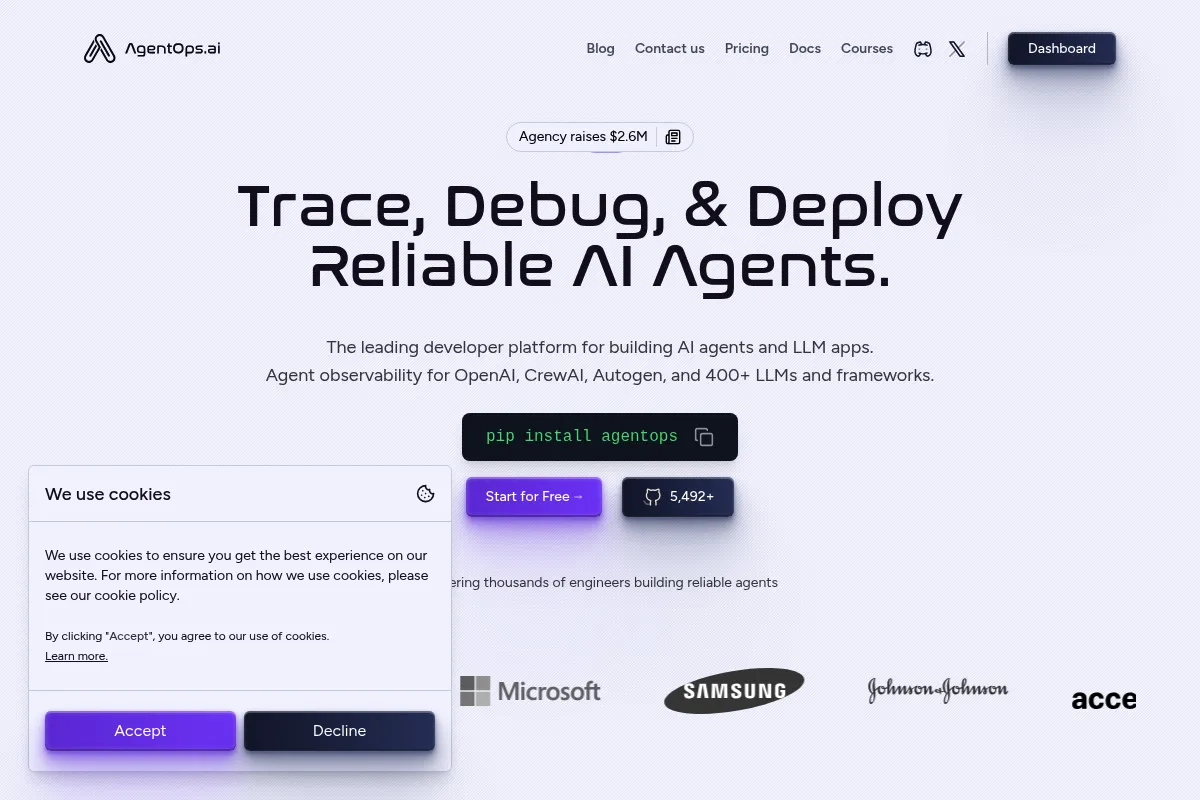
AgentOps is an observability and monitoring platform purpose-built for the 'agentic' era of AI development. It moves beyond simple prompt-response logging to track the complex, multi-step decision chains of autonomous agents. The platform exists to help developers move agents from brittle prototypes to reliable production systems by providing visibility into tool usage, cost, and reasoning failures.
Official profiles
What it actually does
It captures telemetry from AI agents via a lightweight SDK, recording every LLM call, tool invocation, and state change. Developers get a visual dashboard to replay agent sessions step-by-step, monitor real-time token spend across different models, and run automated performance evaluations.
What makes it different
Unlike general LLM observability tools that treat every interaction as a standalone trace, AgentOps is architected around 'sessions.' It natively understands multi-agent handoffs and tool-calling loops, making it significantly easier to debug why an agent got stuck in an infinite loop or why a specific tool failed to return the expected data.
Key Features
Session Replays
Allows developers to watch an agent's decision-making process like a movie to pinpoint logic errors.
Framework Native Integrations
Provides one-line setup for CrewAI, AutoGen, and LangChain without manual callback configuration.
Granular Cost Tracking
Breaks down spend by agent, model, and tool to identify which parts of the workflow are most expensive.
Time Travel Debugging
Enables replaying and rewinding agent runs with precise control over state at each step.
Compliance Monitoring
Automatically flags potential security risks like data leaks or unauthorized API usage during agent runs.
Evaluation Benchmarks
Tests agents against thousands of standardized scenarios to measure reliability before deployment.
Agent Agnostic SDK
Works across 400+ LLMs and frameworks, preventing vendor lock-in to a single model provider.
Pricing
Free
- Up to 5,000 events per month
- Agent Agnostic SDK
- LLM Cost Tracking
- Basic Replay Analytics
Pro
- Unlimited event limit (usage-based)
- Unlimited log retention
- Advanced session and event filtering
- Team collaboration tools
Enterprise
- Self-hosting options (AWS, GCP, Azure)
- SOC-2, HIPAA, and NIST compliance
- Custom data retention policies
- Dedicated support and SLAs
Pricing checked 5 months ago
Pricing guidance
- When you exceed 5,000 events in a month
- When you need to retain logs for longer than the standard free window
- When you need to share dashboards with a team
- Free tier has limited data retention
- Advanced security features like SSO are locked behind Enterprise
- Self-hosting is not available on the Pro plan
Competitive usage-based pricing that is affordable for individuals but can scale quickly for high-volume enterprise agents.
Pros & Cons
Strengths
-
Frictionless integration
Requires as little as two lines of code to initialize, making it one of the fastest observability tools to implement in existing Python or TypeScript projects.
-
Visual reasoning traces
The execution graphs make it easy for non-technical stakeholders to understand how an agent reached a specific conclusion, which is vital for enterprise buy-in.
-
Deep agent framework support
Native support for multi-agent frameworks like CrewAI means it handles complex handoffs between agents that generic tools often struggle to group correctly.
Weaknesses
-
Dashboard complexity
The UI can feel cluttered with technical data, which may be overwhelming for users who just want high-level performance metrics.
Affects: Product managers and junior developers
-
Usage-based cost unpredictability
Because agents can enter loops or make hundreds of tool calls, event-based pricing can lead to unexpected bill spikes if limits aren't strictly set.
Affects: Startups on tight budgets
-
Newer ecosystem
While growing fast, it lacks the massive community-contributed template library found in older competitors like LangSmith.
Affects: Teams looking for highly customized, community-vetted evaluation sets
Real User Sentiment
Users generally appreciate the 'plug-and-play' nature of the SDK and the clarity of the visual session replays.
Users tend to like
- Ease of setup with CrewAI
- Visualizing tool-call sequences
- Accurate cost tracking across multiple providers
- Responsive developer community on Discord
Users commonly complain about
- Dashboard can be slow with very large traces
- Event limits on the free tier feel restrictive
- Occasional latency in telemetry reporting
Recurring tradeoffs
- Specialization over breadth: It is better at agents than LangSmith, but LangSmith is a better all-around LLM platform.
Happiest users
Developers building multi-agent systems who are tired of digging through raw terminal logs to find logic errors.
Often frustrated
Teams with strict data privacy requirements who cannot use a managed cloud service but aren't ready for the Enterprise price tag.
Use Cases
Debugging Multi-Agent Handoffs
Visualizing when one agent fails to pass the correct context to another in a CrewAI setup.
Cost Auditing
Identifying which specific tool or agent is responsible for a sudden spike in OpenAI or Anthropic API costs.
Compliance Auditing
Maintaining a permanent record of every action an agent took for regulatory or security reviews.
Performance Benchmarking
Comparing how different models (e.g., GPT-4o vs Claude 3.5 Sonnet) perform on the same agentic task.
Infinite Loop Detection
Automatically flagging and stopping agents that get stuck repeatedly calling the same tool without progress.
Frequently Asked Questions
Is AgentOps free?
AgentOps offers a free tier that includes up to 5,000 events per month. This is usually enough for individual developers to prototype, but production agents with multiple tool calls will likely need the Pro plan, which starts at $40/month.
How does AgentOps compare to LangSmith?
LangSmith is a broad platform optimized for the LangChain ecosystem. AgentOps is a specialist tool focused specifically on autonomous agents and multi-agent frameworks like CrewAI and AutoGen. Choose AgentOps if your primary challenge is debugging complex tool-calling loops and agent decision-making.
Does AgentOps support self-hosting?
Yes, but self-hosting is an Enterprise-only feature. It supports deployment on AWS, GCP, and Azure for organizations that cannot send their telemetry data to a third-party cloud.
Which frameworks does AgentOps support?
It has native, first-class support for CrewAI, AutoGen, LangChain, LlamaIndex, and PydanticAI. It also works with any custom agent via its Python and TypeScript SDKs.
Can AgentOps track costs for local models?
Yes, while it can't track 'billing' for local models like Llama 3 running on Ollama, it can still track token usage and latency, allowing you to estimate what those runs would cost on a paid provider.
Does it slow down my agent's execution?
The SDK is designed to be non-blocking, meaning it sends telemetry in the background. Users report negligible performance overhead, typically less than 1% of total execution time.
Why trust this page?
This evaluation combines product positioning, pricing analysis, traffic and market signals, and public user sentiment into a single decision-support page. Content is generated editorially — not copied from the vendor's website.
Funding & Company
Founded
2023
Stage
Pre seed
Total Raised
$2.6M
Latest Round
Pre-Seed (Aug 2024)
Notable Investors
AgentOps, developed by Agency AI, secured $2.6 million in a Pre-Seed funding round in August 2024, led by 645 Ventures and Afore Capital. This initial funding is aimed at scaling its observability and testing platform for AI agent developers, indicating a clear focus on product development and market penetration.
Market Signals & Traffic
Estimated visits, global rank, geography, traffic sources, monthly visit trends, and organic search keywords (Similarweb)—on a dedicated page built for depth and search.
- Estimated visits
- 33,103
- Global rank
- #908,520
- Snapshot
- Apr 2026
- Traffic trend
- Cooling
Estimated monthly visits
Alternatives to AgentOps
View all alternatives
Similar Tools
Letta
Developer Tools, Automation & Agents

Build stateful agents with persistent long-term memory and context.
Codegen
Developer Tools, Automation & Agents

Autonomous software engineering agent for automating complex coding tasks.
SambaNova
Developer Tools, Automation & Agents

Full-stack platform for high-speed AI inference and model deployment.
All Hands AI
Developer Tools, Automation & Agents

Open-source platform for autonomous software engineering agents.
Algolia
Developer Tools, Automation & Agents

API-first search and discovery platform for websites and apps.
Cohere
Developer Tools, Automation & Agents

Enterprise large language models for search, discovery, and generation.