

A Chromium-based browser that replaces traditional tab management with a sidebar-centric workspace—best for power users who live in web apps, less ideal for those seeking a minimal or low-resource browser.
Excellent for organized multi-project workflows, weaker for users who prefer a traditional horizontal tab layout or have limited RAM.
Analysis based on product data, pricing structure, traffic signals, and public user sentiment.
Who Should Use Arc?
Typical users
Knowledge workers, developers, and designers who manage dozens of tabs across multiple work and personal contexts.
Maturity fit
beginner
Choose this if…
- You want to separate work and personal accounts without switching browser windows
- Your workflow relies heavily on web-based SaaS tools like Notion, Figma, and Slack
- You find standard horizontal tab bars cluttered and difficult to navigate
Skip this if…
- You use a low-spec machine where RAM conservation is the top priority
- You prefer a classic, minimal browser interface with tabs at the top
- You rely on a non-Chromium engine for specific development or privacy needs
About Arc
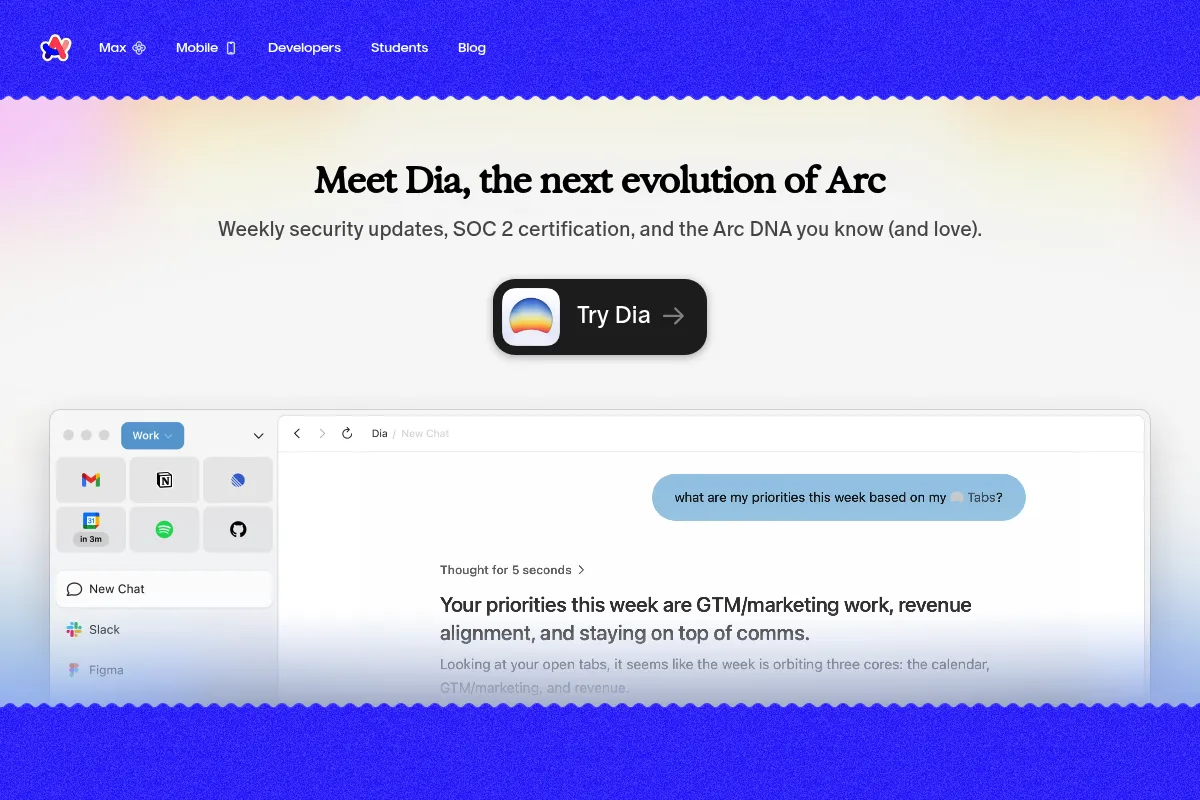
Arc is a reimagined web browser built on Chromium by The Browser Company. It treats the internet like an operating system, moving navigation to a vertical sidebar and using 'Spaces' to isolate different digital contexts.
Official profiles
What it actually does
It organizes web pages into vertical tabs, folders, and pinned apps within distinct workspaces. It includes built-in AI tools for tab organization and page summarization, alongside a 'Little Arc' window for quick link previews.
What makes it different
Arc eliminates the horizontal tab bar entirely in favor of a collapsible sidebar. Its 'Profiles' architecture allows users to stay logged into different sets of credentials (e.g., two different Gmail accounts) within the same window, which standard browsers struggle to do without separate windows.
Ratings across the web

Ratings aggregated from independent review platforms.
Key Features
Spaces
Group tabs by project or life area to reduce mental context-switching.
Profiles
Keep cookies and logins separate between work and personal spaces in one window.
Split View
View multiple tabs side-by-side within a single browser window without resizing.
Arc Max
AI features that summarize links on hover and automatically rename messy tab titles for clarity.
Little Arc
A lightweight window for opening links from other apps without cluttering your main workspace.
Command Bar
A central search hub (Cmd+T) to switch tabs, run commands, or search the web instantly.
Boosts
Customize any website's appearance by removing elements or changing colors.
Air Traffic Control
Route specific URLs to open automatically in designated Spaces.
Pricing
Arc for Individuals
- All core browser features
- Arc Max AI tools
- Spaces and Profiles
- iCloud/Sidebar Sync
Arc for Teams
- Shared folders for teams
- Collaborative spaces
- Centralized billing (Coming soon)
Pricing checked 4 months ago
Pricing guidance
- When you need to share tab folders with a team
- When enterprise-level administrative controls are required
- Arc Max AI features may eventually move to a paid tier
- Syncing is currently limited to iCloud for Mac or Arc's own sync for Windows
Currently free to capture market share, with future monetization focused on B2B team collaboration.
Pros & Cons
Strengths
-
Superior context separation
Profiles allow you to stay logged into different accounts across spaces, eliminating the need for multiple browser windows or 'Incognito' workarounds.
-
Efficient screen real estate usage
The collapsible sidebar and 'Split View' make it easier to work in multiple apps simultaneously on a single monitor.
-
Reduced tab clutter
Auto-archiving of unpinned tabs prevents the 'hundred-tab' problem, forcing a cleaner workspace over time.
Weaknesses
-
High memory consumption
As a feature-heavy Chromium browser, it can be a significant drain on RAM, particularly on older hardware or Windows machines.
Affects: Users with 8GB RAM or older laptops
-
Steep initial learning curve
The departure from the 20-year-old horizontal tab standard requires several days of muscle memory retraining.
Affects: Casual users or those resistant to UI changes
-
Windows version parity gaps
The Windows version is newer and currently lacks several features found in the macOS version, such as Easels and certain AI capabilities.
Affects: Windows-based professionals
Real User Sentiment
Highly positive among power users who appreciate the aesthetic and organizational logic, though performance remains a point of contention.
Users tend to like
- The 'Little Arc' feature for quick links
- Clean, borderless UI design
- Command Bar speed
- Ease of managing multiple Google accounts
Users commonly complain about
- High RAM and battery usage
- Occasional bugs on the Windows version
- Lack of a traditional bookmarking system
Recurring tradeoffs
- Users trade standard UI familiarity for significantly better organization.
Happiest users
Product managers and developers who live in 50+ tabs and need to switch contexts rapidly.
Often frustrated
Minimalists who find the extra features distracting or users on older hardware who experience lag.
Use Cases
Freelancers
Managing separate Spaces and Profiles for 5+ different clients to keep logins isolated.
Developers
Using Split View to keep documentation open on one side and a local web app on the other.
Students
Organizing research into folders within a dedicated 'School' Space that auto-archives old tabs.
Content Creators
Using 'Boosts' to hide distracting elements like YouTube comments or Twitter trends.
Remote Workers
Keeping work and personal browsing strictly separated within a single app window.
Frequently Asked Questions
Is Arc browser free?
Yes, Arc is currently free for all individual users on macOS, Windows, and iOS. The company plans to monetize through 'Arc for Teams,' which will offer collaborative features for organizations, but the core browser remains free.
How does Arc compare to Google Chrome?
Arc is built on the same Chromium engine as Chrome, meaning all your Chrome extensions will work perfectly. The difference is entirely in the user interface: Arc uses a vertical sidebar, 'Spaces' for organization, and 'Profiles' to keep different account sessions separate in one window.
Does Arc support Chrome extensions?
Yes, because Arc is built on Chromium, you can install any extension from the Chrome Web Store. They are managed via the sidebar or the Command Bar.
Is Arc available on Windows?
Yes, Arc for Windows was officially released in early 2024. While it is stable, it currently lacks some of the legacy features found in the macOS version, such as Easels and certain advanced AI integrations.
What are the system requirements for Arc?
Arc requires macOS 12.1 or later or Windows 11. It is a Chromium-based browser, so it performs best on machines with at least 16GB of RAM, though it will run on 8GB with higher resource pressure.
How do I import my bookmarks to Arc?
During the onboarding process, Arc allows you to import bookmarks, history, and even passwords from Chrome, Safari, or Edge. Your bookmarks are typically converted into 'Pinned Tabs' in the sidebar.
Why trust this page?
This evaluation combines product positioning, pricing analysis, traffic and market signals, and public user sentiment into a single decision-support page. Content is generated editorially — not copied from the vendor's website.
Funding & Company
Founded
2019
Stage
Series b
Total Raised
$68M
Latest Round
Series B (Mar 2024)
Notable Investors
The Browser Company has raised a total of $68 million across three funding rounds, including a significant $50 million Series B in March 2024. This positions the company with substantial capital to continue developing its Arc browser and challenge established players.
Market Signals & Traffic
Estimated visits, global rank, geography, traffic sources, monthly visit trends, and organic search keywords (Similarweb)—on a dedicated page built for depth and search.
- Estimated visits
- 774,803
- Global rank
- #74,230
- Snapshot
- Apr 2026
- Traffic trend
- Steady
Estimated monthly visits
Similar Tools
Thunkable
Developer Tools, Design, Automation

No-code platform for building and publishing native mobile apps
Reka
Developer Tools, AI Assistant
Multimodal language models for text, image, video, and audio.
Zilliz
Developer Tools, Search

High-performance vector database for similarity search and RAG applications.
Frase
Content Creation, Productivity

AI-powered platform for content research, writing, and SEO optimization.
AnswerThis
Research, Search

Research assistant for finding and citing peer-reviewed academic literature.
Rose
Research, Productivity, Search

Platform for discovering, cleaning, and visualizing complex data sets.