
A browser-based Stable Diffusion suite that prioritizes granular control and custom model training over the simplified 'black box' approach of Midjourney.
Excellent for creators needing consistent characters and advanced image editing, weaker for those seeking high-fidelity artistic output with minimal prompting.
Analysis based on product data, pricing structure, traffic signals, and public user sentiment.
Who Should Use getimg.ai?
Typical users
Solo creators, indie game developers, and social media managers who need to maintain visual consistency across multiple assets.
Maturity fit
beginner to scaling
Choose this if…
- You want the flexibility of Stable Diffusion without managing local hardware or complex installs
- Your workflow requires 'Infinite Canvas' outpainting to expand existing images
- You need to train custom models on specific faces, products, or art styles
Skip this if…
- You want the highest possible aesthetic quality with short, simple prompts
- You require deep integration with the Adobe Creative Cloud ecosystem
- Your primary focus is high-end AI video generation, which remains a secondary feature here
About getimg.ai
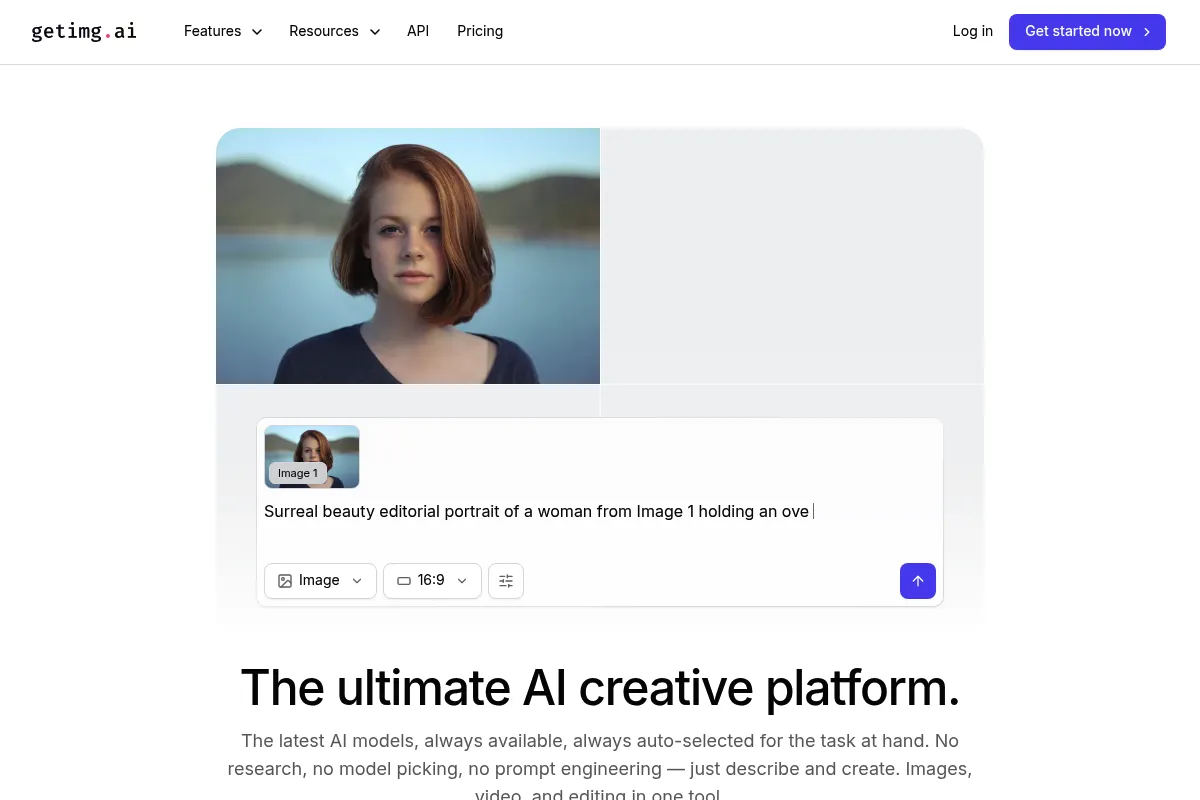
getimg.ai is a comprehensive web-based toolkit for AI image generation and manipulation. It provides a user-friendly interface for various Stable Diffusion models, removing the technical hurdles of Python environments and GPU management. The platform is designed for users who need more than just a prompt box, offering tools for precise editing and model personalization.
Official profiles
What it actually does
The platform allows users to generate images from text, modify existing photos via inpainting, and expand image borders using an infinite canvas. It features a dedicated tool for training custom AI models (DreamBooth) and a real-time generator that updates images as you type. It also includes basic image-to-video capabilities and access to a wide library of community-trained models.
What makes it different
Unlike competitors that focus on a single proprietary model, getimg.ai provides a unified interface for dozens of open-source models including SDXL and Flux.1. Its 'Infinite Canvas' is more functional than standard outpainting tools, acting as a full spatial editor rather than a simple expansion button. The ability to go from generation to custom model training within one dashboard is its primary workflow advantage.
Ratings across the web

Ratings aggregated from independent review platforms.
Key Features
Infinite Canvas
Provides a workspace to expand images in any direction while maintaining stylistic consistency.
DreamBooth Training
Allows users to upload 10-20 images to train a custom model on a specific person or object.
Flux.1 Integration
Offers access to high-fidelity, prompt-adherent models for complex text rendering within images.
Real-time Editor
Visualizes prompt changes instantly, which is essential for rapid prototyping and creative exploration.
Model Directory
A curated list of community models optimized for specific styles like photorealism, anime, or 3D assets.
Advanced Inpainting
Enables targeted edits by brushing over areas to change clothing, backgrounds, or facial expressions.
Image-to-Video
Converts static generations into 4-second video clips with adjustable motion levels.
Pricing
Free
- 100 images per month
- Text-to-Image
- AI Editor
- No custom model training
Basic
- 3,000 images per month
- 1 active model training
- High-res generations
- Commercial license
Starter
- 12,000 images per month
- 3 active model trainings
- Faster generation speeds
- Priority support
Hobby
- 24,000 images per month
- 6 active model trainings
- Priority generation queue
Pro
- 60,000 images per month
- 10 active model trainings
- Dedicated account support
Pricing checked 6 months ago
Pricing guidance
- When you need to train more than one custom model simultaneously
- When you require the commercial usage license for client work
- When your monthly generation volume exceeds 3,000 images
- Model training costs a flat credit fee separate from generation
- Video generation consumes significantly more credits per second than static images
- Upscaling to 4K consumes multiple credits per image
Aggressively priced for volume, offering significantly more images per dollar than Midjourney or DALL-E 3.
Pros & Cons
Strengths
-
Low barrier to Stable Diffusion
Provides the control of a local SD setup (sampling steps, CFG scale, seed control) without the hardware requirements or technical setup.
-
Superior character consistency
The custom model training feature is more accessible and faster than most competitors, making it viable for brand-specific content.
-
Functional free tier
100 free images per month allows for genuine testing of the platform's capabilities before committing to a paid plan.
-
Speed of iteration
The real-time generation mode significantly reduces the time spent waiting for images to render during the brainstorming phase.
Weaknesses
-
Steeper learning curve
The interface has many toggles and sliders that can overwhelm users who are used to simple 'one-click' generators.
Affects: Beginner users
-
Inconsistent video quality
The video generation tool is prone to morphing and artifacts compared to dedicated video AI tools like Runway or Luma.
Affects: Video editors and content creators
-
Credit-heavy advanced features
Model training and high-resolution upscaling consume credits quickly, making the lower-tier plans feel restrictive for heavy users.
Affects: Power users and small agencies
Real User Sentiment
Generally positive, with users praising the speed and the 'Infinite Canvas' feature while noting that photorealism requires more effort than on competing platforms.
Users tend to like
- The speed of the real-time generator
- The ease of training custom models
- The variety of available community models
- The intuitive UI for inpainting
Users commonly complain about
- Occasional issues with human anatomy (hands/limbs)
- Video generation feels like an afterthought
- The credit system can be confusing for complex tasks
Recurring tradeoffs
- You trade the 'artistic soul' of Midjourney for the technical precision of Stable Diffusion.
Happiest users
Creators who need to generate many variations of a specific character or style for a project.
Often frustrated
Users who want 'perfect' results from a five-word prompt without touching any settings.
Use Cases
Game Development
Generating consistent character sprites and environmental textures.
E-commerce
Replacing backgrounds of product photos while keeping the product intact.
Social Media Marketing
Creating high volumes of stylized imagery for themed campaigns.
Book Illustration
Training a model on a specific character to ensure they look the same on every page.
Web Design
Generating custom icons and hero images that match a specific brand aesthetic.
Frequently Asked Questions
Is getimg.ai better than Midjourney?
It depends on your needs. Midjourney generally produces more 'artistic' results with less effort, but getimg.ai offers much more control, a better web interface, and the ability to train your own models, which Midjourney lacks.
Can I use the images for commercial purposes?
Yes, but only on paid plans. Images generated on the Free plan are for personal use only under their current terms of service.
How many images can I generate for free?
You get 100 credits per month for free. These credits reset every month and can be used for text-to-image, the editor, and other basic tools.
Does it support the new Flux models?
Yes, getimg.ai has integrated Flux.1 [dev] and [schnell], which are currently some of the most capable models for following complex prompts and rendering text.
Can I train a model of myself?
Yes, using the DreamBooth feature. You upload 10-20 photos of yourself, and the platform creates a custom model that can generate your likeness in any style or setting.
Does it have an API?
Yes, getimg.ai provides a REST API that allows developers to integrate their image generation and editing tools into third-party apps or websites.
Why trust this page?
This evaluation combines product positioning, pricing analysis, traffic and market signals, and public user sentiment into a single decision-support page. Content is generated editorially — not copied from the vendor's website.
Funding & Company
Founded
2022
Stage
Bootstrapped
Total Raised
Bootstrapped
Latest Round
—
getimg.ai is a bootstrapped company that has not raised any external venture capital or outside funding. The company was founded in 2022 and has focused on organic growth, monetizing through a freemium subscription model.
Market Signals & Traffic
Estimated visits, global rank, geography, traffic sources, monthly visit trends, and organic search keywords (Similarweb)—on a dedicated page built for depth and search.
- Estimated visits
- 494,916
- Global rank
- #91,205
- Snapshot
- Apr 2026
- Traffic trend
- Falling
Estimated monthly visits
Alternatives to getimg.ai
View all alternativesMidjourney
Content Creation

AI tool that generates images from natural language text prompts.
Stable Diffusion
Content Creation, Developer Tools, AI Assistant

Open-source generative AI models for image, video, audio, and code.
Runway ML
Video Creation, Content Creation

AI-powered creative suite for generating and editing video, images, and audio.
Similar Tools
Krea AI
Content Creation, Design, Video Creation
AI creative suite for generating, enhancing, and animating images and videos.
Remaker AI
Content Creation, Design, Video Creation

Face swapping and image generation platform for creative visual content.
Soundraw
Music Generation, Content Creation

AI-powered music generator for unique, royalty-free tracks.
WriterZen
Content Creation, SEO, Productivity

AI-powered SEO content platform for research, writing, and optimization.
Wondercraft
Content Creation, Video Creation, Marketing Automation

Create professional podcasts, audiobooks, and videos from text content.
Anything
AI Assistant, Content Creation

An AI-powered platform that builds web and mobile applications from text prompts.