

Stable Diffusion is an open-source generative AI model that excels at creating images from text prompts, offering significant flexibility and control for users willing to manage its technical aspects.
Best for technically inclined users and developers needing customizable image generation, weaker for those seeking a simple, out-of-the-box solution.
Analysis based on product data, pricing structure, traffic signals, and public user sentiment.
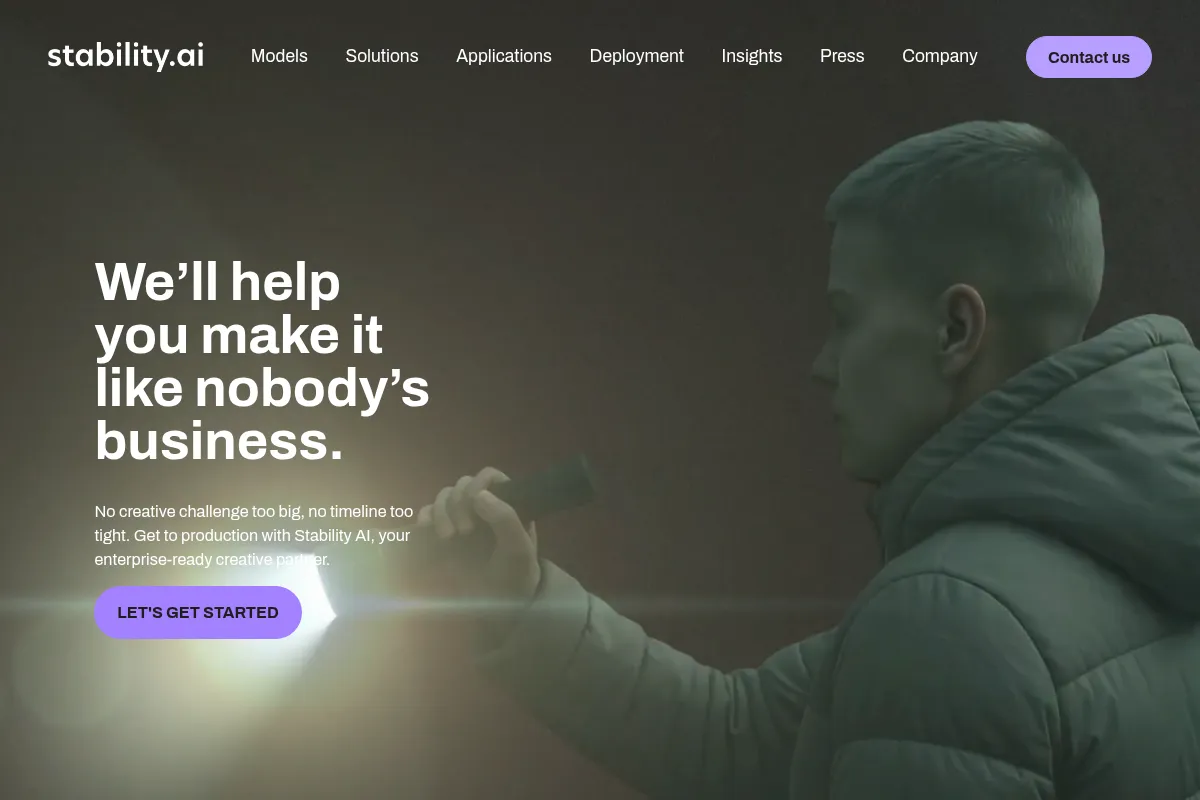
Who Should Use Stable Diffusion?
Typical users
Developers, AI enthusiasts, artists, and businesses looking for highly customizable image generation. It's suitable for individuals or teams who can manage local installations or integrate APIs.
Maturity fit
beginner to advanced
Choose this if…
- You need fine-grained control over image generation parameters.
- You want to run models locally for privacy or cost reasons.
- You plan to integrate image generation into custom applications or workflows.
- You are comfortable with technical setup and potential troubleshooting.
Skip this if…
- You need a simple, plug-and-play image generation tool.
- You lack the technical expertise or hardware to run models locally.
- Your primary need is for quick, stylized images without deep customization.
- You are concerned about potential biases or ethical implications without robust safeguards.
About Stable Diffusion
Stable Diffusion is an open-source latent diffusion model that generates images from text or image prompts. Developed by Stability AI in collaboration with research groups, it offers a high degree of control and customization, allowing users to run it locally or via APIs. Its open nature has fostered a large community and numerous applications.
Official profiles
What it actually does
Stable Diffusion generates images based on textual descriptions (text-to-image) and can also modify existing images (image-to-image, inpainting, outpainting). It can create photorealistic visuals, artwork, graphics, and even short animations, with capabilities for upscaling and editing.
What makes it different
Its primary differentiator is its open-source nature, allowing for local deployment, extensive fine-tuning, and community-driven development. This contrasts with proprietary models that operate as closed systems, offering users greater control and privacy.
Ratings across the web


Ratings aggregated from independent review platforms.
Key Features
Open-Source Model
Allows for local deployment, customization, and community innovation.
Latent Diffusion Architecture
Enables efficient generation of high-resolution images with reduced computational requirements.
Text-to-Image Generation
Creates detailed images from descriptive text prompts.
Image-to-Image Transformations
Modifies existing images based on prompts and input images.
Inpainting and Outpainting
Allows for selective editing and extension of images.
Fine-tuning Capabilities
Enables users to train models on specific datasets for unique styles or subjects.
API Access
Facilitates integration into custom applications and workflows.
Pricing
Stability AI API (Pay-as-you-go)
- Credit-based system
- Various models available (SD 3.5, SDXL)
- Image generation, upscaling, editing services
DreamStudio (Web Interface)
- Official Stability AI interface
- Access to various Stable Diffusion models
- User-friendly interface
Self-Hosted (Open Source)
- Local deployment
- Full control and privacy
- Requires technical setup and hardware
Pricing checked 6 months ago
Pricing guidance
- Needing to run models on dedicated hardware for performance.
- Requiring API access for integration into applications.
- Needing access to the latest or specialized models not available in free versions.
- Local installation requires significant technical expertise and hardware.
- API usage is credit-based and can become costly at scale.
- Community license has revenue thresholds for commercial use.
Free and open-source for local use with hardware costs, with pay-as-you-go API options for convenience and integration.
Pros & Cons
Strengths
-
Open-Source Flexibility
The open-source nature provides unparalleled flexibility for customization, local deployment, and integration, appealing to developers and power users.
-
High Degree of Control
Users have extensive control over generation parameters, model fine-tuning, and the overall pipeline, enabling precise creative outcomes.
-
Cost-Effective for Local Use
Once hardware is acquired, running Stable Diffusion locally is free, eliminating subscription fees and offering significant cost savings for high-volume generation.
-
Active Community and Ecosystem
A large and active community contributes to a vast ecosystem of custom models, tools, and interfaces, constantly expanding its capabilities.
-
Efficient Latent Diffusion
The latent diffusion approach allows for high-resolution image generation with lower computational demands compared to models operating directly in pixel space.
Weaknesses
-
Steep Learning Curve
Effective use requires technical knowledge, understanding of parameters, and often manual setup, which can be daunting for beginners.
Affects: Non-technical users, beginners
-
Hardware Requirements
Running locally demands a capable GPU with sufficient VRAM, posing a barrier for users without dedicated hardware.
Affects: Users without high-end GPUs
-
Potential for Biased or Harmful Outputs
Like many generative models, it can produce biased or unsafe content if not carefully managed and filtered, requiring user vigilance.
Affects: All users, especially those with sensitive applications
-
Inconsistent Text Generation
While improving, generating legible and accurate text within images remains a challenge.
Affects: Users requiring text-heavy imagery
Real User Sentiment
Generally positive, with users praising its flexibility, open-source nature, and powerful capabilities, though often tempered by its technical complexity.
Users tend to like
- Open-source accessibility and freedom.
- High degree of customization and control.
- Vast community support and shared models.
- Ability to run locally for privacy and cost savings.
- Rapid advancements and new model releases.
Users commonly complain about
- Steep learning curve and technical setup.
- Requires powerful hardware for optimal performance.
- Inconsistent results with text generation.
- Potential for biased or harmful outputs.
- Finding the right interface and workflow can be confusing.
Recurring tradeoffs
- Technical complexity vs. ease of use.
- Local control and privacy vs. cloud convenience.
- Free open-source model vs. paid API services.
Happiest users
Developers, AI researchers, and technically adept artists who value control, customization, and the ability to integrate the model into their own workflows.
Often frustrated
Beginners or users seeking a simple, out-of-the-box solution without technical setup or hardware investment.
Use Cases
Generating concept art and illustrations for games and films.
Creating marketing assets and ad visuals for businesses.
Designing product mockups and prototypes for e-commerce.
Developing custom AI tools and applications with image generation capabilities.
Personal creative projects, digital art, and avatar creation.
Data augmentation for training other AI models.
Restoring or modifying existing images through inpainting and outpainting.
Frequently Asked Questions
What is the difference between Stable Diffusion and Midjourney?
Stable Diffusion is open-source, allowing for local installation, extensive customization, and fine-tuning. Midjourney is a closed-source, cloud-based service known for its artistic and stylized outputs, accessed primarily through Discord. Stable Diffusion offers more control and privacy, while Midjourney is often simpler to use for stylized art.
Can I use Stable Diffusion for commercial purposes?
Yes, the core models of Stable Diffusion can be used for commercial purposes under the Stability AI Community License, provided your organization's annual revenue is under $1 million USD. For larger revenue or specific use cases, an Enterprise License may be required. Always check the latest licensing terms on Stability AI's website.
What are the hardware requirements for running Stable Diffusion locally?
To run Stable Diffusion effectively locally, a dedicated GPU with at least 6-8GB of VRAM is recommended for basic use. For higher resolutions, faster generation, and more complex models like SDXL, 12GB or more of VRAM is preferable. While it can run on CPU-only, performance will be significantly slower.
How does Stable Diffusion's pricing work?
Stable Diffusion itself is open-source and free to use if you run it on your own hardware. Stability AI offers API access through a credit system, where you pay per generation. For example, using the Stability AI API, credits start at $0.01 each, and different models and services consume varying amounts of credits. DreamStudio, an official web interface, also operates on a credit system, offering initial free credits.
What are the limitations of Stable Diffusion?
Key limitations include a steep learning curve for optimal use, the need for powerful hardware for local installations, and occasional inconsistencies in generating legible text within images. Like many generative models, it can also produce biased or undesirable content if not guided carefully. Its open-source nature means users are responsible for managing updates and potential issues.
Does Stable Diffusion have integrations with other tools?
As an open-source model, Stable Diffusion has a vast ecosystem of third-party integrations and interfaces. Popular interfaces like Automatic1111 and ComfyUI offer extensive plugin support. Developers can also integrate Stable Diffusion's capabilities into custom applications via its API, allowing for integration with a wide range of workflows and tools.
Why trust this page?
This evaluation combines product positioning, pricing analysis, traffic and market signals, and public user sentiment into a single decision-support page. Content is generated editorially — not copied from the vendor's website.
Funding & Company
Founded
2019
Stage
Late stage
Total Raised
$231M
Latest Round
Undisclosed (Jun 2024)
Notable Investors
Stability AI has raised approximately $231 million across three main funding events, including a significant $101 million seed round in 2022. Following a period of high cash burn and leadership changes, the company secured a crucial funding round of around $80 million in mid-2024 to stabilize operations under a new CEO. This funding history indicates a company that, while well-capitalized, has undergone significant operational restructuring.
Market Signals & Traffic
Estimated visits, global rank, geography, traffic sources, monthly visit trends, and organic search keywords (Similarweb)—on a dedicated page built for depth and search.
- Estimated visits
- 504,822
- Global rank
- #95,031
- Snapshot
- Apr 2026
- Traffic trend
- Falling
Estimated monthly visits
Alternatives to Stable Diffusion
View all alternativesMidjourney
Content Creation

AI tool that generates images from natural language text prompts.
ChatGPT
AI Assistant, Content Creation

AI-powered conversational chatbot for generating text and assisting with various tasks.
Leonardo AI
Content Creation

AI platform for creating and editing visual assets like images and video.
Similar Tools
Fal.ai
Content Creation, Developer Tools, AI Assistant

Generative media platform for developers with fast AI model inference.
Plexigen AI
Video Creation, Content Creation, Marketing Automation

Transform text and images into videos with synchronized audio.
Pica AI
Design, Content Creation, Video Creation

Face swapping and image generation tool for creative visual content.
Scouts
Sales, Automation, Marketing Automation

Automated outbound sales platform for lead discovery and personalized outreach.
Midjourney
Content Creation
AI tool that generates images from natural language text prompts.
Hume AI
AI Assistant, Content Creation, Developer Tools

AI that understands and generates human emotions through voice and text.