

Krea AI offers real-time image and video generation with a broad range of AI models, but its value proposition is weakened by inconsistent output quality and a lack of robust customer support.
Best for rapid visual ideation and concepting, weaker for predictable production workflows and customer service.
Analysis based on product data, pricing structure, traffic signals, and public user sentiment.
Who Should Use Krea AI?
Typical users
Creative professionals, designers, and marketers who prioritize speed and iterative concept development over final polish and guaranteed consistency.
Maturity fit
beginner to scaling
Choose this if…
- You need to quickly brainstorm and visualize ideas in real-time.
- Your workflow involves rapid iteration and concept sketching.
- You want access to a variety of AI models in one platform.
- You need tools for upscaling and enhancing existing images.
Skip this if…
- You require consistent, predictable output for professional delivery.
- You need reliable customer support for billing or technical issues.
- Your primary need is high-fidelity video generation with precise control.
- You need deep integration with professional design software like Adobe Suite.
About Krea AI
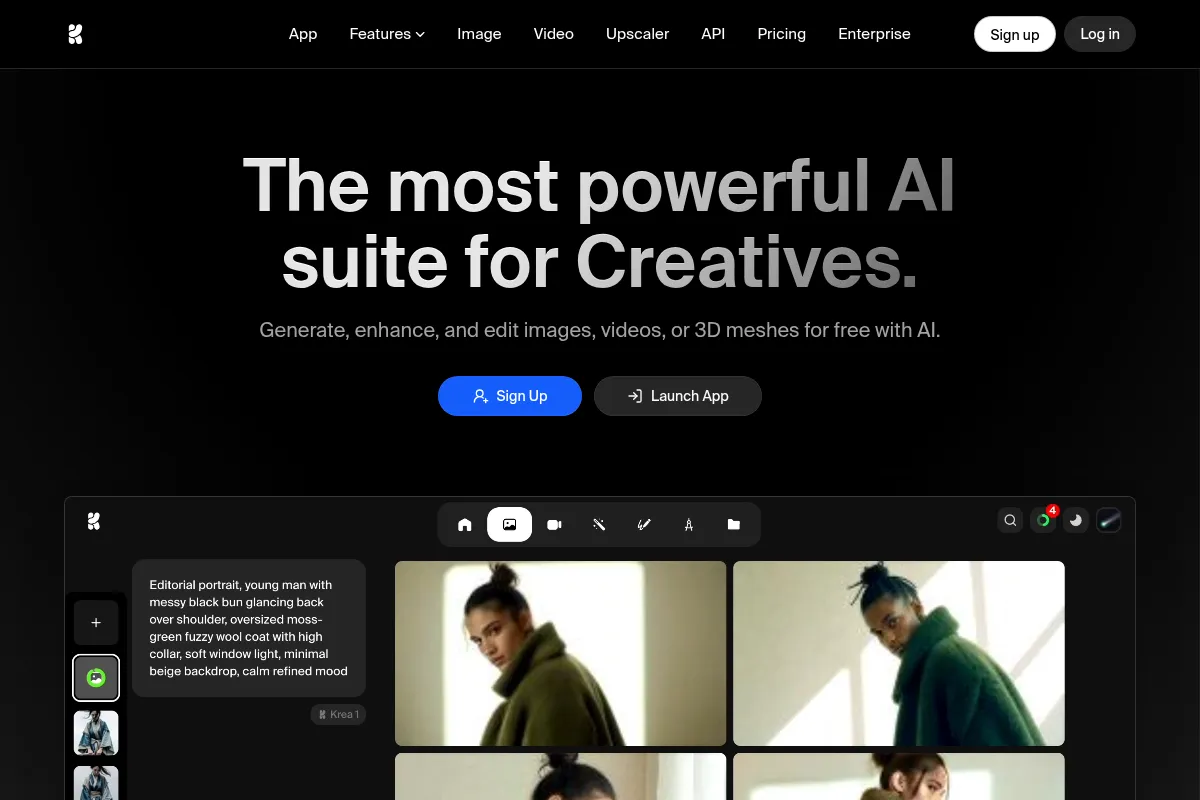
Krea AI is a generative AI platform focused on real-time visual creation and enhancement. It aims to accelerate the creative process by allowing users to see and manipulate outputs instantly, offering a wide array of AI models for image and video generation. It's positioned as a co-pilot for creative professionals, bridging the gap between initial ideas and polished visuals.
Official profiles
What it actually does
Krea AI enables users to generate images and videos from text prompts, sketches, or webcam feeds with real-time feedback. It also provides tools for upscaling, enhancing existing media, and training custom AI models. The platform aggregates access to various AI models, aiming to be a comprehensive creative suite.
What makes it different
Krea AI's primary differentiator is its real-time generation capability, allowing for instant visual feedback as users input prompts or sketches. This interactive approach contrasts with the more common 'prompt and wait' cycle of many AI generators, positioning it as a tool for rapid ideation and co-creation.
Ratings across the web

Ratings aggregated from independent review platforms.
Key Features
Real-time Canvas
Allows users to draw or sketch on a canvas and see the AI interpretation update instantly, facilitating rapid ideation and iteration.
Multi-Model Access
Integrates various AI models (e.g., Flux Krea, ChatGPT Image, Ideogram, Imagen, Kling, Minimax Hailuo), offering users a diverse range of generation styles and capabilities within a single platform.
AI Enhancer
Uses GaN-based upscaling technology to increase image resolution up to 4K, improve detail, and reduce noise, useful for restoring low-resolution assets.
Custom Training (LoRA)
Enables users to train AI models on specific characters, objects, or visual styles for consistent brand output or personalized creations.
Video Generation
Supports creating short video clips from text prompts or images, with features like motion transfer and video restyling.
Logo Illusions & AI Patterns
Specialized mini-apps for creating unique visual effects with logos and generating repeatable patterns.
Studio Projects
Provides a workspace for managing multiple AI-created projects.
Legacy Apps
Includes AI training and Studio Canvas for more advanced creative options.
Pricing
Free
- Limited daily credits
- Restricted features
- Up to 2 parallel image generations
- 50 image generations / day
- 10 video generations / day
- 3 AI trainings after sign in
Basic
- Increased generation limit (e.g., 36,000 real-time images/month)
- Advanced feature accessibility
- Commercial license
- Up to 5 parallel image generations
- 5 AI trainings / month
Pro
- Unlimited image generations
- Unlimited video generations
- 5 AI trainings / month
- Up to 8 parallel image generations
- Commercial license
- Fast generations
- Private images
- Private AI trainings
Max
- Higher generation limits (e.g., 540,000 real-time images/month)
- Full feature accessibility
- Advanced customization features
- Early access to new features
- Unlimited video generations
Pricing checked 6 months ago
Pricing guidance
- When daily generation limits on the free tier are consistently hit.
- When access to advanced features like custom training or unlimited video generation is needed.
- When faster processing times and parallel generation capabilities become important for workflow efficiency.
- When commercial use requires a license and private image generation.
- Credit consumption can make costs unpredictable if not managed carefully.
- While 'unlimited' is advertised for Pro, there may be unspoken fair-use policies or compute unit limitations.
- Customer support is primarily community-based (Discord), which can be slow or unresponsive for critical issues.
- Video generation is best for short clips; longer or more complex videos may require specialized tools.
Krea AI positions itself as an accessible yet capable creative suite, with pricing that scales from a limited free tier to comprehensive paid plans for professionals and teams.
Pros & Cons
Strengths
-
Real-time generation speed
The instant feedback loop significantly accelerates the ideation and concepting phases, making it feel like a live creative session. This is particularly beneficial for designers and artists who rely on rapid iteration.
-
Broad AI model integration
Access to multiple AI models from different providers within one platform reduces the need to subscribe to several services, offering a diverse range of creative styles and capabilities.
-
User-friendly interface
Krea AI is designed to be intuitive, lowering the barrier to entry for users who may not have extensive experience with AI tools. This makes it accessible for a wider range of creative professionals.
-
Image enhancement capabilities
The AI enhancer provides effective upscaling and detail improvement, which is valuable for rescuing low-resolution images or preparing assets for higher-quality outputs.
-
Customizable AI models
The ability to train custom models (LoRA) allows for brand consistency and personalized outputs, which is crucial for professional or business use cases.
Weaknesses
-
Inconsistent output quality
Users report that results can vary significantly, especially for complex prompts or specific elements like human figures, requiring frequent regeneration to achieve satisfactory outcomes. This impacts reliability for production-ready work.
Affects: Users needing predictable, high-fidelity outputs for final delivery.
-
Limited customer support
Concerns have been raised about the lack of direct customer support channels, with users often relying on Discord communities. Billing issues and technical problems may go unresolved, leading to user frustration.
Affects: Users encountering billing issues or requiring prompt technical assistance.
-
Video generation limitations
While Krea offers video generation, it is generally best suited for short clips and experimental content. Users seeking cinematic realism, longer sequences, or precise motion control may find it lacking compared to specialized video AI tools.
Affects: Video producers and animators requiring advanced control and longer-form content.
-
Lack of professional integrations
Krea AI currently lacks direct integrations with professional design software like Adobe Suite or Figma, requiring users to export and import assets manually, which can disrupt established workflows.
Affects: Designers and agencies working within established professional software ecosystems.
Real User Sentiment
User sentiment is mixed, with praise for its real-time generation speed and user-friendliness, but significant criticism regarding output consistency, value for money, and customer support.
Users tend to like
- Real-time generation speed and interactivity
- User-friendly interface and intuitive workflow
- Broad access to various AI models
- Effective image upscaling and enhancement
- Potential for rapid concept development
Users commonly complain about
- Inconsistent image and video quality, especially for complex prompts or human figures
- Perceived poor value for money compared to competitors (less output for the price)
- Lack of responsive and direct customer support, especially for billing issues
- Video generation is limited to short clips and lacks advanced control
- Project organization and gallery management are poor
Recurring tradeoffs
- Speed and interactivity vs. output consistency and polish
- All-in-one platform convenience vs. specialized tool performance
- Affordable entry point vs. potential for escalating costs with heavy use
Happiest users
Designers, artists, and marketers who prioritize rapid concepting, iterative sketching, and exploring visual ideas quickly.
Often frustrated
Users who require consistent, high-fidelity outputs for professional delivery, those experiencing billing issues, or individuals needing advanced video production capabilities.
Use Cases
Rapid concept art generation for game development or film pre-production.
Iterative design exploration for marketing campaign visuals.
Creating mood boards and visual references quickly.
Upscaling and restoring low-resolution historical images or client assets.
Generating unique patterns and textures for graphic design projects.
Quickly animating static images for social media posts or presentations.
Experimenting with different AI models and styles in a single platform.
Frequently Asked Questions
What is Krea AI and what does it do?
Krea AI is a generative AI platform designed for creating and enhancing visual content, including images and videos. Its core features include real-time image generation, AI video creation, image upscaling and enhancement, and custom AI model training. It aims to accelerate the creative process by providing instant visual feedback and aggregating access to various AI models in one interface.
Is Krea AI free to use?
Krea AI offers a free tier that provides limited daily generations for images and videos, along with access to basic features. However, this free plan is heavily restricted and often pushes users towards paid plans for meaningful usage. For extensive or professional use, a paid subscription is necessary.
How does Krea AI pricing work?
Krea AI uses a tiered subscription model with monthly and annual payment options. Plans range from Basic ($10/month) to Pro ($30/month) and Max ($60/month), with higher tiers offering increased generation limits, faster processing, and access to more advanced features. Pricing is often based on compute units or generation credits, which can make costs unpredictable for heavy users if not managed carefully. Annual subscriptions offer a discount.
What are the main limitations of Krea AI?
Key limitations include inconsistent output quality, particularly with human figures and complex scenes, which often requires multiple regenerations. Video generation is best suited for short clips and lacks advanced control for professional production. The platform also lacks direct integrations with professional design software like Adobe Suite, and customer support is primarily community-based, which can be slow or unresponsive for critical issues like billing problems.
How does Krea AI compare to Midjourney?
Krea AI excels in real-time generation and rapid ideation, allowing users to sketch and see results instantly, making it ideal for concepting. Midjourney is known for producing highly stylized, artistic, and often more polished final images directly from text prompts, though it lacks Krea's real-time interactivity. Krea offers more control over the iterative process, while Midjourney often delivers more aesthetically striking standalone images.
Can Krea AI be used for professional video production?
Krea AI can generate short video clips and offers features like motion transfer and video restyling, making it useful for experimental content, social media clips, or storyboarding. However, for professional, high-fidelity video production requiring precise motion control, longer sequences, or cinematic realism, specialized video AI tools are generally more suitable.
Does Krea AI offer integrations with other design tools?
Currently, Krea AI does not offer direct integrations with major professional design software such as Adobe Photoshop, Illustrator, or Figma. Users typically need to export generated assets from Krea AI and import them into other applications for further editing or integration into existing workflows.
What are the main benefits of Krea AI's real-time generation feature?
The real-time generation feature allows users to see their AI creations evolve instantly as they type prompts, sketch, or adjust parameters. This significantly speeds up the ideation and iteration process, enabling faster concept development, more fluid experimentation, and a more interactive creative experience compared to traditional AI generation methods that require waiting for results.
Why trust this page?
This evaluation combines product positioning, pricing analysis, traffic and market signals, and public user sentiment into a single decision-support page. Content is generated editorially — not copied from the vendor's website.
Funding & Company
Founded
2022
Stage
Series b
Total Raised
$83M
Latest Round
Series B (Apr 2025)
Notable Investors
Krea AI has raised a total of $83 million across three funding rounds, culminating in a $47 million Series B in April 2025. This significant backing from top-tier investors like Andreessen Horowitz and Bain Capital Ventures indicates strong confidence in its mission to unify the fragmented generative AI tool market for creatives.
Market Signals & Traffic
Estimated visits, global rank, geography, traffic sources, monthly visit trends, and organic search keywords (Similarweb)—on a dedicated page built for depth and search.
- Estimated visits
- 4,550,178
- Global rank
- #11,075
- Snapshot
- Apr 2026
- Traffic trend
- Rising
Estimated monthly visits
Alternatives to Krea AI
View all alternativesRunway ML
Video Creation, Content Creation

AI-powered creative suite for generating and editing video, images, and audio.
Leonardo AI
Content Creation

AI platform for creating and editing visual assets like images and video.
Midjourney
Content Creation

AI tool that generates images from natural language text prompts.
Similar Tools
Remaker AI
Content Creation, Design, Video Creation

Face swapping and image generation platform for creative visual content.
getimg.ai
Content Creation, Design, Video Creation

Comprehensive suite for image generation, editing, and video creation
NXCode
Developer Tools, AI Assistant

Coding assistant for generating, debugging, and optimizing software code.
Ollama
Developer Tools, Privacy & Compliance

Run large language models locally on your machine.
AIVA
Music Generation, Content Creation

AI music composition assistant for creating original songs in various styles.
Scale
Developer Tools, Research, Automation

Data infrastructure for training, labeling, and evaluating machine learning models.