

Framer AI is a no-code website builder that uses AI to accelerate design and content generation, making it suitable for designers and teams prioritizing speed and visual polish over deep CMS functionality.
Excellent for visually rich marketing sites and portfolios, weaker for content-heavy sites requiring advanced CMS.
Analysis based on product data, pricing structure, traffic signals, and public user sentiment.
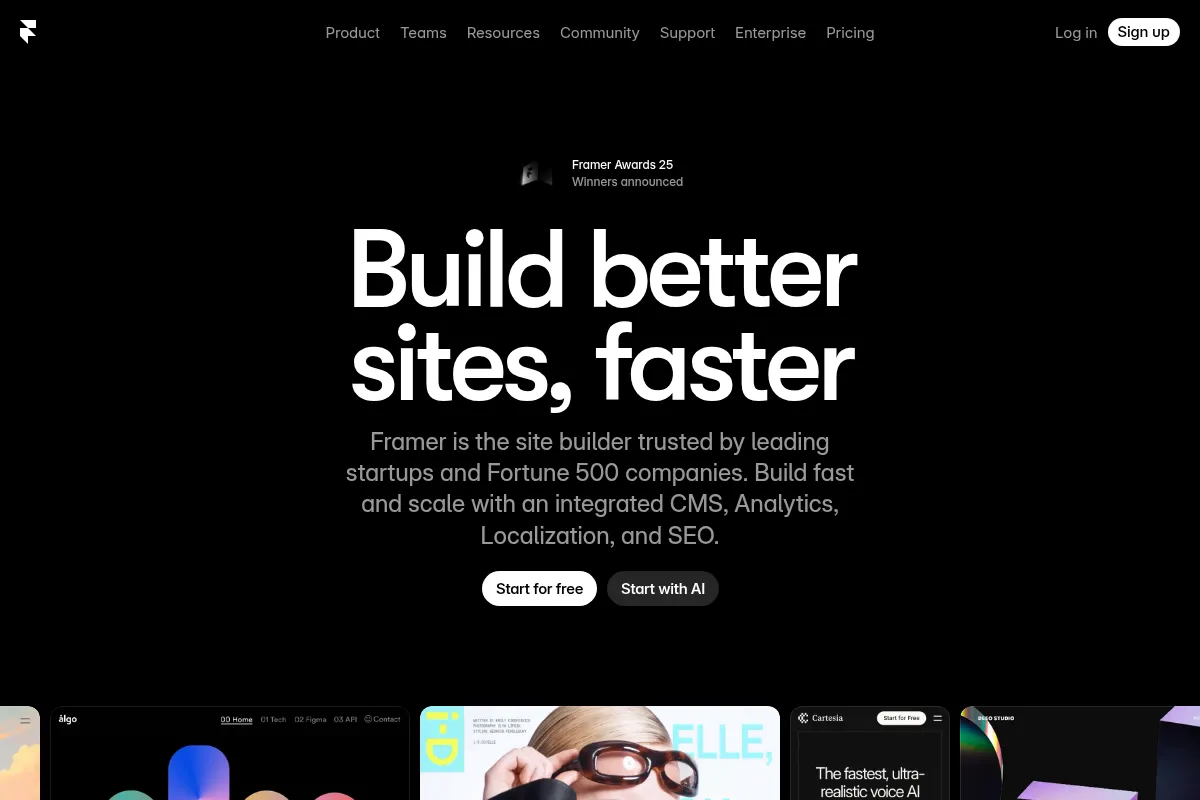
Who Should Use Framer AI?
Typical users
Designers, marketing teams, and small businesses that need to create professional-looking websites quickly. It's best for teams that value design aesthetics and rapid iteration.
Maturity fit
beginner to scaling
Choose this if…
- You need to build a visually appealing website or portfolio rapidly.
- You want AI to assist with initial design layouts and content generation.
- Your priority is design flexibility and interactive elements.
- You need a no-code solution with a strong visual editor.
Skip this if…
- You require a robust, scalable CMS for large content libraries or complex data structures.
- Your primary need is advanced e-commerce functionality.
- You need programmatic SEO capabilities for generating hundreds of pages.
- You rely heavily on deep integrations with Zapier or Make for complex workflows.
About Framer AI
Framer AI is a no-code website builder that integrates AI to speed up the design and content creation process. It offers a visual canvas for designers and teams to build interactive and responsive websites, from initial concept to publishing, without needing to code. The platform aims to bridge the gap between design and development by providing tools for rapid iteration and polished visual output.
Official profiles
What it actually does
Framer AI generates website layouts, suggests design elements, and creates initial content based on user prompts. It provides a visual editor for customization, supports CMS functionalities for dynamic content, and includes features for SEO and analytics. The platform allows for direct publishing of websites.
What makes it different
Framer AI differentiates itself through its deep integration of AI tools like Wireframer for instant layout generation and Workshop for AI-assisted component building, all within a Figma-like design environment. This focus on AI-driven design acceleration within a no-code framework sets it apart from traditional website builders and design tools.
Ratings across the web



Ratings aggregated from independent review platforms.
Key Features
Wireframer
Generates responsive page layouts and starter content from text prompts, significantly speeding up the initial design phase.
Workshop
An AI-powered coding assistant that builds custom components reflecting a site's style, optimizing performance.
AI Translate
Translates entire websites into multiple languages with a single click, streamlining localization efforts.
AI Plugins
Allows integration with third-party AI models for tasks like image generation and text rewriting.
Visual Editor
Offers a Figma-like interface for pixel-perfect design control and interactive prototyping.
CMS
Enables management of dynamic content, suitable for blogs or portfolios.
Advanced Analytics
Provides privacy-first, cookie-free website insights and A/B testing capabilities.
Pricing
Free
- Unlimited projects
- Free publishing on Framer subdomain
- 1,000 shared pages
- 10 CMS Collections
- 100MB bandwidth
- 1,000 visitors/month
Basic
- Up to 30 pages
- 1 CMS collection
- 1 Locale (add-on)
- Password protection
- Custom domain support
- 1 additional editor
Pro
- Unlimited pages
- 10 CMS collections
- Analytics and cookie management
- Up to 10 editors
- Custom domain support
Scale
- Flexible expansion add-ons
- Custom limits for pages, CMS, bandwidth
- SSO, role-based access
- Annual billing only
Enterprise
- Custom hosting solutions
- Uptime guarantees
- Dedicated support
- Compliance features (SOC 2, ISO 27001)
Pricing checked 6 months ago
Pricing guidance
- When you need to connect a custom domain.
- When you require more than 1 CMS collection or 30 pages.
- When you need advanced analytics or collaboration features.
- When you exceed the visitor limit of 1,000 per month.
- The free plan displays a 'Made in Framer' badge.
- Custom domain requires a paid plan.
- Editor seats are an additional cost on top of site plans.
- Scale plan is billed annually only.
Framer offers tiered pricing with a generous free tier for experimentation, becoming moderately priced for individuals and small teams, and custom for enterprise needs.
Pros & Cons
Strengths
-
Rapid AI-assisted design generation
Tools like Wireframer can create website layouts and content from prompts in seconds, drastically reducing the time spent on initial design and ideation. This is ideal for quick mockups or launching marketing sites fast.
-
Strong visual design and interaction capabilities
Framer offers a highly customizable visual editor with advanced animation and interaction features, allowing designers to create polished, dynamic, and high-fidelity prototypes and websites.
-
Integrated AI for content and localization
Features like AI Translate and AI Style streamline the process of localizing websites for global audiences, ensuring brand consistency across languages. AI can also assist in rewriting and refining existing copy.
-
Collaborative environment
The platform supports real-time collaboration, making it suitable for design teams working together on projects, with version control to track changes.
Weaknesses
-
Limited CMS depth and scalability
Framer's CMS is basic and lacks custom schemas, robust APIs, or advanced content relationships, making it unsuitable for content-heavy websites or complex data management needs.
Affects: Content-heavy sites, large blogs, enterprise applications
-
Basic e-commerce functionality
While possible to integrate, Framer is not designed as a dedicated e-commerce platform and lacks advanced features for online stores.
Affects: E-commerce businesses
-
Programmatic SEO limitations
The platform is not ideal for generating hundreds of SEO-optimized pages or handling complex structured content required for large-scale SEO efforts.
Affects: SEO-focused businesses, large content sites
-
Limited direct integration with automation tools
Framer does not offer direct integrations with popular automation platforms like Zapier or Make, requiring workarounds for complex workflow automation.
Affects: Users needing extensive workflow automation
Real User Sentiment
Users generally praise Framer for its intuitive design interface, AI-powered features that accelerate creation, and the ability to build visually stunning websites. However, some find its CMS capabilities limiting for complex projects and note a learning curve for advanced features.
Users tend to like
- Intuitive and powerful visual editor
- AI features (Wireframer, AI Translate) that speed up design and content creation
- Beautiful animations and interactive elements
- Real-time collaboration
- Clean code export for developer handoff
Users commonly complain about
- Limited CMS depth and scalability for complex data
- Steep learning curve for advanced features
- Basic e-commerce functionality
- Lack of direct integration with Zapier/Make
- Occasional UI glitches (e.g., vanishing bounding boxes in older versions)
Recurring tradeoffs
- Speed and design polish vs. CMS depth and scalability
- Ease of use for simple sites vs. complexity for advanced features
- No-code convenience vs. need for workarounds for deep integrations
Happiest users
Designers, freelancers, and small teams focused on creating visually rich marketing sites, portfolios, and landing pages quickly.
Often frustrated
Teams managing large content libraries, requiring advanced e-commerce, or needing programmatic SEO and complex workflow automations.
Use Cases
Creating visually appealing portfolios for designers and creatives
Framer's animation and design tools allow for dynamic and impressive showcases.
Building marketing websites and landing pages rapidly
AI features like Wireframer accelerate the creation of polished pages for campaigns.
Developing interactive prototypes for web and mobile apps
The platform's design-first approach and high-fidelity prototyping capabilities are ideal for testing user experiences.
Localizing websites for global audiences
AI Translate and AI Style features simplify the process of adapting content for different languages and markets.
Small business websites needing a professional online presence
Framer provides a no-code solution for businesses to establish a modern and engaging website.
Educational content and templates
Framer can be used to create visually engaging learning materials or sell website templates.
Frequently Asked Questions
What is Framer AI?
Framer AI is a no-code website builder that integrates artificial intelligence to accelerate the design and content creation process. It allows users to generate website layouts, suggest design elements, and create initial content based on text prompts. It aims to empower designers and teams to build interactive and responsive websites quickly without coding, offering a Figma-like visual editor and advanced animation capabilities.
What are the main limitations of Framer AI?
Framer AI's primary limitations include its basic CMS capabilities, which are not ideal for large content libraries or complex data structures. It also has limited e-commerce functionality and lacks programmatic SEO capabilities for generating hundreds of pages. Direct integrations with automation tools like Zapier and Make are not available, requiring workarounds. Some users also report a learning curve for advanced features and occasional UI issues.
How does Framer AI pricing work?
Framer offers tiered pricing plans, starting with a Free plan suitable for hobbyists and personal projects. Paid plans like Basic, Pro, Scale, and Enterprise cater to individuals, small teams, agencies, and large organizations, offering more pages, CMS collections, bandwidth, collaboration features, and support. Pricing varies, with annual billing offering discounts. Editor seats are an additional cost on top of site plans.
Is Framer AI good for SEO?
Framer AI offers SEO optimization tools, including meta descriptions and alt text generation, which are beneficial for basic SEO. However, it is not ideal for programmatic SEO, which involves generating hundreds of pages dynamically or managing complex structured content at scale. For advanced SEO strategies requiring deep control over schema and dynamic routing, other platforms might be more suitable.
What are the key differences between Framer AI and Webflow?
Framer AI is known for its AI-driven design acceleration, Figma-like interface, and strong animation capabilities, making it faster for initial design and visual polish. Webflow, while also a powerful no-code builder, offers a more mature and robust CMS, deeper e-commerce features, and a larger ecosystem of integrations and templates, making it more suitable for complex, content-heavy, or e-commerce-focused sites. Framer's AI features offer a distinct advantage in speed for certain tasks.
Does Framer AI integrate with Zapier or Make?
Framer does not offer direct integrations with Zapier or Make. Users typically need to employ workarounds, such as using third-party form services (like Typeform) that integrate with Framer and then connect to Zapier or Make, or utilizing webhooks if available. This limitation can be a drawback for users who rely heavily on these automation platforms for complex workflows.
Can I use Framer AI for e-commerce?
Framer AI can be used to build websites that include e-commerce functionality, but it is not its primary strength. It lacks the dedicated, advanced e-commerce features found in platforms built specifically for online stores. While integrations might be possible, businesses requiring robust e-commerce capabilities, such as extensive product management, complex checkout flows, or advanced inventory management, may find Framer limiting.
What kind of support does Framer AI offer?
Framer offers documentation, community forums, and tutorials. Paid plans may include varying levels of direct support. For enterprise-level users, custom support options are typically available as part of their tailored plans. The platform also has a growing community that often provides peer-to-peer assistance.
Why trust this page?
This evaluation combines product positioning, pricing analysis, traffic and market signals, and public user sentiment into a single decision-support page. Content is generated editorially — not copied from the vendor's website.
Funding & Company
Founded
2014
Stage
Late stage
Total Raised
$160M
Latest Round
Series D+ (Aug 2025)
Notable Investors
Framer has raised a total of $160 million, culminating in a $100 million Series D in August 2025 that valued the company at $2 billion. [1, 3, 5] This substantial funding followed a successful pivot to a no-code website builder, signaling strong investor confidence and providing significant capital for product development and market expansion.
Market Signals & Traffic
Estimated visits, global rank, geography, traffic sources, monthly visit trends, and organic search keywords (Similarweb)—on a dedicated page built for depth and search.
- Estimated visits
- 5,732,346
- Global rank
- #4,820
- Snapshot
- Apr 2026
- Traffic trend
- Surging
Estimated monthly visits
Alternatives to Framer AI
View all alternativesWebflow AI
Website Builder, Design, Productivity

Visual website builder for custom, responsive websites with a flexible CMS.
Wix AI
Design, Content Creation, Productivity

All-in-one website builder with drag-and-drop functionality and AI tools.
Similar Tools
Lumio
Research, Productivity, Workflow

Centralize customer feedback to drive informed product discovery decisions.
Runway ML
Video Creation, Content Creation

AI-powered creative suite for generating and editing video, images, and audio.
Flixier
Video Creation, Content Creation, Social Media

Fast browser-based video editor for content creation and collaboration
Guideless
Video Creation, Documentation, Training & Onboarding

An AI-powered tool that turns browser workflows into polished, narrated video guides in minutes.
n8n
Automation, Automation & Agents, Developer Tools

Workflow automation platform for connecting apps and building complex sequences.
Smartsheet
Productivity, Automation, Documentation

Enterprise platform for work management, collaboration, and workflow automation.