

HoneyHive
HoneyHive is a centralized workspace for LLM evaluation and observability that bridges the gap between prompt engineering and production monitoring.
Excellent for teams requiring systematic automated testing and prompt versioning, weaker for developers seeking a lightweight, open-source-only logging tool.
Analysis based on product data, pricing structure, traffic signals, and public user sentiment.
Who Should Use HoneyHive?
Typical users
AI engineers and product managers at scaling startups or enterprises building production-grade LLM agents and multi-step RAG pipelines.
Maturity fit
scaling to advanced
Choose this if…
- You need a central source of truth for prompts and model configurations.
- Your priority is turning production failures into evaluation datasets for regression testing.
- You want to run automated 'LLM-as-a-judge' evaluations before deploying changes.
- You require OpenTelemetry-native tracing to monitor complex multi-agent workflows.
Skip this if…
- You are building a simple single-prompt wrapper with minimal traffic.
- Your workflow requires a strictly open-source, community-managed tool like Langfuse.
- You need deep infrastructure-level monitoring (CPU/RAM) rather than application-layer AI metrics.
About HoneyHive
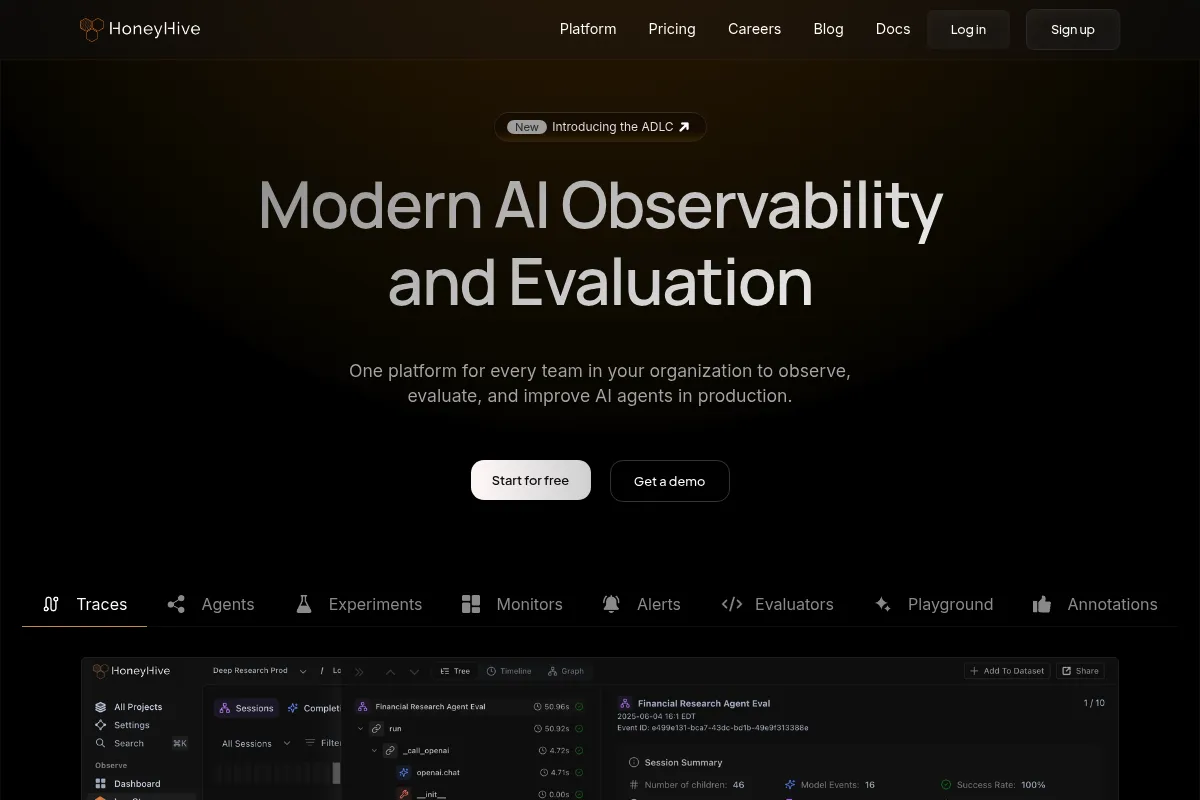
HoneyHive is an evaluation-driven development platform for LLM applications. It provides a unified environment for teams to iterate on prompts, run bulk experiments against datasets, and monitor production traces. The platform is designed to help developers move from 'vibe-based' testing to data-driven reliability.
Official profiles
What it actually does
The platform captures every step of an LLM interaction through distributed tracing and allows users to grade those interactions using automated heuristics or human feedback. It manages prompt versions as code and enables side-by-side comparisons of different models or configurations against 'golden' datasets to catch regressions.
What makes it different
Unlike general observability tools, HoneyHive focuses on the 'flywheel' of AI development: it specifically enables users to extract failing production traces and instantly convert them into new test cases. Its architecture is built around the 'Agent Development Lifecycle,' prioritizing the complex, multi-step logic found in autonomous agents rather than simple chat completions.
Key Features
Prompt Studio
Centrally manage and version prompts across UI and code without redeploying.
Evaluation Flywheel
Automatically turn production edge cases into test cases for future experiments.
OpenTelemetry Support
Connects to existing stacks using industry-standard telemetry protocols.
Annotation Queues
Routes specific traces to domain experts for manual grading and feedback.
Regression Testing
Run batch evaluations against historical datasets to ensure new prompts don't break existing logic.
Multi-Modal Logging
Supports vision, audio, and video inputs alongside text for comprehensive monitoring.
Hybrid Deployment
Offers SaaS, dedicated cloud, or full self-hosting for regulated industries.
Pricing
Developer
- 1 user
- 100k tokens/month
- Basic tracing
- Prompt playground
- Community support
Growth
- Unlimited users
- Advanced evaluations
- Prompt versioning
- CI/CD integration
- Standard support
Enterprise
- Self-hosting options
- SAML SSO & RBAC
- Dedicated cloud deployment
- Priority support
- Custom data retention
Pricing checked 5 months ago
Pricing guidance
- When you need to collaborate with more than one team member
- When you require automated regression testing in your CI/CD pipeline
- When your monthly trace volume exceeds the free tier limits
- Data retention periods vary by plan
- Self-hosting is restricted to the Enterprise tier
- Advanced 'LLM-as-a-judge' evaluators may incur additional model costs
Usage-based pricing that is accessible for startups but scales into a premium enterprise offering.
Pros & Cons
Strengths
-
Strong focus on Evaluation-Driven Development
The platform makes it easy to quantify 'quality' rather than just tracking latency and cost, which is critical for production reliability.
-
Native OpenTelemetry integration
Reduces integration friction by using standard protocols, making it easier to swap or augment existing observability tools.
-
Collaborative UI
Allows non-technical product managers to iterate on prompts and review logs without touching the codebase.
-
Agent-first tracing
Handles complex, nested agentic workflows better than traditional logging tools that expect a single input-output pair.
Weaknesses
-
Usage-based pricing can be unpredictable
As traffic scales, costs can rise quickly if not closely monitored, especially with high-volume telemetry.
Affects: High-growth startups with tight budgets
-
SDK documentation lag
New features in the web UI sometimes appear before the Python or TypeScript SDK documentation is fully updated.
Affects: Developers implementing the latest platform features
-
Vendor lock-in for prompt management
Using their prompt deployment feature means your application logic becomes dependent on their API for fetching templates.
Affects: Teams prioritizing maximum architectural independence
Real User Sentiment
Generally positive, with users praising the platform's ability to bring structure to the chaotic process of prompt engineering.
Users tend to like
- The 'Playground to Production' workflow
- Ability to compare model outputs side-by-side
- Clean UI for trace visualization
- Responsiveness of the founding team to feature requests
Users commonly complain about
- Initial setup complexity for custom evaluators
- Occasional UI bugs in the trace explorer
- Documentation could be more comprehensive for advanced use cases
Recurring tradeoffs
- Users trade the simplicity of a basic logger for a more complex, feature-rich evaluation suite.
Happiest users
Teams building multi-step AI agents who have outgrown manual Google Doc testing.
Often frustrated
Developers looking for a 'set-it-and-forget-it' logging tool without the overhead of defining evaluation metrics.
Use Cases
RAG Optimization
Testing different retrieval strategies and chunking sizes against a ground-truth dataset.
Agent Debugging
Visualizing the internal 'thought process' and tool calls of an autonomous agent to find where it loops.
Prompt Versioning
Safely rolling back to a previous prompt version when a new one causes unexpected hallucinations.
Model Migration
Comparing GPT-4o outputs against Claude 3.5 Sonnet to decide if switching models is worth the cost.
Human Feedback Loop
Routing edge-case failures to a QA team to manually label data for future fine-tuning.
Frequently Asked Questions
How does HoneyHive compare to LangSmith?
LangSmith is deeply integrated with the LangChain ecosystem, making it the default choice for LangChain users. HoneyHive is framework-agnostic and focuses more on the 'Evaluation-Driven Development' cycle, offering a more flexible UI for teams using custom frameworks or multiple different libraries.
Is there a free plan available?
Yes, HoneyHive offers a Developer plan for $0 that includes basic tracing and prompt management for a single user, though it has strict limits on the volume of tokens and traces logged.
Can I self-host HoneyHive for data privacy?
Self-hosting and dedicated cloud options are available, but they are typically reserved for Enterprise customers. This allows you to keep all trace data within your own VPC (AWS, GCP, or Azure).
What models does HoneyHive support?
It supports all major providers including OpenAI, Anthropic, Google Vertex AI, and AWS Bedrock, as well as custom API endpoints for locally hosted models like Llama 3.
Does HoneyHive provide the LLM models for evaluation?
No, HoneyHive is the orchestration and evaluation layer. You must provide your own API keys for the models you wish to use in the playground or as 'judges' for automated evaluations.
What are the main limitations of the platform?
The primary limitation is the learning curve associated with setting up meaningful automated evaluators. It requires a clear understanding of your application's success metrics to get the most value out of the platform.
Why trust this page?
This evaluation combines product positioning, pricing analysis, traffic and market signals, and public user sentiment into a single decision-support page. Content is generated editorially — not copied from the vendor's website.
Funding & Company
Founded
2022
Stage
Seed
Total Raised
$7.4M
Latest Round
Seed (Apr 2025)
Notable Investors
HoneyHive has raised a total of $7.4 million over two rounds, a Pre-Seed and a Seed round. This funding, led by notable investors like Insight Partners, provides the company with a solid financial base to develop its AI evaluation and observability platform and expand its team.
Market Signals & Traffic
Estimated visits, global rank, geography, traffic sources, monthly visit trends, and organic search keywords (Similarweb)—on a dedicated page built for depth and search.
- Estimated visits
- 16,467
- Global rank
- #1,291,811
- Snapshot
- Apr 2026
- Traffic trend
- Surging
Estimated monthly visits
Alternatives to HoneyHive
View all alternativesBraintrust
Automation & Agents, Productivity, Workflow

Decentralized talent network and autonomous recruitment platform for hiring.
Comet
Developer Tools, Research, Automation & Agents

MLOps platform for experiment tracking and model evaluation
Similar Tools
vLLM
Developer Tools, Workflow

High-throughput serving engine for large language model inference
Gradio
Developer Tools, Workflow

Build and share interactive web interfaces for machine learning models.
Featureform
Developer Tools, Workflow

Open-source feature store for managing and serving machine learning features.
Axflow
Developer Tools, Workflow

TypeScript framework for building modular and scalable language model applications
Attentive
Email Marketing, Marketing Automation, Communication

SMS and email marketing platform for personalized customer engagement
Yoodli
Communication, Training & Onboarding, Education

Communication coach for public speaking and interview preparation.