

HyperWrite is a versatile AI writing assistant that excels at providing real-time writing suggestions and automating simple browser tasks, but it falls short for users needing deep long-form content generation or complex workflow automation.
Best for individuals needing quick writing assistance and browser automation, weaker for extensive long-form content creation.
Analysis based on product data, pricing structure, traffic signals, and public user sentiment.
Who Should Use HyperWrite?
Typical users
Individuals, students, freelancers, and small teams who frequently write emails, social media posts, or need help overcoming writer's block. It's also suitable for users who want to automate basic online tasks.
Maturity fit
beginner to scaling
Choose this if…
- You need an AI assistant that works across various web applications via a Chrome extension.
- You want to automate simple, repetitive online tasks.
- You struggle with writer's block and need quick suggestions or content generation.
- You prefer a tool with a wide array of specialized AI tools for different writing needs.
Skip this if…
- You require sophisticated long-form content generation with deep structure and SEO optimization.
- Your workflow involves complex, multi-step automation that goes beyond basic browser actions.
- You need advanced collaboration features for larger teams.
- You prioritize a tool with extensive integrations with other marketing or SEO platforms.
About HyperWrite
HyperWrite is an AI-powered writing assistant designed to enhance productivity by offering real-time writing suggestions and automating simple browser tasks. It aims to be a personal co-pilot for users across various writing needs, from drafting emails to academic research, integrating into workflows via a Chrome extension.
Official profiles
What it actually does
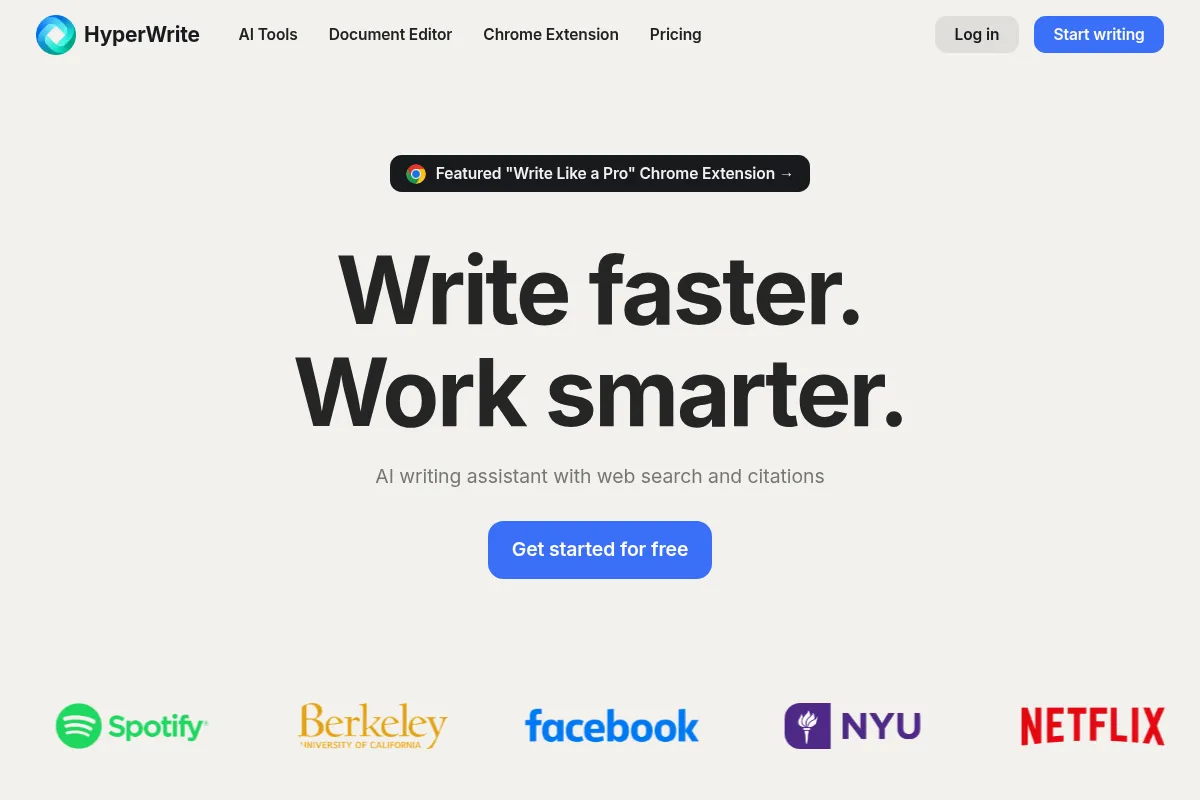
HyperWrite provides an AI writing assistant that offers context-aware suggestions as you type, generates text for various content needs, and can automate basic actions within a web browser. It features a document editor and a Chrome extension for use across different platforms.
What makes it different
HyperWrite differentiates itself with its 'Personal Assistant' feature, which automates browser tasks, and its extensive library of specialized AI tools. Unlike many competitors that focus solely on text generation, HyperWrite aims to be a more comprehensive assistant for both writing and simple online actions.
Ratings across the web

Ratings aggregated from independent review platforms.
Key Features
TypeAhead
Provides context-aware, inline autocomplete suggestions as you type, aiming to speed up writing and spark ideas.
Personal Assistant
Automates simple browser tasks like opening web pages, filling forms, and conducting Google searches.
AI Tools Library
Offers hundreds of pre-built AI tools for specific tasks like summarization, rewriting, email generation, and academic research.
Chrome Extension
Integrates HyperWrite's features directly into various web applications (Gmail, Google Docs, etc.) for on-the-go assistance.
Custom Personas
Allows users to train the AI to adapt to their specific writing tone and style.
Web Search with Citations
Enables the AI to access current web information and provide cited sources for factual content.
HyperChat
An AI chatbot for direct interaction and question answering within the platform.
Pricing
Free
- Limited AI messages/credits
- Basic AI features
Premium
- 250 AI Messages per Month
- Citations + Real-Time Info
- 3 Custom Personas
- Hundreds of AI Tools
- Unlimited TypeAheads
Ultra
- Unlimited AI Messages
- 10 Custom Personas
- First access to experimental features
- All Premium features
Pricing checked 6 months ago
Pricing guidance
- When you consistently exceed the monthly AI message limit.
- When you need to create multiple custom personas for different writing styles or brands.
- When you require access to the latest experimental features.
- AI Message credits are a primary limitation, even on paid plans.
- The Personal Assistant's capabilities are limited to simpler tasks.
- While it has many tools, the depth of long-form content generation is often criticized.
Affordable for individuals and students, with tiered pricing for increased usage and advanced features.
Pros & Cons
Strengths
-
Versatile Chrome Extension
The ability to use HyperWrite's features directly within other web applications like Gmail and Google Docs significantly enhances productivity and workflow integration.
-
Personal Assistant for Task Automation
This unique feature automates simple browser tasks, saving users time on repetitive online activities and setting it apart from many other writing assistants.
-
Extensive AI Tools Library
With hundreds of specialized tools, users can find assistance for a wide range of specific writing needs, from academic essays to marketing copy.
-
Customizable AI Tools and Personas
The ability to create custom tools and train AI personas allows for a more personalized writing experience that adapts to individual styles and specific use cases.
Weaknesses
-
Limited Long-Form Content Capabilities
Users report that HyperWrite struggles with generating coherent and well-structured long-form content, often requiring significant revision.
Affects: Content creators focused on articles, blog posts, or reports.
-
Basic Automation Logic
The Personal Assistant is effective for simple tasks but can struggle with complex, multi-step automation, limiting its utility for advanced workflows.
Affects: Users needing sophisticated workflow automation.
-
Slower Output Speed
The AI generation speed can sometimes be slow, which may disrupt the writing flow, especially for fast typists.
Affects: Fast typists and users on tight deadlines.
-
Limited Free Plan
The free tier has strict limitations on generations, making it impractical for regular or business use.
Affects: Users who need to use the tool consistently for professional or academic work.
Real User Sentiment
User sentiment is mixed, with many praising its unique automation features and Chrome extension, while others criticize its limitations in long-form content and output quality.
Users tend to like
- The Personal Assistant feature for browser automation is frequently highlighted as innovative.
- The Chrome extension's seamless integration across web apps is a major plus.
- The wide variety of specialized AI tools is appreciated for specific tasks.
- The ability to create custom personas for personalized writing styles is a valued feature.
Users commonly complain about
- Output quality for long-form content is often described as repetitive or requiring significant editing.
- The AI's 'common sense' and coherence can be lacking in complex prompts.
- The free trial and refund policy have been criticized by some users.
- The Personal Assistant can struggle with complex, multi-step tasks.
Recurring tradeoffs
- Users often trade off advanced long-form content capabilities for the convenience of browser automation and specialized tools.
- The tool's ease of use for basic tasks comes at the cost of depth for more complex writing needs.
Happiest users
Individuals and students who use it for quick writing tasks, email drafting, and automating simple online actions.
Often frustrated
Content creators focused on producing high-quality, SEO-optimized long-form articles or users requiring complex workflow automation.
Use Cases
Drafting emails and responses quickly
HyperWrite's AI can generate email drafts based on context, saving time.
Overcoming writer's block for short content
The TypeAhead feature and various AI tools can provide immediate suggestions and content starters.
Automating simple online tasks
The Personal Assistant can fill forms, navigate websites, and perform other basic browser actions.
Research assistance
The Scholar AI tool and web search with citations can help gather and summarize information.
Creating social media posts
Specialized tools can generate content tailored for platforms like Twitter or LinkedIn.
Rewriting and editing text
Tools like 'Magical Editor' and 'Rewrite Content' help refine existing text for clarity and style.
Generating academic outlines and introductions
Specific tools are available to assist with academic writing tasks.
Frequently Asked Questions
What is HyperWrite AI?
HyperWrite AI is an AI-powered writing assistant that offers features like real-time text suggestions (TypeAhead), a 'Personal Assistant' for automating browser tasks, and a library of specialized AI tools. It aims to help users create, edit, and enhance written content more efficiently and can be used via its web app or a Chrome extension.
How does HyperWrite AI compare to ChatGPT?
While both use advanced AI models, HyperWrite differentiates itself with its 'Personal Assistant' for browser automation and a vast library of specialized AI tools for specific tasks. ChatGPT is more of a general-purpose conversational AI, excelling at open-ended text generation and complex prompt responses, whereas HyperWrite focuses on integrated writing assistance and task automation within a user's workflow. Some users find HyperWrite's output less coherent for long-form content compared to ChatGPT.
What are the limitations of HyperWrite AI?
Key limitations include its struggle with generating coherent and well-structured long-form content, which often requires significant editing. The 'Personal Assistant' can also be basic and may not handle complex, multi-step automation. Some users report slower output speeds and a lack of advanced SEO features or deep content optimization capabilities found in specialized tools.
Does HyperWrite AI have integrations?
HyperWrite's primary integration is through its Chrome extension, which allows it to work within most web applications where you can type, such as Google Docs, Gmail, and social media platforms. It doesn't offer a broad range of direct third-party integrations with other software platforms in the way some dedicated marketing or productivity suites do.
Is the free plan of HyperWrite AI useful?
The free plan offers a taste of HyperWrite's capabilities but is very limited in terms of AI message credits. It's suitable for occasional testing or very light use but is generally not sufficient for regular content creation or professional tasks, necessitating an upgrade to a paid plan.
What is the best plan for most users?
The Premium plan, priced at $19.99/month, is generally recommended for most individual users. It provides a good balance of AI message credits (250 per month), access to custom personas, real-time information with citations, and the full library of AI tools, making it a robust option for regular use without the unlimited cost of the Ultra plan.
Can HyperWrite AI help with SEO content?
HyperWrite offers some tools that can assist with SEO-friendly content, such as blog post writers and research assistance with citations. However, it lacks the in-depth SERP analysis, content scoring, and advanced optimization features found in dedicated SEO platforms like Surfer SEO, meaning it's more of an assistant for drafting than a comprehensive SEO tool.
Why trust this page?
This evaluation combines product positioning, pricing analysis, traffic and market signals, and public user sentiment into a single decision-support page. Content is generated editorially — not copied from the vendor's website.
Funding & Company
Founded
2020
Stage
Seed
Total Raised
$5.4M
Latest Round
Seed (Mar 2023)
Notable Investors
HyperWrite, developed by parent company OthersideAI, has raised a total of $5.4 million across two seed rounds. This funding provides the company with a moderate runway to continue developing its AI writing and automation tools, suggesting a stable foundation for near-term operations.
Market Signals & Traffic
Estimated visits, global rank, geography, traffic sources, monthly visit trends, and organic search keywords (Similarweb)—on a dedicated page built for depth and search.
- Estimated visits
- 330,046
- Global rank
- #99,252
- Snapshot
- Apr 2026
- Traffic trend
- Cooling
Estimated monthly visits
Alternatives to HyperWrite
View all alternativesJasper
Content Creation, AI Assistant

AI-powered content creation platform for marketing and business teams.
Writesonic
AI Assistant, Content Creation

AI-powered platform for content creation, SEO, and AI search visibility.
Rytr
Content Creation, AI Assistant

AI-powered writing assistant for generating high-quality content quickly.
Similar Tools
Writesonic
AI Assistant, Content Creation
AI-powered platform for content creation, SEO, and AI search visibility.
Grammarly
AI Assistant, Content Creation

AI-powered writing assistant for clear, effective, and authentic communication.
Ranked AI
AI Assistant, Content Creation

A fully managed, AI-powered SEO and PPC service for businesses and agencies.
Uizard
AI Assistant, Content Creation

AI-powered tool to create UI designs, wireframes, and prototypes from text, sketches, or screenshots.
Merlin
AI Assistant, Content Creation

An AI-powered assistant to research, write, and summarize content across the web.
Anything
AI Assistant, Content Creation

An AI-powered platform that builds web and mobile applications from text prompts.