

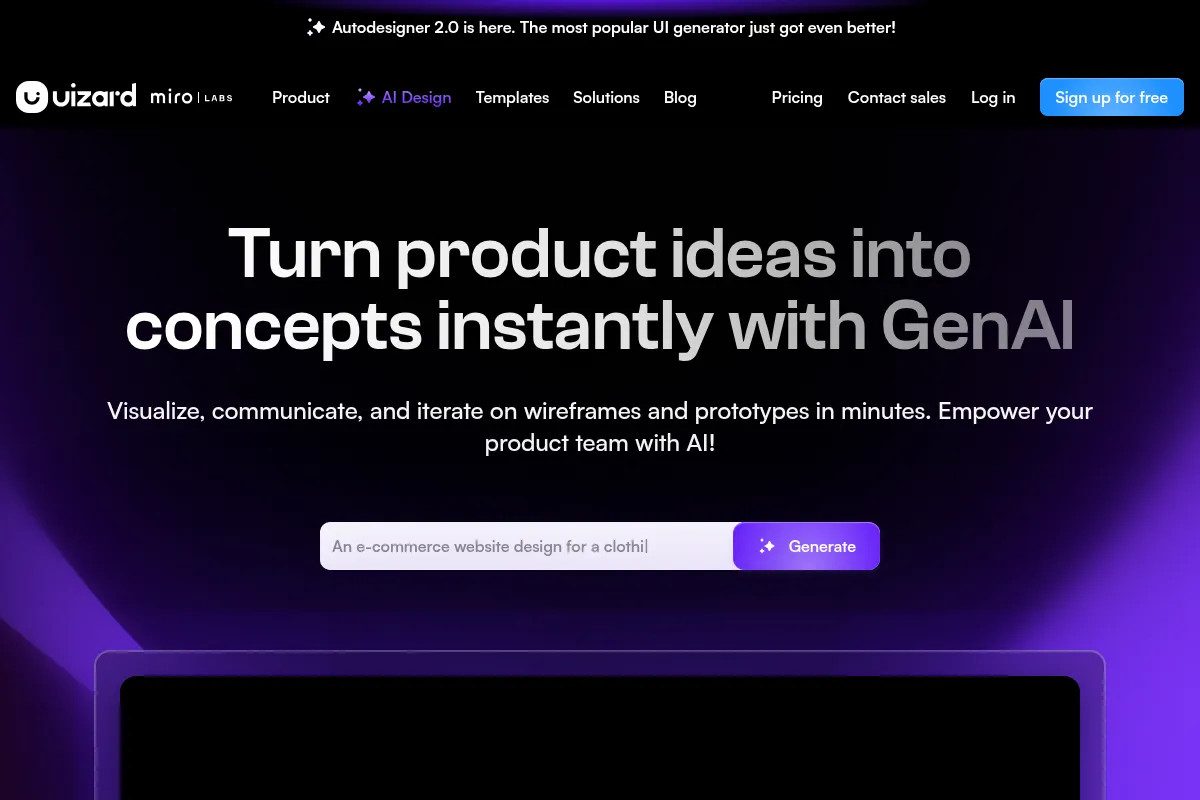
Uizard is an AI-powered design tool that rapidly generates UI mockups and prototypes from text, sketches, or screenshots, making it ideal for quick ideation and visualization, but less suited for complex, production-ready design work.
Best for rapid UI ideation and prototyping, weaker for advanced design system management.
Analysis based on product data, pricing structure, traffic signals, and public user sentiment.
Who Should Use Uizard?
Typical users
Product managers, startup founders, marketers, and junior designers who need to quickly visualize product ideas without deep design expertise. Also useful for teams looking to accelerate early-stage design workflows.
Maturity fit
beginner to scaling
Choose this if…
- You need to create wireframes and mockups quickly from text prompts or sketches.
- You want to visualize product ideas without extensive design skills.
- Your priority is rapid iteration and early-stage prototyping.
- You need to collaborate on designs with a team in real-time.
Skip this if…
- You require advanced design system management and component libraries.
- Your workflow demands pixel-perfect control and complex layout features.
- You need to export designs directly to Figma for further professional editing.
- You are building a complex application with intricate user flows and detailed interactions.
About Uizard
Uizard is an AI-driven design platform focused on accelerating the creation of UI mockups and prototypes. It caters to users who need to quickly translate ideas into visual concepts, leveraging AI to generate designs from text, sketches, or screenshots. The tool aims to bridge the gap between ideation and design, particularly for those without extensive design backgrounds.
What it actually does
Uizard generates UI designs, wireframes, and prototypes from text prompts, hand-drawn sketches, or existing screenshots. It offers a drag-and-drop editor for manual adjustments and AI-powered features to assist with design creation and refinement. Users can also collaborate in real-time on projects and export designs for developer handoff.
What makes it different
Uizard's primary differentiator is its AI-powered generation capabilities, allowing users to create complex UI designs from simple inputs like text prompts or sketches. While other tools offer design features, Uizard's focus on rapid AI-driven ideation and its accessibility for non-designers sets it apart.
Ratings across the web



Ratings aggregated from independent review platforms.
Key Features
Autodesigner
Generates complete UI mockups and wireframes from text prompts, significantly speeding up the initial design phase.
Screenshot Scanner
Converts screenshots of existing apps or websites into editable Uizard designs, useful for inspiration or redesigns.
Wireframe Scanner
Digitizes hand-drawn wireframes, turning physical sketches into digital assets for further editing.
AI Design Assistant
Offers features like Text Assistant for generating copy and Focus Predictor for heatmap analysis to guide design decisions.
Drag-and-Drop Editor
Provides a user-friendly interface for manual adjustments and customization of AI-generated designs.
Collaboration Tools
Enables real-time multi-player collaboration and commenting for team-based design workflows.
Developer Handoff
Exports designs with code snippets (React, CSS) to facilitate the transition to development.
Pricing
Free
- 3 AI generations per month
- Autodesigner 1.5
- 2 projects
- 10 free templates
- Unlimited free viewers/commenters
Pro
- 500 AI generations per month
- Autodesigner 2.0
- 100 projects
- Access to all templates
- Developer handoff (React, CSS)
- Private projects
Business
- 5,000 AI generations per month
- Custom brand kits
- Unlimited projects
- Priority support
- All Pro features
Enterprise
- Custom workspaces
- Personalized onboarding
- Dedicated account manager
- All Business features
Pricing checked 6 months ago
Pricing guidance
- When you need more than 3 AI generations per month.
- When you hit the limit of 2 projects or 5 screens per project.
- When you need access to Autodesigner 2.0 and advanced features like developer handoff.
- When you require private projects or more than 100 projects.
- The free plan is restricted to Autodesigner 1.5, an older AI engine.
- AI outputs can be generic and require significant manual editing.
- Limited export options compared to professional design tools.
- Collaboration features for viewers may not show font sizing details.
Tiered pricing with a functional free tier, scaling to professional and enterprise solutions, with per-user costs that can become substantial for larger teams.
Pros & Cons
Strengths
-
Rapid AI-driven design generation
Uizard's Autodesigner can create UI mockups and wireframes from text prompts or sketches in minutes, drastically reducing initial design time for new projects.
-
Accessibility for non-designers
The tool's intuitive interface and AI capabilities lower the barrier to entry, allowing product managers, founders, and marketers to visualize ideas without needing extensive design expertise.
-
Quick iteration and prototyping
Users can quickly generate multiple design variations and create interactive prototypes, facilitating faster feedback loops and idea validation.
-
Useful for early-stage ideation
It excels at transforming rough concepts into visual representations, making it a strong tool for brainstorming, MVPs, and initial product pitches.
Weaknesses
-
Limited advanced design features
Lacks robust features like advanced layout controls, components, auto-layout, and padding, which are standard in professional design tools like Figma.
Affects: Professional designers and teams needing detailed control.
-
AI output can be generic or inaccurate
AI-generated designs may be repetitive, miss specific prompt details, or require significant manual editing to align with complex requirements.
Affects: Users with specific or complex design needs.
-
No direct Figma export
While designs can be imported from Figma, there's no direct export option to Figma, hindering workflows that rely on Figma for final polishing or development handoff.
Affects: Designers and teams using Figma as their primary design tool.
-
Basic manual editing tools
The drag-and-drop editor is functional but lacks the depth and precision of more mature design software, making detailed refinements challenging.
Affects: Designers requiring fine-grained control over elements and layouts.
Real User Sentiment
User sentiment towards Uizard is mixed, with many appreciating its speed and ease of use for rapid prototyping, while others express frustration with the limitations of its AI output and manual design tools.
Users tend to like
- Speed of AI generation for initial drafts
- Ease of use for beginners and non-designers
- Ability to quickly visualize product ideas
- Real-time collaboration features
- Converting sketches and screenshots into digital designs
Users commonly complain about
- AI outputs are often generic, repetitive, or inaccurate.
- Lack of advanced design features (components, auto-layout, padding).
- No direct export to Figma, hindering professional workflows.
- Manual editing tools are basic and lack precision.
- Concerns about billing and support quality have been raised.
Recurring tradeoffs
- Speed and ease of use vs. design precision and advanced features.
- AI-generated initial drafts vs. the need for extensive manual refinement.
- Accessibility for beginners vs. the limitations for professional designers.
Happiest users
Startup founders, product managers, and marketers who prioritize speed and quick visualization of ideas over intricate design details.
Often frustrated
Professional UI/UX designers and teams who require advanced design system management, pixel-perfect control, and seamless integration with tools like Figma.
Use Cases
Rapidly generating wireframes and mockups for new product ideas
How Uizard's Autodesigner quickly turns text prompts into visual concepts.
Creating interactive prototypes for stakeholder presentations
How Uizard's prototyping features allow for quick demonstration of user flows.
Visualizing product concepts for non-technical team members
How Uizard's intuitive interface enables founders and marketers to contribute to the design process.
Digitizing hand-drawn sketches for digital mockups
How Uizard's Wireframe Scanner transforms paper designs into editable digital assets.
Iterating on existing designs by using screenshots as a base
How Uizard's Screenshot Scanner allows users to import and modify existing UIs.
Accelerating early-stage design workflows for startups and agencies
How Uizard's speed and AI capabilities reduce time-to-market for initial designs.
Providing developers with basic UI specifications
How Uizard's export options can serve as a starting point for front-end development.
Frequently Asked Questions
What is Uizard and what does it do?
Uizard is an AI-powered design tool that helps users create UI designs, wireframes, and prototypes quickly. It uses AI to generate designs from text prompts, hand-drawn sketches, or screenshots. It also offers a drag-and-drop editor for manual adjustments and collaboration features for teams. Uizard aims to make the design process more accessible and efficient, especially for those without extensive design experience.
How does Uizard compare to Figma?
Figma is a comprehensive, professional design tool known for its advanced features, collaborative capabilities, and extensive plugin ecosystem, making it ideal for detailed UI/UX design and design systems. Uizard, on the other hand, excels at rapid AI-generated prototyping and ideation, making it much faster for initial concepts and accessible to non-designers. A key difference is Uizard's AI generation from text/sketches, which Figma lacks natively, but Uizard also lacks Figma's advanced layout controls and direct Figma export.
Is Uizard free to use?
Uizard offers a free plan that allows for up to 3 AI generations per month, 2 projects, and 10 free templates. While this is sufficient for trying out the platform or for very occasional use, it is quite limited for regular workflows. For more substantial usage, including more AI generations, unlimited screens, and access to advanced features, paid plans like Pro ($12/user/month) or Business ($39/user/month) are necessary.
What are the limitations of Uizard?
Uizard's primary limitations include the AI output often being generic or requiring significant manual editing, a lack of advanced design features like robust component management, auto-layout, and padding, and no direct export to Figma. The manual editing tools are also considered basic compared to professional design software. These limitations can make it less suitable for complex, production-ready designs or for professional designers accustomed to more sophisticated tools.
Does Uizard integrate with other tools?
Uizard offers developer handoff capabilities, allowing designs to be exported with code snippets for React and CSS. While it can import elements from Figma, there is no direct export functionality to Figma, which is a significant limitation for workflows heavily reliant on Figma. Information on other direct integrations is not widely publicized, suggesting its integration capabilities are focused on export and import rather than a broad ecosystem.
Can I use Uizard for professional design work?
Uizard is best suited for rapid ideation, prototyping, and visualizing concepts, especially for non-designers or teams prioritizing speed. For professional UI/UX designers who need detailed control, advanced features, and seamless integration into established design systems and workflows (like those involving Figma), Uizard may fall short. Its strengths lie in the early stages of design, not necessarily in the final production-ready output.
How does Uizard's AI work?
Uizard utilizes AI, including natural language processing and computer vision, to interpret user inputs like text prompts, hand-drawn sketches, and screenshots. Its Autodesigner feature generates UI mockups and wireframes based on these inputs. Other AI features include a Screenshot Scanner to convert images into editable designs and a Wireframe Scanner to digitize sketches. The AI aims to automate and accelerate the initial design creation process.
Why trust this page?
This evaluation combines product positioning, pricing analysis, traffic and market signals, and public user sentiment into a single decision-support page. Content is generated editorially — not copied from the vendor's website.
Funding & Company
Founded
2017
Stage
Acquired
Total Raised
$18.6M
Latest Round
Series A (Aug 2021)
Notable Investors
Uizard raised a total of $18.6 million across three funding rounds, culminating in a $15 million Series A led by Insight Partners. This funding positioned them for significant growth before their acquisition by Miro in mid-2024.
Market Signals & Traffic
Estimated visits, global rank, geography, traffic sources, monthly visit trends, and organic search keywords (Similarweb)—on a dedicated page built for depth and search.
- Estimated visits
- 599,682
- Global rank
- #62,416
- Snapshot
- Apr 2026
- Traffic trend
- Cooling
Estimated monthly visits
Alternatives to Uizard
View all alternatives
Similar Tools
Speechify
AI Assistant, Content Creation

AI-powered text-to-speech reader and voice generator.
Grammarly
AI Assistant, Content Creation

AI-powered writing assistant for clear, effective, and authentic communication.
You.com
AI Assistant, Content Creation

AI-powered search engine and productivity platform for research and creation.
Anything
AI Assistant, Content Creation

An AI-powered platform that builds web and mobile applications from text prompts.
Merlin
AI Assistant, Content Creation

An AI-powered assistant to research, write, and summarize content across the web.
Wordtune
AI Assistant, Content Creation

AI-powered writing assistant for rewriting, refining, and improving text.