

Speechify is a text-to-speech tool that converts written content into audio, with a focus on natural-sounding AI voices and accessibility features.
Best for students and professionals needing to consume large amounts of text via audio, weaker for those requiring advanced voice customization or budget-friendly options.
Analysis based on product data, pricing structure, traffic signals, and public user sentiment.
Who Should Use Speechify?
Typical users
Students, professionals, and individuals with reading difficulties (dyslexia, ADHD, visual impairments) who need to consume written content audibly. Also useful for content creators needing AI voiceovers.
Maturity fit
beginner to scaling
Choose this if…
- You need to convert large volumes of text into audio for consumption.
- You have reading difficulties like dyslexia or ADHD.
- You prefer listening to content over reading.
- You need to multitask while consuming written material.
- You require natural-sounding AI voices for personal use or content creation.
Skip this if…
- You need highly specialized AI voice customization with emotional range for professional audiobook narration.
- Your budget is very limited, and free, basic TTS is sufficient.
- You require extensive integrations with specialized business software.
- You need to generate audio for commercial purposes and require specific licensing beyond personal use.
About Speechify
Speechify is an AI-powered text-to-speech platform that transforms written content into natural-sounding audio. It aims to improve reading accessibility and productivity for students, professionals, and individuals with reading challenges by offering a wide array of AI voices and features like OCR scanning and adjustable playback speeds. It also provides AI voice generation tools for content creators.
What it actually does
Speechify reads aloud any digital or scanned text, converting it into audio. It supports various file formats and platforms, offering features such as adjustable playback speeds, multiple AI voices in numerous languages, and the ability to scan printed text using OCR. It also includes AI voice generation capabilities for content creators.
What makes it different
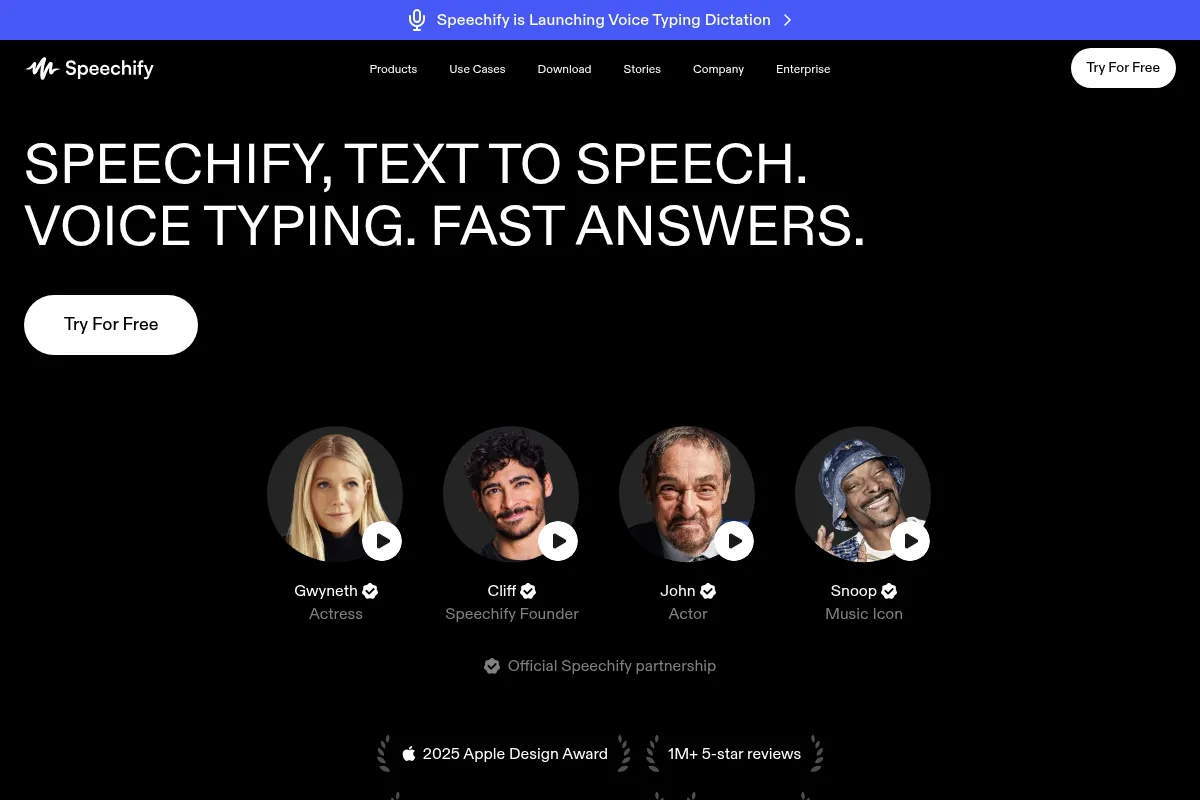
Speechify differentiates itself through its extensive library of over 200 natural-sounding AI voices, celebrity voice partnerships, and a strong focus on accessibility features for users with reading difficulties. Its cross-platform syncing and integration with tools like a Chrome extension enhance its utility for daily content consumption.
Ratings across the web

Ratings aggregated from independent review platforms.
Key Features
Natural-sounding AI Voices
Offers over 200 high-quality AI voices in 60+ languages, providing a more engaging listening experience than robotic alternatives.
OCR Scanning
Allows users to convert printed text from images or scanned documents into audio, expanding the range of usable content.
Adjustable Playback Speed
Users can listen at speeds up to 4.5x (900 WPM), enabling faster content consumption and increased productivity.
Cross-Platform Syncing
Content and reading progress sync across devices, allowing users to seamlessly switch between desktop, mobile, and browser extensions.
AI Voice Generation
Provides tools for content creators to generate AI voiceovers for videos, podcasts, and other media.
Voice Typing/Dictation
Enables users to dictate text into any application, increasing writing speed and accessibility.
AI Summaries & Chat
Offers AI-powered summarization and conversational features to quickly grasp key information from documents or web pages.
Pricing
Free
- 10 standard voices
- Reading speeds up to 1.5x
- Basic TTS functionality
- Listen on multiple devices
Premium
- 200+ high-quality natural voices
- 60+ languages supported
- Listen at up to 5x speed
- Download audio as MP3 for offline
- AI summary and chatbot features
- Priority 24/7 customer support
Monthly Premium
- 200+ high-quality natural voices
- 60+ languages supported
- Listen at up to 5x speed
- Download audio as MP3 for offline
- AI summary and chatbot features
- Priority 24/7 customer support
Student Plan
- Same features as Premium at a reduced cost (for eligible users)
Pricing checked 6 months ago
Pricing guidance
- When you exceed the free plan's listening time limits.
- When you need access to higher-quality, natural-sounding AI voices.
- When you require faster playback speeds for increased productivity.
- When you need to download audio files for offline listening.
- 150,000-word monthly limit for premium voices (reverts to robotic after).
- 50 hours of audio export per year on the premium plan.
- Commercial use may require specific licensing, especially for celebrity voices.
- Free plan has very limited voices and listening time.
Premium positioning with a higher-than-average price point for its core TTS functionality, justified by voice quality and feature set.
Pros & Cons
Strengths
-
High-Quality, Natural Voices
Speechify offers a vast selection of over 200 natural-sounding AI voices in multiple languages and accents, significantly enhancing the listening experience compared to more robotic TTS options. This is particularly beneficial for extended listening sessions and content creation.
-
Strong Accessibility Features
Originally developed to help individuals with dyslexia, Speechify excels in providing tools that make reading more accessible. Features like adjustable speed, highlighting, and OCR scanning are invaluable for students and professionals with reading challenges.
-
Extensive Platform Support
Available as a web app, desktop application, and mobile app (iOS/Android), with browser extensions for Chrome and Safari, Speechify ensures users can access its features across virtually any device and platform.
-
Productivity Enhancements
Features like high-speed playback (up to 4.5x), AI summarization, and voice typing allow users to consume and interact with information more efficiently, making it a valuable tool for busy individuals.
-
AI Voice Generation Capabilities
Beyond text-to-speech for consumption, Speechify offers AI voice generation tools, catering to content creators who need to produce voiceovers for various media projects.
Weaknesses
-
Premium Pricing
Speechify's premium plans are considered expensive compared to some competitors, with annual subscriptions costing around $139. This can be a barrier for budget-conscious users.
Affects: Budget-conscious individuals and small teams
-
Limited Free Plan Functionality
The free tier offers basic TTS with robotic voices and limited listening time (e.g., 100 minutes/month), which can be restrictive for frequent users. Many advanced features are locked behind the paywall.
Affects: Users who need more than basic TTS or frequent listening
-
AI Voice Limitations for Professional Use
While AI voices are natural-sounding, they may lack the emotional depth, character differentiation, and nuanced performance required for professional audiobook narration or complex voice acting.
Affects: Professional audiobook narrators and voice actors
-
Potential for Mispronunciations
Some users report occasional mispronunciations of complex or foreign words, which can detract from the listening experience.
Affects: Users consuming specialized or multilingual content
-
Word/Export Limits
Even premium plans can have limits, such as 50 hours of audio export per year or a 150,000-word limit for premium voices per month, which might be restrictive for very heavy users.
Affects: Heavy content consumers and creators needing extensive audio exports
Real User Sentiment
Generally positive, with users praising voice quality, accessibility features, and productivity benefits, though pricing and occasional limitations are common criticisms.
Users tend to like
- Natural-sounding AI voices
- Accessibility for dyslexia and other reading difficulties
- High playback speeds for productivity
- Cross-platform syncing and ease of use
- OCR scanning for printed text
Users commonly complain about
- Premium pricing is considered high by many.
- Free plan limitations are restrictive.
- AI voices can lack human emotion for professional use.
- Occasional mispronunciations or glitches.
- Billing concerns and trial limitations have been reported.
Recurring tradeoffs
- Quality of AI voices vs. cost
- Feature richness vs. budget constraints
- Convenience of listening vs. need for professional narration
Happiest users
Students, professionals with reading challenges, and individuals who frequently consume audio content.
Often frustrated
Users seeking professional-grade voice acting, those on a tight budget, or individuals encountering billing issues.
Use Cases
Students listening to textbooks and study materials.
Professionals consuming reports, articles, and emails on the go.
Individuals with dyslexia, ADHD, or visual impairments to improve reading accessibility.
Content creators generating voiceovers for videos, podcasts, or audiobooks.
Anyone looking to multitask by listening to written content while performing other activities.
Language learners practicing pronunciation and comprehension.
Researchers reviewing lengthy documents and academic papers.
Frequently Asked Questions
What is Speechify and how does it work?
Speechify is an AI-powered text-to-speech (TTS) platform that converts written text from various sources (documents, web pages, PDFs, images) into natural-sounding audio. It uses advanced AI voices to read the text aloud, allowing users to listen instead of read. It works by processing the text input and synthesizing speech, offering features like adjustable speeds, multiple voices, and OCR scanning for printed text. It's available across multiple platforms including web, desktop, and mobile apps, as well as browser extensions.
Is Speechify free to use?
Speechify offers a free plan that provides basic text-to-speech functionality with limited voices and listening time (e.g., 100 minutes per month). While useful for testing or occasional use, it lacks the high-quality voices, advanced features, and unlimited listening of the premium plans. For a full experience, a paid subscription is generally required.
What are the main differences between Speechify's free and premium plans?
The free plan offers basic TTS with around 10 standard, often robotic-sounding voices, and limited listening time and speed. The premium plan unlocks over 200 high-quality, natural-sounding AI voices, supports over 60 languages, offers faster playback speeds (up to 5x), allows audio downloads for offline listening, and includes features like AI summaries and priority support. Many advanced functionalities are exclusive to the premium tier.
How does Speechify compare to NaturalReader?
Both Speechify and NaturalReader are text-to-speech tools. Speechify is often praised for its more natural-sounding AI voices, extensive platform support (web, mobile, extensions), and features like OCR scanning and celebrity voice partnerships. NaturalReader also offers TTS with various voices and languages, and some users find its free version more accessible. However, Speechify generally leads in voice quality and user experience for those willing to pay for premium features. NaturalReader may offer more flexibility in its free tier for basic conversion needs.
What are the limitations of Speechify?
Key limitations include the premium pricing, which is higher than some competitors. The free plan has restrictive limits on listening time and voice quality. Even premium plans may have export limits (e.g., 50 hours/year) or monthly word limits for premium voices. Additionally, the AI voices, while natural, may not possess the full emotional range required for professional voice acting or audiobook narration. Some users have also reported occasional mispronunciations and billing issues.
Can I use Speechify for commercial purposes?
The standard Speechify plan is primarily for personal use. For commercial applications, such as creating voiceovers for videos or audiobooks intended for sale, Speechify offers Speechify Studio with different licensing terms and pricing. It's crucial to check the specific terms of service and licensing agreements for commercial use to avoid copyright issues, especially when using celebrity voices.
Does Speechify offer integrations with other tools?
Speechify offers browser extensions (Chrome, Safari) that allow it to read content directly from web pages, Google Docs, and emails. It also integrates with cloud storage services like Google Drive, Dropbox, and Microsoft OneDrive for easier file access. While it doesn't offer extensive third-party business software integrations, its cross-platform availability and browser extensions provide significant workflow convenience.
What is the word limit for Speechify?
Speechify has a monthly word limit for its premium voices, often cited as 150,000 words. Once this limit is reached, the service may revert to more robotic-sounding voices for the remainder of the month. The free plan has even more restrictive limits on listening time, typically around 100 minutes per month. These limits are in place due to the cost associated with generating high-quality AI voices.
Why trust this page?
This evaluation combines product positioning, pricing analysis, traffic and market signals, and public user sentiment into a single decision-support page. Content is generated editorially — not copied from the vendor's website.
Funding & Company
Founded
2017
Stage
Seed
Total Raised
$768K
Latest Round
Undisclosed (Dec 2025)
Notable Investors
Speechify has raised a known total of $768,000 through multiple seed rounds, with the most recent disclosed funding occurring in late 2025. The company's funding history is not fully transparent, with several rounds having undisclosed amounts, suggesting a strategy of lean operations or conservative fundraising.
Market Signals & Traffic
Estimated visits, global rank, geography, traffic sources, monthly visit trends, and organic search keywords (Similarweb)—on a dedicated page built for depth and search.
- Estimated visits
- 6,901,811
- Global rank
- #6,407
- Snapshot
- Apr 2026
- Traffic trend
- Surging
Estimated monthly visits
Alternatives to Speechify
View all alternativesElevenLabs
Content Creation, AI Assistant

AI-powered platform for realistic speech, voice cloning, and audio generation.
Murf AI
Content Creation, Video Creation

AI voice generator for creating realistic text-to-speech voiceovers.
Lovo AI
Content Creation, AI Assistant

AI voice generator and text-to-speech platform with video editing.
Similar Tools
Character AI
AI Assistant, Content Creation

Create and chat with AI characters for entertainment and storytelling.
Writesonic
AI Assistant, Content Creation

AI-powered platform for content creation, SEO, and AI search visibility.
Uizard
AI Assistant, Content Creation
AI-powered tool to create UI designs, wireframes, and prototypes from text, sketches, or screenshots.
HyperWrite
AI Assistant, Content Creation

AI-powered writing assistant for content creation, research, and task automation.
Anything
AI Assistant, Content Creation

An AI-powered platform that builds web and mobile applications from text prompts.
Poe
AI Assistant, Content Creation

A platform to chat with and create AI bots, accessing multiple models in one place.