

A specialized PLM that replaces manual spreadsheets with structured tech packs and supplier tracking—best for growing fashion labels that need to reduce production errors without the complexity of enterprise software.
Excellent for designers moving off Excel to automate tech packs, weaker for large-scale enterprises requiring deep ERP integrations.
Analysis based on product data, pricing structure, traffic signals, and public user sentiment.
Who Should Use OnBrand?
Typical users
Emerging to mid-market fashion brands, independent apparel designers, and production managers handling 10-50 styles per season.
Maturity fit
scaling
Choose this if…
- You spend hours manually updating measurement tables and BOMs in Excel
- Your production errors are frequently caused by suppliers using outdated tech pack versions
- You want a centralized history of all sample comments and revisions
Skip this if…
- You are a solo hobbyist who only needs to create one or two tech packs a year
- Your workflow requires native 3D garment simulation (e.g., CLO3D) within the PLM
- You need a tool that handles complex warehouse management and retail POS functions
About OnBrand
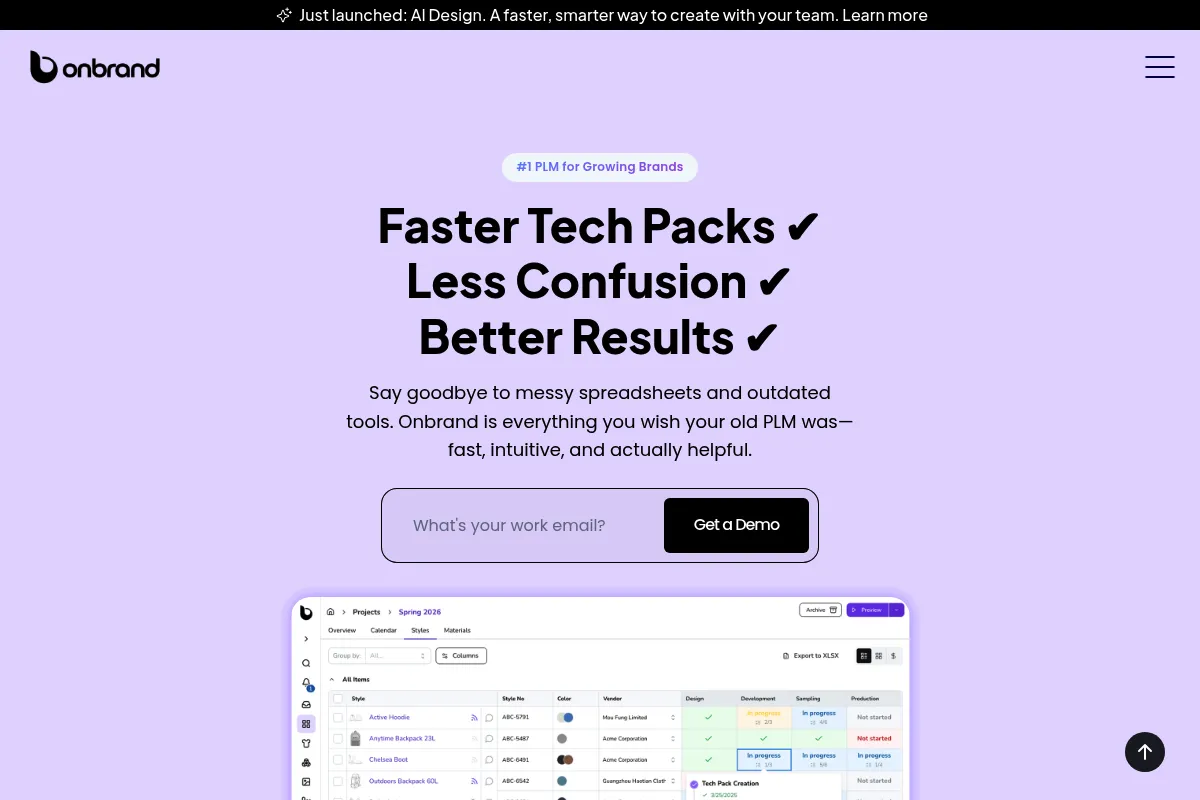
OnBrand is a cloud-based Product Lifecycle Management (PLM) tool built specifically for the apparel industry. It exists to solve the 'Excel and Email' problem where design data is scattered across disconnected files. The tool centralizes technical specifications, material lists, and factory communication into a single source of truth.
What it actually does
OnBrand automates the creation of tech packs by pulling data from measurement tables, Bill of Materials (BOM), and design sketches. It allows teams to track the status of samples, manage supplier feedback, and calculate production costs in real-time. The platform generates standardized PDF tech packs that are formatted for immediate factory use.
What makes it different
Unlike legacy PLMs that require months of configuration and specialized training, OnBrand uses a modern SaaS interface that feels more like Notion or Airtable. It prioritizes speed of entry, allowing designers to duplicate styles and update measurements across entire size runs with minimal manual input.
Ratings across the web

Ratings aggregated from independent review platforms.
Key Features
Automated Tech Packs
Converts design data into production-ready PDFs with one click.
Dynamic Grading
Automatically calculates measurements across all sizes based on your base size and grade rules.
Centralized BOM
Tracks every fabric, trim, and label needed for a garment to ensure accurate ordering.
Supplier Portal
Gives factories a dedicated space to view tech packs and leave comments directly on styles.
Costing Sheets
Calculates landed costs and gross margins based on component prices and labor.
Version History
Maintains a record of every change made to a tech pack to prevent manufacturing mistakes.
Image Callouts
Allows designers to drop pins and notes directly on garment sketches for clearer factory instructions.
Pricing
Contact Sales
- Full tech pack automation
- Unlimited styles and BOMs
- Supplier collaboration tools
- Measurement and grading tables
- Costing and margin tracking
Pricing checked 4 months ago
Pricing guidance
- Adding more team members
- Managing a higher volume of seasonal SKUs
- Requiring dedicated account management
- Storage limits for high-resolution design files
- Potential caps on the number of active supplier seats
- Feature locks on advanced reporting
Positioned as a premium, modern alternative to legacy PLMs, likely priced per user per month.
Pros & Cons
Strengths
-
Significant reduction in manual data entry
By automating measurement grading and BOM calculations, it eliminates the repetitive math that leads to human error in spreadsheets.
-
Improved supplier clarity
Standardized tech pack layouts ensure that factories receive information in a consistent format, reducing the back-and-forth of clarifying emails.
-
Low barrier to entry
The interface is intuitive enough for designers to start building tech packs immediately without a lengthy implementation process.
Weaknesses
-
Limited third-party integrations
It lacks the deep ecosystem of integrations found in older PLMs, making it harder to sync with specific ERP or accounting software.
Affects: Operations teams at larger brands
-
No native 3D design tools
Users must still use external software for 3D prototyping and then manually upload those files to the platform.
Affects: Designers using 3D-heavy workflows
-
Opaque pricing
The lack of public pricing tiers makes it difficult for small brands to evaluate the tool's cost-effectiveness without a sales call.
Affects: Budget-conscious founders
Real User Sentiment
Generally positive among early adopters who appreciate the clean UI and the time saved on tech pack generation.
Users tend to like
- The speed of creating measurement charts
- The professional look of the exported PDFs
- Ease of use compared to enterprise PLMs
Users commonly complain about
- Lack of transparent pricing
- Missing some advanced reporting features
- Occasional desire for more flexible layout options in tech packs
Recurring tradeoffs
- Users trade deep enterprise customization for a faster, more user-friendly setup.
Happiest users
Designers at 5-15 person brands who were previously drowning in Excel files.
Often frustrated
Enterprise users who need the tool to talk to complex legacy inventory systems.
Use Cases
Scaling an emerging label
Moving from 5 styles to 50 styles without hiring more production staff.
Freelance production management
Managing tech packs for multiple clients in one organized dashboard.
Reducing factory errors
Using version control to ensure the factory never makes a sample from an old spec sheet.
Costing new collections
Quickly calculating if a new design is financially viable based on material costs.
Centralizing design data
Ensuring that if a designer leaves the company, all their specs and supplier notes stay with the brand.
Frequently Asked Questions
How does OnBrand compare to Techpacker?
Both tools focus on tech pack automation for fashion. OnBrand tends to offer a more unified workflow for the entire production lifecycle, including costing and supplier management, whereas Techpacker is often praised for its 'card-based' design approach which is highly visual for building specs.
Is there a free version of OnBrand?
No, OnBrand does not currently offer a public free version. You must book a demo to receive pricing information and access to the platform, which is standard for mid-market PLM software.
Can I import my existing Excel tech packs?
Yes, OnBrand provides tools to import data from spreadsheets to help brands migrate their existing library, though some manual reformatting of images and specific callouts is usually required.
Does OnBrand integrate with Shopify?
OnBrand focuses on the pre-production and manufacturing phase. While it doesn't have a deep native integration with Shopify for inventory sync, it serves as the 'upstream' source of truth before products are pushed to e-commerce.
Can my factories use the tool for free?
Typically, PLMs like OnBrand allow you to invite suppliers to a portal to view and comment on tech packs without requiring the supplier to pay for their own seat, though you should verify this during your demo.
Does it support 3D file formats?
You can upload 3D renders and files as attachments to your tech packs, but OnBrand is not a 3D design tool itself. It manages the data around the design rather than the 3D modeling.
Why trust this page?
This evaluation combines product positioning, pricing analysis, traffic and market signals, and public user sentiment into a single decision-support page. Content is generated editorially — not copied from the vendor's website.
Funding & Company
Founded
2023
Stage
Seed
Total Raised
$3.5M
Latest Round
Seed (Jan 2026)
Notable Investors
OnBrand has raised a known total of $3.5 million from a Seed round in early 2026. This funding provides the company with the initial capital to develop its modern PLM platform and establish a foothold in the competitive fashion technology market.
Market Signals & Traffic
Estimated visits, global rank, geography, traffic sources, monthly visit trends, and organic search keywords (Similarweb)—on a dedicated page built for depth and search.
- Estimated visits
- 9,504
- Global rank
- #2,142,749
- Snapshot
- Apr 2026
- Traffic trend
- Steady
Estimated monthly visits
Similar Tools
Cal.com
AI Assistant

An open-source scheduling platform for individuals and businesses to manage appointments.
The New Black
Design, E-commerce, Content Creation

Generate unique fashion designs and clothing concepts instantly
Abacus.ai
Developer Tools, Automation & Agents, Workflow

Platform for building and deploying enterprise-scale machine learning models.
Smartcat
Automation, Communication, Productivity

Comprehensive translation and localization platform for global content management.
yoona.ai
Design, Automation, E-commerce

Design platform for fashion brands and creative teams
Circleback
AI Assistant, Communication, Productivity

Automated meeting notes, action items, and follow-up emails.