

A local-first snippet manager and context engine that bridges the gap between your IDE and browser—strongest for developers prioritizing privacy and offline AI, weaker for those wanting a lightweight, cloud-only experience.
Excellent for developers managing fragmented code snippets across multiple tools, weaker for teams needing collaborative real-time editing.
Analysis based on product data, pricing structure, traffic signals, and public user sentiment.
Who Should Use Pieces?
Typical users
Individual developers and small teams who frequently context-switch between documentation, IDEs, and research.
Maturity fit
beginner to scaling
Choose this if…
- You want local AI processing for privacy and offline use
- Your priority is organizing snippets with automatic metadata over manual tagging
- You work across multiple IDEs and need a unified knowledge base
Skip this if…
- You find background desktop applications intrusive or resource-heavy
- You only need basic AI autocomplete without snippet management
- Your workflow is entirely web-based and doesn't involve a local IDE
About Pieces
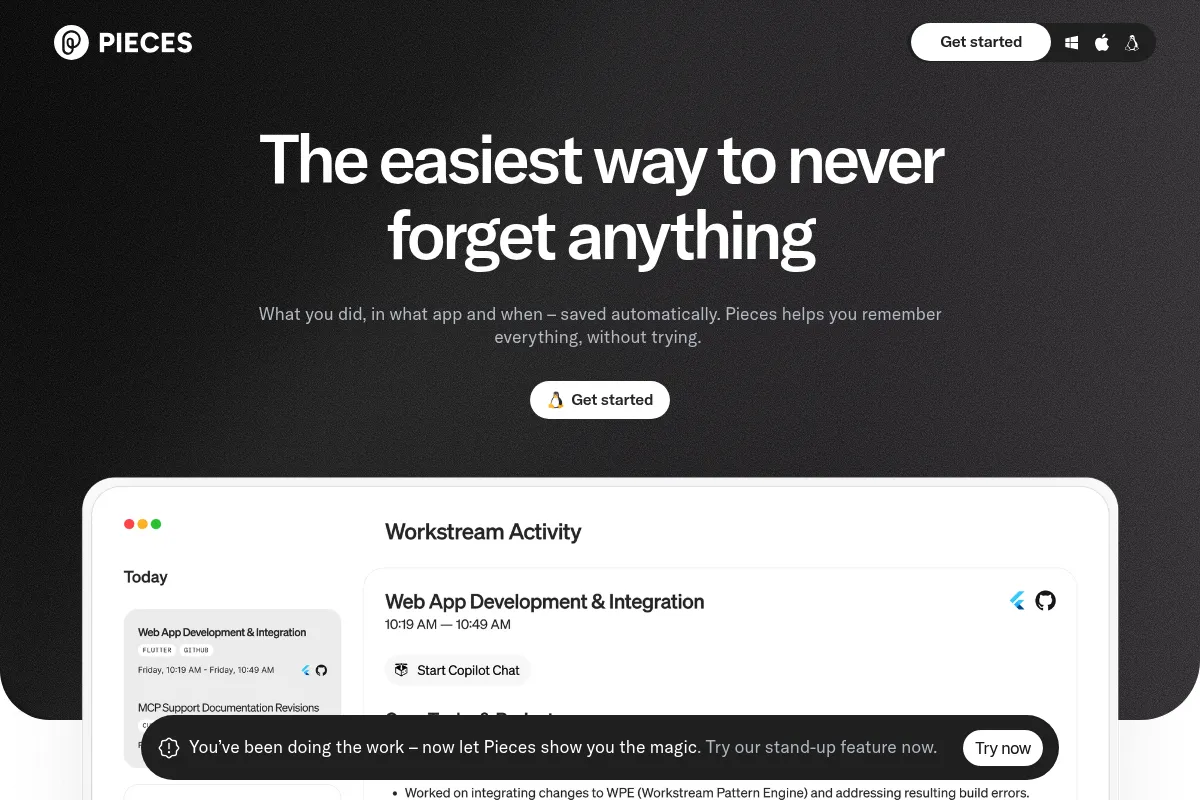
Pieces is a cross-platform developer tool designed to capture and organize technical context. It functions as a persistent memory layer that sits between the browser, IDE, and terminal to manage code snippets and project materials.
What it actually does
It captures code snippets, screenshots, and links, automatically enriching them with metadata like tags and source URLs. It uses local LLMs to provide AI assistance based on your specific project history and saved materials.
What makes it different
Unlike cloud-heavy assistants, Pieces prioritizes local-first processing, allowing users to run AI models on their own hardware. Its context engine is uniquely broad, pulling data from the entire OS rather than just the active file in an IDE.
Ratings across the web

Ratings aggregated from independent review platforms.
Key Features
Local LLM Support
Run models like Llama 3 or Mistral entirely offline for privacy.
Context Awareness
Feeds your saved snippets and open files into the AI to get more relevant answers.
Workflow Streamlining
Automatically captures the source URL and tags when you save code from a browser.
Global Search
Find snippets across your entire history using natural language.
IDE Extensions
Access your library directly within VS Code, JetBrains, or Neovim.
Snippet Transformation
Quickly refactor, comment, or translate code snippets into different languages.
Pieces OS
A background service that manages the local database and AI models across all integrations.
Pricing
Free
- Local snippet management
- Standard AI models
- Core IDE & Browser integrations
- On-device processing
Pro
- Advanced local LLMs
- Unlimited cloud backup
- Multi-device sync
- Priority support
Enterprise
- Team sharing & collaboration
- Centralized billing
- Enhanced security controls
- Dedicated account management
Pricing checked 6 months ago
Pricing guidance
- When you need to sync snippets across multiple machines
- When you want to use larger, more capable local models
- When you need cloud-based backup for your library
- Local model performance is capped by your hardware
- Cloud sync is restricted to the Pro tier
- Team collaboration features are strictly for Enterprise
Generous free tier with a premium positioning for advanced AI and cloud features.
Pros & Cons
Strengths
-
Privacy-centric architecture
Local processing means sensitive code never leaves your machine, which is critical for enterprise or security-conscious work.
-
Automatic metadata generation
It saves time by automatically tagging snippets and linking them back to the original documentation or StackOverflow thread.
-
Broad integration ecosystem
Works across almost every major IDE and browser, making it a true glue tool for developer workflows.
Weaknesses
-
Resource intensive
Running the desktop app and local LLMs simultaneously can tax system RAM and CPU, especially on older hardware.
Affects: Developers on older laptops or low-RAM machines
-
Steep learning curve
The UI can feel overwhelming with many icons and panels, requiring time to master the specific workflow.
Affects: Users looking for a simple, minimalist snippet manager
-
Mobile experience is limited
While there is a mobile app, the core value is heavily tied to desktop-based development environments.
Affects: Developers who do significant work or review on mobile
Real User Sentiment
Users generally appreciate the local-first approach and the depth of the context engine, though some find the software 'heavy'.
Users tend to like
- Local LLM support
- Automatic tagging and metadata
- The ability to search snippets by context
- Strong integration with VS Code
Users commonly complain about
- High RAM and CPU usage
- Cluttered user interface
- Occasional synchronization bugs
Recurring tradeoffs
- Trading system performance for privacy and offline capability
Happiest users
Security-conscious developers and those who do heavy research across many tabs and tools.
Often frustrated
Developers on low-spec machines or those who want a set-it-and-forget-it tool with zero configuration.
Use Cases
Researching new libraries
Save documentation snippets and have the AI explain them in context.
Onboarding to a new codebase
Use the context engine to ask questions about local files and history.
Managing reusable boilerplate
Store frequently used configurations with auto-generated tags.
Offline coding
Use local LLMs to debug or generate code without an internet connection.
Cross-tool knowledge capture
Save a snippet in the browser and have it immediately available in the IDE.
Frequently Asked Questions
Is Pieces free?
Yes, Pieces offers a robust free tier that includes local snippet management and access to standard AI models. The Pro plan ($10/mo) is only necessary for cloud sync and advanced models.
How does it compare to GitHub Copilot?
Copilot is primarily an autocomplete tool for the IDE. Pieces is a context and snippet management tool that works across your entire OS, including the browser and desktop, and offers local AI processing.
Does it work offline?
Yes, its core value is local-first processing. You can download and run LLMs like Llama 3 entirely offline for code generation and snippet analysis.
What IDEs are supported?
Pieces supports VS Code, all JetBrains IDEs (IntelliJ, PyCharm, etc.), Neovim, and Azure Data Studio, along with major browsers like Chrome and Edge.
Is my code private?
By default, Pieces processes data on-device. Unless you explicitly enable cloud sync or use a cloud-based LLM, your code does not leave your machine.
Can I use my own LLM?
Pieces allows you to choose from several popular open-source models like Llama 3, Mistral, and Phi-3 to run locally on your hardware.
Why trust this page?
This evaluation combines product positioning, pricing analysis, traffic and market signals, and public user sentiment into a single decision-support page. Content is generated editorially — not copied from the vendor's website.
Funding & Company
Founded
2020
Stage
Series a
Total Raised
$21.5M
Latest Round
Series A (Jul 2024)
Notable Investors
Pieces has raised a total of $21.5 million across two funding rounds, a Seed round in 2021 and a Series A in mid-2024. The consistent backing from lead investor Drive Capital suggests strong conviction in the company's on-device AI approach for developer productivity.
Market Signals & Traffic
Estimated visits, global rank, geography, traffic sources, monthly visit trends, and organic search keywords (Similarweb)—on a dedicated page built for depth and search.
- Estimated visits
- 195,327
- Global rank
- #246,465
- Snapshot
- Apr 2026
- Traffic trend
- Falling
Estimated monthly visits
Alternatives to Pieces
View all alternativesGitHub Copilot
Developer Tools, AI Assistant

AI-powered coding assistant that suggests and generates code.
Cursor
AI Assistant

An AI-powered code editor designed to help developers build software faster.
Tabnine
Developer Tools

AI code assistant for faster, more accurate software development.
Similar Tools
Blackbox AI
Developer Tools, Productivity, AI Assistant

AI coding assistant for faster development, debugging, and optimization.
Boundary
Developer Tools, Data Extraction

Domain-specific language for extracting structured data from LLMs
Hebbia
AI Assistant, Data Extraction, Productivity

Knowledge discovery platform for complex document analysis and research
Sourcegraph
Developer Tools, AI Assistant

Code intelligence platform for searching, writing, and understanding codebases
Supermaven
Developer Tools, Productivity

High-speed code completion assistant with a million-token context window
Glean
AI Assistant, Productivity, Documentation

Enterprise search and knowledge discovery platform for workplace teams.