

QuillBot is a versatile AI writing assistant that excels at paraphrasing and refining existing text, offering a suite of tools that can significantly boost productivity for students and professionals, though its advanced features and limitations require careful consideration.
Best for paraphrasing and quick writing refinement, weaker for original content generation and advanced automation.
Analysis based on product data, pricing structure, traffic signals, and public user sentiment.
Who Should Use QuillBot?
Typical users
Students, academics, content creators, and professionals who frequently write and need to rephrase, summarize, or check grammar in their work. This includes individuals and small teams looking to improve writing clarity and efficiency.
Maturity fit
beginner to scaling
Choose this if…
- You need to rephrase existing text for clarity or to avoid repetition.
- You want to quickly summarize long documents.
- You need a citation generator for academic or research papers.
- You are looking for an affordable writing assistant with a generous free tier.
Skip this if…
- You need to generate entirely new content from scratch.
- Your primary need is advanced marketing automation or complex workflow management.
- You require highly nuanced or creative writing assistance without manual editing.
- You need a tool that guarantees 100% AI-detection avoidance for all outputs.
About QuillBot
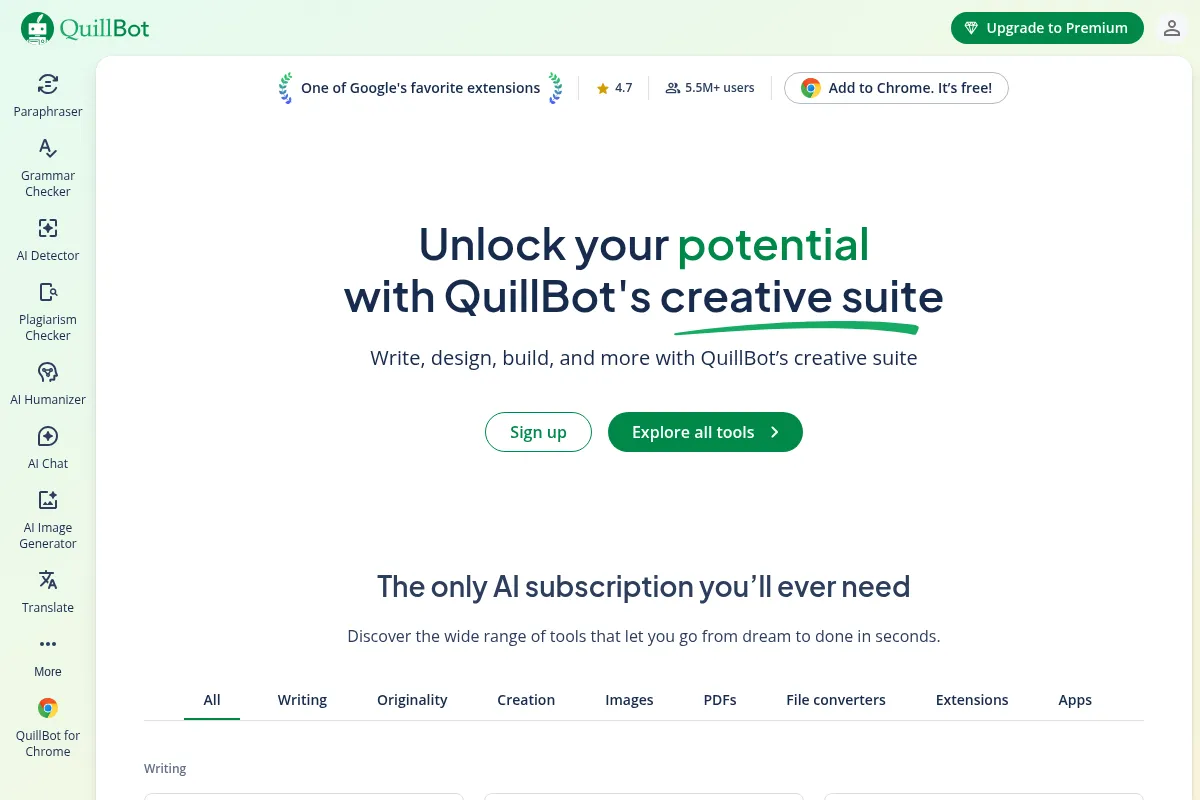
QuillBot is an AI-powered writing platform designed to assist users in improving, rewriting, and refining their content. It offers a collection of tools focused on paraphrasing, grammar checking, summarization, and plagiarism detection, aiming to enhance writing clarity, accuracy, and efficiency for students, professionals, and content creators.
What it actually does
QuillBot provides a suite of AI-driven writing tools that help users rephrase sentences, check for grammatical errors, summarize lengthy texts, and generate citations. It aims to streamline the writing process by offering quick edits, alternative phrasing, and content refinement.
What makes it different
QuillBot differentiates itself through its strong emphasis on paraphrasing with multiple modes and a synonym slider for customization, alongside a comprehensive suite of integrated writing tools. While many tools focus on grammar or content generation, QuillBot's core strength lies in its ability to transform existing text in various ways.
Ratings across the web



Ratings aggregated from independent review platforms.
Key Features
Paraphraser
Offers multiple modes (Standard, Fluency, Creative, Academic, etc.) and a synonym slider to control the degree of change, allowing users to tailor rephrased text to specific needs.
Grammar Checker
Identifies and suggests corrections for grammar, spelling, punctuation, and stylistic errors, aiding in overall writing polish.
Summarizer
Condenses long texts into key points, either in paragraph or bullet-point format, saving time on reading and comprehension.
Plagiarism Checker
Scans text for unintentional plagiarism, providing a crucial layer of originality verification for academic and professional work.
Citation Generator
Automatically creates citations in various styles (APA, MLA, Chicago), simplifying the research and referencing process.
AI Detector
Helps identify text that may have been generated by AI, useful for maintaining academic integrity or ensuring content authenticity.
QuillBot Flow
An integrated workspace combining multiple tools for a more streamlined writing and editing experience.
Browser Extensions and Add-ons
Allows users to access QuillBot's features directly within Google Docs, Microsoft Word, and other web applications.
Pricing
Free
- Basic paraphrasing (Standard & Fluency modes)
- 125-word limit per paraphrase
- Basic grammar corrections
- Summarizer (1,200-word limit)
- AI Detector (1,200-word limit)
Premium
- Unlimited words in Paraphraser
- All 9+ paraphrasing modes
- Full Synonym Slider access
- Unlimited Freeze Words
- Summarizer (6,000-word limit)
- Plagiarism Checker (25,000 words/month)
- Faster processing speed
- Premium recommendations
- Tone insights
Teams
- All Premium features
- Team collaboration tools
- Centralized billing and management
- Style guide features
- Analytics
Student
- All Premium features
- Discounted rate for verified .edu email holders
Pricing checked 6 months ago
Pricing guidance
- When you frequently need to paraphrase more than 125 words at a time.
- When you require access to advanced paraphrasing modes (e.g., Academic, Creative).
- When you need to use the plagiarism checker.
- When you need to summarize texts longer than 1,200 words.
- The plagiarism checker has a monthly word limit (25,000 words).
- The free version has strict word limits for paraphrasing and summarization.
- While Premium offers unlimited paraphrasing words, some users report encountering word caps even on Premium.
- AI Detector accuracy can vary, and its outputs may still be flagged by other AI detection tools.
Affordable for individual users, with tiered pricing for teams, offering significant value for its feature set, especially on annual plans.
Pros & Cons
Strengths
-
Versatile Paraphrasing Options
QuillBot offers numerous paraphrasing modes and a synonym slider, giving users significant control over the tone, style, and vocabulary of their rewritten text. This is particularly useful for adapting content for different audiences or purposes.
-
Comprehensive Tool Suite
Beyond paraphrasing, QuillBot integrates grammar checking, summarization, plagiarism detection, and citation generation into a single platform, reducing the need for multiple subscriptions and streamlining workflows.
-
Generous Free Tier
The free version provides access to core features like basic paraphrasing and summarization, making it a valuable tool for casual users or those testing the waters without financial commitment.
-
Affordable Premium Plans
Compared to some competitors, QuillBot's premium plans, especially when billed annually, offer a cost-effective way to access advanced features and remove usage limitations.
-
User-Friendly Interface
QuillBot is generally praised for its intuitive design and ease of use, allowing users to quickly get started with its various tools without a steep learning curve.
Weaknesses
-
Paraphrased Output Can Sound Unnatural
While versatile, QuillBot's paraphrasing can sometimes produce text that sounds robotic, lacks natural flow, or misinterprets context, requiring manual editing to ensure human-like quality.
Affects: Users prioritizing natural-sounding prose or those who need to avoid AI detection flags.
-
Free Tier Limitations
The 125-word limit for paraphrasing and other restrictions in the free version can be highly restrictive for users working with longer documents, necessitating frequent chunking and manual reassembly.
Affects: Students and professionals working on lengthy essays, reports, or articles.
-
Plagiarism Checker Limitations
While available in Premium, the plagiarism checker has a monthly word limit (e.g., 25,000 words/month), which may be insufficient for high-volume academic or professional use.
Affects: Heavy academic users or content creators who need to check extensive amounts of text regularly.
-
Contextual Understanding Issues
QuillBot may struggle with highly technical jargon, idiomatic expressions, or specialized content, leading to misinterpretations or awkward phrasing.
Affects: Users working with niche or highly technical subject matter.
-
Potential for AI Detection
Despite its AI humanizer features, paraphrased text can still be flagged by AI detection tools, especially if not carefully reviewed and edited.
Affects: Students and writers concerned about academic integrity or AI content detection.
Real User Sentiment
Generally positive, with users appreciating its ease of use, affordability, and core paraphrasing capabilities, though some express frustration with limitations and output quality.
Users tend to like
- Effective and fast paraphrasing
- Multiple paraphrasing modes and customization options
- User-friendly interface
- Affordable pricing, especially annual plans
- Useful suite of integrated writing tools (grammar, summarizer, citation)
Users commonly complain about
- Paraphrased text can sound unnatural or robotic
- Free version has significant word count limitations
- Plagiarism checker has monthly word limits
- Contextual understanding issues with technical jargon
- AI-generated text can still be flagged by AI detectors
Recurring tradeoffs
- Balancing paraphrasing versatility with natural output quality.
- Free tier utility versus the necessity of upgrading for longer content.
- Integrated tool suite versus the depth of specialized tools (e.g., advanced grammar checkers).
Happiest users
Students and professionals who need to quickly rephrase text, improve clarity, or generate citations for academic and professional writing.
Often frustrated
Users who expect perfectly natural-sounding AI output without manual editing, or those who hit word limits frequently in the free version and find Premium's limits insufficient.
Use Cases
Rewriting academic papers to improve clarity and avoid repetition.
Summarizing lengthy research articles or reports for quicker comprehension.
Generating citations for bibliographies in essays and research projects.
Polishing professional emails and business documents for better tone and grammar.
Overcoming writer's block by exploring alternative phrasing for ideas.
Repurposing existing content for different platforms or audiences.
Checking for unintentional plagiarism in written work.
Frequently Asked Questions
What is the difference between QuillBot's free and Premium plans?
The free plan offers basic paraphrasing with a 125-word limit, limited modes (Standard, Fluency), basic grammar checks, and a 1,200-word limit for the Summarizer and AI Detector. The Premium plan unlocks unlimited paraphrasing, all 9+ modes, advanced grammar suggestions, a 6,000-word Summarizer limit, a plagiarism checker (25,000 words/month), faster processing, and tone insights. The Student plan offers all Premium features at a discounted rate for verified students, and the Teams plan adds collaboration and management features.
How does QuillBot compare to Grammarly?
Grammarly excels at grammar correction, style suggestions, and plagiarism checking with unlimited scans, making it ideal for polishing final drafts and professional communication. QuillBot's strength lies in its paraphrasing capabilities, offering multiple modes and extensive customization to rewrite existing text. While both offer grammar checks, QuillBot is more focused on rephrasing and content transformation, whereas Grammarly is a comprehensive editing and proofreading tool. QuillBot also includes a citation generator, which Grammarly lacks.
What are the limitations of QuillBot?
QuillBot's paraphrased output can sometimes sound unnatural or robotic, requiring manual editing. The free version has significant word count limitations for paraphrasing and summarization. The plagiarism checker in the Premium plan has a monthly word limit. Additionally, while it has AI humanizer features, its outputs can still be flagged by AI detection tools. Contextual understanding can also be an issue with technical jargon.
Does QuillBot have integrations?
Yes, QuillBot offers browser extensions for Chrome and Microsoft Word, allowing users to access its features directly within Google Docs, Microsoft Word, and other web applications. This integration helps streamline the writing process by enabling users to work within their preferred platforms without constant copy-pasting.
Is QuillBot's free plan sufficient for students?
The free plan can be sufficient for students working on short assignments or needing to paraphrase small sections of text. However, for longer essays, research papers, or frequent paraphrasing, the 125-word limit becomes highly restrictive, making the Premium or Student plan a more practical choice for extensive academic work.
Can QuillBot's paraphrased content be detected as AI-generated?
While QuillBot offers an AI Humanizer feature, its paraphrased content can still be detected by AI detection tools. The output's naturalness depends heavily on the chosen mode, synonym settings, and the extent of manual editing applied. Users concerned about AI detection should always review and refine the paraphrased text.
What is the word limit for QuillBot's Summarizer?
In the free version, QuillBot's Summarizer has a limit of 1,200 words per input. The Premium plan increases this limit to 6,000 words per input. For summarizing texts longer than 6,000 words, users would need to break down the document into smaller sections or consider alternative summarization tools.
How does QuillBot's pricing compare to competitors like Wordtune?
QuillBot's Premium plan, especially when billed annually at approximately $8.33/month, is generally considered more affordable than Wordtune's Pro plan, which starts around $9.99-$14.99 per month. However, Wordtune focuses more on sentence-level rewriting and tone adjustments, while QuillBot offers a broader suite of tools including paraphrasing, grammar checking, and summarization.
Why trust this page?
This evaluation combines product positioning, pricing analysis, traffic and market signals, and public user sentiment into a single decision-support page. Content is generated editorially — not copied from the vendor's website.
Funding & Company
Founded
2017
Stage
Acquired
Total Raised
$4.28M
Latest Round
Seed (Apr 2020)
Notable Investors
QuillBot raised a total of $4.28 million over two seed rounds before being acquired by Course Hero (now Learneo) in August 2021. This acquisition provides significant stability and resources, suggesting long-term product viability.
Market Signals & Traffic
Estimated visits, global rank, geography, traffic sources, monthly visit trends, and organic search keywords (Similarweb)—on a dedicated page built for depth and search.
- Estimated visits
- 48,114,672
- Global rank
- #942
- Snapshot
- Apr 2026
- Traffic trend
- Rising
Estimated monthly visits
Alternatives to QuillBot
View all alternativesGrammarly
AI Assistant, Content Creation

AI-powered writing assistant for clear, effective, and authentic communication.
Wordtune
AI Assistant, Content Creation

AI-powered writing assistant for rewriting, refining, and improving text.
Jasper
Content Creation, AI Assistant
AI-powered content creation platform for marketing and business teams.
Similar Tools
Rytr
Content Creation, AI Assistant

AI-powered writing assistant for generating high-quality content quickly.
Resemble AI
Content Creation, AI Assistant

AI-powered voice cloning and speech synthesis platform.
WellSaid Labs
Content Creation, AI Assistant

AI-powered text-to-speech for realistic and professional voiceovers.
Copy.ai
Content Creation, AI Assistant

AI-powered copywriting and content generation platform.
Voicemod AI
Content Creation, AI Assistant

Real-time AI voice changer and soundboard for creators and gamers.
Chronicle
Content Creation, AI Assistant

AI-powered presentation tool for creating professional, story-driven decks.