

Chronicle
Chronicle is an AI presentation tool that prioritizes narrative structure over speed, generating polished, client-ready decks by first organizing content into a coherent story.
Excellent for high-stakes presentations where visual quality and storytelling matter; weaker for users who need to produce a high volume of internal decks quickly.
Analysis based on product data, pricing structure, traffic signals, and public user sentiment.
Who Should Use Chronicle?
Typical users
Startup founders, consultants, agencies, and product or strategy teams creating 2-5 critical presentations per month, such as pitch decks, board updates, and client proposals.
Maturity fit
scaling
Choose this if…
- Your presentation's narrative and visual polish are more important than the speed of creation.
- You need to turn raw notes, documents, or URLs into a structured story, not just a series of slides.
- You present live and want interactive features to focus audience attention.
- You find the block-based, generic output of tools like Gamma to be insufficient for final deliverables.
- You are willing to invest a few hours to learn a new tool for a significantly better output.
Skip this if…
- You need to create many presentations quickly for internal use; a tool like Gamma is faster.
- You require strict, automated brand enforcement across a large team; Beautiful.ai is better for this.
- Your primary workflow is in PowerPoint or Google Slides and you don't want to switch tools.
- You need robust, mature features and offline access immediately; the platform is still young.
- You need advanced data visualization capabilities that go beyond standard charts and diagrams.
About Chronicle
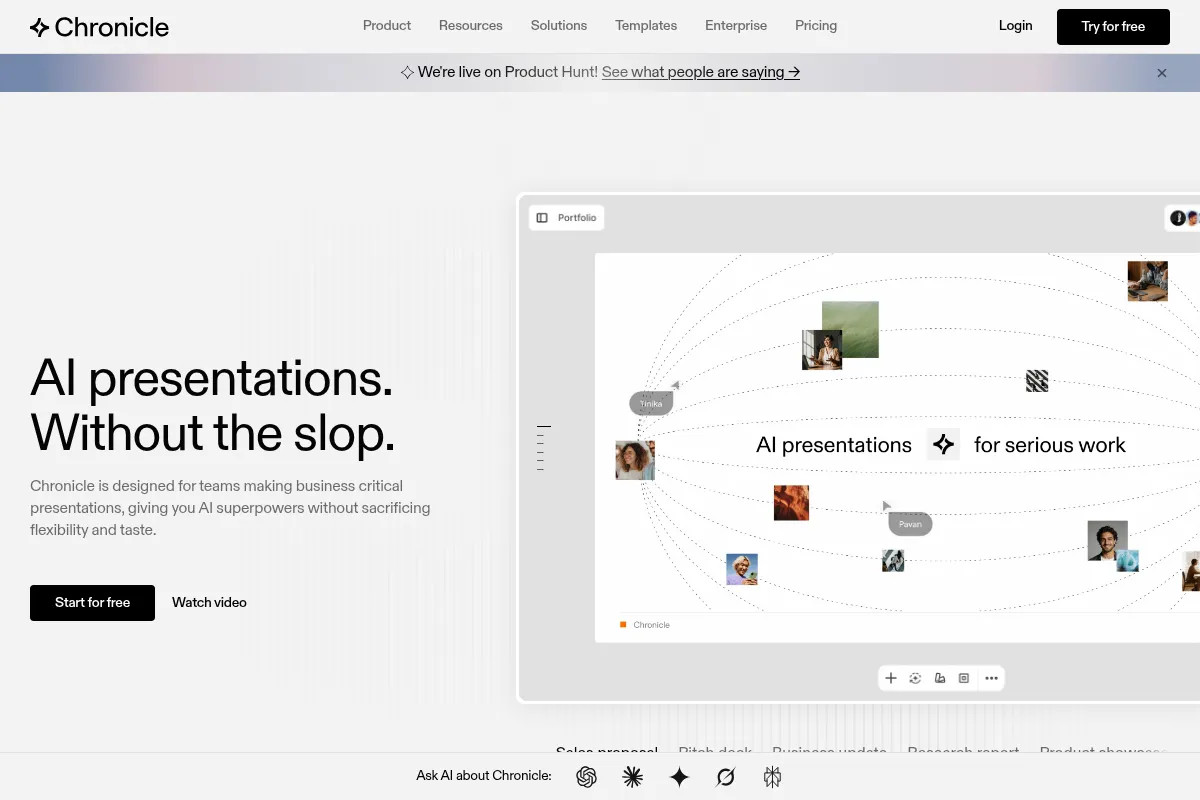
Chronicle is an AI-powered presentation platform that generates interactive decks from text, prompts, or documents. It focuses on a story-first approach, structuring content into a narrative sequence before designing the visuals. It's designed for professionals who create high-stakes presentations where the quality of the story and design directly impacts the outcome.
Official profiles
What it actually does
Chronicle takes user inputs like text, URLs, or PDFs and uses AI to generate a presentation with a clear narrative structure. Users can then customize the output using a widget-based editor, apply different themes, and use interactive features for live presenting. The final product can be shared via a web link, or exported as a PDF or to social media formats.
What makes it different
Unlike competitors that focus on speed, Chronicle's core differentiator is its narrative engine. It first analyzes content and organizes it into storytelling frameworks (e.g., hook, problem, solution) before generating slides, resulting in a more coherent and persuasive deck. Its interactive 'Peek' and 'Deep Hover' features for live presenting are also unique in the category.
Key Features
Story-First AI Generation
Instead of just making slides, the AI first builds a narrative outline, leading to more persuasive and logical presentations.
Peek & Deep Hover
Unique interactive tools that let a live presenter temporarily reveal hidden details or focus audience attention on a specific element, which is useful for complex charts or data points.
Widget-Based Editor
Provides more design freedom than template-locked tools, allowing users to build slides with modular blocks for text, media, mockups, and diagrams.
Remix Styles
Allows users to instantly apply different layout arrangements to any slide with a single click, speeding up the design refinement process.
Multi-Source Import
Creates presentations from a variety of inputs, including raw text, website URLs, PDFs, or existing PowerPoint files, making it flexible for different workflows.
PowerPoint Export
Addresses a major workflow requirement by allowing users to export their Chronicle presentations to a native .pptx format for offline editing or distribution (noted as rolling out).
Pricing
Free
- 200 AI tokens / month
- Unlimited documents & widgets
- Publish to web
- Export to PDF + socials
- 1 guest editor
Pro
- 750 tokens per user / month
- Import from URL, PDF or PPT
- Custom themes
- Remove Chronicle branding
- Shared workspace
Plus
- 1500 tokens per user / month
- Everything in Pro
- Unlimited guest editors
- Priority support
Pricing checked 6 months ago
Pricing guidance
- You consistently run out of AI tokens.
- You need to remove Chronicle branding from your presentations.
- Your workflow relies on importing content from URLs, PDFs, or PowerPoint files.
- You need to collaborate with more than one guest editor in a shared workspace.
- AI tokens expire at the end of each month and are not shared across a workspace; each user has their own pool.
- Advanced collaboration features and unlimited guests are locked behind the most expensive 'Plus' plan.
- PowerPoint export is a key feature that has been announced but may not be fully available to all users yet.
Affordable for individual professionals and small teams, with pricing that scales predictably per user.
Pros & Cons
Strengths
-
High-quality, client-ready output
The narrative-first approach produces decks that are 85-90% complete, significantly reducing the manual cleanup required compared to other AI tools.
-
Unique interactive presenting features
Features like 'Peek' and 'Deep Hover' give presenters unique control over audience focus during live sessions, a capability not found in competing tools.
-
Flexible widget-based editor
The editor offers more creative control than rigid template systems, allowing for more customized and visually distinct presentations.
-
Generous free plan
The free tier offers a substantial number of AI tokens per month, making it possible to create several presentations without a paid subscription.
Weaknesses
-
Steeper learning curve
Achieving high-quality results requires an estimated 4-6 hours of learning, which is more time-intensive than speed-focused alternatives like Gamma.
Affects: Users needing immediate, fast results
-
Platform is still maturing
As a newer tool (publicly launched June 2025), users report occasional bugs, mobile glitches, and a lack of extensive templates compared to established players.
Affects: Teams requiring enterprise-grade stability and extensive resources
-
AI capabilities can be limited
Some user reviews note that the AI is not fully harnessed for complex tasks like data analysis or generating insightful charts from raw data.
Affects: Users with data-heavy presentation needs
-
Token-based AI usage
All AI features consume tokens, which expire monthly. Heavy users on lower-tier plans may run out of tokens and need to upgrade or wait for a refresh.
Affects: Power users and teams with high-volume creation needs
Real User Sentiment
Users are generally impressed with the high-quality, visually appealing presentations Chronicle produces, often highlighting its superiority to Gamma for creating polished, story-driven decks. However, some frustration exists around the platform's maturity, with complaints about bugs, missing features, and reliability.
Users tend to like
- The story-first approach that creates coherent narratives.
- The final design quality, which requires less manual editing.
- The flexibility of the widget-based editor.
- Interactive features for live presenting.
- The ability to generate a strong first draft from raw notes or a URL.
Users commonly complain about
- Occasional bugs and text rendering issues.
- Limited export options (though PPTX is coming).
- Weak or irrelevant AI image generation.
- Mobile experience can be glitchy.
- Not enough pre-built templates.
Recurring tradeoffs
- Users trade the raw speed of competitors like Gamma for a higher-quality, more polished final product.
- Users gain more design flexibility than template-based tools but must invest more time in learning the editor.
Happiest users
Consultants, founders, and agency professionals who create high-stakes decks and value narrative coherence and design polish above all else.
Often frustrated
Users who need to produce decks very quickly, require extensive templates, or encounter bugs that interrupt their workflow.
Use Cases
Startup Fundraising
Generating a compelling pitch deck by importing a business plan document and letting the AI structure the narrative.
Client Proposals
Agencies and consultants creating tailored, visually impressive proposals that stand out from standard PowerPoint templates.
Product Roadmaps
Product managers presenting strategy and timelines to stakeholders in a clear, story-driven format.
Board & Investor Updates
Leadership teams creating polished, professional updates that communicate business performance effectively.
Sales Presentations
Sales teams developing interactive and persuasive decks for key client meetings.
Marketing Campaign Plans
Marketers outlining strategies, channels, and goals in a deck that is easy to share and understand.
Frequently Asked Questions
How much does Chronicle cost?
Chronicle offers a free plan with 200 AI tokens per month. Paid plans start with the 'Pro' tier at $12 per user/month (billed annually), which includes 750 tokens, custom branding, and advanced import options. The 'Plus' plan is $25 per user/month for 1500 tokens and unlimited guests.
Is Chronicle better than Gamma?
It depends on the goal. Chronicle is better for creating high-quality, story-driven presentations where visual polish is critical, making it ideal for client-facing or investor decks. Gamma is better for speed and generating a high volume of internal presentations quickly, but its output is often described as more generic and document-like.
What are the main limitations of Chronicle?
The main limitations are its steeper learning curve compared to simpler tools, its status as a newer platform with occasional bugs, and a token-based system for AI features that can be restrictive for heavy users on lower tiers. Historically, a major limitation was the lack of PowerPoint export, but this feature is reportedly rolling out.
Can I import my existing PowerPoint presentations into Chronicle?
Yes, the ability to import PowerPoint (.pptx) files is available on the paid 'Pro' and 'Plus' plans. This allows you to convert existing decks into Chronicle's interactive, widget-based format.
What kind of integrations does Chronicle support?
Chronicle supports over 30 integrations with other tools. While a specific, exhaustive list is not provided in the search results, they span AI tools like ChatGPT and Claude, productivity apps like Notion, and media platforms like Loom and Google Sheets, allowing users to embed content and connect workflows.
Can I collaborate with my team on Chronicle?
Yes, Chronicle has real-time collaboration features. The Free plan allows for 1 guest editor, the Pro plan allows up to 3, and the Plus plan offers unlimited guest editors, making it suitable for team projects.
What are AI tokens and how do they work?
Tokens are used to measure the usage of AI features. Actions like generating a presentation or rewriting content consume tokens. Each plan comes with a monthly allowance of tokens per user, and they expire at the end of the month without rolling over.
Why trust this page?
This evaluation combines product positioning, pricing analysis, traffic and market signals, and public user sentiment into a single decision-support page. Content is generated editorially — not copied from the vendor's website.
Funding & Company
Founded
2021
Stage
Seed
Total Raised
$7.5M
Latest Round
Seed (Feb 2023)
Notable Investors
Chronicle has raised a single Seed round of $7.5 million, co-led by top-tier firms Accel and Square Peg. This funding provides the company with a solid foundation to develop its AI-powered presentation platform and challenge established players.
Market Signals & Traffic
Estimated visits, global rank, geography, traffic sources, monthly visit trends, and organic search keywords (Similarweb)—on a dedicated page built for depth and search.
- Estimated visits
- 461,448
- Global rank
- #43,624
- Snapshot
- Apr 2026
- Traffic trend
- Surging
Estimated monthly visits
Alternatives to Chronicle
View all alternativesGamma
Content Creation, Productivity, Design

AI-powered platform for creating presentations, documents, and websites.
Canva AI
Content Creation

Online design tool for creating graphics, presentations, videos, and websites.
Beautiful.ai
Design, Productivity, Content Creation

AI-powered presentation software that automates design.
Similar Tools
Resemble AI
Content Creation, AI Assistant

AI-powered voice cloning and speech synthesis platform.
Rytr
Content Creation, AI Assistant

AI-powered writing assistant for generating high-quality content quickly.
Sudowrite
Content Creation, AI Assistant

AI writing assistant for fiction authors to plan, write, and edit novels.
Voicemod AI
Content Creation, AI Assistant

Real-time AI voice changer and soundboard for creators and gamers.
Buffer
Content Creation, AI Assistant

A social media management platform for scheduling posts and analyzing performance.
Copy.ai
Content Creation, AI Assistant

AI-powered copywriting and content generation platform.