

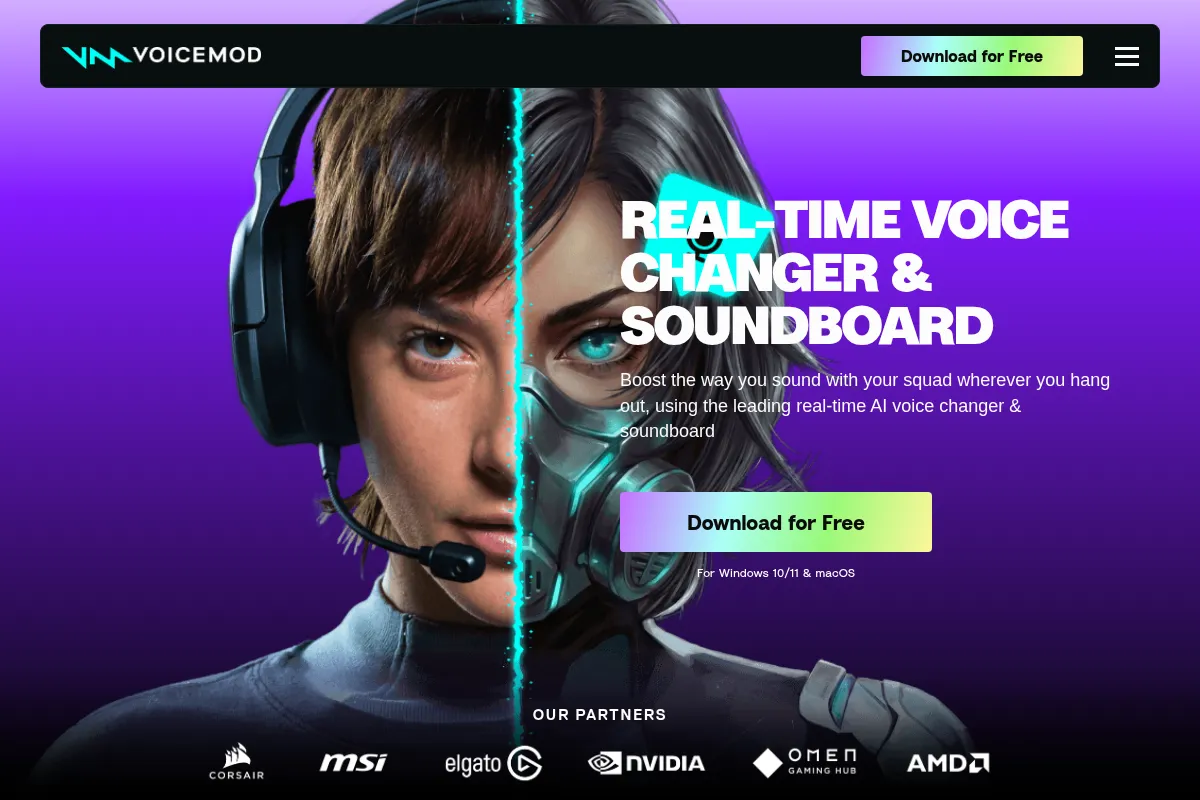
Voicemod is a real-time AI voice changer and soundboard primarily for entertainment, offering a vast library of effects for gamers and streamers.
Best for live entertainment and creative voice modulation, weaker for professional audio production.
Analysis based on product data, pricing structure, traffic signals, and public user sentiment.
Who Should Use Voicemod AI?
Typical users
Gamers, streamers, content creators, and individuals looking for casual voice modification for online communication or entertainment.
Maturity fit
beginner to scaling
Choose this if…
- You want to add fun and unique voices to your streams or gaming sessions.
- You need a soundboard for quick sound effects and memes.
- You want to experiment with different vocal personas in real-time.
- You prioritize ease of use and a user-friendly interface.
Skip this if…
- You require professional-grade audio editing or production.
- You need highly realistic voice cloning for commercial use.
- You are on a very tight budget and need extensive free features.
- You have a low-end PC that might struggle with resource-intensive applications.
About Voicemod AI
Voicemod is a real-time AI voice changer and soundboard application designed for entertainment purposes, particularly for gamers and streamers. It allows users to alter their voice with a wide array of effects and trigger sound clips instantly, enhancing online interactions and content creation.
What it actually does
Voicemod intercepts your microphone input and applies real-time voice effects, transforming your voice for use in games, communication apps, and streaming software. It also includes a soundboard feature for playing pre-recorded audio clips and a 'Voicelab' for creating custom voice effects.
What makes it different
Voicemod differentiates itself through its extensive library of AI-powered voice effects, its integrated and customizable soundboard with hotkey support, and its focus on real-time, low-latency performance for live entertainment. Its user-friendly interface and frequent updates with trending sounds also set it apart from more technical or niche alternatives.
Ratings across the web



Ratings aggregated from independent review platforms.
Key Features
AI Voice Changer
Offers a vast and regularly updated library of AI-generated voice effects, from character impersonations to thematic sounds, allowing for creative vocal transformation in real-time.
Soundboard
Enables users to upload, organize, and trigger custom sound clips (memes, sound effects, music) with hotkeys, ideal for live streamers and gamers.
Voicelab
A feature for Pro users to create and fine-tune unique voice effects by adjusting parameters like pitch, reverb, and modulation.
Virtual Microphone
Installs a virtual microphone that acts as the audio output, simplifying integration with most applications that use a microphone.
Keybinds
Allows users to assign hotkeys to voice effects and soundboard clips for instant activation during live sessions.
Community Voices
Access to a library of user-created voices and sound effects, expanding the available options beyond the official library.
Low Latency
Designed for real-time performance with minimal lag, crucial for live gaming and streaming.
Platform Integrations
Works with popular applications like Discord, OBS, Twitch, Zoom, and various games.
Pricing
Free
- Limited daily rotating voice effects
- Basic soundboard with limited slots
- Community sounds access
- Real-time voice changing
- Virtual microphone
Pro
- Unlimited voice effects
- Unlimited soundboard slots
- Voicelab access
- All community sounds
- Priority support
Unlimited Lifetime
- All Pro features permanently
- No recurring payments
Pricing checked 6 months ago
Pricing guidance
- When you need consistent access to specific voice effects for character roles or branding.
- When you want to create and save your own custom voices using Voicelab.
- When you need more than the limited soundboard slots for live streams or gaming.
- When the daily rotating free voices become too restrictive for your workflow.
- The free version's daily rotating voices are a significant limitation for consistent use.
- Voicelab, a key feature for customization, is only available in paid versions.
- While advertised as having many voices, the quality and usability of some AI voices can vary.
- The application runs in the background and consumes system resources, which can affect performance on lower-end PCs.
Voicemod positions itself with a freemium model, offering basic functionality for free but heavily gating advanced features and unlimited access behind paid subscriptions, with a compelling lifetime purchase option.
Pros & Cons
Strengths
-
Extensive and diverse voice library
Voicemod offers a wide range of AI-powered voice effects, including many themed and trending options, catering to various entertainment needs for streamers and gamers.
-
User-friendly interface
The application is designed to be intuitive and easy to use, making it accessible for beginners without a steep learning curve.
-
Integrated soundboard with hotkeys
The customizable soundboard with hotkey support is a significant advantage for live content creators who need to trigger sound effects quickly and easily.
-
Real-time performance with low latency
Voicemod is optimized for real-time voice modification with minimal delay, which is essential for live interactions in gaming and streaming.
-
Frequent updates and community content
The tool is regularly updated with new voices and sounds, and the active community contributes a wealth of user-generated content, keeping the options fresh.
Weaknesses
-
Free version limitations
The free version offers a very limited selection of rotating daily voices and fewer soundboard slots, making it restrictive for consistent use.
Affects: Free users, casual users
-
Resource intensive
Voicemod can consume significant CPU resources, potentially impacting performance on lower-end PCs, especially during gaming or streaming.
Affects: Users with older or less powerful hardware
-
AI voice quality can be inconsistent
While many AI voices are good, some can sound artificial or muffle words, requiring careful selection and setup.
Affects: Users seeking highly realistic or consistently clear AI voices
-
Voicelab requires Pro subscription
The advanced custom voice creation tool, Voicelab, is locked behind the Pro subscription, limiting creative freedom for free users.
Affects: Users wanting to create custom voices
Real User Sentiment
Generally positive, with users appreciating its entertainment value and ease of use, though some criticize the limitations of the free version and occasional AI voice quality issues.
Users tend to like
- Extensive library of fun and creative voice effects.
- User-friendly interface, great for beginners.
- The integrated soundboard with hotkey support is highly praised by streamers.
- Real-time performance with low latency.
- Frequent updates and new content.
Users commonly complain about
- Free version is too limited for regular use (rotating voices, limited soundboard).
- Can be resource-intensive and impact PC performance.
- Some AI voices can sound artificial or have quality issues (muffled words).
- Voicelab feature is locked behind a Pro subscription.
- Pricing transparency can be an issue, with some users needing to check app stores for exact costs.
Recurring tradeoffs
- Entertainment value vs. professional audio quality.
- Ease of use vs. advanced customization (Voicelab).
- Free tier limitations vs. paid subscription costs.
Happiest users
Gamers, streamers, and content creators who prioritize real-time entertainment, fun voice effects, and quick soundboard triggers.
Often frustrated
Users seeking professional audio editing, those on low-end systems, or individuals expecting a fully-featured free experience.
Use Cases
Live streaming on platforms like Twitch and YouTube to entertain audiences with character voices or sound effects.
Online gaming (e.g., Discord, Valorant, Fortnite) to role-play or add comedic elements to voice chat.
Creating unique vocal personas for content creation, such as YouTube videos or podcasts.
Adding fun and anonymity to casual online conversations with friends.
Experimenting with different vocal styles and effects for creative projects.
Frequently Asked Questions
What is Voicemod?
Voicemod is a real-time AI voice changer and soundboard software designed primarily for gamers, streamers, and content creators. It allows users to alter their voice with a wide variety of effects and trigger sound clips instantly, enhancing online interactions and entertainment. It installs a virtual microphone on your system, making it compatible with most applications that use audio input.
Is Voicemod free?
Voicemod offers a free version that provides access to a limited selection of rotating daily voice effects and basic soundboard functionality. However, many of its advanced features, including unlimited voices, the Voicelab for custom voice creation, and unlimited soundboard slots, are only available through paid Pro subscriptions or the lifetime purchase option. The free version is suitable for casual experimentation but is quite restrictive for regular use.
What are the main differences between Voicemod and Clownfish Voice Changer?
Voicemod is a feature-rich, AI-powered voice changer with a vast library of effects and an integrated soundboard, aimed at entertainment and content creation. It is generally considered more user-friendly for beginners and offers more customization options, but it can be resource-intensive and has limitations in its free version. Clownfish Voice Changer, on the other hand, is a completely free, system-wide voice changer that is lightweight and compatible with any microphone-based application. However, it has a much smaller selection of voice effects, lacks a soundboard, and is less polished in its interface and features compared to Voicemod.
What are the limitations of Voicemod?
Voicemod's limitations include significant restrictions in its free version, such as a daily rotating selection of only about 7-10 voice effects and limited soundboard slots. The application can also be resource-intensive, potentially impacting performance on lower-end PCs. Some users report that certain AI voices can sound artificial or muffle words, requiring careful adjustment. Furthermore, the powerful Voicelab feature for creating custom voices is only accessible with a Pro subscription.
What platforms does Voicemod integrate with?
Voicemod integrates with a wide range of communication, streaming, and gaming platforms. This includes popular applications such as Discord, Zoom, Skype, Google Meet, Twitch, OBS Studio, Steam, and many games like Fortnite, Valorant, and VRChat. Its virtual microphone technology ensures broad compatibility across most software that utilizes microphone input.
Can I use Voicemod for professional purposes?
While Voicemod is primarily designed for entertainment and casual use, its real-time voice changing and soundboard features can be beneficial for content creators looking to add personality to their videos or streams. However, it is not intended for professional audio production, voice acting requiring high fidelity, or applications demanding strict audio quality and realism. For such professional needs, dedicated audio editing software or specialized AI voice synthesis tools would be more appropriate.
How does Voicemod's pricing work?
Voicemod offers a free tier with limited features. For full access, users can choose between a monthly Pro subscription, which unlocks all features including unlimited voices and Voicelab, or a one-time Unlimited Lifetime purchase for permanent access to all Pro features. Pricing details can sometimes vary, and it's recommended to check their official website or app store for the most current costs.
Why trust this page?
This evaluation combines product positioning, pricing analysis, traffic and market signals, and public user sentiment into a single decision-support page. Content is generated editorially — not copied from the vendor's website.
Funding & Company
Founded
2014
Stage
Series b
Total Raised
$22.82M
Latest Round
Series B (Feb 2023)
Notable Investors
Voicemod has raised a total of $22.8 million over several funding rounds, including a significant $14.5 million Series B in early 2023. This consistent access to capital from notable investors in the gaming and tech space signals strong market confidence. The funding provides a solid foundation for product development and long-term stability.
Market Signals & Traffic
Estimated visits, global rank, geography, traffic sources, monthly visit trends, and organic search keywords (Similarweb)—on a dedicated page built for depth and search.
- Estimated visits
- 4,171,436
- Global rank
- #11,858
- Snapshot
- Apr 2026
- Traffic trend
- Steady
Estimated monthly visits
Similar Tools
Buffer
Content Creation, AI Assistant

A social media management platform for scheduling posts and analyzing performance.
Sudowrite
Content Creation, AI Assistant

AI writing assistant for fiction authors to plan, write, and edit novels.
Listnr
Content Creation, AI Assistant

AI voice generator for realistic text-to-speech and voiceovers.
Lovo AI
Content Creation, AI Assistant

AI voice generator and text-to-speech platform with video editing.
ElevenLabs
Content Creation, AI Assistant

AI-powered platform for realistic speech, voice cloning, and audio generation.
Jasper
Content Creation, AI Assistant

AI-powered content creation platform for marketing and business teams.