

A visual IDE for React that allows teams to edit production codebases through a drag-and-drop interface without losing the underlying code quality.
Excellent for design-heavy React teams who want visual styling speed, weaker for developers needing complex backend logic automation.
Analysis based on product data, pricing structure, traffic signals, and public user sentiment.
Who Should Use Tempo Labs?
Typical users
Solo founders, design engineers, and small product teams building with React and Tailwind CSS.
Maturity fit
beginner to scaling
Choose this if…
- You want to edit live React code visually instead of just exporting static files
- Your stack is strictly React, Next.js, and Tailwind CSS
- You need a bi-directional sync between a visual editor and GitHub/VS Code
Skip this if…
- You use Vue, Svelte, or other non-React frameworks
- You require a pure no-code tool that manages the database and auth entirely for you
- Your project relies on complex, non-standard CSS-in-JS libraries
About Tempo Labs
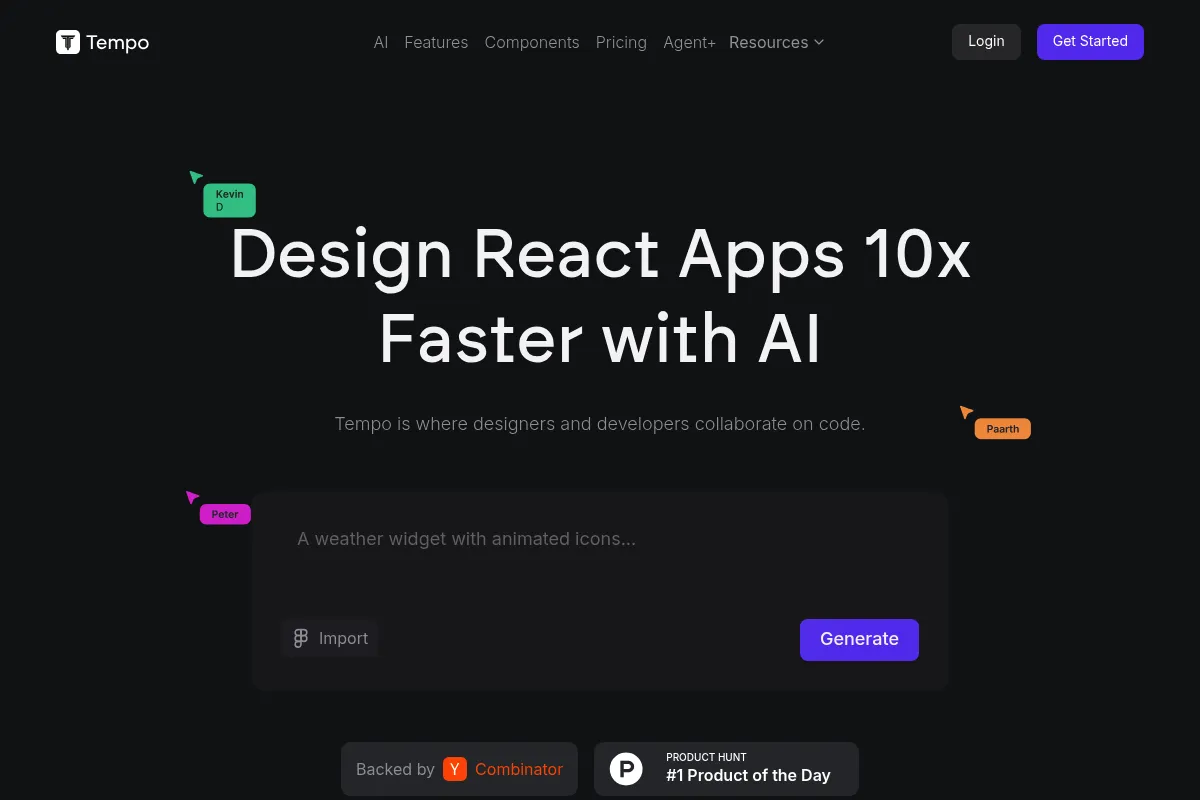
Tempo Labs is a visual development environment designed to bridge the gap between design tools like Figma and code editors like VS Code. It targets the 'vibe coding' movement by allowing users to manipulate React components visually while maintaining a clean, production-ready codebase.
Official profiles
What it actually does
It provides a visual canvas where users can drag components, tweak Tailwind styles, and generate UI via AI prompts. The tool syncs directly with GitHub, allowing changes made in the visual editor to appear as code commits and vice versa.
What makes it different
Unlike 'design-to-code' tools that generate messy one-way exports, Tempo is a visual IDE for existing codebases. It understands React-specific concepts like the Next.js App Router and server/client components, making it a functional development tool rather than just a prototyping layer.
Ratings across the web

Ratings aggregated from independent review platforms.
Key Features
Planning-First AI
Generates PRDs and architecture diagrams before writing code to ensure structural accuracy.
Visual Property Panel
Allows non-technical users to adjust spacing, colors, and layouts using a design-tool UI.
Storybook Integration
Imports existing component libraries so teams can build with their own design system.
Next.js Awareness
Automatically handles 'use client' directives and App Router conventions.
Fix with AI
A dedicated debugging mode that attempts to resolve code errors without consuming standard prompt credits.
Live Code Preview
Renders the actual React application in real-time as you make visual adjustments.
Agent+ Service
A high-tier option providing human-in-the-loop engineering for complex feature development.
Pricing
Free
- 30 prompts per month
- Max 5 prompts per day
- Visual editor access
- GitHub sync
Pro
- 150 prompts per month
- Free 'Fix with AI' (up to 7 in a row)
- Premium features access
- Standard support
Scale
- 250 prompts per month
- All Pro features
- Designed for daily professional use
Unlimited
- Unlimited prompts
- Highest priority AI processing
- Full platform access
Agent+
- Human engineers & designers
- 1-3 features built per week
- 48-72hr turnaround
- Unlimited revisions
Pricing checked 4 months ago
Pricing guidance
- When you hit the 5-prompt daily cap
- When you need to use the 'Fix with AI' debugger frequently
- When moving from prototyping to active daily development
- Prompts are consumed even if the AI fails to produce working code
- The 'Fix with AI' feature is limited to 7 consecutive uses on paid plans
- Bonus prompts (one-time purchase) are only available to paid subscribers
Mid-range pricing for individual builders, but scales into a high-end service model for teams wanting human-assisted development.
Pros & Cons
Strengths
-
True code ownership
Because it syncs with GitHub, you are never locked into the platform; your application remains a standard React project you can host anywhere.
-
High-fidelity Tailwind output
The AI generates idiomatic Tailwind classes rather than the bloated, absolute-positioned CSS common in other visual builders.
-
Developer-designer bridge
Designers can make pixel-perfect tweaks directly to the production code, reducing the back-and-forth handoff cycle.
Weaknesses
-
AI reliability issues
Users report the AI occasionally enters correction loops or claims to have updated code without actually committing the changes.
Affects: Power users building complex features
-
Restrictive free tier
The 30-prompt monthly limit is extremely low for an AI-native tool, often exhausted during a single session of experimentation.
Affects: Beginners and hobbyists
-
React-only ecosystem
There is zero support for other popular frameworks, making it useless for teams outside the React/Next.js bubble.
Affects: Cross-platform development teams
Real User Sentiment
Generally positive regarding the visual-to-code workflow, but tempered by frustrations over AI consistency and prompt limits.
Users tend to like
- Visual editing of live React code
- Clean Tailwind CSS generation
- Tight integration with GitHub and VS Code
- Speed of UI prototyping
Users commonly complain about
- AI sometimes 'hallucinates' that it made changes
- Broken authentication flows in generated templates
- Prompt credits consumed on failed AI attempts
- Steep price jump for unlimited usage
Recurring tradeoffs
- You gain visual speed but must still understand React to fix the AI's logic errors.
- The tool is highly opinionated about Tailwind and Next.js, which limits architectural flexibility.
Happiest users
Frontend-heavy developers and design engineers who want to skip the boilerplate of styling and layout.
Often frustrated
Non-technical founders who expect a 100% bug-free 'no-code' experience for complex apps.
Use Cases
SaaS MVP Development
Rapidly building a functional frontend with Supabase and Stripe integrations.
Visual Refactoring
Importing an existing messy React codebase to clean up Tailwind styles visually.
Design-to-Production
Allowing designers to tweak UI components directly in the repo via the visual canvas.
Rapid Prototyping
Generating multiple UI iterations from text prompts to show stakeholders.
Mobile App Building
Using the Expo integration to build React Native apps visually.
Frequently Asked Questions
How does Tempo Labs differ from Plasmic or Builder.io?
While Plasmic and Builder.io often act as headless CMSs or page builders that 'inject' content into your app, Tempo is a visual IDE. It works directly on your source code files. Changes in Tempo are actual code commits to your GitHub repo, making it more 'code-first' than its competitors.
Is there a free plan available?
Yes, there is a free plan, but it is very limited. You get 30 prompts per month with a maximum of 5 prompts per day. This is mostly intended for testing the interface rather than building a full application.
What happens to my code if I cancel my subscription?
You own your code. Since Tempo syncs with your GitHub repository, all the code generated or edited remains in your possession. You can continue to develop, host, and edit the code using standard tools like VS Code without a Tempo subscription.
Does Tempo support frameworks other than React?
No. Tempo is strictly focused on the React ecosystem, specifically optimized for Next.js, Vite, and Tailwind CSS. It does not support Vue, Angular, or Svelte.
Can I use my own custom components in the visual editor?
Yes. You can import your existing React components or design systems from Storybook. Tempo will recognize them and allow you to drag and drop them onto the canvas just like its built-in components.
Does it handle backend and database setup?
Tempo provides templates and integrations for services like Supabase, Convex, and Clerk, but it does not host your database. It helps you write the frontend code to connect to these services, but you still manage the backend accounts independently.
Why trust this page?
This evaluation combines product positioning, pricing analysis, traffic and market signals, and public user sentiment into a single decision-support page. Content is generated editorially — not copied from the vendor's website.
Funding & Company
Founded
2023
Stage
Seed
Total Raised
$5.5M
Latest Round
Seed (Oct 2025)
Notable Investors
Tempo Labs has raised a total of $5.5 million over two rounds, including a $5 million Seed round in late 2025. This funding, from a mix of notable venture firms and angel investors, provides the company with a solid foundation to develop its AI-powered design and development platform.
Market Signals & Traffic
Estimated visits, global rank, geography, traffic sources, monthly visit trends, and organic search keywords (Similarweb)—on a dedicated page built for depth and search.
- Estimated visits
- 1,175
- Global rank
- #12,732,816
- Snapshot
- Apr 2026
- Traffic trend
- Falling
Estimated monthly visits
Alternatives to Tempo Labs
View all alternatives
Similar Tools
Rosebud AI
Content Creation, Developer Tools, Design

Text-to-game platform for creating interactive games and assets.
Continue
AI Assistant, Developer Tools, Productivity

Open-source coding assistant for VS Code and JetBrains IDEs
Boundary
Developer Tools, Data Extraction

Domain-specific language for extracting structured data from LLMs
bloop
Developer Tools, Search

Natural language search engine for exploring and understanding codebases.
Magic
Developer Tools, AI Assistant

Software engineering assistant with an ultra-long context window.
IconScout
Design, Content Creation

Marketplace for high-quality icons, 3D illustrations, and motion graphics.