

An enterprise-grade accounts payable platform that prioritizes autonomous processing over manual data entry, best suited for high-volume finance departments using major ERPs.
Excellent for enterprise finance teams looking to eliminate manual invoice coding, but overkill for small businesses with low invoice volume.
Analysis based on product data, pricing structure, traffic signals, and public user sentiment.
Who Should Use Vic.ai?
Typical users
CFOs, AP Managers, and Controllers at mid-market to enterprise companies processing thousands of invoices monthly.
Maturity fit
advanced
Choose this if…
- Your priority is reducing the 'human-in-the-loop' for invoice coding and approval routing.
- You process over 1,000 invoices per month and manual entry is a bottleneck.
- You use a major ERP like SAP, Oracle NetSuite, or Workday and need deep integration.
Skip this if…
- You are a small business with simple AP needs; tools like Bill.com are more cost-effective.
- Your invoice volume is low enough that manual review takes less than a few hours a week.
- You require a self-service, low-cost setup without a lengthy implementation phase.
About Vic.ai
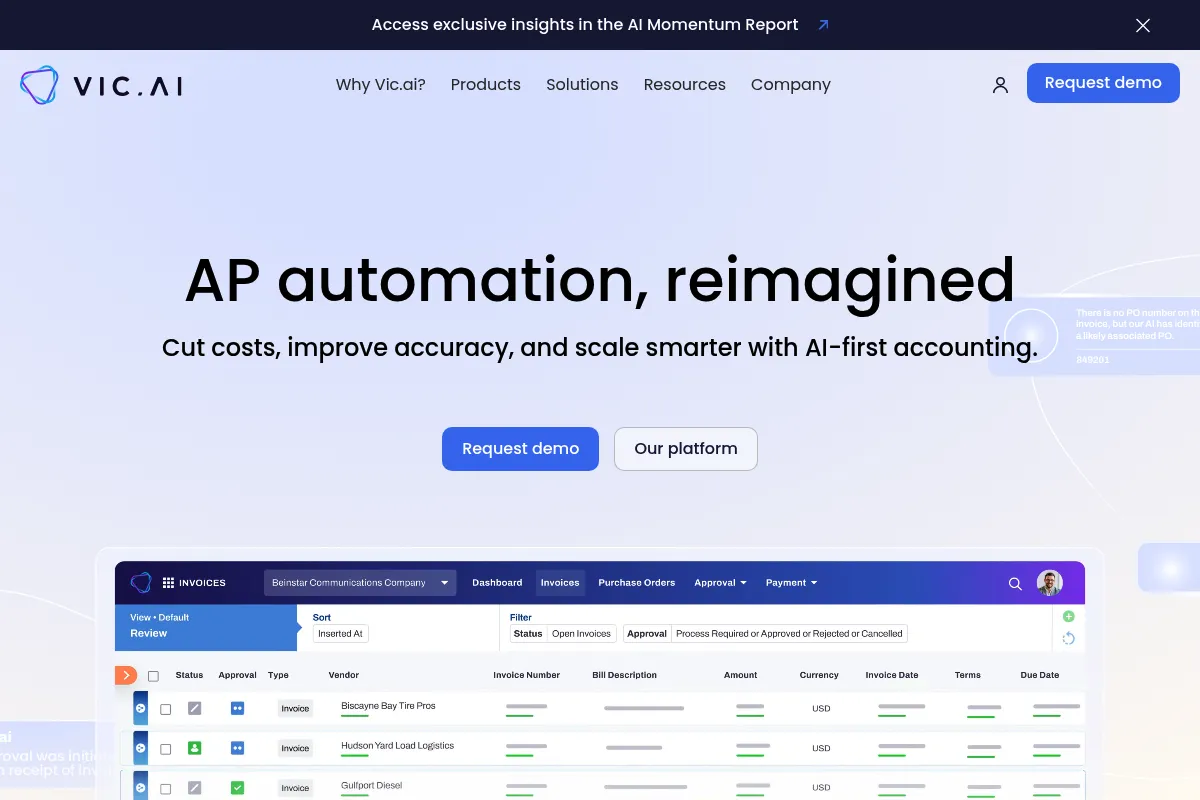
Vic.ai is an AI-first accounts payable platform designed to automate the entire invoice-to-payment lifecycle. It focuses on 'autonomous' processing, meaning the system learns to code and route invoices without human intervention rather than relying on static templates or OCR alone.
Official profiles
What it actually does
The platform ingests invoices from various sources, extracts data with high accuracy, automatically assigns General Ledger (GL) codes, and routes them through approval workflows. It concludes the process by executing payments and syncing all data back to the company's ERP system.
What makes it different
Unlike traditional AP tools that use OCR and rigid rules, Vic.ai uses proprietary machine learning models trained on millions of invoices to predict coding and approvals. It aims for 'zero-touch' processing where the software makes decisions rather than just presenting data for a human to verify.
Ratings across the web

Ratings aggregated from independent review platforms.
Key Features
Autonomous Coding
Predicts GL codes, cost centers, and departments based on historical data patterns.
Approval Flows
Routes invoices to the correct stakeholders automatically based on vendor, amount, or project.
Vic.ai Payments
Allows users to pay vendors via ACH, check, or virtual card directly within the platform.
Spend Intelligence
Provides real-time visibility into liabilities and departmental spending before the month-end close.
Mobile App
Enables executives to review and approve invoices on the go.
Audit Logs
Maintains a detailed history of every action taken on an invoice for compliance and security.
Vendor Management
Centralizes vendor details and payment preferences in a single dashboard.
Pricing
Enterprise
- Full autonomous invoice processing
- Unlimited users
- ERP integration
- Standard support
- Spend intelligence
Pricing checked 4 months ago
Pricing guidance
- When invoice volume exceeds current manual capacity
- When moving from a mid-market ERP to an enterprise system like SAP
- When seeking to centralize global AP operations
- Implementation fees are typically separate from the annual subscription
- Payment processing fees may apply depending on the method used
- Support response times vary by contract tier
Premium enterprise positioning with pricing that reflects the labor costs it replaces.
Pros & Cons
Strengths
-
High accuracy in non-templated extraction
The AI handles varying invoice layouts effectively without requiring users to build specific templates for every new vendor.
-
Significant reduction in manual touchpoints
Teams report moving from 100% manual review to over 80% autonomous processing, freeing up staff for higher-value tasks.
-
Strong enterprise ERP connectors
Integrations with SAP, NetSuite, and Workday are more than just file exports; they offer deep, bi-directional data syncing.
-
Scalability for high growth
The system handles spikes in invoice volume without requiring additional headcount in the accounting department.
Weaknesses
-
Lengthy implementation period
Getting the AI fully trained and the ERP integration mapped correctly can take several weeks or months.
Affects: Teams needing an immediate solution
-
High entry price point
The platform is priced for enterprise value, making it inaccessible for startups or small businesses.
Affects: Companies with limited software budgets
-
AI 'black box' concerns
Some users find it difficult to understand why the AI chose a specific code when it occasionally makes an error.
Affects: Detail-oriented controllers who prefer manual control
Real User Sentiment
Users generally view Vic.ai as a sophisticated tool that delivers on its promise of automation, provided the company has the volume to justify the setup.
Users tend to like
- The 'no-touch' workflow for recurring invoices
- Clean and modern user interface
- Responsiveness of the customer success team during onboarding
- Accuracy of the data extraction compared to older OCR tools
Users commonly complain about
- The time it takes for the AI to 'learn' complex coding logic
- Occasional sync errors with legacy ERP systems
- Lack of transparent pricing on the website
Recurring tradeoffs
- Users trade immediate setup for long-term automation depth; it takes longer to start but saves more time eventually.
Happiest users
Large accounting firms and enterprise finance teams with standardized processes and high invoice counts.
Often frustrated
Small business owners who find the platform too complex and the price point too high for their needs.
Use Cases
Real Estate Management
Processing thousands of utility and maintenance invoices across multiple entities.
Large Scale Retail
Managing high-frequency vendor payments with complex GL coding requirements.
Accounting Firms
Using the platform to provide outsourced AP services to clients more efficiently.
Global Manufacturing
Consolidating AP workflows across different regions and ERP instances.
High-Growth Tech
Scaling finance operations without doubling the size of the AP team.
Frequently Asked Questions
How much does Vic.ai cost?
Vic.ai does not publish pricing. It is an enterprise-level tool with custom pricing based on your annual invoice volume and the complexity of your ERP integration. Expect a significant annual contract value plus implementation fees.
How does Vic.ai compare to Bill.com?
Bill.com is built for SMBs and relies heavily on manual workflows and basic OCR. Vic.ai is an enterprise solution focused on 'autonomous' processing, meaning it uses AI to handle coding and routing without human input, making it better for high-volume, complex environments.
Which ERPs does Vic.ai integrate with?
Vic.ai has native integrations with major enterprise systems including SAP, Oracle NetSuite, Microsoft Dynamics 365, Workday, Sage Intacct, and others. They also offer an API for custom integrations.
Does Vic.ai handle payments?
Yes, Vic.ai Payments allows you to pay vendors via ACH, check, or virtual card. It is integrated into the workflow so that once an invoice is autonomously approved, the payment can be triggered automatically or with a single click.
What are the main limitations of Vic.ai?
The main limitations are the high cost of entry and the 'learning' period required for the AI. It is not a 'plug-and-play' tool for small teams; it requires a structured implementation process to ensure the AI understands your specific accounting logic.
Is there a free trial available?
No, Vic.ai does not offer a self-service free trial. Because it requires integration with your ERP and historical data to train the AI, they typically provide a tailored demo and a proof-of-concept phase for qualified enterprise prospects.
Why trust this page?
This evaluation combines product positioning, pricing analysis, traffic and market signals, and public user sentiment into a single decision-support page. Content is generated editorially — not copied from the vendor's website.
Funding & Company
Founded
2016
Stage
Series c
Total Raised
$115M
Latest Round
Series C (Dec 2022)
Notable Investors
Vic.ai has raised a total of $115 million across four rounds, culminating in a $52 million Series C in late 2022. This consistent backing from notable investors like ICONIQ Growth and GGV Capital indicates strong market confidence in its autonomous accounting platform.
Market Signals & Traffic
Estimated visits, global rank, geography, traffic sources, monthly visit trends, and organic search keywords (Similarweb)—on a dedicated page built for depth and search.
- Estimated visits
- 72,321
- Global rank
- #421,511
- Snapshot
- Apr 2026
- Traffic trend
- Rising
Estimated monthly visits
Similar Tools
Tractable
Automation, Workflow, Data Extraction

Visual assessment for automotive and property insurance claims.
Instantly
Email Marketing, Marketing Automation, Automation

Cold email outreach platform for scaling sales and lead generation.
Coactive
Search, Data Extraction, Developer Tools

Search and analyze large-scale image and video data using SQL.
Kissflow
Automation, Workflow, Productivity

Low-code platform for workflow automation and business process management.
OutX
Sales, Marketing Automation, Automation & Agents

LinkedIn social listening and engagement automation platform
Day
Automation, Productivity, Workflow

Automated CRM that captures interactions and updates records automatically.