

A performance-first code editor that trades the massive VS Code extension library for extreme speed and native multiplayer collaboration.
Excellent for macOS and Linux developers who prioritize low-latency typing and pair programming, weaker for Windows users or those reliant on niche IDE plugins.
Analysis based on product data, pricing structure, traffic signals, and public user sentiment.
Who Should Use Zed?
Typical users
Performance-conscious software engineers, Rust/Go/TypeScript developers, and remote teams that pair program frequently.
Maturity fit
beginner to advanced
Choose this if…
- Your priority is zero-latency typing and instant project loading over a massive plugin ecosystem.
- You frequently pair program and want a native, conflict-free multiplayer experience.
- You want a minimalist, keyboard-centric workflow with high-fidelity Vim emulation.
- You prefer an editor built in Rust that utilizes GPU acceleration for UI rendering.
Skip this if…
- You are a Windows user requiring a stable, fully-featured production environment (Windows support is currently in preview).
- Your workflow depends on specific, obscure VS Code extensions that haven't been ported to Zed.
- You need a heavy GUI-based debugger or deep visual integration for non-code assets.
About Zed
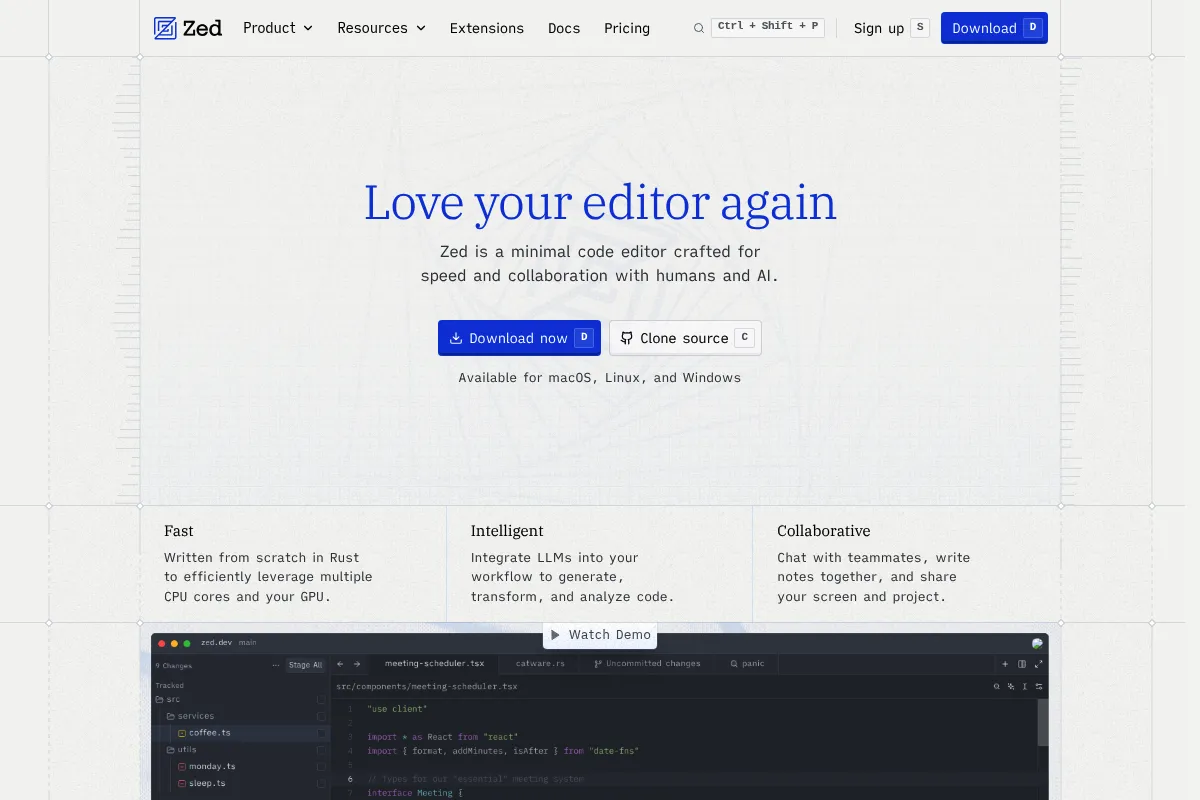
Zed is a high-performance code editor developed by the original creators of Atom and Tree-sitter. Built in Rust and rendered via the GPU, it aims to eliminate the input lag and resource bloat common in Electron-based editors like VS Code.
Official profiles
What it actually does
It provides a lightweight but functional development environment with built-in support for the Language Server Protocol (LSP), an integrated terminal, and native AI assistance. Its core architecture supports real-time collaborative coding, allowing multiple developers to navigate and edit a shared codebase simultaneously.
What makes it different
Unlike most modern editors that run on web technologies, Zed is a native application that offloads UI rendering to the GPU. It uses Conflict-free Replicated Data Types (CRDTs) as a core architectural component rather than a plugin, making multiplayer editing feel as responsive as local editing.
Ratings across the web

Ratings aggregated from independent review platforms.
Key Features
GPU Rendering
Uses the graphics card to draw the UI at 120fps, eliminating the 'mushy' feel of web-based editors.
Multiplayer Buffers
Enables multiple developers to edit the same file or different files in the same project without lag or sync issues.
Zed AI
Deeply integrated chat and inline code generation that uses project context to provide more accurate suggestions.
Multi-buffers
Allows you to view and edit search results or related code snippets from different files in a single, continuous vertical buffer.
Vim Mode
Provides high-fidelity Vim keybindings that feel more responsive than typical IDE plugins.
Built-in LSP Support
Delivers autocompletion, code navigation, and refactoring out of the box for dozens of languages.
Project-wide Search
Extremely fast indexing and searching across large codebases without the typical Electron overhead.
Pricing
Zed Free
- Full editor access
- Community support
- Standard collaboration features
- Bring your own AI keys (OpenAI/Anthropic)
Zed Pro
- Access to Claude 3.5 Sonnet and GPT-4o
- Priority AI compute
- Advanced context-aware AI features
- Supports the development of the open-source project
Zed for Teams
- Centralized billing
- Team-wide collaboration tools
- Enhanced security and administrative controls
- Currently in beta/waitlist
Pricing checked 6 months ago
Pricing guidance
- When you want a managed AI experience without managing your own API keys
- When you need access to the latest models like Claude 3.5 Sonnet directly in the editor
- When you want to support the ongoing development of the tool
- AI usage on the Pro plan is subject to 'fair use' limits
- Collaboration features for large teams may eventually move to a paid tier
Generous free tier for individuals with a premium AI-subscription model similar to Cursor.
Pros & Cons
Strengths
-
Extreme responsiveness
The GPU-accelerated engine ensures that typing and scrolling remain fluid even in massive files where VS Code or IntelliJ might stutter.
-
Native collaboration
Because multiplayer is built into the core, there is no setup friction for pair programming; it works reliably and feels like a local session.
-
Minimalist, focused UI
The interface stays out of the way, focusing on the code and reducing the visual clutter found in more mature, feature-heavy IDEs.
-
Fast project switching
The editor opens instantly and project indexing is significantly faster than competitors, which is ideal for developers jumping between many microservices.
Weaknesses
-
Limited extension ecosystem
While growing, the library of themes and plugins is a fraction of what is available for VS Code, which may be a dealbreaker for specialized workflows.
Affects: Developers using niche languages or specific proprietary tools
-
Incomplete Windows support
The Windows version is currently in a preview/development state and lacks the stability and feature parity of the macOS and Linux versions.
Affects: Windows-based developers
-
Less GUI-driven customization
Configuration is largely handled via JSON files; users who prefer a graphical settings menu may find the learning curve steeper.
Affects: Beginner developers or those who prefer visual configuration
Real User Sentiment
Highly positive among macOS users who value speed; cautious or frustrated among Windows users waiting for a stable release.
Users tend to like
- Instant startup time
- The 'snappiness' of the UI
- Native AI integration that feels faster than plugins
- High-quality Vim mode
Users commonly complain about
- Lack of Windows support
- Small extension library compared to VS Code
- Occasional bugs in the newer Linux builds
Recurring tradeoffs
- Users trade the 'everything-included' ecosystem of VS Code for a much faster, but more limited, core experience.
Happiest users
macOS-based developers working in modern languages like Rust, Go, or TypeScript who value a distraction-free, high-speed environment.
Often frustrated
Enterprise developers on Windows or those whose workflow relies on a specific, complex set of VS Code extensions.
Use Cases
Remote Pair Programming
Using the built-in multiplayer to debug code with a teammate in real-time.
Low-Latency Coding
Developers who find Electron-based editors sluggish and want a more responsive typing experience.
AI-Assisted Development
Using the integrated Zed AI to generate boilerplate or refactor functions using project context.
Large Project Navigation
Leveraging the GPU-accelerated search and multi-buffers to manage complex codebases.
Minimalist Setup
Developers who want a clean, keyboard-driven editor that doesn't require hours of plugin configuration.
Frequently Asked Questions
Is Zed completely free?
The editor itself is free and open-source. You can use it for personal or professional work without paying. Zed makes money through its 'Zed Pro' subscription ($18/month), which provides hosted AI models (like Claude 3.5 Sonnet), and plans to monetize team-based collaboration features in the future.
How does Zed compare to VS Code?
VS Code is an Electron-based editor with a massive ecosystem of millions of extensions but can become slow with many plugins. Zed is a native Rust application that is significantly faster and uses fewer resources but has a much smaller extension library. Zed also includes native multiplayer collaboration, which requires a plugin in VS Code.
Does Zed work on Windows?
As of early 2024, Zed for Windows is in an early 'preview' or 'dev' state. It is not yet as stable or feature-complete as the macOS or Linux versions. Developers on Windows should expect bugs or missing features until the official stable release.
Can I use my own AI API keys with Zed?
Yes, Zed allows you to 'bring your own key' for OpenAI or Anthropic. This allows you to use the AI features on the free tier by paying the model providers directly for your usage, rather than subscribing to Zed Pro.
Does Zed support Vim keybindings?
Yes, Zed has a built-in Vim mode that is highly regarded for its responsiveness. It aims to provide a high-fidelity experience for Vim users, though it may not support every obscure Vim plugin or edge-case configuration.
What languages does Zed support?
Zed supports dozens of languages through the Language Server Protocol (LSP), including Rust, TypeScript, Python, Go, Ruby, and C++. If a language has an LSP, it can generally be made to work in Zed, though the level of 'out-of-the-box' support varies.
Why trust this page?
This evaluation combines product positioning, pricing analysis, traffic and market signals, and public user sentiment into a single decision-support page. Content is generated editorially — not copied from the vendor's website.
Funding & Company
Founded
2021
Stage
Series b
Total Raised
$44.9M
Latest Round
Series B (Aug 2025)
Notable Investors
Zed Industries has raised approximately $45 million across three rounds, culminating in a $32.4M Series B led by Sequoia Capital in August 2025. This significant backing from top-tier investors provides substantial runway to challenge established players in the code editor market.
Market Signals & Traffic
Estimated visits, global rank, geography, traffic sources, monthly visit trends, and organic search keywords (Similarweb)—on a dedicated page built for depth and search.
- Estimated visits
- 0
- Global rank
- —
- Snapshot
- May 2026
- Traffic trend
- Surging
Estimated monthly visits
Alternatives to Zed
View all alternatives
Similar Tools
Aider
Developer Tools, Productivity

AI pair programming assistant for your terminal.
Anysphere
Developer Tools, Productivity

Development platform and code editor for intelligent software engineering.
Trae
Developer Tools, Productivity

AI-powered IDE for faster, more intuitive software development.
PearAI
Developer Tools, Productivity

Open-source code editor with integrated tools for faster development.
Supermaven
Developer Tools, Productivity

High-speed code completion assistant with a million-token context window
Augment
Developer Tools, Productivity

Context-aware coding assistant for large-scale enterprise software development.