

Adobe Firefly is a generative AI suite that excels at integrating with existing Adobe Creative Cloud workflows for image and video creation, with a strong emphasis on commercial safety.
Best for Adobe Creative Cloud users needing commercially safe AI-generated content, weaker for highly artistic or experimental outputs.
Analysis based on product data, pricing structure, traffic signals, and public user sentiment.
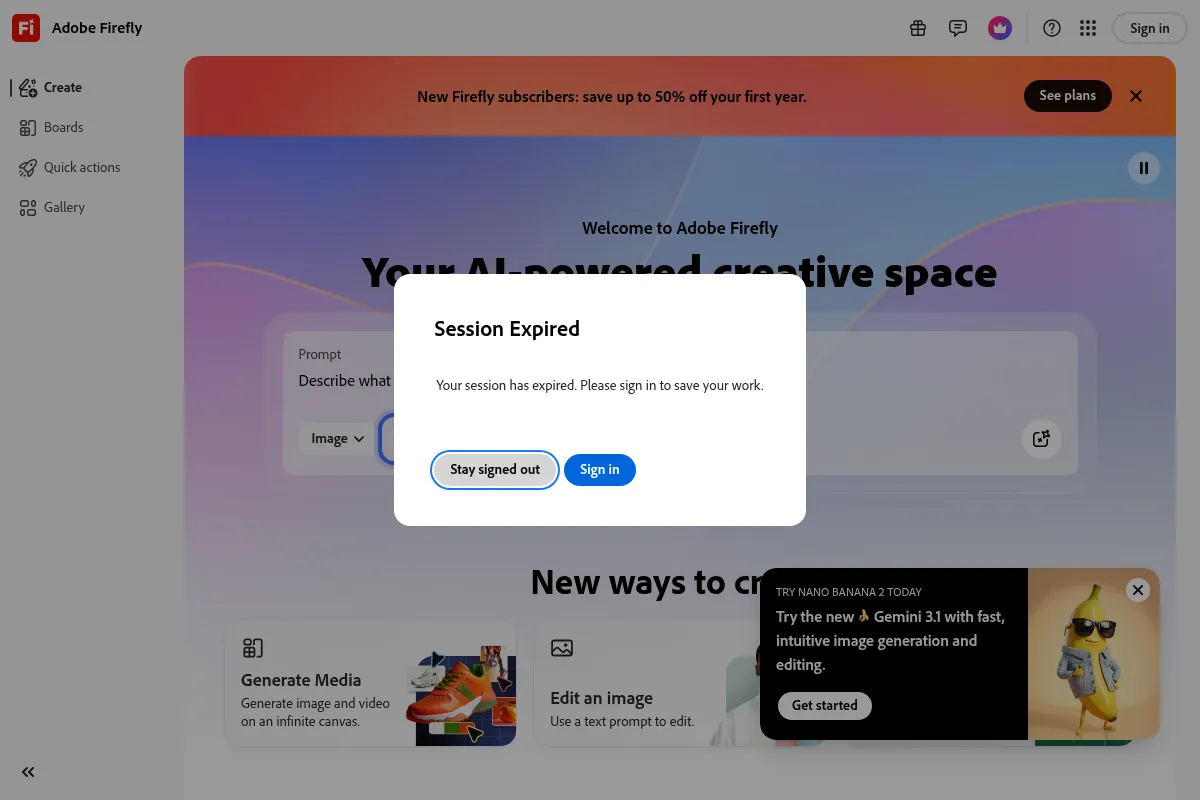
Who Should Use Adobe Firefly?
Typical users
Creative professionals, designers, marketers, and small to large agencies already invested in the Adobe Creative Cloud ecosystem. It's suitable for individuals and teams looking to accelerate content creation while maintaining brand consistency.
Maturity fit
beginner to advanced
Choose this if…
- You primarily use Adobe Creative Cloud applications.
- Commercial safety and legal clarity of AI-generated assets are paramount.
- You need to quickly generate and edit images or videos within a familiar workflow.
- You want to train custom models based on your brand's visual style.
Skip this if…
- You require highly artistic or experimental AI image generation that pushes creative boundaries.
- You are not invested in the Adobe ecosystem and prefer standalone tools.
- Your primary need is for hyper-realistic or complex character generation.
- You need advanced automation features beyond image and video creation.
About Adobe Firefly
Adobe Firefly is a suite of generative AI tools designed for creative professionals. It integrates directly into Adobe's Creative Cloud ecosystem, offering capabilities for image and video generation, editing, and custom model training. Firefly prioritizes commercial safety through its training data, making it suitable for professional and business use.
What it actually does
Firefly enables users to create and edit images and videos using text prompts. It can generate visuals from scratch, modify existing images with features like Generative Fill, and produce video clips. It also allows for the creation of custom AI models trained on a user's own assets.
What makes it different
Firefly's key differentiator is its deep integration with Adobe Creative Cloud applications, providing a seamless workflow for existing Adobe users. Its commitment to commercial safety, with models trained on licensed and public domain content, also sets it apart from tools trained on broader, less curated internet data.
Ratings across the web


Ratings aggregated from independent review platforms.
Key Features
Generative Fill
Allows users to add, remove, or extend image content using text prompts directly within Photoshop and other Adobe apps, streamlining editing workflows.
Seamless Creative Cloud Integration
Firefly's features are embedded within Photoshop, Illustrator, and Adobe Express, enabling a fluid transition between AI generation and traditional editing.
Commercial Safety
Trained on licensed Adobe Stock images and public domain content, outputs are designed to be commercially safe, reducing legal risks for professional use.
Custom Models
Enables users to train personalized AI models based on their own images, ensuring consistent brand style and character generation.
Text-to-Video Generation
Creates video clips from text descriptions, expanding creative possibilities for motion graphics and content creation.
Pricing
Firefly Standard
- 2,000 generative credits per month
- Unlimited access to standard image features (Generative Fill, etc.)
- Access to partner generative AI models
- Firefly on desktop, web, and mobile
Firefly Pro
- 7,000 generative credits per month
- Includes all Standard features
- Access to premium features (e.g., video generation with credits)
Firefly Premium
- 50,000 generative credits per month
- Unlimited access to video generation
- Unlimited access to Firefly Boards
- Adobe Express Premium
- Photoshop on web and mobile
Pricing checked 6 months ago
Pricing guidance
- When you consistently exceed your monthly generative credit limit.
- When you need to generate videos or use premium AI features that consume credits.
- When you require unlimited access to advanced features like video generation and Adobe Express Premium.
- When you need to train and use custom models extensively.
- Generative credits are consumed by various features, and their usage can deplete quickly, especially for video.
- While outputs are generally commercially safe, specific use cases might still require legal review.
- Access to certain partner models may be limited by credit consumption.
Subscription-based, with tiered plans offering increasing generative credits and feature access, positioned as a professional tool integrated within the Adobe ecosystem.
Pros & Cons
Strengths
-
Seamless Adobe Integration
Firefly's features are deeply integrated into Photoshop, Illustrator, and other Creative Cloud apps, allowing for a smooth workflow without switching between multiple platforms. This is a significant advantage for existing Adobe users.
-
Commercial Safety
Trained on licensed and public domain content, Firefly outputs are designed to be commercially safe, mitigating copyright concerns for professional and business use. Adobe also offers enterprise indemnity for IP claims related to Firefly outputs.
-
User-Friendly Interface
The platform is designed to be intuitive, making AI-powered content creation accessible to both beginners and experienced professionals. Features like style and composition references further aid in guiding outputs.
-
Custom Model Training
The ability to train custom models on personal or brand assets allows for consistent visual style, character replication, and brand adherence across generated content.
-
Expanding Capabilities
Adobe is continuously adding new features, including advanced video generation, audio tools, and integration with over 30 third-party AI models, broadening its utility.
Weaknesses
-
Output Quality Can Lag Behind Specialized Tools
While improving, Firefly's image quality, especially for highly realistic or complex subjects like human anatomy, can sometimes be less detailed or refined compared to specialized AI generators like Midjourney.
Affects: Users prioritizing hyper-realistic or artistically complex image generation.
-
Credit System Limitations
Generative credits are consumed with each generation, which can limit intensive experimentation, especially for video features. While included in many Creative Cloud plans, heavy users might find the credit allocation restrictive.
Affects: Heavy users and those frequently experimenting with video generation.
-
Video Generation Still Developing
While text-to-video capabilities are present, they are still in early development and may offer less control or sophistication compared to dedicated video AI tools.
Affects: Video professionals seeking advanced control and complex cinematic outputs.
-
Less Artistic Freedom Than Some Competitors
Firefly tends to prioritize professional and commercially safe outputs, which can sometimes mean less room for highly experimental or abstract artistic styles compared to tools trained on broader internet data.
Affects: Artists and creators seeking highly unique, avant-garde, or experimental visual styles.
Real User Sentiment
Users generally view Adobe Firefly positively, particularly appreciating its integration with the Adobe ecosystem and its commercial safety. However, some users find its output quality can lag behind specialized competitors for highly artistic or photorealistic results.
Users tend to like
- Seamless integration with Adobe Creative Cloud apps (Photoshop, Illustrator).
- Commercial safety and legal clarity of generated assets.
- User-friendly interface and ease of use.
- Generative Fill and editing capabilities.
- Ability to train custom models for brand consistency.
Users commonly complain about
- Output quality can be less detailed or realistic than competitors for certain prompts.
- Generative credit system can be limiting for heavy users.
- Video generation features are still developing and may lack advanced control.
- Occasional inaccuracies or need for multiple prompt attempts to achieve desired results.
Recurring tradeoffs
- Prioritizing commercial safety and workflow integration over raw artistic output.
- Balancing credit consumption with the desire for extensive experimentation.
- Reliance on the Adobe ecosystem for full benefit.
Happiest users
Existing Adobe Creative Cloud users who need to accelerate their creative workflows with commercially safe AI-generated content.
Often frustrated
Users seeking the absolute highest level of artistic realism or experimental output, or those who are not invested in the Adobe ecosystem.
Use Cases
Generating unique backgrounds for websites and marketing materials
Firefly can create custom, high-resolution backgrounds that match brand aesthetics, offering more originality than stock images.
Creating stunning typography and text effects
The Text Effects functionality allows for unique character styling with various materials and textures, ideal for branding and posters.
Designing social media content faster
AI-generated visuals can be created and refined quickly, speeding up the production of engaging social media assets.
Concept art and mood board creation
Artists and designers can use Firefly to rapidly prototype visuals and explore different style directions, aiding in the early stages of creative projects.
Product mockups and prototypes
Generate realistic product visuals or variations for marketing and e-commerce, reducing the need for extensive photoshoots or manual creation.
AI-powered branding inspiration
Explore different visual styles and concepts that align with a brand's identity, helping to generate new ideas for campaigns.
Enhancing photo editing and compositing
Use Generative Fill and Expand to seamlessly add, remove, or extend elements in existing images, improving workflow efficiency.
Frequently Asked Questions
What is Adobe Firefly and how does it differ from other AI image generators?
Adobe Firefly is a suite of generative AI tools developed by Adobe, integrated within the Creative Cloud ecosystem. It focuses on commercial safety, with models trained on licensed and public domain content, aiming to provide legally clear outputs for professional use. Unlike some competitors that may train on broader internet data, Firefly prioritizes ethical sourcing. Key differentiators include its seamless integration with Adobe apps like Photoshop and Illustrator, and features like Generative Fill. While competitors like Midjourney or DALL-E 3 might offer more artistic or experimental outputs, Firefly excels in workflow integration and commercial viability for Adobe users.
What are the pricing options for Adobe Firefly?
Adobe Firefly offers tiered subscription plans. The Firefly Standard plan starts at $9.99/month for 2,000 generative credits and unlimited standard image features. Firefly Pro is $29.99/month for 7,000 credits and includes premium features. Firefly Premium is $199.99/month, offering 50,000 credits and unlimited access to video generation and other premium tools. Many Adobe Creative Cloud plans also include a certain number of generative credits.
Is there a free version of Adobe Firefly, and is it sufficient for basic use?
Adobe Firefly offers a free tier for image generation, but it comes with limitations such as watermarks and a restricted number of credits. While it's useful for trying out the features or for very basic, non-commercial use, it is generally not sufficient for professional or extensive creative work where watermark-free, high-volume generation is needed. Paid plans are necessary for commercial use and higher credit allowances.
What are the limitations of Adobe Firefly?
While powerful, Adobe Firefly has limitations. Some users report that its output quality, particularly for photorealism and complex human anatomy, can sometimes be less refined than specialized competitors like Midjourney. The generative credit system can also be a constraint for heavy users, especially for video generation. Additionally, the video generation capabilities, while present, are still developing and may not offer the same level of control as dedicated video editing software or AI tools.
How does Adobe Firefly integrate with other Adobe products?
Adobe Firefly is deeply integrated into the Adobe Creative Cloud suite. Its features, such as Generative Fill, Generative Expand, and text-to-image generation, are accessible directly within applications like Photoshop, Illustrator, and Adobe Express. This integration allows users to seamlessly generate, edit, and refine AI-created content without leaving their familiar workflow, significantly boosting productivity for existing Adobe users.
Can I use Adobe Firefly outputs for commercial purposes?
Yes, Adobe Firefly is designed with commercial safety in mind. Outputs from features without a beta label are intended for commercial use. Adobe's models are trained on licensed Adobe Stock images and public domain content, which helps mitigate copyright concerns. For enterprise customers, Adobe also offers intellectual property indemnity for claims related to Firefly outputs.
How does Adobe Firefly compare to Midjourney?
Adobe Firefly and Midjourney cater to different needs. Firefly excels in its seamless integration with Adobe Creative Cloud, commercial safety, and user-friendly interface, making it ideal for professional workflows. Midjourney is often praised for producing more artistically compelling, detailed, and sometimes more photorealistic images, but it lacks direct integration with Adobe apps and its training data origins are less transparent. For commercial use and workflow efficiency within Adobe, Firefly is generally preferred; for raw artistic output and exploration, Midjourney might be favored, though with potential IP considerations.
What are generative credits in Adobe Firefly?
Generative credits are a unit of consumption for certain AI features within Adobe Firefly, particularly for premium functions like video generation and using partner models. Each generation or use of a premium feature consumes a set number of credits. While standard image generation features often have unlimited access within paid plans, credits are essential for accessing more advanced or resource-intensive AI capabilities. The number of credits varies by subscription tier.
Why trust this page?
This evaluation combines product positioning, pricing analysis, traffic and market signals, and public user sentiment into a single decision-support page. Content is generated editorially — not copied from the vendor's website.
Funding & Company
Founded
1982
Stage
Public
Total Raised
$2.5M
Latest Round
IPO (Aug 1986)
Notable Investors
Adobe Firefly is a product of Adobe Inc., a publicly traded company (NASDAQ: ADBE) founded in 1982. Adobe's financial stability is not dependent on venture capital; it is supported by decades of profitability and substantial revenue from its diverse software portfolio. The company's last private funding was a $2.5 million investment from Apple in the 1980s before its IPO in 1986.
Market Signals & Traffic
Estimated visits, global rank, geography, traffic sources, monthly visit trends, and organic search keywords (Similarweb)—on a dedicated page built for depth and search.
- Estimated visits
- 21,026,078
- Global rank
- —
- Snapshot
- Apr 2026
- Traffic trend
- Surging
Estimated monthly visits
Alternatives to Adobe Firefly
View all alternativesMidjourney
Content Creation

AI tool that generates images from natural language text prompts.
Runway ML
Video Creation, Content Creation

AI-powered creative suite for generating and editing video, images, and audio.
Stable Diffusion
Content Creation, Developer Tools, AI Assistant

Open-source generative AI models for image, video, audio, and code.
Similar Tools
Sora
Content Creation, Video Creation

AI-powered text-to-video generation platform by OpenAI.
Artlist (AI Music Generator)
Content Creation, Video Creation

Creative asset platform for music, footage, and voiceover generation.
Fliki
Content Creation, Video Creation

AI-powered text-to-video and text-to-speech creator.
Pictory
Content Creation, Video Creation

AI-powered platform to create engaging videos from text and existing content.
Murf AI
Content Creation, Video Creation

AI voice generator for creating realistic text-to-speech voiceovers.
Descript
Content Creation, Video Creation

AI-powered audio and video editor that edits like a document.