

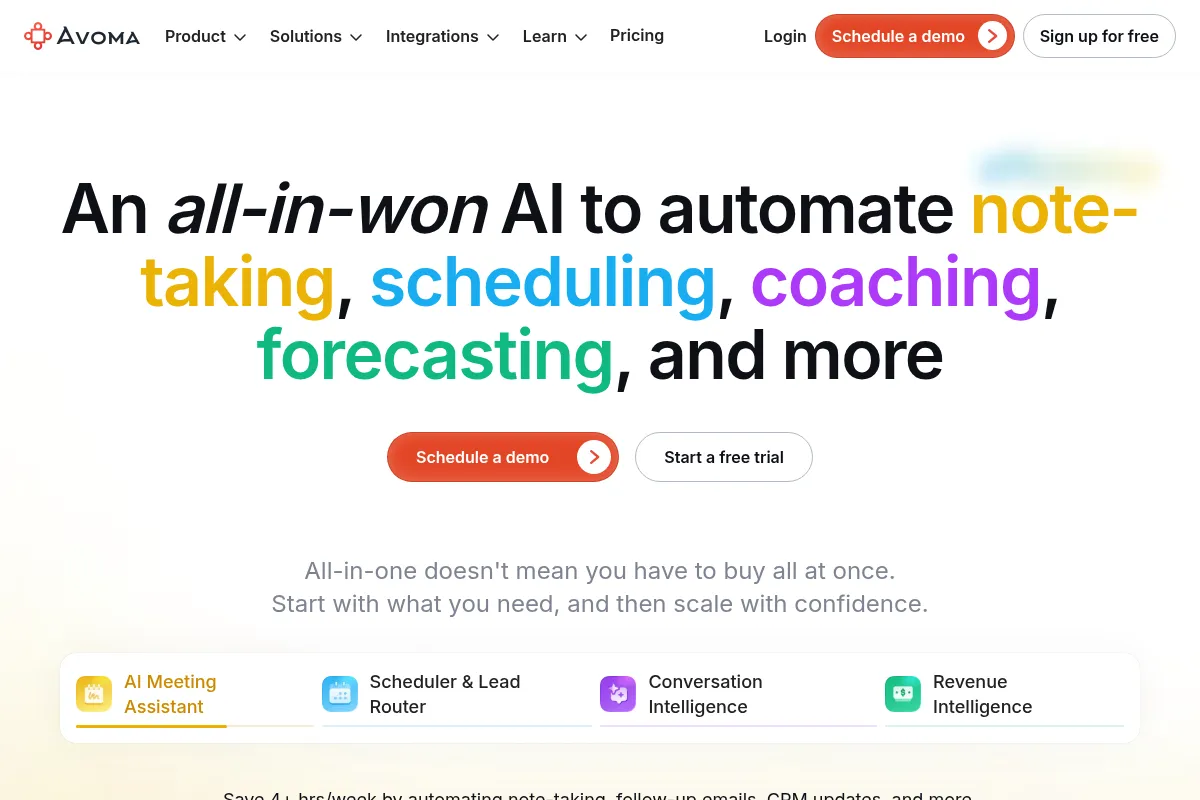
Avoma is an AI meeting assistant that automates note-taking, transcription, and analysis, primarily for sales and customer-facing teams, but its accuracy and reliability can be inconsistent.
Best for sales teams needing structured meeting intelligence and CRM automation, weaker for those prioritizing highly accurate, real-time transcription across diverse audio conditions.
Analysis based on product data, pricing structure, traffic signals, and public user sentiment.
Who Should Use Avoma?
Typical users
Sales, customer success, and revenue operations teams in small to mid-sized businesses (SMBs) looking to automate meeting documentation and gain insights from conversations.
Maturity fit
beginner to scaling
Choose this if…
- You need automated meeting notes and transcriptions to save time.
- Your primary goal is to improve sales coaching and performance tracking.
- You require CRM integration to automatically log meeting data.
- You want to analyze conversations for trends and identify deal risks.
Skip this if…
- You require near-perfect transcription accuracy in all audio conditions.
- Your primary need is simple, free meeting recording and transcription.
- You need advanced workflow automation beyond CRM integration.
- Your team is heavily reliant on non-English conversations or highly technical jargon.
About Avoma
Avoma is an AI-powered platform designed to automate the capture, transcription, and analysis of meetings for customer-facing teams. It aims to increase meeting productivity and provide actionable insights for data-driven decision-making, helping teams improve performance and accelerate growth.
Official profiles
What it actually does
Avoma records meetings, provides real-time transcription, generates AI-powered notes and summaries, and offers conversation intelligence features like talk ratio analysis and coaching insights. It also includes revenue intelligence for pipeline tracking and CRM automation.
What makes it different
Avoma differentiates itself by offering an all-in-one platform that combines AI meeting assistance with conversation and revenue intelligence, aiming to provide a comprehensive solution for customer-facing teams. It positions itself as more affordable than enterprise solutions like Gong while offering more sales-specific features than basic transcription tools.
Ratings across the web



Ratings aggregated from independent review platforms.
Key Features
AI Meeting Assistant
Automates recording and transcription, generating notes and follow-ups to save time.
Conversation Intelligence
Analyzes calls for talk ratios, engagement, and coaching insights, aiding performance improvement.
Revenue Intelligence
Tracks pipeline, scores deals for risk, and automates CRM updates, supporting forecasting and deal management.
Ask Avoma
Allows users to query transcripts for specific information, reducing the need to rewatch entire meetings.
CRM Integration
Bidirectionally syncs meeting data with Salesforce and HubSpot, automating record logging.
Meeting Scheduler
Facilitates meeting booking and lead distribution.
AI Coaching Recommendations
Provides data-driven feedback for sales reps based on call analysis.
Pricing
AI Meeting Assistant
- Unlimited recording and transcription
- AI-generated notes and follow-ups
- 1:1 Scheduler
- Up to 25 paid seats
Conversation Intelligence
- Everything in AI Meeting Assistant
- AI-driven conversation analysis
- Talk ratio analysis
- Engagement tracking
- Coaching insights
Revenue Intelligence
- Everything in Conversation Intelligence
- Automated CRM field updates
- Deal risk alerts
- Sales methodology tracking (MEDDIC, BANT, SPICED)
- Forecasting support
Lead Routing (Add-On)
- Advanced round-robin scheduling
- Inbound form qualification
- Outbound lead hand-off
Enterprise
- Enhanced security
- SSO
- Dedicated support
- Custom integrations
Pricing checked 6 months ago
Pricing guidance
- When you need advanced conversation analytics and coaching features.
- When you require automated CRM updates and deal risk analysis.
- When you need to automate lead distribution and scheduling.
- When enterprise-level security and support are necessary.
- Per-seat pricing can become expensive for larger teams.
- CRM subscription is required for CRM sync features.
- Focus is on meeting intelligence, not broader email/task workflow automation.
- Team-level analytics and coaching features are less valuable for individual users.
Tiered pricing that scales with features, starting affordably for basic needs but becoming a significant investment for advanced revenue intelligence capabilities.
Pros & Cons
Strengths
-
Time-saving automation
Automates note-taking, transcription, and summary generation, freeing up users to focus on the conversation rather than manual documentation.
-
Actionable sales insights
Provides conversation intelligence and revenue intelligence features that help sales teams improve coaching, track deals, and forecast more accurately.
-
CRM integration
Seamlessly syncs meeting data with Salesforce and HubSpot, reducing manual data entry and improving data hygiene.
-
Modular pricing
Offers tiered pricing plans and add-ons, allowing teams to pay for the specific features they need.
Weaknesses
-
Transcription accuracy issues
Users report inconsistent transcription accuracy, especially with accents, background noise, or technical jargon, which can undermine data reliability.
Affects: Teams requiring high transcription accuracy for critical decision-making.
-
Reliability concerns
Some users experience recording issues and bot failures, leading to missed meeting data.
Affects: Teams that cannot afford to miss any meeting data.
-
Complexity for basic needs
Can be overwhelming for users who only need simple recording and transcription, with a steep learning curve for advanced features.
Affects: Individuals or small teams with straightforward transcription needs.
-
Sales-centric features
Many advanced features like coaching scorecards and deal analytics are less relevant for non-sales professionals.
Affects: Marketing, HR, or general business teams not focused on sales.
-
Contract inflexibility
Some users report issues with contract terms and renegotiations, leading to paying for unused seats.
Affects: Teams with fluctuating seat requirements or those seeking flexible contracts.
Real User Sentiment
Generally positive, with users praising its time-saving features and sales insights, but common criticisms revolve around transcription accuracy and occasional reliability issues.
Users tend to like
- Automated note-taking and summaries save significant time.
- Actionable insights for sales coaching and performance improvement.
- Seamless CRM integration for automated data logging.
- The 'Ask Avoma' feature for quick information retrieval.
Users commonly complain about
- Inconsistent transcription accuracy, especially with accents or background noise.
- Occasional recording failures or bot issues.
- Can be overly complex for users with simpler needs.
- Sales-centric features may not be relevant for non-sales roles.
Recurring tradeoffs
- Accuracy vs. affordability: Users often accept some level of transcription inaccuracy for a more affordable solution.
- Feature depth vs. complexity: The comprehensive feature set can be overwhelming for basic use cases.
Happiest users
Sales teams and managers who benefit from structured meeting data, coaching insights, and CRM automation.
Often frustrated
Users who encounter transcription errors, reliability issues, or find the platform too complex for their needs.
Use Cases
Automating sales call note-taking and transcription for SDRs.
Providing sales managers with data for coaching and performance reviews.
Analyzing customer conversations to identify trends and improve product messaging for marketing teams.
Streamlining customer success handoffs by providing access to sales call recordings and notes.
Improving forecasting accuracy by leveraging revenue intelligence features.
Onboarding new sales hires by providing access to recorded calls and best practice examples.
Frequently Asked Questions
What is Avoma?
Avoma is an AI-powered meeting lifecycle assistant designed to automate note-taking, transcription, and analysis for customer-facing teams. It combines AI Meeting Assistance with Conversation Intelligence and Revenue Intelligence to help teams streamline workflows, enhance customer interactions, and accelerate growth. Key features include automated recording, transcription, AI-generated notes, conversation analytics, and CRM integration.
How much does Avoma cost?
Avoma offers tiered pricing starting at $19/user/month for the AI Meeting Assistant plan. Higher tiers like Conversation Intelligence ($59/user/month) and Revenue Intelligence ($79/user/month) offer more advanced features. An Enterprise plan with custom pricing is also available. Pricing can increase with add-ons like Lead Routing ($19/user/month).
Is Avoma's transcription accurate?
User feedback on Avoma's transcription accuracy is mixed. While some users find it to be highly accurate, many report inconsistencies, especially with accents, background noise, or technical jargon. This can lead to misattributions and errors in summaries and CRM data. For critical applications requiring near-perfect accuracy, users may need to manually review transcripts.
What are Avoma's main competitors?
Avoma's main competitors in the conversation intelligence and AI meeting assistant space include Gong, Fireflies.ai, Chorus by ZoomInfo, Otter.ai, Fathom, and tl;dv. These platforms offer varying features, pricing, and target audiences, from basic transcription to advanced revenue intelligence.
Does Avoma integrate with CRMs?
Yes, Avoma offers bidirectional integration with popular CRM systems like Salesforce and HubSpot. This allows for automatic logging of meeting recordings, transcripts, and AI-generated summaries to relevant contact, deal, or company records. Custom CRM fields can also be populated based on conversation content.
What are the limitations of Avoma?
Limitations of Avoma include potential inaccuracies in transcription and speaker identification, occasional recording reliability issues, and a feature set that can be overly complex for users with basic needs. Its sales-centric features may also be less relevant for non-sales professionals. Some users have also noted contract inflexibility and the compounding cost of per-seat pricing for larger teams.
Is there a free version of Avoma?
Avoma does not appear to offer a free plan. The lowest-priced tier, AI Meeting Assistant, starts at $19 per user per month when billed annually. However, they do offer a 14-day free trial of the Organization plan.
How does Avoma compare to Zoom AI?
Avoma is a more comprehensive AI meeting assistant and conversation intelligence platform that works across multiple meeting platforms and integrates deeply with CRMs. Zoom AI, on the other hand, is tightly integrated within the Zoom ecosystem, offering simpler meeting summaries and AI assistance primarily for Zoom users. Avoma offers more advanced analytics and sales-specific features, while Zoom AI is ideal for organizations heavily invested in Zoom who need basic meeting documentation without added complexity or cost.
Why trust this page?
This evaluation combines product positioning, pricing analysis, traffic and market signals, and public user sentiment into a single decision-support page. Content is generated editorially — not copied from the vendor's website.
Funding & Company
Founded
2017
Stage
Series a
Total Raised
$15M
Latest Round
Series A (Dec 2021)
Notable Investors
Avoma has raised a total of $15 million over two rounds, including a $12 million Series A in late 2021. This funding level provides a solid foundation for product development and scaling operations in the competitive conversation intelligence market.
Market Signals & Traffic
Estimated visits, global rank, geography, traffic sources, monthly visit trends, and organic search keywords (Similarweb)—on a dedicated page built for depth and search.
- Estimated visits
- 251,033
- Global rank
- #143,793
- Snapshot
- Apr 2026
- Traffic trend
- Surging
Estimated monthly visits
Alternatives to Avoma
View all alternativesFathom
Productivity, Video Creation, AI Assistant

AI notetaker that records, transcribes, and summarizes meetings.
Fireflies.ai
AI Assistant, Productivity, Documentation

AI meeting assistant that records, transcribes, and summarizes calls.
Otter.ai
AI Assistant, Productivity, Documentation
AI-powered transcription and meeting assistant for accurate notes and summaries.
Similar Tools
Day
Automation, Productivity, Workflow

Automated CRM that captures interactions and updates records automatically.
Greenlite
Automation & Agents, Privacy & Compliance, Workflow
Automated compliance agents for banking and fintech operations.
Workato
Automation, Automation & Agents, Developer Tools

Enterprise platform for integrating applications and automating complex business workflows.
Notion AI
AI Assistant, Content Creation
AI assistant integrated into Notion for content creation and task automation.
Cookiebot
Privacy & Compliance

Automated cookie consent solution for website privacy law compliance.
Continue
AI Assistant, Developer Tools, Productivity
Open-source coding assistant for VS Code and JetBrains IDEs