

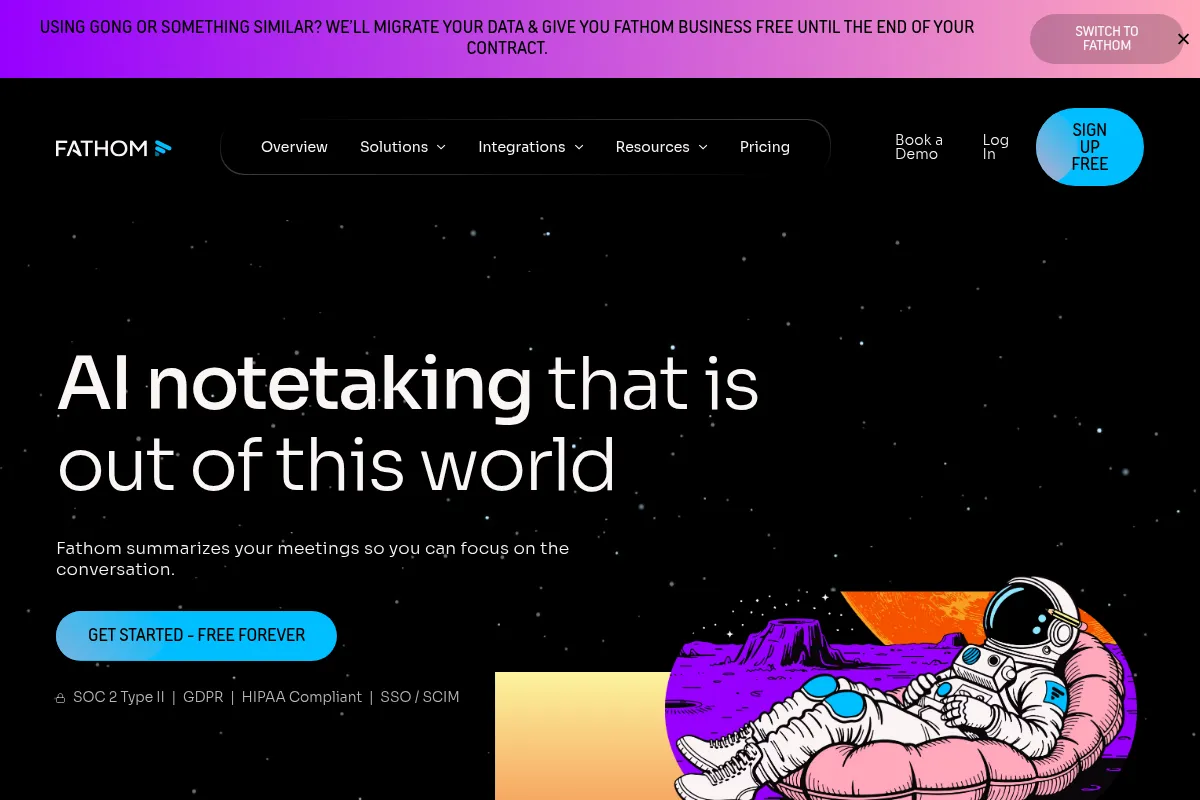
Fathom is an AI meeting assistant that automates recording, transcription, and summarization, best suited for individuals and sales teams needing to streamline post-meeting workflows.
Excellent for automating meeting notes and CRM integration, weaker for advanced analytics or non-standard meeting formats.
Analysis based on product data, pricing structure, traffic signals, and public user sentiment.
Who Should Use Fathom?
Typical users
Individuals, sales professionals, and small to medium-sized teams who regularly participate in video calls and need to quickly capture and process meeting information. It's particularly beneficial for those who use Zoom, Google Meet, or Microsoft Teams.
Maturity fit
beginner to scaling
Choose this if…
- You need to automate meeting note-taking and summaries.
- Your primary goal is to reduce time spent on post-meeting administrative tasks.
- Seamless CRM integration (HubSpot, Salesforce) is a priority.
- You value a generous free tier for individual use.
Skip this if…
- You require advanced meeting analytics or sentiment analysis.
- Your workflow involves transcribing pre-recorded audio or video files.
- You need robust real-time collaboration features during meetings.
- You prioritize a tool that doesn't use a visible meeting bot.
About Fathom
Fathom is an AI-powered meeting assistant designed to automate the recording, transcription, and summarization of online calls. It aims to free up participants to focus on the conversation by handling note-taking and post-meeting follow-ups, with a strong emphasis on CRM integration for sales teams.
What it actually does
Fathom automatically joins scheduled meetings on platforms like Zoom, Google Meet, and Microsoft Teams to record and transcribe the conversation. It then generates AI-powered summaries, highlights key action items, and can sync this information directly to CRMs and other productivity tools, reducing manual data entry.
What makes it different
Fathom differentiates itself with a notably generous free tier offering unlimited recordings and transcriptions, and a focus on a non-intrusive, bot-less approach to meeting recording, unlike some competitors that announce their presence. Its strong native CRM integrations are also a key differentiator for sales-focused workflows.
Ratings across the web



Ratings aggregated from independent review platforms.
Key Features
Unlimited Free Tier
Offers unlimited recordings and transcriptions, making it highly accessible for individuals and small teams to test and use without cost limitations.
Automatic CRM Sync
Seamlessly integrates with HubSpot and Salesforce to automatically log meeting notes and action items, saving significant manual data entry time for sales teams.
AI-Generated Summaries
Provides concise summaries of meetings within seconds, allowing users to quickly grasp key takeaways and action items.
Click-to-Highlight
Allows users to mark important moments during a live call, which are then easily accessible in the transcript and summary.
Non-Intrusive Recording
Fathom does not use a visible bot that announces its presence, which can be less disruptive in client-facing meetings compared to some competitors.
AI Search
Enables users to quickly find specific information, trends, or action items across all recorded meetings.
Pricing
Free
- Unlimited recordings
- Unlimited transcription
- Unlimited recording length and storage
- AI summaries for first 5 calls/month
- Basic transcription
- Supports Zoom, Google Meet, Microsoft Teams
Premium
- Advanced AI summaries (customizable)
- AI-generated action items
- Ask Fathom conversational assistant
- Customizable meeting bot
- Deeper integrations
- Analytics
Team Edition
- Everything in Premium
- Admin controls
- Usage analytics
- Team collaboration features (folders, comments, mentions)
- CRM Sync (Salesforce, HubSpot)
Team Edition Pro
- Everything in Team Edition
- Advanced security controls
- Single Sign-On (SSO)
- Custom data retention policies
Pricing checked 6 months ago
Pricing guidance
- When you need to automatically sync meeting notes and action items to your CRM (HubSpot, Salesforce).
- When you require advanced AI summaries, customizable templates, or the 'Ask Fathom' feature.
- When your team needs centralized management, admin controls, and collaboration features like folders and mentions.
- When enhanced security features like SSO become necessary.
- AI summaries and action items are limited to 5 calls per month on the free tier.
- Transcript storage on the free plan may roll off after 90 days.
- CRM integration is only available on paid plans.
Fathom offers a highly competitive and generous free tier, with paid plans that scale from individual professional needs to team collaboration and advanced features, positioning itself as an accessible yet powerful solution.
Pros & Cons
Strengths
-
Generous Free Plan
Fathom offers unlimited recordings and transcriptions on its free tier, which is rare and highly valuable for individuals and small teams testing the waters of AI meeting assistants.
-
Seamless CRM Integration
Native integrations with HubSpot and Salesforce automatically sync meeting notes and action items, significantly reducing manual data entry for sales professionals and keeping CRM data up-to-date.
-
Fast AI Summaries
Meeting summaries are generated within seconds of a call ending, providing immediate access to key takeaways and action items, which speeds up post-meeting workflows.
-
Non-Intrusive Recording
Unlike some competitors, Fathom does not use a visible bot that announces its presence, making it less disruptive and potentially more comfortable for participants in client or sensitive meetings.
-
Ease of Use
The tool is praised for its straightforward setup and intuitive interface, allowing users to get started quickly without a steep learning curve.
Weaknesses
-
Limited Advanced Analytics
Fathom focuses on transcription and summarization, lacking the deeper analytics, sentiment analysis, or detailed reporting found in more specialized conversation intelligence platforms.
Affects: Teams needing in-depth meeting performance insights
-
No Audio File Uploads
Users cannot upload pre-recorded audio or video files for transcription, limiting its utility for transcribing content outside of live meetings.
Affects: Users needing to transcribe existing audio/video content
-
Visible Bot for Some Platforms
While Fathom aims for non-intrusiveness, some users note that a bot may still appear on certain platforms, which can be a concern for privacy-sensitive meetings.
Affects: Users in highly privacy-conscious or client-facing roles
-
Basic Real-time Collaboration
Fathom's strengths lie in post-meeting summaries and transcripts; it does not offer advanced real-time collaboration features like live editing or AI chatbots during calls, which some competitors provide.
Affects: Teams that require collaborative note-taking during meetings
Real User Sentiment
Users generally have a very positive view of Fathom, frequently praising its ease of use, accuracy, and the significant time savings it provides, especially for sales teams.
Users tend to like
- Generous and functional free plan
- Accurate transcriptions and summaries
- Seamless CRM integration (HubSpot, Salesforce)
- Ease of use and quick setup
- Time-saving automation of post-meeting tasks
Users commonly complain about
- Occasional struggles with speaker attribution in multi-speaker scenarios
- Desire for the ability to upload audio files for transcription
- Concerns about the visible bot on certain platforms
- Lack of advanced meeting analytics compared to specialized tools
- Inability to capture Zoom chat data
Recurring tradeoffs
- The trade-off between its non-intrusive recording and the potential for a visible bot on some platforms.
- The balance between its simplicity and ease of use versus a lack of advanced analytics found in more complex tools.
- The free plan's limitations on advanced AI features versus the value of paid tiers for teams.
Happiest users
Sales professionals and individuals who prioritize automating meeting notes and CRM updates, and who benefit from the generous free tier.
Often frustrated
Users who require advanced analytics, the ability to transcribe pre-recorded files, or who are highly sensitive to any form of visible meeting bot.
Use Cases
Automating sales call note-taking and CRM logging
Quickly generating summaries and action items for client meetings
Capturing key details from team syncs and project updates
Creating shareable clips of important meeting moments for internal review
Reducing manual data entry for post-meeting follow-ups
Improving meeting engagement by freeing participants from note-taking duties
Leveraging AI search to find specific information across a history of meetings
Frequently Asked Questions
What is Fathom's pricing structure?
Fathom offers a Free plan with unlimited recordings and transcriptions. Paid plans include Premium ($19/user/month), Team Edition ($29/user/month), and Team Edition Pro ($39/user/month), which add advanced AI features, CRM integrations, admin controls, and enhanced security. Pricing is generally per user, per month, with annual billing often offering a discount.
How accurate are Fathom's transcriptions and summaries?
Fathom's transcriptions are generally considered highly accurate, often cited as 90-95% depending on audio quality and accents. AI summaries are generated quickly and are praised for capturing key takeaways and action items effectively, though some users note occasional struggles with speaker attribution in complex, multi-speaker scenarios.
What are Fathom's main limitations?
Key limitations include the inability to upload pre-recorded audio or video files for transcription, a lack of advanced meeting analytics compared to specialized platforms, and the potential for a visible meeting bot on certain platforms. Zoom chat data capture is also not supported. For advanced users, the free tier's limitations on AI features and the absence of a middle tier for solo users needing CRM sync can also be drawbacks.
What integrations does Fathom offer?
Fathom offers direct integrations with popular CRMs like HubSpot and Salesforce, project management tools such as Asana, and collaboration platforms like Slack. It also connects to thousands of other apps via workflow automation services like Zapier and n8n. Its API is also available for custom integrations.
Is Fathom's free plan truly unlimited?
Fathom's free plan offers unlimited recordings and transcriptions, which is a significant advantage. However, advanced AI features like AI summaries and AI-generated action items are limited to the first 5 calls per month for free users. Transcript storage may also have a 90-day limit.
How does Fathom compare to Otter.ai?
Fathom is often praised for its generous free tier, non-intrusive recording approach, and strong CRM integrations, making it ideal for sales teams and individuals. Otter.ai is noted for its real-time AI capabilities, broader platform support, and more advanced collaboration features, often making it a stronger choice for teams needing live transcription and collaborative note-taking. Otter.ai also offers transcription of pre-recorded files, which Fathom does not.
Can Fathom be used for in-person meetings?
Fathom is primarily designed for online video conferencing platforms like Zoom, Google Meet, and Microsoft Teams. While it can record audio from these platforms, it is not optimized for transcribing in-person meetings directly from a room's audio setup without using a connected device running one of the supported platforms.
Does Fathom use a bot that announces its presence in meetings?
Fathom aims for a non-intrusive approach and does not typically use a visible bot that announces its presence, unlike some competitors. This is often cited as a benefit for client-facing meetings. However, some users have noted that a bot may still appear on certain platforms, which can be a concern for privacy-sensitive scenarios.
Why trust this page?
This evaluation combines product positioning, pricing analysis, traffic and market signals, and public user sentiment into a single decision-support page. Content is generated editorially — not copied from the vendor's website.
Funding & Company
Founded
2020
Stage
Series a
Total Raised
$21.83M
Latest Round
Series A (Sep 2024)
Notable Investors
Fathom has raised a total of $21.8 million over three funding rounds, including a $17 million Series A in September 2024. This funding provides the company with a solid financial runway to continue developing its AI meeting assistant and expand its market presence.
Market Signals & Traffic
Estimated visits, global rank, geography, traffic sources, monthly visit trends, and organic search keywords (Similarweb)—on a dedicated page built for depth and search.
- Estimated visits
- 5,010,909
- Global rank
- #12,658
- Snapshot
- Apr 2026
- Traffic trend
- Rising
Estimated monthly visits
Alternatives to Fathom
View all alternativesOtter.ai
AI Assistant, Productivity, Documentation

AI-powered transcription and meeting assistant for accurate notes and summaries.
Fireflies.ai
AI Assistant, Productivity, Documentation
AI meeting assistant that records, transcribes, and summarizes calls.
Avoma
Productivity, Training & Onboarding, Automation & Agents

AI meeting assistant for automated note-taking, transcription, and analysis.
Similar Tools
NotebookLM
AI Assistant, Productivity, Documentation

AI-powered research assistant that synthesizes information from your documents.
Imbue
Automation & Agents, Developer Tools, AI Assistant

Developing AI agents capable of reasoning and coding.
Backyard AI
AI Assistant, Gaming, Privacy & Compliance

Local platform for private and uncensored character-based chat.
AIScraper
Data Extraction, Automation, Developer Tools

Extract structured data from any website using natural language.
HoneyHive
Developer Tools, Workflow

Evaluation and observability platform for large language model applications.
MiniMax
Content Creation, Video Creation, Music Generation

Multimodal platform for text, video, speech, and music generation