
Otter.ai provides AI-powered transcription and meeting summarization, but its accuracy and advanced features lag behind newer competitors.
Otter.ai is a functional transcription tool for basic needs, but consider alternatives for higher accuracy and more advanced AI features.
Analysis based on product data, pricing structure, traffic signals, and public user sentiment.
Who Should Use Otter.ai?
Typical users
Individuals and small teams needing to transcribe meetings or audio files for personal use or basic documentation. This includes students, researchers, and professionals who require a straightforward way to capture spoken content.
Maturity fit
beginner to scaling
Choose this if…
- You need real-time transcription for English-language meetings.
- You want to easily import audio/video files for transcription.
- Your primary need is automated note-taking and basic summaries.
- You are looking for a free or low-cost entry point into AI transcription.
Skip this if…
- You require highly accurate transcriptions, especially for non-English languages, accents, or noisy environments.
- You need advanced AI features like deep conversational analysis or automated CRM integration.
- Video recording of meetings is essential for your workflow.
- You need to transcribe meetings in more than three languages automatically.
About Otter.ai
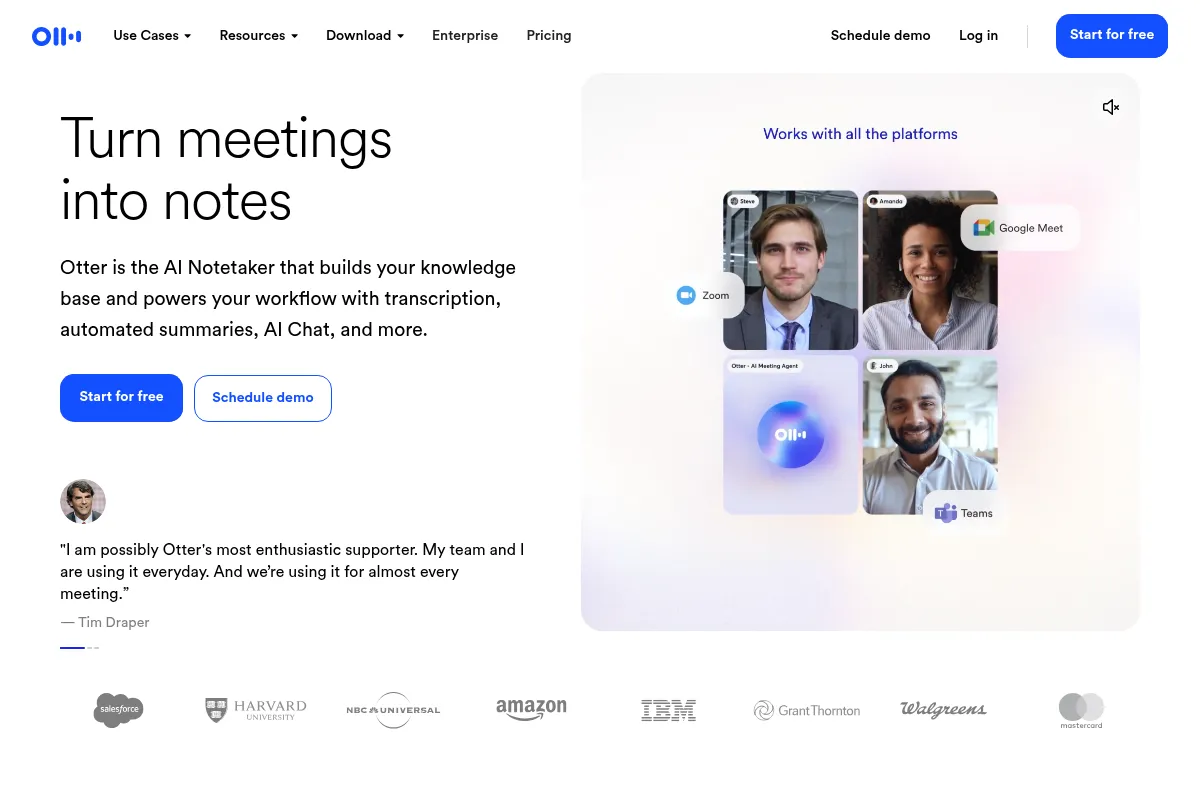
Otter.ai is an AI-driven platform that transcribes spoken conversations into text in real-time. It functions as a meeting assistant, automating note-taking, identifying speakers, and generating summaries with action items. It aims to enhance productivity and information accessibility from verbal interactions.
Official profiles
What it actually does
Otter.ai records and transcribes audio from meetings, calls, or uploaded files into searchable text. It identifies speakers, provides timestamps, and generates summaries with key points and action items. The platform also includes an AI chat feature to query transcripts and generate content.
What makes it different
Otter.ai differentiates itself with its real-time transcription capabilities and its OtterPilot feature, which can automatically join scheduled meetings. Its AI Chat feature allows users to interact with meeting transcripts conversationally. However, its core transcription accuracy and advanced AI features are considered less robust compared to some newer competitors.
Ratings across the web



Ratings aggregated from independent review platforms.
Key Features
Live Meeting Transcription
Provides real-time transcription during virtual meetings, allowing users to follow along and capture spoken content as it happens.
Otter Assistant (OtterPilot)
Automatically joins scheduled Zoom, Google Meet, or Microsoft Teams meetings to record and transcribe, freeing up users to participate.
AI Chat
Allows users to ask questions about meeting transcripts, generate summaries, and create content like emails based on the conversation.
Editable Transcripts
Users can edit transcripts to correct errors or add specific terminology, improving accuracy.
Speaker Identification
Automatically identifies and labels different speakers in a recording, making transcripts easier to follow.
Custom Vocabulary
Allows users to add specific terms, names, or jargon to improve transcription accuracy for specialized content.
Summary Generation
Creates automated summaries with action items and outlines from meeting transcripts.
Mobile App
Enables recording and transcription on the go via iOS and Android devices.
Pricing
Basic
- 300 transcription minutes per month
- 30 minutes per conversation
- 3 audio/video file imports per month
- Live transcription
- AI Chat
- Integrations with Zoom, Google Meet, MS Teams
Pro
- 1,200 transcription minutes per month
- 90 minutes per conversation
- 10 audio/video file imports per month
- Advanced search, export, and playback
- Team collaboration features
- Shared custom vocabulary
Business
- 6,000 transcription minutes per month
- 4 hours per conversation
- Unlimited audio/video file imports
- Admin features (usage analytics, prioritized support)
- Join up to 3 meetings simultaneously
- Bulk export
Enterprise
- Unlimited meetings and recordings
- Unlimited custom AI workflows
- Otter Sales Notetaker
- Custom integrations (CRM, dialers)
- Single Sign-On (SSO)
- Dedicated support
Pricing checked 6 months ago
Pricing guidance
- You consistently exceed 300 transcription minutes per month.
- You need to transcribe conversations longer than 30 minutes.
- You require team collaboration features like shared custom vocabulary.
- You need to import more than 3 audio/video files per month.
- Minute caps per month and per conversation can be restrictive.
- Video recording is not included in lower-tier plans.
- Automatic transcription is limited to English, French, and Spanish.
Otter.ai offers a tiered pricing structure with a functional free plan, making it accessible, with paid plans scaling in transcription minutes and features for individuals and teams.
Pros & Cons
Strengths
-
User-friendly interface
Otter.ai is praised for its intuitive design and ease of navigation, making it accessible for new users to record and manage conversations.
-
Real-time transcription
The ability to transcribe meetings live is a core strength, allowing participants to follow along and ensuring that no critical information is missed.
-
AI Chat functionality
The AI Chat feature provides a powerful way to interact with transcripts, ask questions, and generate content, adding significant value beyond basic transcription.
-
Affordable pricing for basic needs
Otter.ai offers a competitive free tier and reasonably priced paid plans, making it accessible for individuals and small teams.
Weaknesses
-
Transcription accuracy limitations
Accuracy can suffer with background noise, multiple speakers talking simultaneously, accents, or non-English languages, often requiring manual editing.
Affects: Users in noisy environments or those needing high-fidelity transcripts.
-
Limited language support
Otter.ai primarily supports English, with limited support for French and Spanish. Automatic transcription is not available for many other languages.
Affects: Multilingual teams or users needing to transcribe content in languages other than English, French, or Spanish.
-
No video recording on lower tiers
Video recording is only available on the Enterprise plan, which may be a drawback for teams that rely on visual context from virtual meetings.
Affects: Teams that require video alongside audio transcripts.
-
Basic AI features compared to competitors
While Otter.ai has AI chat, some competitors offer more advanced conversational intelligence, deeper analytics, and more sophisticated AI agents.
Affects: Users seeking cutting-edge AI capabilities or advanced sales/coaching insights.
Real User Sentiment
Users generally find Otter.ai to be a useful and easy-to-use tool for transcription and meeting notes, particularly for basic needs. However, criticisms often arise regarding transcription accuracy and limitations compared to newer, more advanced competitors.
Users tend to like
- Ease of use and intuitive interface
- Real-time transcription and live note-taking
- AI Chat for summarizing and querying transcripts
- Affordability of the free and lower-tier plans
- Automatic joining of meetings (OtterPilot)
Users commonly complain about
- Transcription accuracy issues, especially with accents, background noise, or multiple speakers.
- Limited language support (primarily English, French, Spanish).
- Lack of video recording on lower-tier plans.
- Advanced AI features are less sophisticated than some competitors.
- Potential for unwanted company-wide spam if not configured carefully.
Recurring tradeoffs
- Accuracy vs. ease of use: Users often trade some accuracy for the convenience and low cost.
- Basic features vs. advanced capabilities: The free and Pro plans offer core functionality, but advanced features require higher tiers or competitors.
- Cost vs. feature set: While affordable, the most advanced features are locked behind higher-priced plans.
Happiest users
Individuals and small teams with straightforward transcription needs, primarily in English, who value ease of use and affordability.
Often frustrated
Users requiring high transcription accuracy in diverse audio conditions, those needing multi-language support, or teams looking for advanced AI-driven insights and video recording.
Use Cases
Transcribing lectures for students
Helps students capture and review lecture content accurately.
Recording and summarizing team meetings
Ensures all participants have access to notes and action items.
Transcribing interviews for journalists or researchers
Provides searchable text for content creation and analysis.
Capturing personal voice notes and ideas
Allows users to quickly record thoughts on the go.
Generating meeting minutes for administrative assistants
Automates note-taking, freeing up time for other tasks.
Creating searchable archives of client calls for sales teams
Enables easy recall of important client details and follow-ups.
Transcribing pre-recorded audio/video files for content repurposing
Converts existing media into text for blogs, social media, or scripts.
Frequently Asked Questions
What is Otter.ai and what does it do?
Otter.ai is an AI-powered platform that transcribes spoken conversations into text in real-time. It acts as a meeting assistant, automating note-taking, identifying speakers, and generating summaries with action items. It can transcribe live meetings, uploaded audio/video files, and offers an AI Chat feature to interact with transcripts. Its primary goal is to enhance productivity and accessibility of information from verbal interactions.
How accurate is Otter.ai's transcription?
Otter.ai's transcription accuracy is generally good, especially when using OtterPilot which records the internal audio stream of a meeting. However, accuracy can vary based on factors like background noise, speaker accents, and the complexity of the conversation. For critical tasks, it's recommended to review and edit the transcripts. Some users report accuracy around 85%, with potential issues in noisy environments or with strong accents. Competitors like Fathom are sometimes cited as having higher accuracy.
What are the limitations of Otter.ai's free plan?
The free plan offers 300 transcription minutes per month, with a limit of 30 minutes per conversation. It also allows for 3 audio/video file imports per month. While it includes live transcription, AI Chat, and basic integrations, it lacks features like advanced search, bulk export, and video recording, which are available on paid plans. If you exceed these limits or need longer transcriptions, you'll need to upgrade.
How does Otter.ai compare to Fathom?
Fathom is often praised for its higher transcription accuracy, a more generous free plan (unlimited recordings and transcriptions), and Zapier integration for broader third-party app connectivity. Otter.ai, however, is considered more budget-friendly for its paid plans and excels in real-time transcription and mobile usability. Some users find Otter's AI Chat more intuitive, while Fathom includes full video recording on paid plans, which Otter reserves for Enterprise. Fathom is sometimes preferred for its accuracy and free plan, while Otter is chosen for its ease of use and live transcription capabilities.
Can Otter.ai transcribe in languages other than English?
Otter.ai currently supports real-time transcription in English, French, and Spanish. While it can transcribe these languages, automatic language detection is not a feature, and the primary focus and highest accuracy are typically for English. For teams communicating in a wider range of languages, competitors like Fireflies.ai, which supports over 100 languages, may be a better option.
Does Otter.ai record video?
No, Otter.ai primarily focuses on audio transcription and does not natively record video. While it integrates with video conferencing platforms like Zoom and Google Meet to capture audio, the visual component of the meeting is not recorded by Otter itself. Video recording capabilities are typically found in competitors like Fathom (on paid plans) or tools specifically designed for video recording and transcription.
What are the main integrations for Otter.ai?
Otter.ai integrates with popular video conferencing platforms such as Zoom, Microsoft Teams, and Google Meet, allowing OtterPilot to join and record meetings automatically. It also integrates with cloud storage services like Dropbox for file syncing. For enterprise users, Otter.ai offers custom integrations via its API with platforms like Jira, HubSpot, and Salesforce, enabling data to be pushed to CRMs and other business systems.
How does Otter.ai handle privacy and data security?
Otter.ai states that AI Chat conversations are private and visible only to the user, and data is not shared with third parties unless a user interacts with AI Chat by asking a question. The company also offers enterprise-grade security features and has achieved HIPAA compliance, indicating a commitment to data protection for sensitive information. However, there have been past user concerns and lawsuits regarding data usage and consent, particularly for training AI models.
Why trust this page?
This evaluation combines product positioning, pricing analysis, traffic and market signals, and public user sentiment into a single decision-support page. Content is generated editorially — not copied from the vendor's website.
Funding & Company
Founded
2016
Stage
Series b
Total Raised
$73M
Latest Round
Series B (Feb 2021)
Notable Investors
Otter.ai has raised a total of $73 million, culminating in a substantial $50 million Series B round in early 2021. This level of funding from notable investors like Spectrum Equity and Horizons Ventures indicates strong market confidence and provides a solid financial runway for product development and expansion.
Market Signals & Traffic
Estimated visits, global rank, geography, traffic sources, monthly visit trends, and organic search keywords (Similarweb)—on a dedicated page built for depth and search.
- Estimated visits
- 7,707,168
- Global rank
- #6,257
- Snapshot
- Apr 2026
- Traffic trend
- Steady
Estimated monthly visits
Alternatives to Otter.ai
View all alternativesFireflies.ai
AI Assistant, Productivity, Documentation
AI meeting assistant that records, transcribes, and summarizes calls.
Fathom
Productivity, Video Creation, AI Assistant

AI notetaker that records, transcribes, and summarizes meetings.
tl;dv
Productivity, Training & Onboarding, Video Creation

AI meeting recorder, transcriber, and summarizer for enhanced productivity.
Similar Tools
Fireflies.ai
AI Assistant, Productivity, Documentation
AI meeting assistant that records, transcribes, and summarizes calls.
NotebookLM
AI Assistant, Productivity, Documentation

AI-powered research assistant that synthesizes information from your documents.
Plaud NotePin
AI Assistant, Productivity, Documentation
Voice recorder for transcribing and summarizing meetings and calls.
PrometAI
AI Assistant, Productivity, Documentation

Generate investor-ready business plans and financial projections in minutes.
Glean
AI Assistant, Productivity, Documentation

Enterprise search and knowledge discovery platform for workplace teams.
Magic
Developer Tools, AI Assistant

Software engineering assistant with an ultra-long context window.