

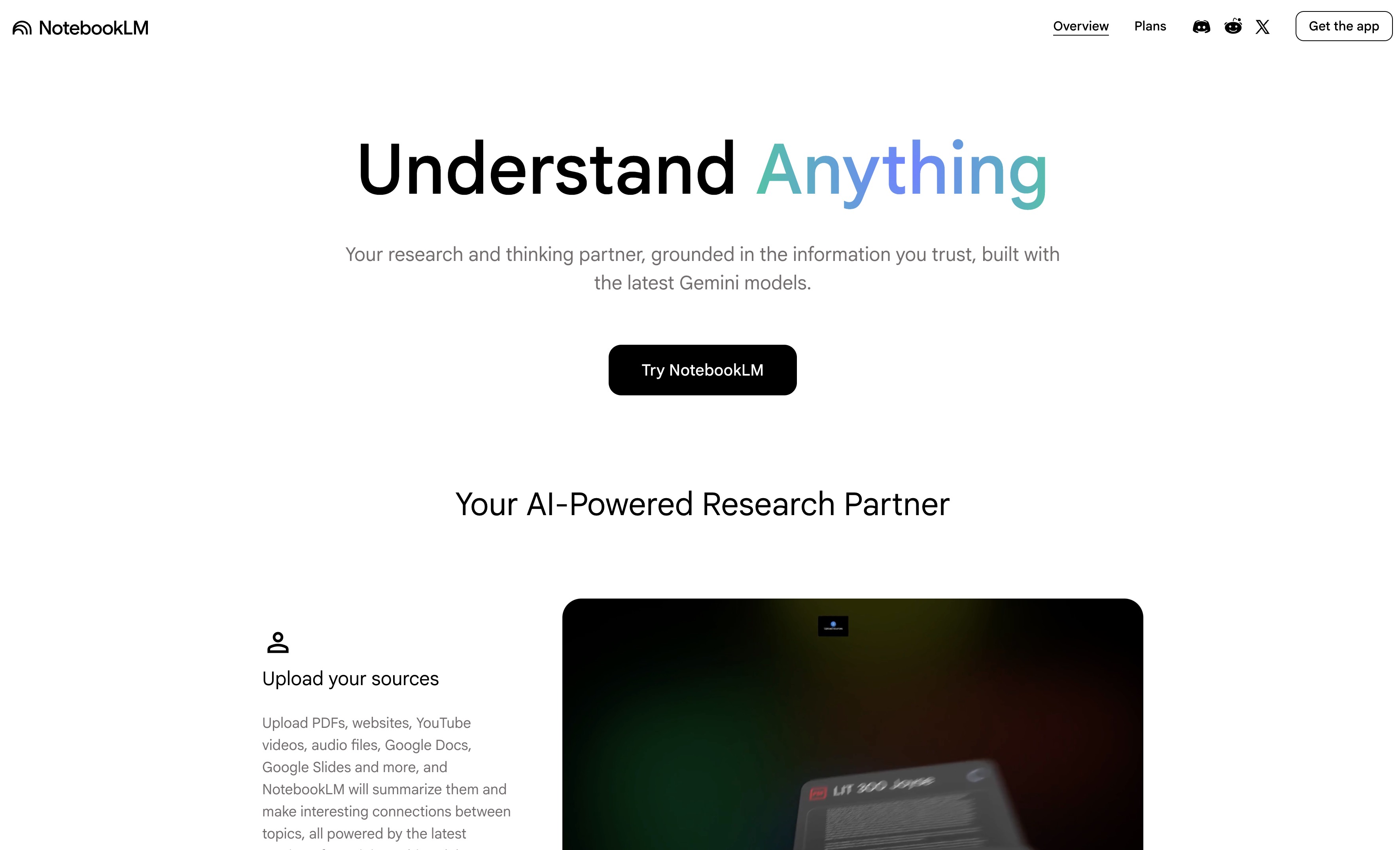
NotebookLM is a source-grounded AI research assistant that synthesizes information from user-provided documents, offering detailed analysis and various output formats.
Best for in-depth research and synthesis of personal documents, weaker for real-time web search.
Analysis based on product data, pricing structure, traffic signals, and public user sentiment.
Who Should Use NotebookLM?
Typical users
Students, academics, researchers, content creators, and professionals who need to deeply analyze and synthesize information from their own documents or datasets.
Maturity fit
beginner to advanced
Choose this if…
- You need to analyze and synthesize information from a large volume of your own documents.
- You require responses to be strictly grounded in provided sources to minimize hallucinations.
- You want to generate various outputs like summaries, reports, mind maps, flashcards, or audio/video overviews from your documents.
- You need detailed citations directly linked to the source material.
Skip this if…
- You primarily need real-time web search and broad internet-based answers.
- Your workflow relies heavily on visual mind mapping or network diagrams.
- You require extensive integrations with other productivity tools beyond Google Workspace.
- You need to generate creative content without specific source material.
About NotebookLM
NotebookLM is a Google-developed AI research assistant designed to help users organize, summarize, and synthesize information from uploaded documents and other sources. It provides source-grounded responses with citations, aiming to reduce hallucinations and improve comprehension of complex materials.
What it actually does
NotebookLM allows users to upload various file types and website links to create a 'notebook' of sources. Users can then ask questions and receive AI-generated answers, summaries, and other outputs (like reports, mind maps, flashcards, audio/video overviews) that are directly based on the provided source material.
What makes it different
Unlike general-purpose AI assistants that pull from the open web, NotebookLM is strictly source-grounded, meaning its responses are exclusively derived from the documents a user uploads. This focus on user-provided data ensures higher accuracy and relevance for specific research tasks.
Ratings across the web


Ratings aggregated from independent review platforms.
Key Features
Source-Grounded Responses
Ensures all answers are directly tied to uploaded documents, minimizing factual errors.
Studio Outputs
Generates various formats like mind maps, reports, flashcards, and audio/video overviews from source material.
Intelligent Q&A
Allows users to ask questions about their sources and receive cited answers.
Deep Research
Integrates web search capabilities to find and synthesize information from the public web.
Customizable Personas
Enables users to define specific roles and response styles for the AI.
Source Discovery
Helps find relevant information within uploaded documents.
Pricing
NotebookLM (Free)
- 100 notebooks
- 50 sources per notebook
- 500,000 words per source
- 50 chat queries per day
- 3 audio generations per day
- Standard artifact generations
NotebookLM in Plus (via Google One AI Premium)
- 500 notebooks
- 300 sources per notebook
- 500 chat queries per day
- 20 audio generations per day
- Analytics
- Access to Gemini Advanced
NotebookLM in Pro (via Google AI Pro)
- 5x more generations vs. standard plan
- Higher limits for voice summaries, notebooks, and data sources
- Customization of notebook responses (tone, length)
- Creation of expert guides
NotebookLM Enterprise
- 5x more Audio Overviews, notebooks, and sources per notebook
- Customization of style and length
- Expert guides and help centers
- Shared notebooks with analytics
- Enhanced privacy and security features (VPC-SC, IAM controls)
Pricing checked 6 months ago
Pricing guidance
- When you consistently hit the daily chat query limits.
- When you need to manage more than 50 sources per notebook.
- When you require advanced features like enhanced analytics or deeper customization.
- When you need to scale usage for team collaboration or enterprise-level security.
- Daily limits on chat queries and audio generations (free tier).
- Source limits per notebook (50 in free, 300 in Pro).
- File size limit for local uploads (200MB).
- Some advanced features may be tiered or require specific Google Workspace plans.
NotebookLM offers a robust free tier, with paid options providing increased limits and advanced features, positioned as a valuable tool for individuals and businesses focused on in-depth document analysis.
Pros & Cons
Strengths
-
Source-Grounded Accuracy
By limiting responses to uploaded documents, NotebookLM significantly reduces the risk of AI hallucinations, making it highly reliable for research and analysis.
-
Versatile Output Formats
The 'Studio' feature transforms complex information into easily digestible formats like mind maps, reports, flashcards, and audio/video overviews, catering to diverse learning and presentation needs.
-
Efficient Information Synthesis
NotebookLM excels at summarizing and synthesizing large volumes of text, enabling users to grasp key insights from extensive documents much faster than manual review.
-
Integrated Research Tools
Features like 'Deep Research' and direct web search integration allow users to gather and analyze information from both their own files and the internet within a single platform.
Weaknesses
-
Limited Real-time Web Search
While 'Deep Research' exists, NotebookLM's primary strength is its source-grounded nature, making it less ideal for broad, real-time web queries compared to dedicated search engines.
Affects: Users needing immediate, broad internet answers.
-
No Visual Mind Mapping
Although it can generate mind maps as output, NotebookLM itself does not offer a visual interface for mapping connections between sources or concepts.
Affects: Visual learners and researchers who rely on interactive mind mapping tools.
-
Limited Export Options
Exporting notebooks, conversations, or complex connections is not straightforward, requiring manual copy-pasting for many outputs.
Affects: Users who need to integrate NotebookLM outputs into other workflows or platforms extensively.
-
Source Limits
While generous, there are limits on the number of sources per notebook (50 in free, 300 in Pro), which can be a constraint for very large research projects.
Affects: Researchers working with extremely large or numerous datasets.
Real User Sentiment
Users generally find NotebookLM to be a highly useful and innovative tool for research and learning, particularly appreciating its source-grounded nature and diverse output formats.
Users tend to like
- Source-grounded responses that minimize hallucinations.
- The ability to synthesize information from multiple documents efficiently.
- Versatile output formats like audio overviews, mind maps, and reports.
- The generous free tier and accessible interface.
Users commonly complain about
- Limited export options for generated content.
- Occasional inaccuracies or missed information within sources.
- The absence of a visual mind-mapping interface.
- Source limits can be restrictive for very large projects.
Recurring tradeoffs
- Accuracy and depth from source-grounded responses versus the breadth of open-web search.
- Ease of use and specialized features versus the flexibility of general-purpose AI tools.
- Rich output formats versus limited export capabilities.
Happiest users
Students, researchers, and professionals who need to deeply analyze and synthesize information from their own documents and prefer highly accurate, source-backed AI responses.
Often frustrated
Users who require extensive real-time web search capabilities, advanced visual mapping tools, or seamless integration with a wide array of third-party applications.
Use Cases
Academic Research Synthesis
Students and researchers can upload papers, notes, and articles to synthesize literature reviews, identify key themes, and generate study guides.
Content Creation and Repurposing
Marketers and creators can use NotebookLM to distill research into reports, scripts, blog posts, or social media content.
Business Intelligence and Analysis
Professionals can upload competitor reports, call transcripts, and product documentation to gain insights and generate strategic summaries.
Personal Knowledge Management
Individuals can build a personal knowledge base by uploading notes, articles, and other documents to easily query and retrieve information.
Learning and Study Aid
Students can create flashcards, quizzes, and audio/video overviews from their course materials to enhance learning and retention.
Legal Document Analysis
Legal professionals can upload case files and statutes to quickly find relevant information and synthesize arguments.
Technical Documentation Comprehension
Engineers and developers can upload manuals and specifications to quickly answer technical questions and understand complex systems.
Frequently Asked Questions
What is NotebookLM and how is it different from ChatGPT?
NotebookLM is a source-grounded AI research assistant that synthesizes information exclusively from documents you upload. This means its answers are directly tied to your provided sources, minimizing hallucinations. ChatGPT, on the other hand, is a general-purpose conversational AI that draws from a vast dataset of internet information, making it more creative but potentially less precise when grounded in specific documents. NotebookLM excels at deep analysis of your own content, while ChatGPT is better for broad knowledge queries and creative generation.
Is NotebookLM free to use?
Yes, NotebookLM offers a robust free version with generous limits, including 100 notebooks, 50 sources per notebook, and 50 chat queries per day. For users who need higher limits or advanced features, paid plans are available through Google One AI Premium or Google Workspace.
What types of files can I upload to NotebookLM?
NotebookLM supports a wide range of file types, including PDFs, .txt, Markdown, Google Docs, Google Slides, audio files (MP3, MP4, WAV), video files, and images (GIF, JPG, PNG). You can also link directly to websites using their URLs. Recently, EPUB files have also been added as a supported source type.
Can NotebookLM access the internet?
Yes, NotebookLM has a 'Deep Research' feature that allows it to search the public web and synthesize information from those sources, in addition to your uploaded documents. However, its core strength lies in its source-grounded responses derived from your uploaded materials, which helps ensure accuracy and relevance to your specific data.
What are the limitations of NotebookLM?
NotebookLM has limitations such as a cap on the number of sources per notebook (50 in the free tier, 300 in paid tiers), daily limits on chat queries and audio generations, and a maximum file size of 200MB for local uploads. It also does not offer a visual mind-mapping interface for connecting sources directly within the tool, and export options for generated content can be limited. Some users have noted occasional inaccuracies or missed information within sources, emphasizing the need for human review.
Does NotebookLM have integrations?
NotebookLM integrates well with Google Workspace, allowing direct import of Google Docs and Slides from Drive. Notebooks can be shared within teams using Google Workspace. While there are no direct third-party integrations in the traditional sense, users often use workarounds to transfer content to and from other tools like Obsidian or Notion. Google's own Gemini Deep Research and other Gemini models can be considered integrated features.
How does NotebookLM handle privacy and data security?
NotebookLM is designed with privacy in mind. Your uploaded files, chats, and model outputs are not reviewed by human reviewers and are not used to improve generative AI models. For enterprise users, additional security features like VPC-SC and IAM controls are available. Data is kept private to the user, and in shared notebooks, chat history is visible only to the individual user.
What is the difference between NotebookLM and Perplexity AI?
The primary difference lies in their data sources. NotebookLM is designed to work exclusively with your uploaded documents, providing source-grounded answers. Perplexity AI is primarily a conversational search engine that scours the live web for real-time answers, though it also allows file uploads. NotebookLM is better for deep analysis of personal data, while Perplexity excels at quick, broad web-based research.
Why trust this page?
This evaluation combines product positioning, pricing analysis, traffic and market signals, and public user sentiment into a single decision-support page. Content is generated editorially — not copied from the vendor's website.
Company
Founded
1998
Stage
Public
HQ
Mountain View, California, U.S.
NotebookLM is an internal product developed within Google Labs, a division of Google (a subsidiary of Alphabet Inc.). It does not have its own separate funding rounds or external investors; its development is financed by its parent company, a publicly traded tech giant. This structure provides significant financial stability and resources for product development.
Market Signals & Traffic
Estimated visits, global rank, geography, traffic sources, monthly visit trends, and organic search keywords (Similarweb)—on a dedicated page built for depth and search.
- Estimated visits
- 247,404,528
- Global rank
- —
- Snapshot
- Apr 2026
- Traffic trend
- Surging
Estimated monthly visits
Alternatives to NotebookLM
View all alternativesElicit
AI Assistant, Data Extraction, Productivity

AI research assistant for literature review, data extraction, and synthesis.
Consensus
Productivity, Data Extraction

AI-powered academic search engine for peer-reviewed research papers.
Notion AI
AI Assistant, Content Creation

AI assistant integrated into Notion for content creation and task automation.
Similar Tools
Otter.ai
AI Assistant, Productivity, Documentation

AI-powered transcription and meeting assistant for accurate notes and summaries.
Fireflies.ai
AI Assistant, Productivity, Documentation

AI meeting assistant that records, transcribes, and summarizes calls.
Plaud NotePin
AI Assistant, Productivity, Documentation

Voice recorder for transcribing and summarizing meetings and calls.
Glean
AI Assistant, Productivity, Documentation

Enterprise search and knowledge discovery platform for workplace teams.
PrometAI
AI Assistant, Productivity, Documentation

Generate investor-ready business plans and financial projections in minutes.
Vorlon
Privacy & Compliance, Developer Tools

Secure and monitor third-party AI integrations and data flow.