

A meeting intelligence tool that prioritizes video clipping and sharing over deep analytics, making it a top choice for teams that need to socialize call insights quickly.
Excellent for UX researchers and product teams needing shareable video bites, weaker for sales leaders requiring advanced conversation coaching metrics.
Analysis based on product data, pricing structure, traffic signals, and public user sentiment.
Who Should Use tl;dv?
Typical users
UX researchers, product managers, and sales development reps in small to mid-market tech companies.
Maturity fit
beginner to scaling
Choose this if…
- Your priority is sharing specific video snippets with stakeholders rather than just reading text summaries.
- You want a functional free version that doesn't cap the total number of meetings you can record.
- You primarily use Google Meet or Zoom and want a lightweight browser-based experience.
Skip this if…
- You need advanced revenue intelligence features like deal risk signals or competitor mention trends found in Gong.
- Your organization has a strict 'no-bot' policy for external meetings.
- You require high-accuracy transcription for technical medical or legal terminology.
About tl;dv
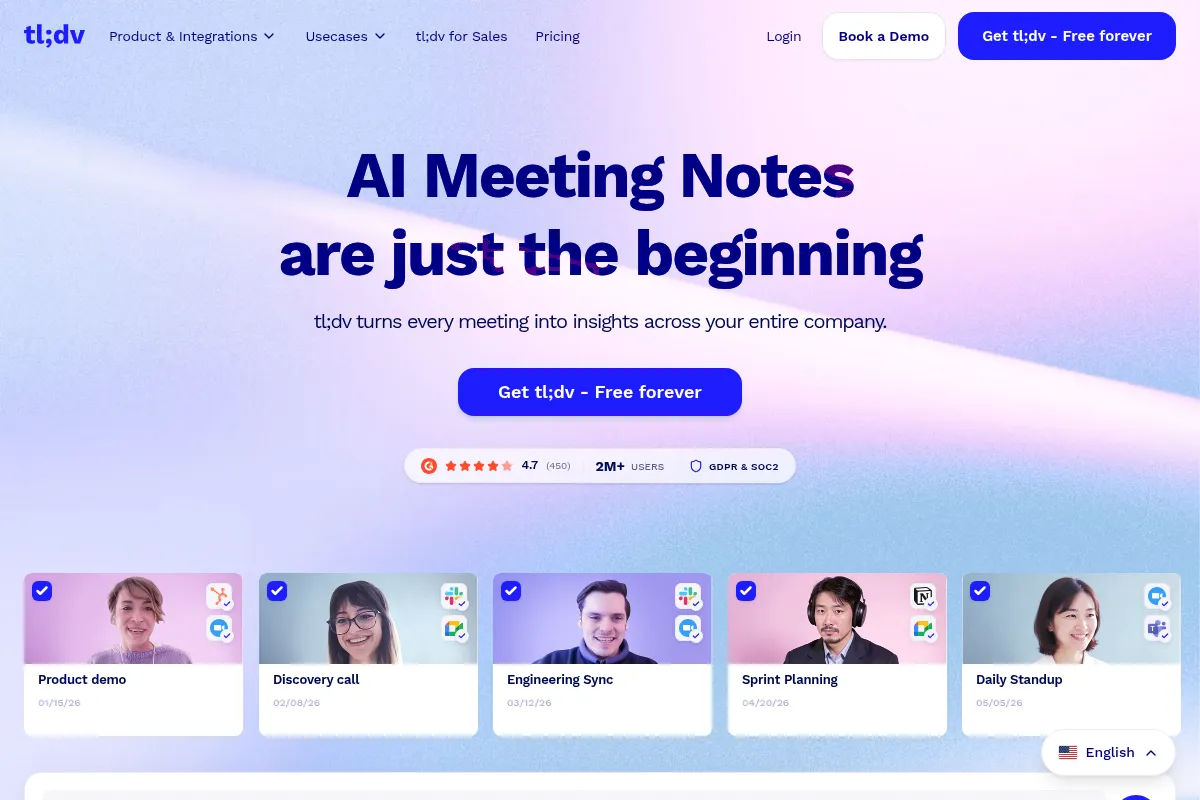
tl;dv is a meeting recorder and summarizer designed to turn video calls into searchable, shareable assets. It focuses on the 'highlight reel' workflow, allowing users to tag moments during or after a call to create instant video clips for distribution.
Official profiles
What it actually does
It records video calls on Zoom, Google Meet, and MS Teams, generating transcripts in over 30 languages. The tool uses AI to summarize discussions into action items and allows users to search their entire meeting library for specific keywords.
What makes it different
Unlike text-centric competitors like Otter, tl;dv is built around the video experience. Its interface makes it significantly faster to create and share timestamped video 'bites' than manual editing, and its free tier is one of the least restrictive in the category.
Ratings across the web

Ratings aggregated from independent review platforms.
Key Features
Live Timestamping
Allows users to mark key moments during the call so they are instantly findable afterward.
AI Meeting Summaries
Condenses hour-long calls into bulleted summaries based on custom or pre-set templates.
Video Reels
Combines multiple clips from different meetings into a single highlight video for stakeholder updates.
Global Search
Finds every instance a specific word, competitor, or feature was mentioned across the entire organization's history.
CRM Integration
Automatically attaches meeting recordings and summaries to the correct contact or deal in HubSpot/Salesforce.
Speaker Identification
Automatically labels different participants in the transcript to provide context for quotes.
Slack Automation
Pushes summaries to specific channels immediately after a call ends.
Pricing
Free
- Unlimited recordings
- Unlimited transcriptions
- 10 AI reports per month
- 3-day Slack/Notion integration
Pro
- Unlimited AI reports
- CRM integrations (HubSpot/Salesforce)
- Download recordings
- 100+ app integrations
Enterprise
- SSO & SAML
- Dedicated Customer Success Manager
- Admin management dashboard
- Custom billing
Pricing checked 5 months ago
Pricing guidance
- When you need to sync meeting data directly to HubSpot or Salesforce.
- When you exceed 10 meetings per month and want AI summaries for all of them.
- When you need to download video files for offline use or external editing.
- The Free plan only keeps Slack/Notion integrations active for 3 days.
- AI summaries are strictly capped at 10 per month on the Free tier.
- Bulk downloading of recordings is restricted to paid tiers.
Aggressive 'freemium' positioning that undercuts established players like Otter and Fireflies on recording volume.
Pros & Cons
Strengths
-
Generous free recording limit
Unlike many rivals, it does not cap the total number of meetings you can record and transcribe on the free plan, making it highly accessible for startups.
-
Superior clipping workflow
The ability to highlight a sentence in the transcript to create a video clip is faster and more intuitive than using a traditional video editor.
-
Strong multi-language support
Transcription accuracy for non-English languages is often cited as more reliable than basic built-in platform tools.
Weaknesses
-
Intrusive bot presence
The recorder joins as a visible participant named 'tl;dv recorder,' which can be distracting or perceived as unprofessional in high-stakes external meetings.
Affects: Sales reps and executives
-
Feature disparity on MS Teams
The Microsoft Teams integration is newer and occasionally lacks the stability or feature depth found in the Google Meet and Zoom versions.
Affects: Enterprise users on the Microsoft stack
-
Transcription accuracy variance
Accuracy can drop significantly with heavy accents or poor microphone quality, necessitating manual corrections for important quotes.
Affects: International teams
Real User Sentiment
Users generally find the tool refreshing and easy to use, though some express frustration with the 'bot' requirement and transcription errors.
Users tend to like
- The 'clip and share' functionality
- The Chrome extension for Google Meet
- The generous free recording allowance
- The clean, modern user interface
Users commonly complain about
- The recorder bot joining the call
- Occasional delays in processing long meetings
- Transcription struggles with technical jargon
Recurring tradeoffs
- You trade the privacy of a 'no-bot' recorder (like Fathom) for a more robust video-clipping suite.
Happiest users
UX researchers who need to present 'voice of the customer' clips to their product teams.
Often frustrated
Users in highly regulated industries where external recording bots are frequently blocked by IT.
Use Cases
UX Research
Clipping specific user pain points from interviews to share with developers.
Sales Handover
Sending a 2-minute highlight reel of a discovery call to the Account Executive.
Recruitment
Sharing interview highlights with hiring managers to speed up candidate screening.
Internal Syncs
Summarizing weekly standups for team members who were absent.
Customer Success
Recording feature requests and bugs to send directly to the product team.
Frequently Asked Questions
Is tl;dv really free for unlimited meetings?
Yes, the free plan allows you to record and transcribe an unlimited number of meetings on Zoom and Google Meet. However, you are limited to only 10 AI-generated summaries per month, and you cannot download the video files or sync them to a CRM without upgrading to the Pro plan ($18/month).
How does tl;dv compare to Otter.ai?
Otter.ai is primarily a transcription and text-note tool, whereas tl;dv is a video-first tool. If you want to read a transcript, Otter is excellent; if you want to create and share video clips of the actual meeting, tl;dv is the better choice. tl;dv also offers a more generous free recording limit than Otter's current 300-minute monthly cap.
Can I use tl;dv without a bot joining my meeting?
No, tl;dv requires a virtual recorder bot to join the call as a participant to capture the audio and video. If you need a tool that records without a visible bot, you might consider Fathom (for Zoom) or native platform recorders, though they often lack tl;dv's advanced clipping features.
Does tl;dv work with Microsoft Teams?
Yes, tl;dv supports Microsoft Teams, but users often report that the experience is more optimized for Google Meet and Zoom. Some features may roll out to the Google Meet extension first before reaching the Teams version.
Is my meeting data secure and private?
tl;dv is GDPR and SOC2 Type II compliant. You can set recording permissions so that only you, your team, or specific invited guests can see the recordings. However, like all AI meeting assistants, the data is processed in the cloud, so it may not be suitable for organizations with the highest level of data sensitivity.
What integrations does tl;dv support?
The Pro plan supports over 100 integrations, including major CRMs like Salesforce, HubSpot, and Pipedrive, as well as collaboration tools like Slack, Notion, Trello, and Monday.com. The free plan only offers a 3-day trial of the Slack and Notion integrations.
Why trust this page?
This evaluation combines product positioning, pricing analysis, traffic and market signals, and public user sentiment into a single decision-support page. Content is generated editorially — not copied from the vendor's website.
Funding & Company
Founded
2020
Stage
Seed
Total Raised
$4.57M
Latest Round
Seed (Jun 2022)
Notable Investors
tl;dv has raised a single Seed round of approximately $4.57 million in mid-2022. This funding, from a mix of European VCs, provides the company with a solid foundation to scale its AI meeting assistant and continue product development.
Market Signals & Traffic
Estimated visits, global rank, geography, traffic sources, monthly visit trends, and organic search keywords (Similarweb)—on a dedicated page built for depth and search.
- Estimated visits
- 1,550,054
- Global rank
- #32,716
- Snapshot
- Apr 2026
- Traffic trend
- Steady
Estimated monthly visits
Alternatives to tl;dv
View all alternativesFireflies.ai
AI Assistant, Productivity, Documentation

AI meeting assistant that records, transcribes, and summarizes calls.
Otter.ai
AI Assistant, Productivity, Documentation
AI-powered transcription and meeting assistant for accurate notes and summaries.
Fathom
Productivity, Video Creation, AI Assistant

AI notetaker that records, transcribes, and summarizes meetings.
Similar Tools
CodeDesign
AI Assistant, Design, Productivity
AI-powered website builder for creating, hosting, and exporting websites without code.
Five9
Communication, Automation & Agents, Productivity

Cloud contact center platform for customer service and sales teams
Physical Intelligence
Automation & Agents, Developer Tools, Research

Universal foundation models for robotic control and physical interaction.
Phind
AI Assistant, Developer Tools

AI-powered search engine for developers, providing instant answers and code snippets.
Fliki
Content Creation, Video Creation

AI-powered text-to-video and text-to-speech creator.
Pyramid Flow
Video Creation, Developer Tools, Content Creation
Generate high-resolution videos from text and image prompts efficiently.