

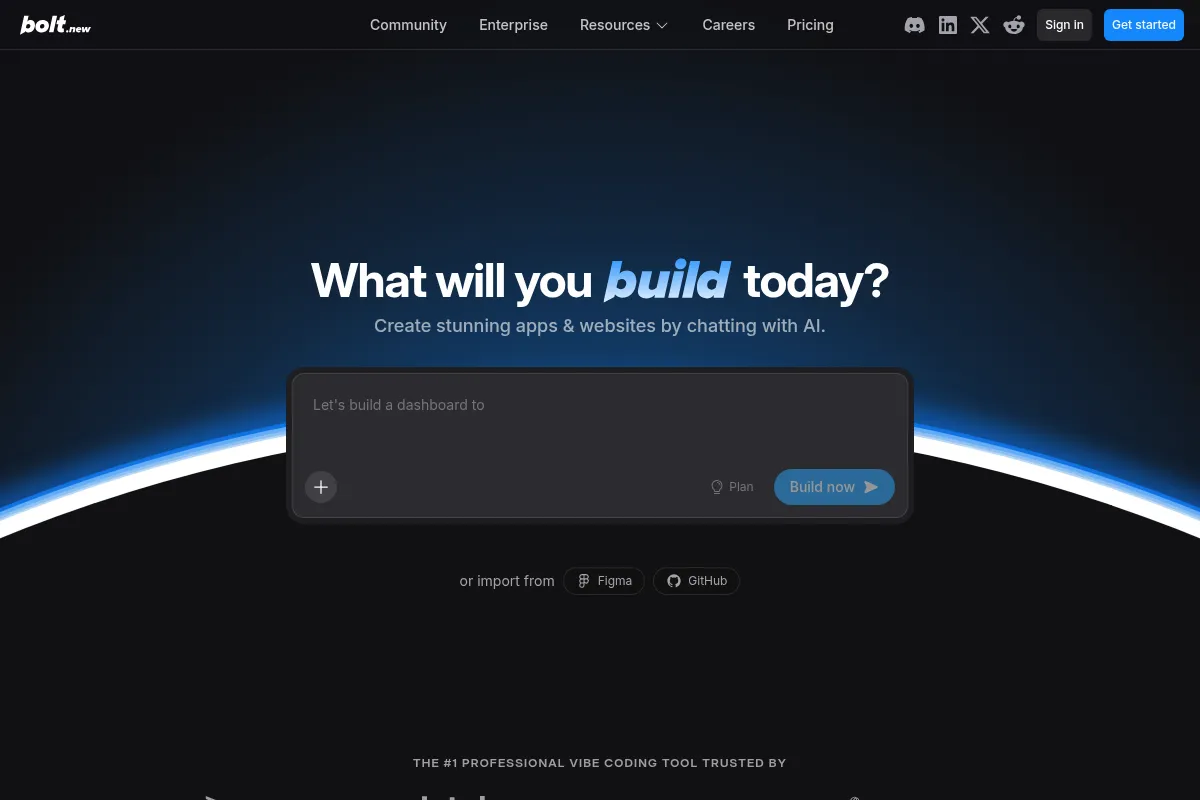
Bolt.new is an AI-powered platform that generates full-stack applications from natural language prompts, best suited for rapid prototyping and validating ideas, but less so for complex production environments.
Excellent for rapid prototyping and idea validation, weaker for complex production applications.
Analysis based on product data, pricing structure, traffic signals, and public user sentiment.
Who Should Use Bolt.new?
Typical users
Product managers, entrepreneurs, marketers, and developers looking to quickly build and test functional prototypes or MVPs. It's also suitable for individuals with limited coding experience who want to bring ideas to life.
Maturity fit
beginner to scaling
Choose this if…
- You need to validate an idea quickly with a functional prototype.
- You want to build an MVP without extensive coding knowledge.
- Your priority is speed of development over deep customization.
- You need to generate boilerplate code for a project.
Skip this if…
- You require highly complex backend logic or intricate integrations.
- Your primary need is a production-ready application with robust scalability and stability.
- You need fine-grained control over every aspect of the development process.
- Your workflow heavily relies on specific, niche programming languages or frameworks not supported.
About Bolt.new
Bolt.new is an AI-driven development platform that transforms natural language prompts into functional, full-stack websites and applications. It aims to accelerate development cycles by automating code generation, testing, and refactoring within a browser-based IDE. The platform is designed for users of all technical backgrounds, from entrepreneurs to experienced developers, to enable rapid prototyping and deployment.
Official profiles
What it actually does
Bolt.new takes natural language descriptions and generates complete, editable code for full-stack web and mobile applications. It provides an in-browser development environment, handles project scaffolding, and offers integrated deployment options.
What makes it different
Bolt.new differentiates itself by integrating advanced AI coding agents directly into a familiar visual interface, running entirely in the browser via StackBlitz's WebContainers technology. This eliminates local setup and allows for instant code execution and preview, aiming to provide a seamless transition from prompt to functional application.
Ratings across the web


Ratings aggregated from independent review platforms.
Key Features
Natural Language Prompt-to-App Generation
Describe your desired application in plain English, and Bolt.new generates the corresponding code, significantly speeding up the initial development phase.
Browser-Native IDE
All development, including code editing, terminal access, and preview, occurs within the browser, eliminating the need for local setup and environment configuration.
Full-Stack Scaffolding
Generates both frontend and backend code, including database schemas and API endpoints, providing a complete application structure from a single prompt.
Integrated Deployment
Offers one-click deployment options, allowing users to publish their applications directly from the platform, often integrating with services like Netlify.
AI Code Enhancer
Refines user prompts to create more detailed and structured specifications, leading to more accurate and comprehensive code generation.
Figma Integration
Allows users to import Figma designs directly into the platform, enabling the generation of code based on visual mockups.
Database Management
Provides built-in database management or integrates with services like Supabase for data storage and backend logic.
Pricing
Free
- 1 million tokens/month
- Daily limit of 300K tokens
- AI-powered app builder
- Live preview
- Instant hosting on a free Bolt URL
- Bolt branding on hosted websites
- 10MB file upload limit
Pro
- 10 million tokens/month
- No daily limit
- Private site sharing
- Custom domains
- SEO boosting
- AI image editing
- Priority support
Teams
- 26 million tokens/month (per member)
- Centralized billing
- Team access management
- Shared design system knowledge
Enterprise
- Custom pricing
- Advanced security (SSO, audit logs)
- Compliance support
- 24/7 priority assistance
Pricing checked 6 months ago
Pricing guidance
- When you consistently exceed the monthly token allowance.
- When you need to use custom domains for your hosted applications.
- When you require priority support for your projects.
- When you need to collaborate with a team and manage access.
- Tokens do not roll over between months on paid plans (though separately purchased reloads may carry over).
- Bolt branding is present on hosted websites in the free tier.
- While mobile app generation is supported, actual app store deployment requires significant external technical expertise.
- Debugging and iterative refinement can consume tokens rapidly, potentially leading to higher-than-expected costs.
Tiered token-based pricing that scales from free for basic exploration to custom enterprise solutions, with mid-tier plans offering a balance of features and cost for individual creators and small teams.
Pros & Cons
Strengths
-
Speed of Prototyping
Bolt.new can generate functional prototypes and MVPs in minutes, drastically reducing the time from idea to a testable product. This is invaluable for validating concepts and iterating quickly.
-
Accessibility for Non-Developers
The natural language prompt system removes significant coding barriers, allowing individuals without extensive technical backgrounds to build functional applications and test ideas.
-
Browser-Based Development
Eliminates the need for local setup, package installations, and environment configurations, making it easy to start building from any browser and ensuring consistent development environments.
-
Full-Stack Generation
Generates both frontend and backend code, along with database structures and API endpoints, providing a comprehensive starting point for applications.
-
Editable Codebase
Unlike some no-code tools, Bolt.new generates actual code that users can inspect, edit, and export, offering more control and flexibility for developers.
Weaknesses
-
Token Consumption and Cost
The token-based pricing model can lead to unexpectedly high costs, especially during debugging, refactoring, or when dealing with complex projects, as AI interactions consume tokens rapidly.
Affects: Users with complex projects or those who frequently iterate and debug.
-
Debugging and Code Quality Limitations
While Bolt.new can detect simple errors, it struggles with complex logic and architectural problems, sometimes leading to buggy code or inefficient AI interactions that consume many tokens without resolution.
Affects: Users building production-ready applications or those encountering non-trivial bugs.
-
Production Readiness Concerns
The platform is better suited for prototyping than for building robust, scalable, and stable production applications, with potential issues in deployment and handling large-scale complexity.
Affects: Teams requiring high reliability, scalability, and performance for live applications.
-
Mobile App Deployment Complexity
While Bolt.new can generate React Native code for mobile apps, the actual deployment process to app stores requires significant technical knowledge beyond the 'no-code' promise.
Affects: Non-technical users aiming for production-ready mobile apps.
-
Limited Backend Logic and Integrations
For highly intricate backend logic or specific third-party integrations beyond those natively supported, users may find Bolt.new's capabilities insufficient.
Affects: Developers needing advanced backend functionality or extensive third-party integrations.
Real User Sentiment
User sentiment is mixed, with strong praise for its rapid prototyping capabilities and ease of use for non-developers, but significant criticism regarding token costs, debugging limitations, and production readiness.
Users tend to like
- Incredible speed for prototyping and MVP development.
- Ease of use for non-technical users to generate functional apps.
- Browser-based IDE eliminating setup friction.
- Full-stack code generation from simple prompts.
- Potential to significantly reduce development time for initial concepts.
Users commonly complain about
- High token consumption leading to unexpected costs, especially during debugging.
- Limitations in handling complex logic, debugging, and code quality.
- Concerns about production readiness and scalability for live applications.
- Frustration with the mobile app deployment process for non-developers.
- Inconsistent AI responses and occasional bugs.
Recurring tradeoffs
- Speed of development vs. code quality and production stability.
- Ease of use for beginners vs. control and depth for experienced developers.
- Low initial cost vs. potentially high token-based costs for complex projects.
Happiest users
Entrepreneurs, marketers, and product managers who need to quickly validate ideas or build functional prototypes without deep coding knowledge.
Often frustrated
Developers expecting a seamless, production-ready experience for complex applications, or non-technical users who underestimate the technical overhead of deploying and maintaining generated code.
Use Cases
Rapidly building and testing MVPs for new product ideas.
Creating functional prototypes for stakeholder presentations.
Generating boilerplate code for web and mobile applications.
Enabling marketers to build campaign landing pages or simple tools without developer assistance.
Allowing designers to translate Figma mockups into interactive web components.
Educating users on application structure and AI-assisted development.
Frequently Asked Questions
What is Bolt.new and how does it work?
Bolt.new is an AI-powered development platform that transforms natural language prompts into functional, full-stack websites and applications. It utilizes AI coding agents within a browser-based IDE to automate tasks like code generation, testing, and refactoring. Users describe their desired application in plain English, and Bolt.new generates the code, allowing for rapid prototyping and deployment without local setup. It's built on StackBlitz's WebContainers technology, enabling Node.js projects to run directly in the browser.
What are the pricing plans for Bolt.new?
Bolt.new offers a tiered, token-based pricing model. The Free plan provides 1 million tokens per month, suitable for small projects or exploration. Paid plans include Pro ($25/month for 10 million tokens), Teams ($30/member/month for 26 million tokens), and custom Enterprise plans. Tokens are consumed based on AI interactions, with larger or more complex projects requiring more tokens.
How does Bolt.new compare to alternatives like Replit or Cursor?
Bolt.new excels at rapid prototyping and generating full-stack applications from prompts, particularly for users with less coding experience, thanks to its browser-native IDE and AI-first approach. Replit offers a more comprehensive cloud IDE with broader language support and is often preferred for collaborative, long-term development and education. Cursor is an AI-integrated IDE that focuses on enhancing the traditional coding workflow for developers, offering features like AI code completion and refactoring within a familiar IDE environment. Bolt.new's strength lies in its prompt-to-application generation, while Replit and Cursor are more developer-centric tools.
What are the limitations of Bolt.new?
Key limitations include the token-based pricing model, which can become expensive during debugging or complex iterations, and potential issues with code quality and debugging for intricate logic. While it generates mobile app code, deploying production-ready native mobile apps requires significant technical expertise beyond the platform's core functionality. It's generally better suited for prototyping and MVPs than for highly scalable, complex production environments.
Can I use Bolt.new for free?
Yes, Bolt.new offers a Free plan that provides 1 million tokens per month with a daily limit of 300,000 tokens. This plan includes access to the AI app builder, live preview, and instant hosting on a free Bolt URL. It's ideal for beginners, students, or those wanting to experiment with the platform for small-scale projects or proof-of-concepts without a financial commitment.
Does Bolt.new support integrations?
Yes, Bolt.new supports various integrations. It integrates with Figma for design-to-code workflows, Expo for mobile application development, and services like Supabase for databases and authentication. Additionally, through partnerships like Pica, it can connect to over 170 third-party tools such as Stripe, Gmail, HubSpot, and Shopify, allowing for seamless integration of external services into generated applications.
Is Bolt.new suitable for building production-ready applications?
Bolt.new is excellent for rapid prototyping, building MVPs, and generating initial code scaffolds. However, for complex, highly scalable, and production-ready applications, users may encounter limitations in debugging, code quality, and handling intricate logic. While it can generate deployable code, ensuring robust performance and stability for live applications might require significant manual intervention or a transition to more traditional development workflows.
What technologies and frameworks does Bolt.new support?
Bolt.new supports a range of modern JavaScript-based web frameworks and technologies. This includes popular options like React, Vue, Next.js, Astro, Svelte, Remix, and Angular. It also supports Node.js for backend development and integrates with technologies like Tailwind CSS. For mobile app development, it leverages React Native and Expo.
Why trust this page?
This evaluation combines product positioning, pricing analysis, traffic and market signals, and public user sentiment into a single decision-support page. Content is generated editorially — not copied from the vendor's website.
Funding & Company
Founded
2018
Stage
Series b
Total Raised
$135.4M
Latest Round
Series B (Jan 2025)
Notable Investors
StackBlitz, the parent company of Bolt.new, has raised a total of $135.4 million, culminating in a significant $105.5 million Series B round in early 2025. This substantial backing from top-tier investors like Greylock, GV, and Emergence Capital signals strong confidence in the company's vision and provides a long runway for product development and scaling.
Market Signals & Traffic
Estimated visits, global rank, geography, traffic sources, monthly visit trends, and organic search keywords (Similarweb)—on a dedicated page built for depth and search.
- Estimated visits
- 3,867,576
- Global rank
- #11,687
- Snapshot
- Apr 2026
- Traffic trend
- Rising
Estimated monthly visits
Alternatives to Bolt.new
View all alternativesWix AI
Design, Content Creation, Productivity

All-in-one website builder with drag-and-drop functionality and AI tools.
Framer AI
Design, Developer Tools, Productivity

No-code website builder for designers and teams.
Replit
Developer Tools, AI Assistant

An AI-powered platform for building and deploying software applications directly from a browser.
Similar Tools
Xoul AI
AI Assistant, Communication, Content Creation

Create unique characters and explore immersive storytelling worlds.
Copy.ai
Content Creation, AI Assistant

AI-powered copywriting and content generation platform.
Genspark
AI Assistant, Automation, Productivity

All-in-one AI workspace for research, content creation, and task automation.
Smartling
Automation, Workflow, Content Creation

Enterprise translation management platform for global content localization.
Zep
Developer Tools, Automation & Agents
Long-term memory and data persistence layer for LLM applications.
Cradle
Research, Health & Wellness

Design and optimize protein sequences for biotechnology and research.