

A privacy-focused inbox utility that excels at bulk-deleting digital clutter and automating newsletter management without selling user data.
Excellent for users needing to reclaim storage and block unwanted senders, weaker for those seeking a full AI-driven email client replacement.
Analysis based on product data, pricing structure, traffic signals, and public user sentiment.
Who Should Use Clean Email?
Typical users
Individuals with bloated personal inboxes (Gmail, iCloud, Outlook) who are hitting storage limits or overwhelmed by marketing mail.
Maturity fit
beginner to scaling
Choose this if…
- Your priority is data privacy over free tools that monetize your inbox history.
- You need to clear gigabytes of old notifications and large attachments quickly.
- You want a 'Screener' to vet new senders before they reach your inbox.
Skip this if…
- You require a native mobile app for your primary email workflow.
- You are looking for a one-time free cleanup tool without a subscription.
- You need deep CRM integrations or professional team collaboration features.
About Clean Email
Clean Email is a web-based inbox organizer designed to manage high-volume mailboxes. It focuses on bulk actions and automated rules to maintain 'Inbox Zero' while adhering to strict GDPR and CCPA privacy standards.
Official profiles
What it actually does
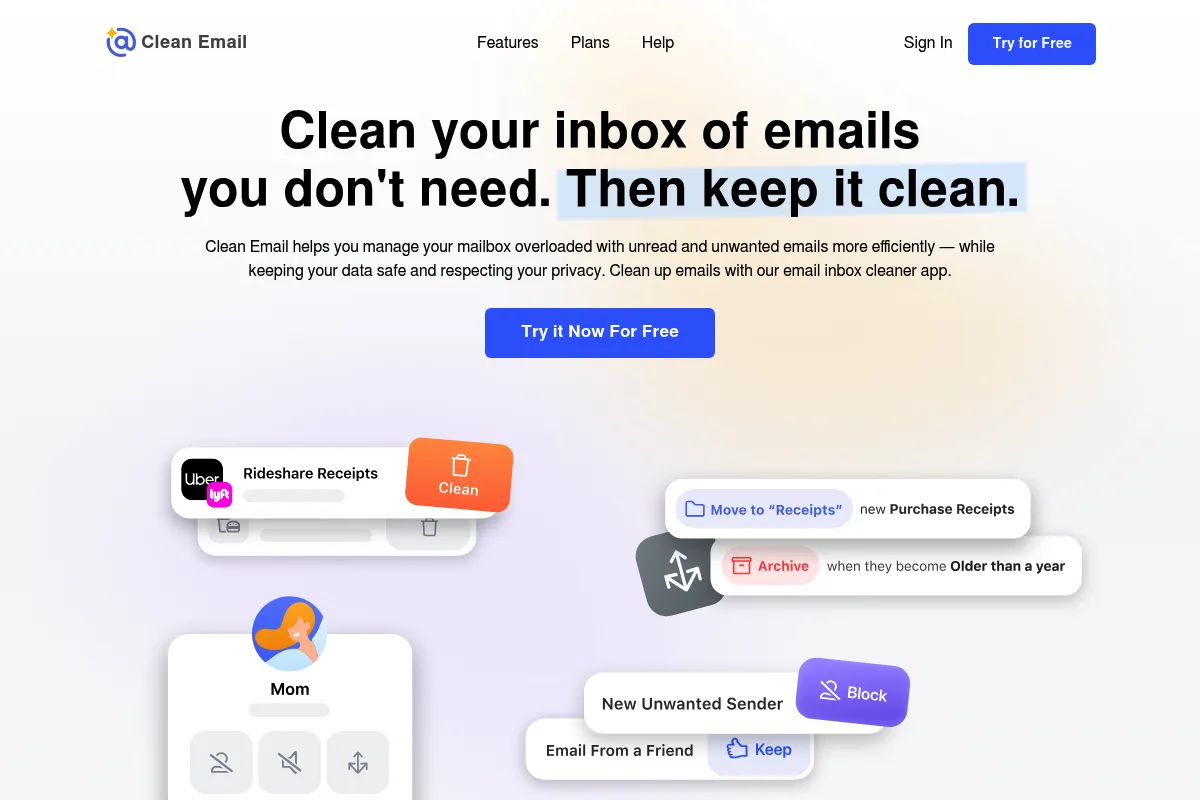
The tool scans email headers to group messages into 'Smart Views' like social notifications or finance statements for rapid processing. It provides a centralized dashboard to unsubscribe from mailing lists, block senders, and set up 'Auto Clean' rules that handle incoming mail automatically.
What makes it different
Unlike free competitors like Unroll.me, Clean Email does not sell user data or 'anonymized' insights to third parties. It operates on a transparent subscription model, prioritizing security through OAuth and a business model that treats the user as the customer rather than the product.
Ratings across the web


Ratings aggregated from independent review platforms.
Key Features
Smart Views
Groups emails by category (e.g., 'Travel,' 'Social') to allow for one-click bulk deletion.
Unsubscriber
Centralizes all active mailing lists in one view to unsubscribe or 'Read Later' without opening individual emails.
Screener
Holds emails from new senders in a separate queue until you manually approve or block them.
Auto Clean
Applies logic-based rules to future emails, such as 'Archive notifications older than 3 days.'
Privacy Guard
Scans for data breaches involving your email address and provides security alerts.
Cleaning Suggestions
Recommends specific bulk actions based on your most frequent senders and storage usage.
Read Later
Moves non-urgent newsletters to a dedicated folder to keep the main inbox clear.
Pricing
Free Trial
- Clean up to 1,000 emails
- Unsubscribe from 25 newsletters
- 14 days of Auto Clean features
1 Account
- All cleaning features
- Unsubscriber and Screener
- Auto Clean automation
- Priority support
1 Account (Annual)
- All cleaning features
- Unsubscriber and Screener
- Auto Clean automation
- Significant discount over monthly
5 Accounts (Annual)
- Manage up to 5 email accounts
- Shared features across all accounts
- Ideal for families or small businesses
Pricing checked 6 months ago
Pricing guidance
- When you hit the 1,000-email cleaning limit
- When you want to use the Screener for new senders
- When you need to manage multiple accounts (e.g., Gmail and Outlook) in one place
- The 'Free' version locks most automation features after 14 days.
- Some advanced filtering is only available on the paid tiers.
Premium utility pricing justified by the privacy guarantee and lack of data monetization.
Pros & Cons
Strengths
-
Privacy-first business model
The tool does not sell user data, making it a safer alternative for users concerned about their digital footprint.
-
Efficient storage recovery
Quickly identifies and deletes thousands of old notifications and large files to avoid paying for extra cloud storage.
-
Cross-platform consistency
Works via web browser on any provider (Gmail, Outlook, Yahoo, IMAP) without requiring a specific desktop app.
-
Granular automation
Auto Clean rules allow for specific logic like 'Keep only the newest email from this sender,' which reduces manual triage.
Weaknesses
-
Subscription fatigue
The recurring monthly fee is high for a utility that many users only need for a one-time cleanup.
Affects: Budget-conscious individuals
-
No native mobile app
While the web interface is responsive, the lack of a dedicated iOS or Android app makes on-the-go management less fluid.
Affects: Mobile-first users
-
Initial sync latency
Large mailboxes with over 50,000 emails can take significant time to index before the first cleanup can begin.
Affects: Users with extremely bloated accounts
Real User Sentiment
Generally positive, with users praising the interface and privacy policy while criticizing the subscription-only model.
Users tend to like
- The 'Screener' feature for blocking new spam
- Transparent privacy policy and no data selling
- Ease of bulk-deleting years of old emails
- Clean, intuitive web interface
Users commonly complain about
- High monthly cost for a utility tool
- Lack of a native mobile app
- Slow indexing for very large accounts
Recurring tradeoffs
- Paying a recurring fee for a service that was historically 'free' (at the cost of privacy).
Happiest users
Privacy-conscious individuals with massive storage issues in Gmail or iCloud.
Often frustrated
Users looking for a one-time free fix or those who prefer a native app experience.
Use Cases
Storage Recovery
Deleting 5GB+ of old newsletters to avoid paying for extra Google One or iCloud storage.
Inbox Zero Maintenance
Using Auto Clean to archive social media notifications the moment they arrive.
Spam Reduction
Using the Screener to block all new senders until they are manually vetted.
Newsletter Management
Unsubscribing from 100+ marketing lists in a single session.
Multi-Account Triage
Managing personal, work, and side-project inboxes from a single dashboard.
Frequently Asked Questions
Is Clean Email safe to use?
Yes. Clean Email uses OAuth2 for authentication, meaning it never sees your password. It is GDPR and CCPA compliant and explicitly states in its privacy policy that it does not read, sell, or monetize your email data.
How does Clean Email compare to Unroll.me?
Clean Email is a paid service that protects your privacy, whereas Unroll.me is free but has historically monetized user data by selling 'anonymized' insights to third parties. Clean Email also offers more advanced automation like the Screener and Auto Clean rules.
Can I use Clean Email for free?
There is a limited free trial that allows you to clean up to 1,000 emails and unsubscribe from 25 newsletters. To perform a full cleanup of a large inbox or use ongoing automation, you must purchase a subscription.
Does it work with Outlook and Yahoo?
Yes. Clean Email supports all major providers including Gmail, Outlook, Yahoo, iCloud, and any provider that supports the IMAP protocol.
Can it help me find and delete large attachments?
Yes. One of the Smart Views specifically filters for emails with large attachments, allowing you to delete them in bulk to free up account storage space.
Is there a mobile app available?
Currently, Clean Email does not have a native iOS or Android app. It is accessed via a mobile-responsive web interface that works in any smartphone browser.
Why trust this page?
This evaluation combines product positioning, pricing analysis, traffic and market signals, and public user sentiment into a single decision-support page. Content is generated editorially — not copied from the vendor's website.
Funding & Company
Founded
2014
Stage
Bootstrapped
Total Raised
Bootstrapped
Latest Round
—
Clean Email is a bootstrapped company that has been self-funded since its founding in 2014. Its stability and longevity are derived directly from its subscription-based revenue model, indicating a sustainable business focused on product value rather than venture-backed growth.
Market Signals & Traffic
Estimated visits, global rank, geography, traffic sources, monthly visit trends, and organic search keywords (Similarweb)—on a dedicated page built for depth and search.
- Estimated visits
- 590,564
- Global rank
- #65,096
- Snapshot
- Apr 2026
- Traffic trend
- Cooling
Estimated monthly visits
Similar Tools
Setmore
Productivity, Automation, Communication

Online appointment scheduling and booking management for businesses.
SendOwl
Automation, Marketing Automation, Productivity

Sell and deliver digital products, subscriptions, and memberships online.
Ruh
Automation & Agents, AI Assistant, Productivity

Operating system for building and deploying digital employees and workflows.
AdMove
Marketing Automation, Content Creation, E-commerce

Automated platform for generating ad creatives and managing campaigns.
Merlin
AI Assistant, Content Creation

An AI-powered assistant to research, write, and summarize content across the web.
ThinkAny
AI Assistant, Productivity, Content Creation

AI-powered search engine for direct, synthesized, and sourced answers.