

Explainpaper
A focused academic reading assistant that prioritizes in-line comprehension through highlighting—best for students decoding jargon, but less robust for systematic literature reviews than dedicated research engines.
Excellent for undergraduates and researchers tackling dense technical prose, weaker for high-volume data extraction or multi-document synthesis.
Analysis based on product data, pricing structure, traffic signals, and public user sentiment.
Who Should Use Explainpaper?
Typical users
Undergraduate and graduate students, or professionals reading technical literature outside their primary field of expertise.
Maturity fit
beginner to scaling
Choose this if…
- Your primary goal is understanding specific technical passages rather than just summarizing a whole document.
- You want a reading-first interface where you can highlight text for instant clarification.
- You use Zotero and want to import your existing library for analysis.
Skip this if…
- You need to analyze dozens of papers simultaneously for a systematic review.
- Your workflow requires extracting structured data into spreadsheets or citation managers.
- You primarily work with non-PDF formats like ePub or Word documents.
About Explainpaper
Explainpaper is a specialized PDF reader that uses large language models to simplify complex academic text. It was built to lower the barrier to entry for scholarly literature by providing a conversational layer over static documents.
Official profiles
What it actually does
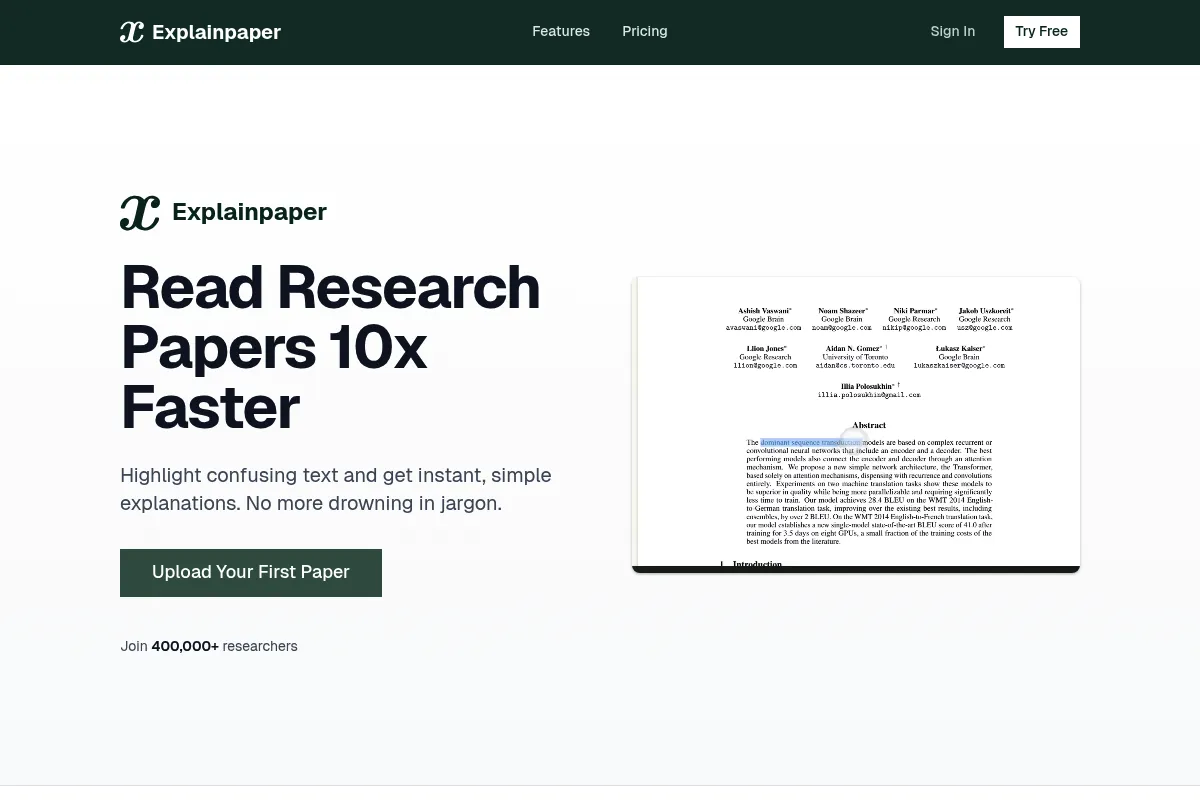
Users upload academic PDFs and interact with the text by highlighting confusing sentences or paragraphs. The tool provides simplified explanations in plain language and allows for follow-up questions to clarify technical concepts or methodologies.
What makes it different
Unlike general 'Chat with PDF' tools that focus on search-and-retrieval, Explainpaper is built for the active reading process. Its core mechanic—highlighting specific text for an instant explanation—mimics a tutor-led reading session rather than a standard chatbot interface.
Key Features
Highlight-to-Explain
Provides instant, plain-language definitions of technical jargon directly next to the source text.
Zotero Integration
Syncs your existing research library to avoid manual re-uploads.
Math Explain
Utilizes specialized prompts to break down complex equations and variables into conceptual steps.
Paper Summaries
Generates high-level overviews of findings, methodology, and conclusions to speed up screening.
Follow-up Chat
Enables a continuous dialogue with the paper to probe specific claims or data points.
Saved Highlights
Stores all your interactions in a central dashboard for later review and study.
Pricing
Free
- Unlimited highlight explanations
- Basic follow-up questions
- Zotero library import
- Access to basic AI models
Pro
- Advanced AI models (GPT-4o)
- Math formula and figure explanation
- Full-paper summaries
- Save highlights and explanations
- Chat with the entire paper
Teams
- Everything in Pro
- Team management tools
- Priority support
- Volume discounts
Pricing checked 4 months ago
Pricing guidance
- When you need to understand complex math formulas
- When you require the higher reasoning accuracy of GPT-4o
- When you want to save your highlights for long-term study
- Free plan uses 'basic' models which are more prone to errors in technical fields
- No mobile app available; optimized for desktop browsers only
Mid-market pricing that is competitive with tools like SciSpace and Humata, though slightly more expensive than basic PDF chat wrappers.
Pros & Cons
Strengths
-
Intuitive reading-centric workflow
The interface keeps the focus on the document, making it feel like a natural extension of reading rather than a separate search task.
-
Strong jargon simplification
Effectively translates dense academic 'gatekeeping' language into concepts accessible to non-experts or junior students.
-
Zotero sync saves significant time
Directly importing libraries reduces the friction of moving between a reference manager and a reading tool.
Weaknesses
-
Free tier is highly restrictive
Essential features like summarization and advanced AI models are locked behind a subscription, making the free version a basic 'taster' only.
Affects: Budget-conscious students
-
Occasional AI hallucinations
Like all LLM tools, it can confidently misinterpret complex data or attribute findings incorrectly, requiring users to verify the output against the text.
Affects: Researchers requiring high precision
-
PDF-only limitation
Does not support Word, ePub, or web-based articles, forcing users to convert files before they can use the tool.
Affects: Users reading diverse source materials
Real User Sentiment
Generally positive, with users praising its ability to 'ELI5' (Explain Like I'm 5) difficult concepts, though some frustration exists regarding the free tier's limits.
Users tend to like
- The 'highlight to explain' mechanic
- Ease of use for non-technical readers
- Zotero integration
- Clean, minimalist interface
Users commonly complain about
- Hallucinations on specific data points
- Lack of a dedicated mobile application
- Free tier feels too limited for actual research
Recurring tradeoffs
- Users trade deep systematic review features for a better individual paper reading experience.
Happiest users
Undergraduates or professionals reading outside their expertise who need quick, plain-language translations of jargon.
Often frustrated
Power users who need to synthesize 50+ papers at once or those who require 100% hallucination-free data extraction.
Use Cases
Undergraduate Study
Simplifying dense textbook chapters or assigned research papers.
Interdisciplinary Research
Grasping the core concepts of a paper in a field you aren't trained in.
Literature Review
Quickly screening papers by generating summaries and asking targeted questions about methodology.
Technical Onboarding
Helping new engineers or scientists understand internal whitepapers or industry standards.
Journalism
Breaking down complex scientific findings for public-facing reporting.
Frequently Asked Questions
Is Explainpaper free?
Yes, there is a free plan that offers unlimited highlight explanations and follow-up questions using basic AI models. However, advanced features like full-paper summaries and math explanations require a Pro subscription starting at $16/month.
How does Explainpaper compare to ChatPDF?
ChatPDF is a general-purpose tool for querying any PDF. Explainpaper is specifically designed for academic reading, offering a highlight-first workflow and specialized features like math explanation and Zotero integration that ChatPDF lacks.
Can it explain math formulas?
Yes, but only on the Pro plan. The 'Math Explain' feature is specifically tuned to break down variables and the logic behind complex equations found in STEM papers.
Does it support languages other than English?
While the interface is primarily English, the underlying AI models can often explain and discuss papers in multiple languages, though accuracy is highest with English-language academic text.
Can I use it on my phone?
Explainpaper is a web-based tool optimized for desktop browsers. There is currently no dedicated iOS or Android app, and the highlighting interface can be difficult to use on small touchscreens.
Does it cite its sources?
Explainpaper answers based on the uploaded document, but it does not always provide specific page or line citations in its chat responses like some competitors (e.g., SciSpace or ChatDOC) do.
Why trust this page?
This evaluation combines product positioning, pricing analysis, traffic and market signals, and public user sentiment into a single decision-support page. Content is generated editorially — not copied from the vendor's website.
Company
Founded
2022
Stage
Pre seed
HQ
San Francisco, CA
Explainpaper's funding status is not publicly disclosed. The company, founded in 2022, appears to be in its early stages, operating with a small team and potentially self-funded or having raised a small, unannounced pre-seed round.
Market Signals & Traffic
Estimated visits, global rank, geography, traffic sources, monthly visit trends, and organic search keywords (Similarweb)—on a dedicated page built for depth and search.
- Estimated visits
- 0
- Global rank
- —
- Snapshot
- May 2026
- Traffic trend
- —
Alternatives to Explainpaper
View all alternatives
Similar Tools
Frase
Content Creation, Productivity

AI-powered platform for content research, writing, and SEO optimization.
Qwant
Search, Privacy & Compliance, AI Assistant

Privacy-focused search engine that protects user data and anonymity.
Outlit
Automation, Productivity, Workflow

Automated contract review and negotiation platform for legal teams
Morphic
AI Assistant, Productivity, Developer Tools

Open-source search engine providing real-time answers with source citations.
WriterZen
Content Creation, SEO, Productivity

AI-powered SEO content platform for research, writing, and optimization.
Ironclad
Workflow, Privacy & Compliance, Automation

Digital contracting platform for managing and automating legal workflows.