

A meeting management layer that forces structure onto calendars through shared agendas and automated summaries—best for managers, less essential for individual contributors.
Excellent for teams needing accountability and structured agendas, weaker for those just looking for simple transcription.
Analysis based on product data, pricing structure, traffic signals, and public user sentiment.
Who Should Use Fellow?
Typical users
Managers, department heads, and project leads in scaling companies (50–500 employees) who oversee multiple recurring syncs.
Maturity fit
scaling
Choose this if…
- Your priority is meeting preparation and agenda-setting over just recording audio.
- You want action items to automatically sync with project management tools like Jira or Linear.
- You need a centralized place for 1-on-1 talking points and career development tracking.
Skip this if…
- You only need a basic transcript and don't care about pre-meeting agendas.
- Your team is small enough that a shared Google Doc provides sufficient organization.
- You want a tool that primarily focuses on sales coaching and revenue intelligence.
About Fellow
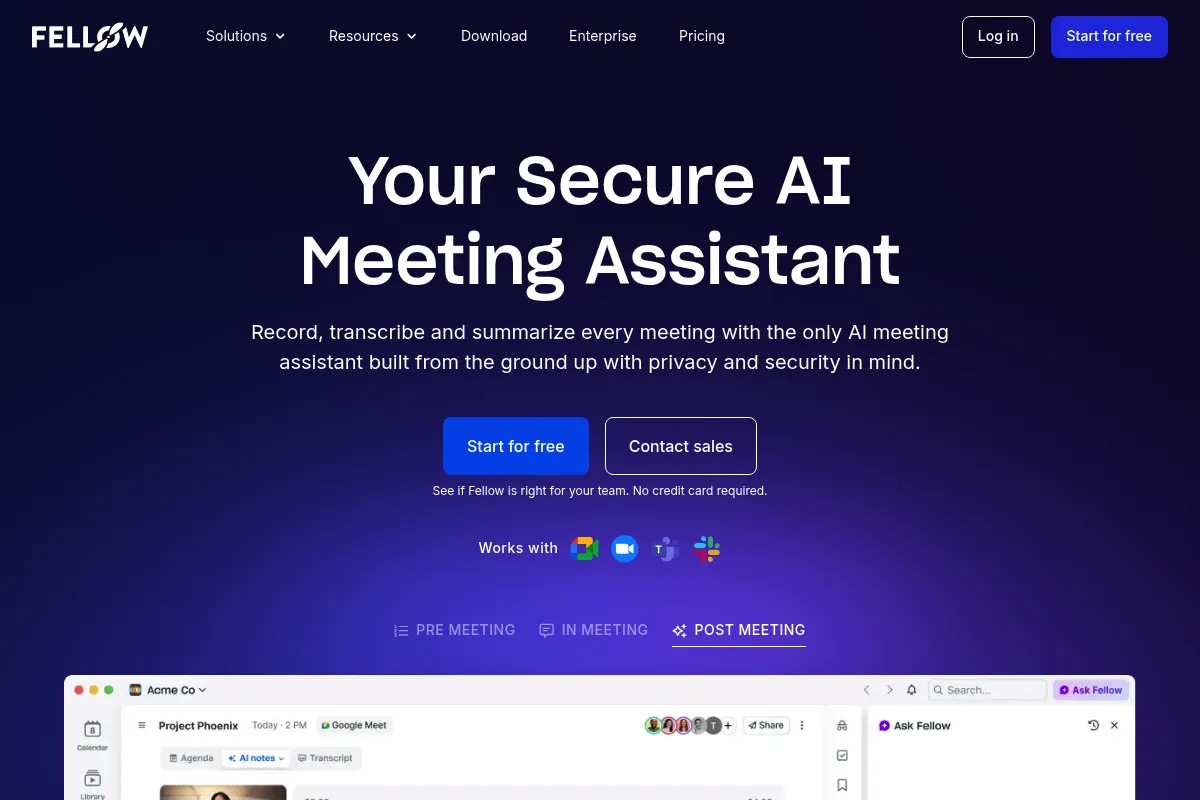
Fellow is a meeting productivity tool designed to eliminate aimless conversations by mandating shared agendas and tracked outcomes. It sits between your calendar and your task manager to ensure every meeting has a documented purpose and clear next steps.
Official profiles
What it actually does
It connects to Google or Outlook calendars to attach collaborative note-taking docs to every invite. The tool records audio, generates AI-powered summaries, and pushes assigned tasks directly into third-party project management software.
What makes it different
Unlike AI recorders that focus on post-meeting analysis, Fellow emphasizes the pre-meeting phase. Its architecture is built around the 'meeting series' concept, allowing users to see a historical thread of notes and decisions for recurring syncs rather than isolated files.
Ratings across the web

Ratings aggregated from independent review platforms.
Key Features
AI Meeting Copilot
Records and summarizes calls across Zoom, Google Meet, and MS Teams.
Action Item Sync
Automatically pushes tasks to Jira, Asana, Linear, or Monday.com.
Recurring Meeting History
Keeps all notes for a specific invite series in one continuous scroll.
Meeting Guidelines
Prompts users to add agendas or cancel meetings without enough participants.
1-on-1 Templates
Provides structured prompts for career growth and performance reviews.
Browser Extension
Allows users to view and edit agendas directly inside the video call interface.
Pricing
Free
- Up to 10 users
- Unlimited notes and agendas
- Basic integrations (Slack, MS Teams)
- Meeting templates
Pro
- Everything in Free
- AI Meeting Copilot (limited)
- Action item syncing
- Version history
Business
- Everything in Pro
- Full AI Meeting Copilot
- CRM integrations (Salesforce, HubSpot)
- OKRs and Goal tracking
Enterprise
- Single Sign-On (SSO)
- Custom data retention policies
- Dedicated Success Manager
Pricing checked 5 months ago
Pricing guidance
- When the team exceeds 10 members
- When you need to sync tasks to a project management tool like Jira
- When you want automated AI summaries of every call
- AI recording minutes may be capped depending on the specific billing cycle
- Advanced CRM integrations are locked behind the Business tier
Competitive pricing that sits between low-cost note-takers and expensive enterprise-only solutions.
Pros & Cons
Strengths
-
Strong calendar-to-task workflow
It bridges the gap between a calendar event and a task manager, ensuring that 'we should do X' actually becomes a ticket in Jira.
-
Centralized 1-on-1 documentation
It provides a consistent history for manager-employee relations, which is invaluable during annual performance reviews.
-
Pre-meeting accountability
The tool can automatically nudge participants to add items to the agenda before the meeting starts, reducing wasted time.
Weaknesses
-
UI can feel cluttered
The interface packs a lot of features into a small space, which can be overwhelming for users who just want to take simple notes.
Affects: New users and non-technical staff
-
AI transcription is a secondary focus
While functional, the transcription accuracy and speaker identification often lag behind specialized tools like Otter.ai.
Affects: Teams relying heavily on verbatim records
-
Requires total team buy-in
The tool loses most of its value if only the manager uses it; it requires everyone to adopt the 'agenda-first' habit.
Affects: Large, fragmented organizations
Real User Sentiment
Generally positive, with users praising the organizational benefits while occasionally grumbling about the learning curve.
Users tend to like
- Continuous note history for recurring meetings
- Integration with Slack for meeting reminders
- The library of expert-vetted agenda templates
Users commonly complain about
- The mobile app experience is inferior to the desktop version
- Notification fatigue if not configured correctly
- Occasional lag when multiple people edit a note simultaneously
Recurring tradeoffs
- You trade simplicity for structure; it is more rigid than a blank Notion page but more organized.
Happiest users
Managers who run many 1-on-1s and need to track long-term employee progress.
Often frustrated
Individual contributors who feel the tool adds another layer of 'admin work' to their day.
Use Cases
Engineering Managers
Running structured sprint retrospectives and syncing blockers to Jira.
HR Teams
Standardizing the 1-on-1 experience across the entire company.
Project Managers
Ensuring every stakeholder meeting ends with assigned, tracked tasks.
Executive Assistants
Managing agendas for leadership teams and board meetings.
Sales Teams
Recording discovery calls and syncing notes directly to Salesforce.
Frequently Asked Questions
How does Fellow compare to Otter.ai?
Otter.ai is primarily a transcription and dictation tool. Fellow is a meeting management tool. While Fellow now includes AI transcription, its core value is in the collaborative agenda and the integration with task managers, whereas Otter focuses on high-accuracy text records.
Does Fellow work with Microsoft Teams?
Yes, Fellow has a native integration with Microsoft Teams, allowing you to open your agendas and take notes directly within the Teams video call interface.
Is there a limit on the number of meetings in the Free plan?
No, the Free plan allows for unlimited meetings and notes, but it restricts the number of users to 10 and excludes advanced features like AI summaries and CRM syncing.
Can I use Fellow for external meetings with clients?
Yes, you can share a read-only or editable link to the agenda with external guests, even if they do not have a Fellow account.
What happens to my notes if I stop paying?
Your data remains accessible, but you will lose access to premium features like AI summaries and advanced integrations. You can export your notes as PDF or Markdown files.
Does Fellow support OKR tracking?
Yes, the Business and Enterprise plans allow you to link meeting talking points directly to company or team OKRs to ensure meetings stay aligned with high-level goals.
Why trust this page?
This evaluation combines product positioning, pricing analysis, traffic and market signals, and public user sentiment into a single decision-support page. Content is generated editorially — not copied from the vendor's website.
Funding & Company
Founded
2017
Stage
Series a
Total Raised
$30.5M
Latest Round
Series A (Oct 2021)
Notable Investors
Fellow has raised a total of $30.5 million over two rounds, including a $24 million Series A in late 2021 led by Craft Ventures. This funding has been used to scale its meeting productivity platform to capitalize on the growth of remote and hybrid work.
Market Signals & Traffic
Estimated visits, global rank, geography, traffic sources, monthly visit trends, and organic search keywords (Similarweb)—on a dedicated page built for depth and search.
- Estimated visits
- 187,216
- Global rank
- #259,930
- Snapshot
- May 2026
- Traffic trend
- Cooling
Estimated monthly visits
Alternatives to Fellow
View all alternativesFireflies.ai
AI Assistant, Productivity, Documentation
AI meeting assistant that records, transcribes, and summarizes calls.
Otter.ai
AI Assistant, Productivity, Documentation
AI-powered transcription and meeting assistant for accurate notes and summaries.
Fathom
Productivity, Video Creation, AI Assistant

AI notetaker that records, transcribes, and summarizes meetings.
Similar Tools
Kissflow
Automation, Workflow, Productivity

Low-code platform for workflow automation and business process management.
Supernormal
Productivity, AI Assistant
AI-powered meeting assistant for transcription, summarization, and action items.
Ai Pin
AI Assistant, Communication, Productivity

Wearable screenless device for voice and gesture-based digital interaction.
Moises
Content Creation, Productivity

Isolate vocals and instruments from any song for musical practice.
Explainpaper
Research, Education, AI Assistant

Simplify and explain complex academic papers through interactive highlighting.
RemNote
Productivity, Research, Documentation

Note-taking platform with integrated flashcards and PDF annotation tools.