

A dedicated low-fidelity wireframing tool that forces teams to focus on structure and flow rather than aesthetics—excellent for rapid ideation but lacks a path to high-fidelity design.
Best for product managers and developers who need to communicate layout ideas quickly without the complexity of modern design suites.
Analysis based on product data, pricing structure, traffic signals, and public user sentiment.
Who Should Use Balsamiq?
Typical users
Product managers, developers, and non-designers who need to sketch UI concepts without learning professional design software.
Maturity fit
beginner to scaling
Choose this if…
- Your priority is speed over visual polish.
- You want to prevent stakeholders from giving feedback on colors and fonts too early.
- You need a tool with a near-zero learning curve for non-designers.
- You want to create clickable prototypes that clearly look like drafts.
Skip this if…
- You need to create high-fidelity designs or production-ready assets.
- Your workflow requires a direct handoff of CSS or design tokens to developers.
- You want a free-forever cloud-based tool for small projects.
About Balsamiq
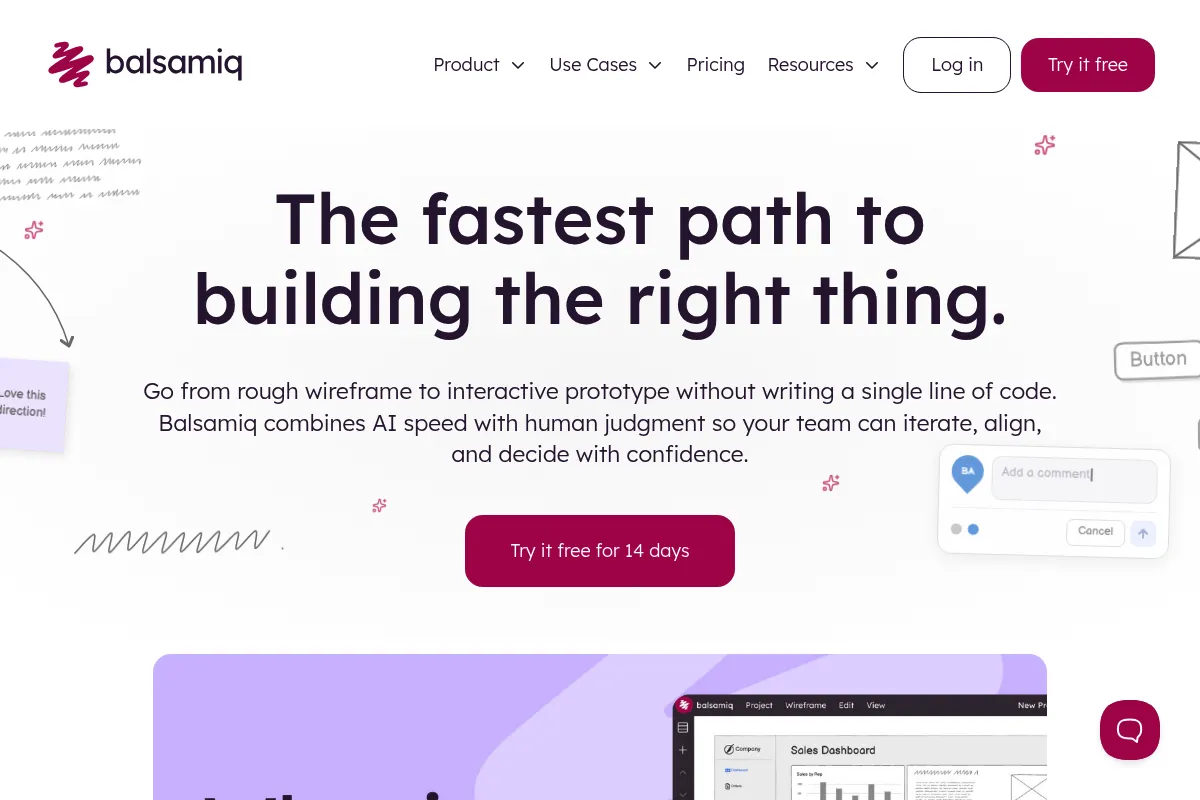
Balsamiq is a rapid wireframing tool designed to mimic the experience of sketching on a whiteboard. It prioritizes structural clarity and usability over visual aesthetics to keep teams focused on functionality during the early stages of product development.
Official profiles
What it actually does
It provides a drag-and-drop interface with a library of pre-made UI components that look hand-drawn. Users can build static wireframes or basic clickable prototypes to map out web and mobile application flows.
What makes it different
Balsamiq intentionally limits design choices. By using a 'sketch' skin, it signals to stakeholders that the work is unfinished, which effectively redirects feedback toward layout and logic rather than visual details like branding or pixel alignment.
Ratings across the web


Ratings aggregated from independent review platforms.
Key Features
Quick Add
Type a component name to instantly drop it onto the canvas without browsing menus.
Sketch Skin
A hand-drawn aesthetic that prevents premature focus on visual design details.
UI Library
Hundreds of built-in icons and controls for web, iOS, and Android interfaces.
Linking
Connect wireframes to create simple, interactive click-through prototypes.
Symbols
Create reusable groups of elements to maintain consistency across multiple screens.
Alternates
Create and switch between different versions of the same design within a single file.
Offline Mode
The Desktop version allows for local work without an internet connection.
Pricing
2 Projects
- Unlimited users
- All features included
- Balsamiq Cloud access
20 Projects
- Unlimited users
- All features included
- Best for small teams
200 Projects
- Unlimited users
- All features included
- Best for large organizations
Balsamiq for Desktop
- Single user license
- Offline use
- Local file storage
Pricing checked 6 months ago
Pricing guidance
- When you exceed the 2-project limit on the entry-level Cloud plan.
- When you need to move from local files to team collaboration.
- When you need to integrate wireframes directly into Jira or Confluence.
- Project limits on Cloud are hard caps; you must archive or delete projects to stay within your tier.
- The Desktop license is per-user, not per-machine.
Mid-range pricing that favors team collaboration on the Cloud and solo longevity on the Desktop.
Pros & Cons
Strengths
-
Extremely fast ideation
The Quick Add feature and pre-built components allow a user to map out a complex screen in minutes rather than hours.
-
Lowers the barrier for non-designers
Product managers and developers can contribute to the design process without needing to master professional tools like Figma.
-
Focuses feedback on functionality
The intentional low-fidelity look stops stakeholders from nitpicking colors or fonts, keeping the conversation on user experience and logic.
-
One-time purchase option
Unlike most modern SaaS tools, Balsamiq still offers a perpetual license for its desktop version, which is cost-effective for long-term solo use.
Weaknesses
-
No path to high-fidelity
There is no way to convert Balsamiq wireframes into high-fidelity designs; you must rebuild everything from scratch in another tool.
Affects: Designers moving from ideation to production
-
Project-based pricing on Cloud
The Cloud version charges based on the number of active projects rather than users, which can become expensive for agencies managing many small clients.
Affects: Agencies and freelancers
-
Limited interactivity
Prototyping is restricted to basic page linking; you cannot simulate complex animations, hover states, or data inputs.
Affects: Teams testing advanced user interactions
Real User Sentiment
Users generally appreciate Balsamiq for its simplicity and the 'sketchy' aesthetic that clarifies the purpose of a wireframe.
Users tend to like
- Speed of the Quick Add tool
- The intentional lack of polish
- Ease of use for non-designers
- Stability of the desktop application
Users commonly complain about
- Lack of a free-tier for small projects
- The UI feels dated compared to modern web apps
- Difficulty in justifying the cost alongside a Figma subscription
Recurring tradeoffs
- You trade visual fidelity and advanced prototyping for extreme speed and stakeholder focus.
Happiest users
Product managers who need to quickly explain a concept to a developer without a meeting.
Often frustrated
UI designers who want to refine their wireframes into finished products within the same tool.
Use Cases
Early-stage brainstorming
Quickly sketching multiple UI layouts during a discovery meeting.
Developer documentation
Including simple wireframes in Jira tickets to clarify requirements.
User flow testing
Creating basic click-through prototypes to validate navigation logic with users.
Client presentations
Showing 'unfinished' work to clients to ensure they focus on the flow, not the colors.
Internal tool design
Mapping out simple admin dashboards where aesthetics are secondary to utility.
Frequently Asked Questions
Does Balsamiq have a free version?
No, Balsamiq does not offer a permanent free version. They provide a fully functional 30-day trial for all their products (Cloud, Desktop, and Integrations). After the trial, you must subscribe to a plan or purchase a license to continue editing.
Balsamiq vs. Figma: Which should I choose?
Choose Balsamiq if you are a non-designer who needs to create fast, low-fidelity sketches and want to avoid the complexity of a professional design tool. Choose Figma if you need to create high-fidelity designs, advanced prototypes, or want a tool that handles the entire design process from sketch to developer handoff.
Can I use Balsamiq offline?
Yes, but only if you purchase the Balsamiq for Desktop version ($89 one-time). The Balsamiq Cloud version is web-based and requires an internet connection to access and edit your projects.
Does Balsamiq integrate with Jira or Confluence?
Yes, Balsamiq offers dedicated integrations for both Jira and Confluence. These are sold separately through the Atlassian Marketplace and are priced based on the number of users in your Atlassian instance.
Can I export Balsamiq wireframes to Figma?
There is no native 'export to Figma' button. You can export your wireframes as PNGs or PDFs and bring them into Figma as images, but you cannot currently export them as editable Figma layers. You will need to rebuild the designs in Figma.
What are the limitations of the Balsamiq Cloud entry plan?
The entry-level Cloud plan costs $9/month and is limited to exactly 2 active projects. While it allows for unlimited users and all features, the project cap is the primary restriction that forces users to upgrade to the $49/month tier.
Why trust this page?
This evaluation combines product positioning, pricing analysis, traffic and market signals, and public user sentiment into a single decision-support page. Content is generated editorially — not copied from the vendor's website.
Funding & Company
Founded
2008
Stage
Bootstrapped
Total Raised
Bootstrapped
Latest Round
—
Balsamiq is a proudly bootstrapped and profitable company that has never raised external funding. [5, 11] It has operated sustainably since 2008 by focusing on revenue from its self-serve SaaS product, ensuring long-term stability without reliance on venture capital.
Market Signals & Traffic
Estimated visits, global rank, geography, traffic sources, monthly visit trends, and organic search keywords (Similarweb)—on a dedicated page built for depth and search.
- Estimated visits
- 255,398
- Global rank
- #197,264
- Snapshot
- Apr 2026
- Traffic trend
- Steady
Estimated monthly visits
Alternatives to Balsamiq
View all alternativesFigma AI
Developer Tools, Content Creation
Collaborative interface design and prototyping tool for digital products.
Whimsical
Design, Documentation, Productivity

Collaborative workspace for flowcharts, wireframes, mind maps, and documentation.
Similar Tools
ArkoAI
Design, Productivity

Photorealistic rendering for architectural 3D models.
Khroma
Design, Content Creation

AI-powered color palette generator that learns your preferences.
World Labs
Content Creation, Developer Tools, Gaming

Spatial intelligence models for understanding and interacting with 3D environments.
Color Hunt
Design, Content Creation

Curated collection of trendy color palettes for designers and artists.
You.ai
Automation & Agents, Developer Tools, Workflow

No-code platform for building and deploying custom AI agents.
Creately
Design, Productivity, Workflow

Visual collaboration platform for diagramming and workflow management.