
Color Hunt
A minimalist, community-curated library of four-color palettes designed for rapid visual inspiration rather than technical color theory or brand development.
Excellent for hobbyists and freelancers needing quick aesthetic starting points, weaker for professional UI/UX designers requiring accessibility testing or complex color systems.
Analysis based on product data, pricing structure, traffic signals, and public user sentiment.
Who Should Use Color Hunt?
Typical users
Freelance graphic designers, front-end developers, and social media creators looking for pre-vetted color combinations.
Maturity fit
beginner
Choose this if…
- You want a curated visual starting point without configuring sliders or algorithms
- Your project only requires a simple 4-color scheme
- You prefer human-vetted trends over randomized color generation
Skip this if…
- You require built-in WCAG accessibility and contrast ratio checks
- Your design system needs more than four colors per palette
- You need to generate palettes from specific source images or brand assets
About Color Hunt
Color Hunt is a free, open platform providing thousands of hand-picked color palettes. It functions as a social discovery engine where users submit and vote on combinations, surfacing popular aesthetic trends for immediate use in digital projects.
Official profiles
What it actually does
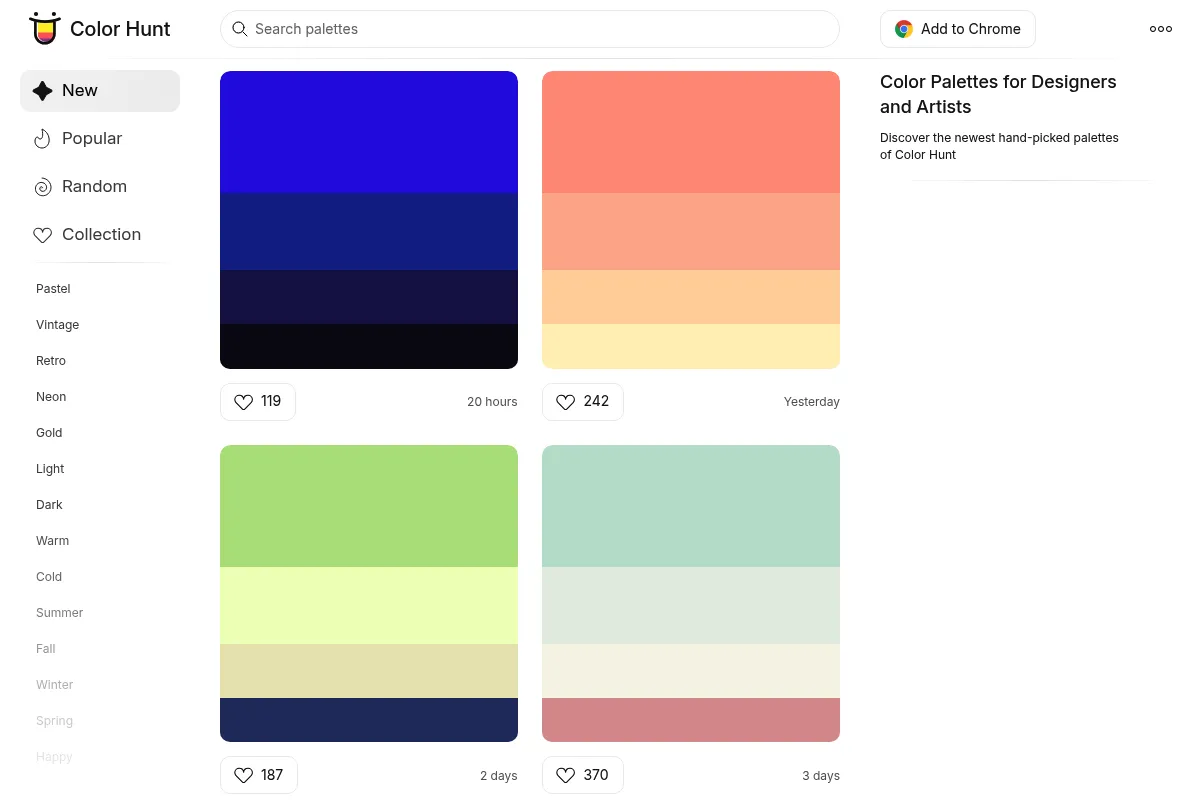
The tool provides a searchable feed of four-color schemes with accessible hex codes. Users can browse by popularity, date, or specific themes like 'Vintage' or 'Neon' and save favorites to a personal collection for later reference.
What makes it different
Unlike generative tools like Adobe Color or Coolors, Color Hunt is strictly a discovery gallery. It prioritizes human curation and simplicity, removing the complexity of color wheels and mathematical adjustments in favor of a 'scroll-and-pick' workflow.
Key Features
Curated Feed
Every palette is reviewed to ensure a baseline aesthetic standard before appearing.
One-Click Hex Copy
Speeds up the workflow for developers moving colors directly into CSS or design software.
Tag-Based Filtering
Allows users to find palettes based on specific moods like 'Warm', 'Cold', or 'Retro'.
Image Export
Generates a clean PNG of the palette for inclusion in client mood boards.
Community Voting
Surfaces 'Trendy' and 'Popular' palettes based on real-time user engagement.
Chrome Extension
Places inspiration directly into the browser's new tab for passive discovery.
Pricing
Free
- Unlimited palette browsing
- Hex code copying
- Image downloads
- Personal 'Likes' collection
- Chrome extension access
Pricing checked 6 months ago
Pricing guidance
- N/A - No paid tiers exist.
- No API access for developers
- No cloud sync across devices without a browser-based account
Community-driven and ad-supported free resource.
Pros & Cons
Strengths
-
Zero-friction interface
There are no complex settings or account requirements to start; you simply scroll and click, making it faster than generative tools for initial ideation.
-
High-quality curation
Because palettes are submitted and reviewed, users avoid the clashing or 'muddy' results often produced by random algorithmic generators.
-
Completely free access
The full library and all features are available without a subscription, which is ideal for students and solo creators on a budget.
Weaknesses
-
Fixed 4-color limit
The platform strictly enforces a four-color structure, which is often insufficient for complex UI systems that need primary, secondary, and multiple accent shades.
Affects: UI/UX Designers and Brand Strategists
-
No accessibility tools
It lacks built-in contrast checking or color-blindness simulations, forcing users to verify palettes in external tools like Stark or WebAIM.
Affects: Professional web developers and accessibility-conscious designers
-
Zero customization
You cannot tweak individual colors within a found palette on the site; you must take the set as-is or manually edit them in another tool.
Affects: Advanced designers needing precise brand alignment
Real User Sentiment
Users generally love the 'no-nonsense' approach and the high aesthetic quality of the curated sets.
Users tend to like
- Simplicity of the UI
- Quality of the curated palettes
- Ease of copying hex codes
- No account required for basic use
Users commonly complain about
- Lack of a palette editor
- Inability to see contrast ratios
- Limited to exactly four colors
Recurring tradeoffs
- Users trade deep customization and technical features for speed and curated quality.
Happiest users
Freelancers and students needing quick inspiration for a new project without technical overhead.
Often frustrated
Product designers building comprehensive design systems who need more than four colors and accessibility validation.
Use Cases
Web Development
Quickly grabbing a cohesive set of hex codes for a landing page CSS.
Social Media Branding
Finding a consistent 4-color theme for an Instagram grid or Canva templates.
Logo Design
Identifying a starting mood or 'vibe' before refining specific brand colors in professional software.
Digital Illustration
Selecting a limited color palette to maintain stylistic consistency in an artwork.
Presentation Design
Choosing professional color schemes for slide decks to avoid default software themes.
Frequently Asked Questions
Is Color Hunt free for commercial use?
Yes, the palettes on Color Hunt are free to use for both personal and commercial projects. You can use the hex codes in your web designs, logos, or any other creative work without attribution.
How does Color Hunt compare to Coolors?
Coolors is a more powerful generator that allows for 5+ colors, palette editing, and accessibility testing, but it has a steeper learning curve and a paid tier. Color Hunt is a simpler, curated gallery of fixed 4-color sets that is faster for pure inspiration but lacks editing tools.
Can I create my own palette on Color Hunt?
Yes, Color Hunt has a 'Create' tool where you can select four colors and submit them. However, your palette will only appear in the public feed if it is reviewed and approved by the site's curators.
Does Color Hunt have a Figma plugin?
Color Hunt does not have an official Figma plugin. Most users simply copy hex codes directly from the site or use third-party plugins that pull from the Color Hunt library.
Can I search for palettes by a specific hex code?
Yes, you can enter a specific hex code or color name in the search bar. The platform will filter its curated library to show palettes that include that specific shade or fit that color category.
How do I save palettes for later?
You can 'Like' palettes by clicking the heart icon. These are saved to your 'Collection' page using your browser's local storage, or you can create a free account to sync them across devices.
Why trust this page?
This evaluation combines product positioning, pricing analysis, traffic and market signals, and public user sentiment into a single decision-support page. Content is generated editorially — not copied from the vendor's website.
Funding & Company
Founded
2015
Stage
Bootstrapped
Total Raised
Bootstrapped
Latest Round
—
Color Hunt is a bootstrapped side project created by designer Gal Shir. It has not received any external funding and appears to be a passion project supported by a small amount of passive income, likely from advertising.
Market Signals & Traffic
Estimated visits, global rank, geography, traffic sources, monthly visit trends, and organic search keywords (Similarweb)—on a dedicated page built for depth and search.
- Estimated visits
- 1,759,589
- Global rank
- #24,896
- Snapshot
- Apr 2026
- Traffic trend
- Steady
Estimated monthly visits
Alternatives to Color Hunt
View all alternatives
Similar Tools
BrandCrowd
Design, Content Creation

Logo maker and branding design platform for small businesses.
GIMP
Design, Content Creation

Professional open-source image editor for photo retouching and graphic design.
PicMonkey
Design, Content Creation

Online photo editor and graphic design tool for creators.
IconScout
Design, Content Creation

Marketplace for high-quality icons, 3D illustrations, and motion graphics.
Evatype
Design, Content Creation

Generate custom, high-quality fonts and typography using text descriptions.
Stylar
Design, Content Creation

Controllable image editor for precise graphic design and composition.