

Evatype
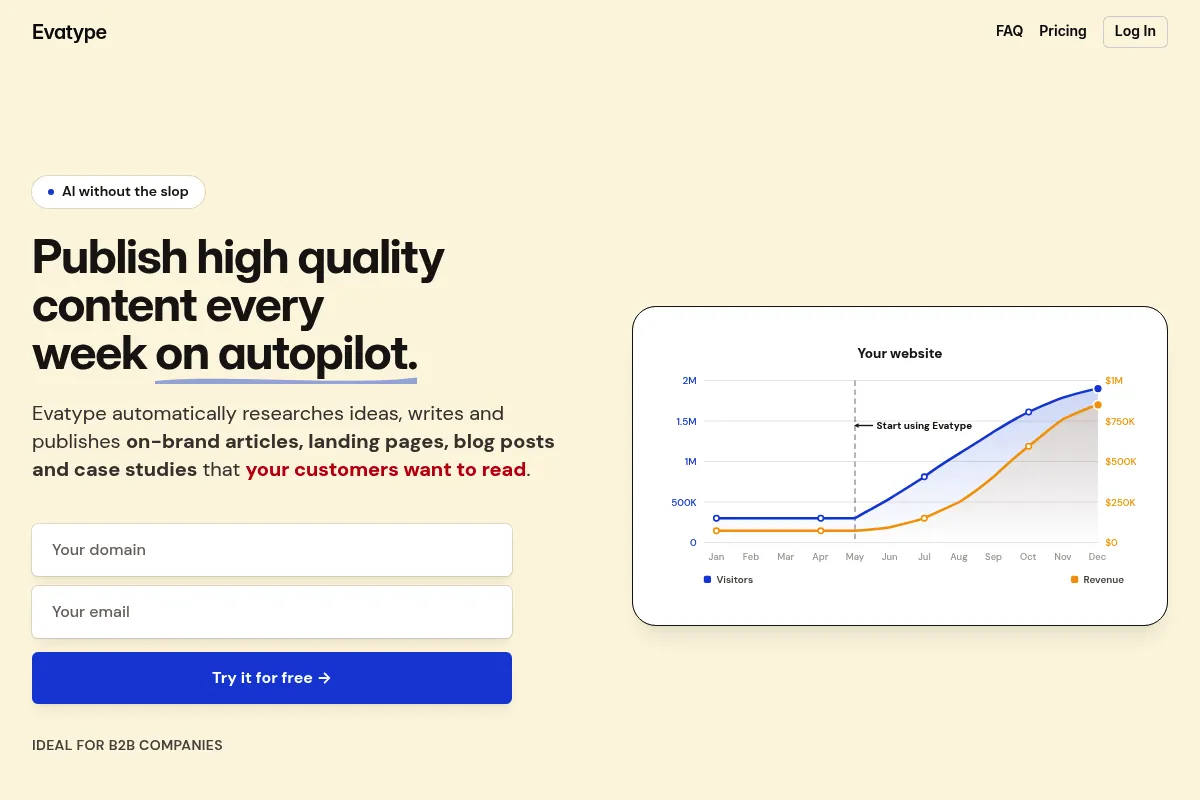
An AI-driven typography tool that converts text prompts into downloadable font files, filling the gap between generic stock fonts and expensive custom type design.
Excellent for rapid branding and unique display type, but lacks the technical precision required for high-legibility body text or professional typesetting.
Analysis based on product data, pricing structure, traffic signals, and public user sentiment.
Who Should Use Evatype?
Typical users
Graphic designers, brand identity freelancers, and social media content creators who need custom lettering without the manual labor of vector drawing.
Maturity fit
beginner to scaling
Choose this if…
- You want a unique font for a logo or headline without hiring a type designer
- Your priority is speed and stylistic variety over perfect kerning
- You need actual OTF/TTF files rather than just raster images of text
Skip this if…
- You need a font with extensive multi-language support or complex OpenType features
- Your project requires perfect mathematical precision in vector paths
- You are designing long-form reading materials where legibility is the primary metric
About Evatype
Evatype is a specialized generative AI tool focused exclusively on typography. It allows users to describe a visual style in plain English and receive a full, functional character set in return. It targets the middle ground between overused free fonts and the high cost of custom foundry work.
What it actually does
The tool processes natural language descriptions to generate vector-based letterforms. Users can iterate on styles, preview the character set, and export the results as standard font files for use in software like Adobe Creative Cloud, Figma, or Microsoft Word.
What makes it different
Unlike general AI art generators that produce flat images of text, Evatype generates actual font data. It focuses on maintaining stylistic consistency across an entire alphabet, ensuring the 'A' and the 'Z' look like they belong to the same family, which is a significant technical hurdle for standard LLMs.
Key Features
Prompt-Based Styling
Describe a vibe like 'industrial 1920s' to generate a matching typeface
Vector Export
Downloads as standard font files rather than static images
Character Consistency
Ensures weights and terminal styles match across the entire alphabet
Instant Previews
Test the generated font with your own copy before exporting
Commercial Licensing
Paid tiers include rights to use generated fonts in client work
Iterative Refinement
Adjust prompts to tweak specific attributes like weight or slant
Pricing
Free
- Limited generation credits
- Personal use only
- Standard character set
- No commercial rights
Pro
- 100 font generations per month
- Commercial usage license
- OTF/TTF exports
- Priority generation speed
Elite
- Unlimited font generations
- Full commercial rights
- Early access to new features
- Dedicated support
Pricing checked 4 months ago
Pricing guidance
- When you need to use a font for a commercial project
- When you need to export the actual OTF/TTF file
- When you run out of trial credits during the brainstorming phase
- Credits often do not roll over month-to-month
- Commercial rights may be tied to an active subscription in some terms of service
- Advanced glyphs (ligatures) are often unavailable
Mid-range pricing that targets professional designers who can bill the cost back to clients.
Pros & Cons
Strengths
-
Rapid prototyping for logos
Allows designers to show clients multiple unique typographic directions in minutes rather than days.
-
Low barrier to entry
Requires zero knowledge of font design software like Glyphs or FontLab, making custom type accessible to generalists.
-
Unique brand assets
Reduces the likelihood of using the same Google Fonts as competitors, providing a distinct visual identity.
Weaknesses
-
Inconsistent kerning
The spacing between specific letter pairs often requires manual adjustment in design software after export.
Affects: Professional typographers and print designers
-
Limited character sets
Often struggles with complex symbols, accented characters, or non-Latin scripts.
Affects: International brands and editorial designers
-
Vector 'lumpiness'
AI-generated paths can sometimes have unnecessary anchor points or slight irregularities compared to hand-drawn vectors.
Affects: High-end brand designers
Real User Sentiment
Users are generally impressed by the novelty and speed, though professional designers remain skeptical of the technical output quality.
Users tend to like
- The ability to generate a font from a weird prompt
- The speed of the generation process
- The clean, modern UI
Users commonly complain about
- Messy vector paths in some exports
- Lack of support for non-English characters
- Occasional 'hallucinations' in letter shapes
Recurring tradeoffs
- You trade the perfect precision of a foundry font for the uniqueness of an AI-generated one.
Happiest users
Freelance designers working on quick-turnaround social media or branding projects.
Often frustrated
Type purists and designers working on high-end print publications where technical font perfection is non-negotiable.
Use Cases
Logo Design
Creating a one-of-a-kind wordmark for a new startup
Social Media Branding
Generating a consistent but unique font for Instagram carousels
Event Identity
Quickly making a themed font for a conference or wedding
Prototyping
Testing different typographic vibes in a UI/UX mockup before committing to a paid font
Merchandise
Designing unique text for t-shirts or posters without using overplayed fonts
Frequently Asked Questions
Can I use Evatype fonts for commercial projects?
Yes, but only on the paid plans. The Free tier is restricted to personal use and testing. Once you upgrade to Pro or Elite, you receive a license to use the generated fonts in commercial work, including client projects and merchandise.
How does Evatype compare to Adobe Firefly's text effects?
Adobe Firefly primarily creates raster images or vector 'decorations' on top of existing letters. Evatype is different because it generates a functional font file (OTF/TTF) that you can install on your computer and type with in any application.
Does it support languages other than English?
Currently, Evatype is optimized for the Latin alphabet. While it can generate basic characters, it often lacks the full range of diacritics (accents) needed for many European languages and does not yet support non-Latin scripts like Cyrillic, Arabic, or Kanji.
Are the generated fonts high quality enough for print?
For large display use like posters or headlines, they are usually fine. However, for small body text, the AI-generated vectors can be slightly irregular, and the lack of professional kerning pairs may result in awkward spacing that needs manual fixing.
What file formats can I download?
Evatype allows you to export your generated fonts in OTF (OpenType Font) and TTF (TrueType Font) formats, which are compatible with all major operating systems and design software.
Can I edit the font after I download it?
Yes, since you get the OTF/TTF file, you can import it into font editing software like FontLab or Glyphs, or convert it to outlines in Illustrator to manually clean up the vector paths.
Why trust this page?
This evaluation combines product positioning, pricing analysis, traffic and market signals, and public user sentiment into a single decision-support page. Content is generated editorially — not copied from the vendor's website.
Funding & Company
Founded
2026
Stage
Bootstrapped
Total Raised
Bootstrapped
Latest Round
—
Evatype is a bootstrapped company with no publicly disclosed venture capital funding. Its stability and growth are dependent on its own revenue generation rather than external investment.
Market Signals & Traffic
Estimated visits, global rank, geography, traffic sources, monthly visit trends, and organic search keywords (Similarweb)—on a dedicated page built for depth and search.
- Estimated visits
- 0
- Global rank
- —
- Snapshot
- Apr 2026
- Traffic trend
- —
Estimated monthly visits
Similar Tools
Color Hunt
Design, Content Creation
Curated collection of trendy color palettes for designers and artists.
Turbologo
Design, Content Creation

Create professional logos and brand kits for businesses and startups.
Khroma
Design, Content Creation

AI-powered color palette generator that learns your preferences.
IconScout
Design, Content Creation

Marketplace for high-quality icons, 3D illustrations, and motion graphics.
OpenArt
Design, Content Creation
Create, edit, and explore images using advanced generative models.
Photopea
Design, Content Creation

Advanced web-based image editor for raster and vector graphics.