

A browser-based Photoshop alternative that mirrors Adobe's interface and feature set—best for professional-grade editing on machines where software installation is restricted or budgets are zero.
Excellent for high-fidelity PSD editing and quick asset creation, weaker for high-resolution print production or massive multi-layered projects that exceed browser memory.
Analysis based on product data, pricing structure, traffic signals, and public user sentiment.
Who Should Use Photopea?
Typical users
Freelance designers, social media managers, and students who need Photoshop-level control without the Adobe Creative Cloud subscription.
Maturity fit
beginner to advanced
Choose this if…
- You need to edit a PSD or Sketch file on a guest computer or Chromebook
- You want the Photoshop workflow without the monthly Adobe tax
- Your hardware lacks the specs to run heavy desktop design software
Skip this if…
- You work with multi-gigabyte files that crash browser tabs
- You require deep integration with the Adobe ecosystem (Typekit, Libraries)
- You need a simplified, template-first experience like Canva
About Photopea
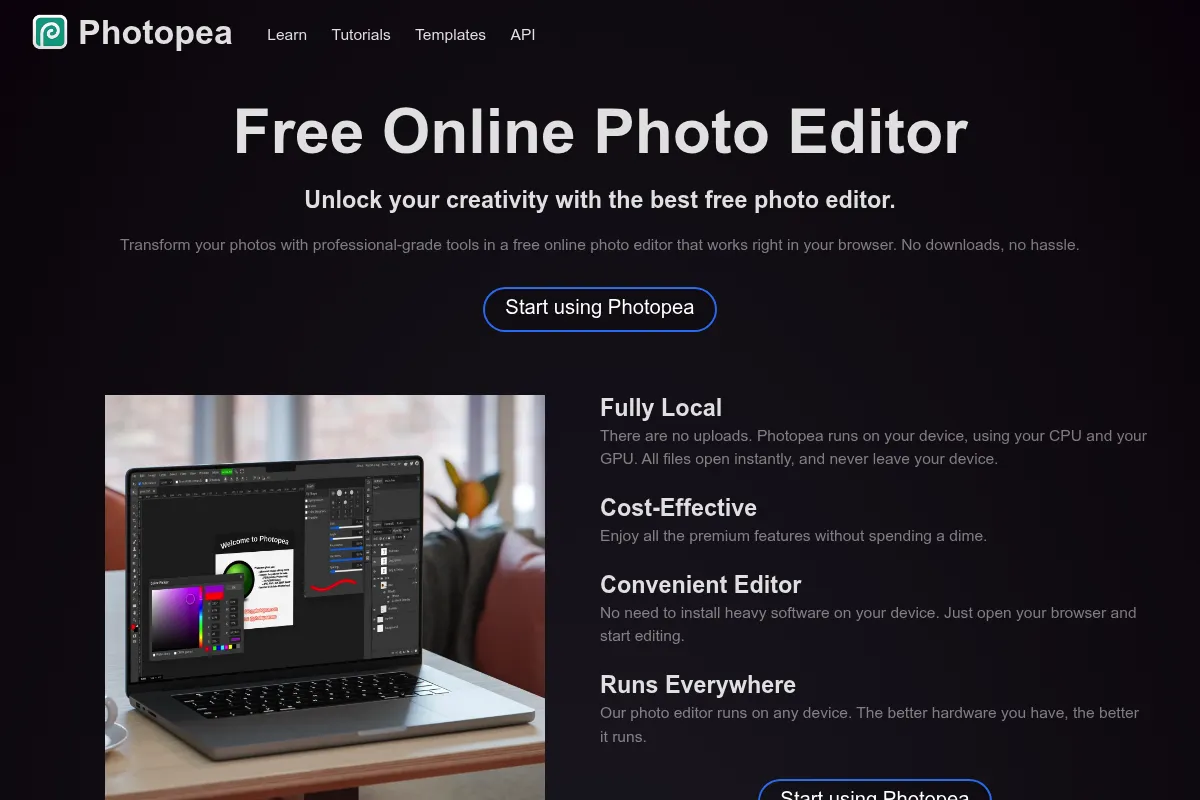
Photopea is a web-based image editor that replicates the professional design environment of desktop software. It functions as a bridge between basic web editors and high-end suites, offering advanced layer management and file compatibility for free.
What it actually does
It allows users to perform complex raster and vector editing directly in a web browser. Users can manipulate layers, apply masks, use blending modes, and export files in professional formats like PSD, PDF, and SVG.
What makes it different
Unlike most web-based competitors that simplify the UI for casual users, Photopea intentionally clones the Photoshop interface. It processes all data locally in the browser's memory, meaning files are not uploaded to a server for editing, which enhances privacy and speed for small to medium tasks.
Ratings across the web



Ratings aggregated from independent review platforms.
Key Features
PSD Compatibility
Opens and saves Photoshop files with layers, masks, and groups intact.
Magic Replace
Uses generative AI to swap or add elements within a selected area.
Smart Objects
Enables non-destructive transformations and filtering of embedded assets.
Vector Support
Handles SVG and AI files for logo design and iconography.
Layer Masks
Provides precise control over visibility and transparency without destroying pixel data.
Text-to-Image
Integrates AI models to generate assets from text prompts directly on the canvas.
Photopea API
Allows developers to embed the editor into third-party websites and workflows.
Pricing
Free
- All editing tools included
- Ad-supported sidebar
- 30 steps of undo history
- 0.5GB Peadrive storage
Premium (Individual)
- No advertisements
- 60 steps of undo history
- 5GB Peadrive storage
- Priority email support
Premium (Teams)
- Covers up to 5 users
- No advertisements
- Centralized billing
- 5GB Peadrive storage per user
Pricing checked 6 months ago
Pricing guidance
- When sidebar ads interfere with your workspace
- When you need more than 30 steps of undo history for complex retouching
- When you want to support the solo developer behind the project
- Undo history is capped at 30 steps on the free plan
- Peadrive storage is limited to 0.5GB on the free plan
- Performance is tied to your computer's RAM, not Photopea's servers
Highly aggressive value positioning, offering a near-complete Photoshop clone for free.
Pros & Cons
Strengths
-
Zero-cost professional toolset
The free version includes nearly every feature found in paid desktop software, making professional design accessible to anyone with a browser.
-
No installation required
Works on any OS, including ChromeOS and Linux, which is critical for users on locked-down corporate or school hardware.
-
Broad file format support
It is one of the few tools that can reliably open Sketch, XD, and GIMP files without requiring the original software.
-
Privacy-conscious processing
Since it runs locally in the browser's RAM, your images aren't stored on Photopea's servers unless you choose to save them to their cloud.
Weaknesses
-
Ad-supported interface
The free version has a persistent sidebar ad that reduces available workspace and can be distracting.
Affects: Free tier users
-
Browser memory limitations
Large files with hundreds of layers or high resolutions can cause the browser tab to lag or crash entirely.
Affects: Users working on complex, high-res print or web projects
-
No offline mode
While it runs locally, you must have an internet connection to load the application initially.
Affects: Users with unstable internet or those working while traveling
Real User Sentiment
Overwhelmingly positive, with users frequently expressing disbelief that such a capable tool is available for free in a browser.
Users tend to like
- Familiar Photoshop keyboard shortcuts
- Ability to open .PSD and .AI files without issues
- Fast loading times for small to medium assets
- The developer's responsiveness to bug reports on GitHub
Users commonly complain about
- Ads can be intrusive on smaller laptop screens
- Occasional lag when using the brush tool on large canvases
- Lack of a dedicated desktop app for offline use
Recurring tradeoffs
- You trade the stability of a desktop application for the convenience of a web-based one.
Happiest users
Freelancers and social media managers who need to make quick, professional edits without a subscription.
Often frustrated
Professional retouchers or print designers working with massive, high-bit-depth files.
Use Cases
Quick Social Media Graphics
Creating layered templates for Instagram or LinkedIn without opening heavy software.
PSD to PNG Conversion
Quickly exporting specific layers from a designer's PSD file for web use.
Chromebook Design Work
Providing professional design capabilities to students or workers on low-powered ChromeOS devices.
Emergency Edits
Fixing a typo or swapping an image in a design file while away from your main workstation.
Background Removal
Using the automated selection tools to isolate products for e-commerce listings.
Vector Icon Editing
Modifying SVG or AI icons for UI/UX projects.
Frequently Asked Questions
Is Photopea actually free?
Yes, Photopea is fully functional for free. It is supported by a single advertisement sidebar. There are no hidden paywalls for specific tools like the Pen tool or AI features, though the Premium version ($5/mo) removes ads and increases undo history.
How does Photopea compare to Photoshop?
Photopea mimics about 90% of Photoshop's core functionality, including layers, masks, and smart objects. It lacks some of Photoshop's most advanced features like 3D rendering, complex video editing, and deep integration with Adobe's cloud services, but for standard 2D design, it is nearly identical.
Is Photopea safe and private?
Photopea is highly private because it runs locally in your browser. Your images are not uploaded to a server for processing. However, because it is a web app, you should ensure you are on the official domain (photopea.com) to avoid phishing clones.
Can I use Photopea offline?
No, you must have an active internet connection to load the website. Once the app is loaded, you can technically continue working if you lose connection, but you cannot refresh the page or load the app initially without the internet.
Does Photopea support drawing tablets?
Yes, Photopea supports pressure sensitivity for graphics tablets (like Wacom or Huion) through the browser's Pointer Events API, though performance may vary depending on your browser's configuration.
What file formats can Photopea open?
Photopea supports a wide range of formats including PSD, AI, XD, Sketch, PDF, XCF, RAW, and standard web formats like JPG, PNG, GIF, and SVG.
Why trust this page?
This evaluation combines product positioning, pricing analysis, traffic and market signals, and public user sentiment into a single decision-support page. Content is generated editorially — not copied from the vendor's website.
Funding & Company
Founded
2013
Stage
Bootstrapped
Total Raised
Bootstrapped
Latest Round
—
Photopea is a bootstrapped and highly profitable company, developed and run by a single founder, Ivan Kutskir. It has never taken any outside funding, relying instead on revenue from advertising and premium subscriptions for growth and stability.
Market Signals & Traffic
Estimated visits, global rank, geography, traffic sources, monthly visit trends, and organic search keywords (Similarweb)—on a dedicated page built for depth and search.
- Estimated visits
- 18,201,006
- Global rank
- #4,250
- Snapshot
- Apr 2026
- Traffic trend
- Rising
Estimated monthly visits
Alternatives to Photopea
View all alternativesGIMP
Design, Content Creation

Professional open-source image editor for photo retouching and graphic design.
Canva AI
Content Creation

Online design tool for creating graphics, presentations, videos, and websites.
Similar Tools
OpenArt
Design, Content Creation

Create, edit, and explore images using advanced generative models.
Logo.com
Design, Content Creation

Automated logo maker and brand identity design platform.
BrandCrowd
Design, Content Creation

Logo maker and branding design platform for small businesses.
GIMP
Design, Content Creation
Professional open-source image editor for photo retouching and graphic design.
Turbologo
Design, Content Creation

Create professional logos and brand kits for businesses and startups.
Vizcom
Design, Content Creation

Real-time sketch-to-render tool for industrial and product designers.