

A high-volume asset marketplace that bridges the gap between static icons and interactive Lottie animations, optimized for designers who prioritize speed and 3D variety over bespoke exclusivity.
Best for UI/UX designers needing a mix of 3D assets and Lottie animations, weaker for brands requiring highly unique or custom-tailored iconography.
Analysis based on product data, pricing structure, traffic signals, and public user sentiment.
Who Should Use IconScout?
Typical users
Freelance UI/UX designers, rapid prototyping teams, and social media managers at small-to-mid-sized agencies.
Maturity fit
beginner to scaling
Choose this if…
- You need 3D illustrations and Lottie animations in the same subscription as your icons.
- Your workflow is centered in Figma, Adobe XD, or Canva and you want to pull assets without leaving the app.
- You require a high volume of assets for varied client projects rather than one specific brand style.
Skip this if…
- You need exclusive rights to assets for a high-stakes brand identity.
- You only need basic icons and already have a subscription to Flaticon or The Noun Project.
- Your project requires highly complex, custom-coded SVG interactions that go beyond standard Lottie files.
About IconScout
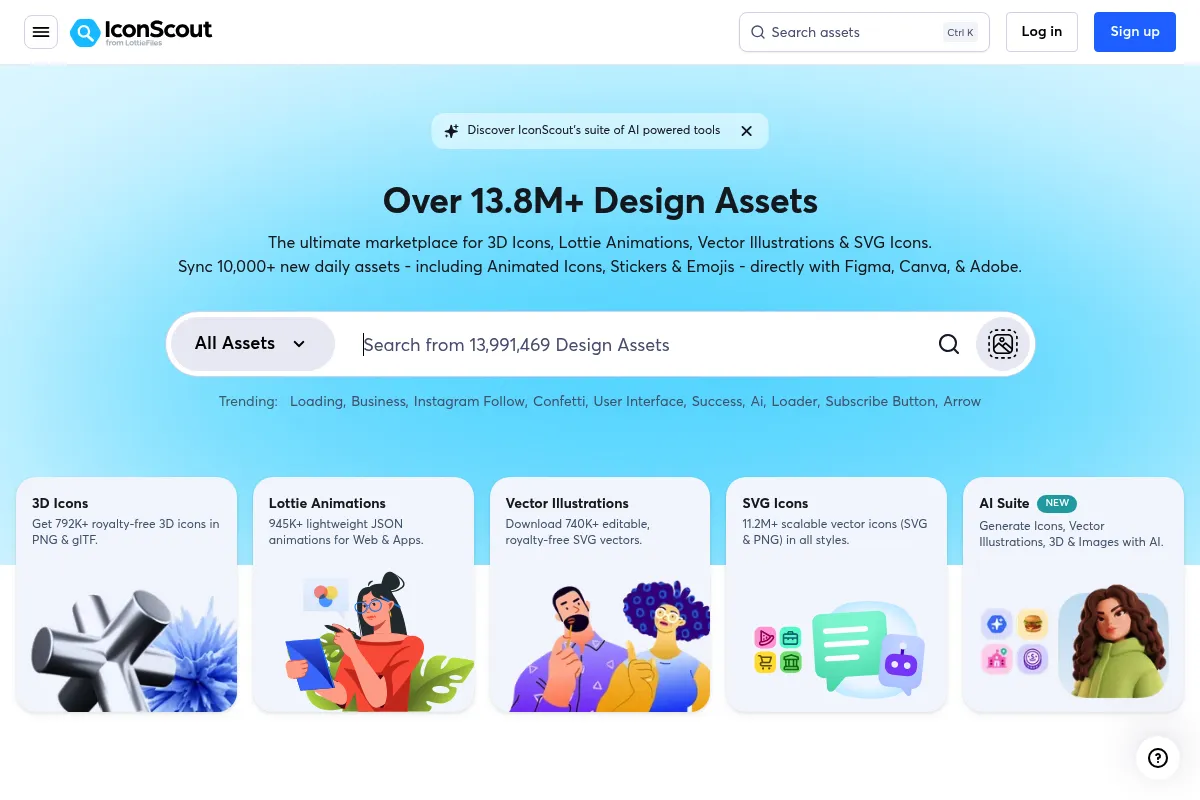
IconScout is a digital asset marketplace owned by LottieFiles that hosts over 7 million design resources. It focuses on providing functional assets like icons, 3D illustrations, and animations that integrate directly into design software via plugins.
What it actually does
The platform provides a searchable database of vector icons, 3D graphics, and Lottie animations that users can download or edit in-browser. It includes a color editor for 3D assets and a Lottie editor to match animations to a specific brand palette before exporting.
What makes it different
Unlike competitors that focus strictly on 2D vectors, IconScout has a heavy emphasis on 3D illustrations and Lottie animations. Its ownership by LottieFiles means the integration for animated assets is more mature than most general icon sites.
Ratings across the web

Ratings aggregated from independent review platforms.
Key Features
Integrated Lottie Editor
Allows users to change animation colors and speeds without external software.
3D Color Editor
Enables real-time palette swaps on 3D assets to match brand guidelines before downloading.
Figma Plugin
Provides a searchable panel inside Figma to drag and drop assets directly into frames.
AI Icon Generator
Creates custom vector-style icons from text prompts when the library lacks a specific concept.
All-Access Subscription
Bundles icons, 3D, and animations under a single license fee.
Reverse Image Search
Finds similar icons or illustrations by uploading an existing image.
Icon Conversion
Converts static SVG files into animated Lottie files within the browser.
Pricing
Free
- Access to limited free assets
- Attribution required
- Basic search functionality
- Community support
All Access (Individual)
- Unlimited downloads of 7M+ assets
- Commercial license included
- Access to AI tools
- All plugins and integrations
All Access (Monthly)
- Same as annual plan
- No long-term commitment
- Unlimited downloads
Team
- Minimum 5 users
- Centralized billing
- Shared library for team assets
- Priority support
Pricing checked 6 months ago
Pricing guidance
- When you need to remove attribution for client work.
- When you need access to the 3D and Lottie libraries.
- When you want to use the Figma plugin for direct asset placement.
- Daily download limits may apply even on 'unlimited' plans to prevent scraping.
- Some 'Premium' assets from specific high-end contributors may occasionally sit outside the standard All Access pool.
Mid-range pricing that offers high value by bundling three distinct asset categories into one price point.
Pros & Cons
Strengths
-
Strong 3D and Animation Library
While many sites treat 3D as an afterthought, IconScout makes it a core offering, which is useful for modern 'bento-style' UI designs.
-
Deep Design Tool Integration
The plugins for Figma and Canva are more than just downloaders; they allow for direct placement and some basic editing, saving significant context-switching time.
-
Flexible Asset Customization
The ability to change colors for 3D assets and Lottie animations before downloading reduces the need for specialized software like Blender or After Effects.
-
Unified Licensing
One subscription covers multiple asset types, which is more cost-effective than paying for separate icon and animation libraries.
Weaknesses
-
Search Relevance Issues
Users often report that search results can be cluttered with irrelevant items or that the tagging system isn't as precise as competitors like The Noun Project.
Affects: Designers in a hurry
-
Inconsistent Asset Quality
Because it is a marketplace with many contributors, the quality and style consistency across different packs can vary significantly.
Affects: Teams trying to maintain a cohesive visual language
-
Aggressive Subscription Management
The cancellation process and auto-renewal policies have been a point of friction in user reviews, often requiring multiple steps to finalize.
Affects: Individual freelancers and budget-conscious users
Real User Sentiment
Generally positive, with users praising the breadth of the library and the convenience of the plugins, though some frustration exists regarding billing and search accuracy.
Users tend to like
- The Figma plugin's ease of use
- The variety of 3D illustrations
- The ability to edit Lottie colors in-browser
- Frequent updates to the asset library
Users commonly complain about
- Difficult cancellation process
- Search results often include irrelevant assets
- Occasional bugs in the Adobe plugins
- Inconsistent quality between different contributors
Recurring tradeoffs
- You trade the curated, high-end feel of a boutique agency for the sheer volume and variety of a massive marketplace.
Happiest users
UI designers working on fast-paced projects who need a 'one-stop shop' for icons and 3D elements.
Often frustrated
Users who only need a single icon and find the subscription model or cancellation process cumbersome.
Use Cases
UI Prototyping
Quickly pulling 3D icons into a Figma mockup to show depth.
Marketing Presentations
Using Lottie animations in Google Slides to make data visualizations more engaging.
App Development
Exporting optimized JSON files for mobile app animations.
Social Media Content
Customizing 3D illustrations to match a brand's color palette for Instagram posts.
Web Design
Implementing lightweight SVG icons that don't slow down page load times.
Frequently Asked Questions
Is IconScout free for commercial use?
Only assets specifically marked as 'Free' can be used without payment, and they typically require attribution to the creator. For commercial use without attribution, you must subscribe to an All Access plan.
How does IconScout compare to Flaticon?
Flaticon has a larger volume of 2D icons, but IconScout is superior for 3D illustrations and Lottie animations. If you only need icons, Flaticon is often cheaper; if you need variety in asset types, IconScout is better.
Can I use IconScout assets after I cancel my subscription?
Yes, any assets you downloaded and used in a project while your subscription was active remain licensed for that specific project. However, you cannot use those assets in new projects after the subscription ends.
Does IconScout work with Canva?
Yes, IconScout has a dedicated Canva app that allows you to search and place icons and illustrations directly into your Canva designs.
What is the difference between an icon and a Lottie animation on IconScout?
An icon is a static vector (SVG/PNG), while a Lottie animation is a code-based (JSON) file that moves. IconScout allows you to edit the colors of both before downloading.
How do I cancel my IconScout subscription?
You must go to your profile settings, navigate to the 'Subscriptions' tab, and follow the cancellation prompts. It is recommended to do this at least 48 hours before the renewal date to avoid automatic charges.
Why trust this page?
This evaluation combines product positioning, pricing analysis, traffic and market signals, and public user sentiment into a single decision-support page. Content is generated editorially — not copied from the vendor's website.
Funding & Company
Founded
2017
Stage
Series b
Total Raised
$57M
Latest Round
Undisclosed (May 2024)
Notable Investors
IconScout was acquired by LottieFiles in February 2021. LottieFiles has raised a total of $57 million, including a $37 million Series B round in 2022 and a strategic investment in 2024 from Figma and Webflow. This significant funding from major industry players indicates strong market confidence and provides a solid financial foundation for continued product development and long-term stability.
Market Signals & Traffic
Estimated visits, global rank, geography, traffic sources, monthly visit trends, and organic search keywords (Similarweb)—on a dedicated page built for depth and search.
- Estimated visits
- 0
- Global rank
- —
- Snapshot
- May 2026
- Traffic trend
- Steady
Estimated monthly visits
Alternatives to IconScout
View all alternatives
Similar Tools
Photopea
Design, Content Creation

Advanced web-based image editor for raster and vector graphics.
Photoroom
Design, Content Creation

Professional photo editor for background removal and product photography
BrandCrowd
Design, Content Creation

Logo maker and branding design platform for small businesses.
GIMP
Design, Content Creation

Professional open-source image editor for photo retouching and graphic design.
Khroma
Design, Content Creation

AI-powered color palette generator that learns your preferences.
AirBrush
Design, Content Creation

Professional photo editing and retouching tool for portraits and selfies.