

A mobile-first portrait editor that prioritizes aesthetic retouching and AI-generated headshots over professional photography workflows.
Excellent for social media creators and job seekers needing quick headshots, weaker for photographers requiring RAW processing or precise color grading.
Analysis based on product data, pricing structure, traffic signals, and public user sentiment.
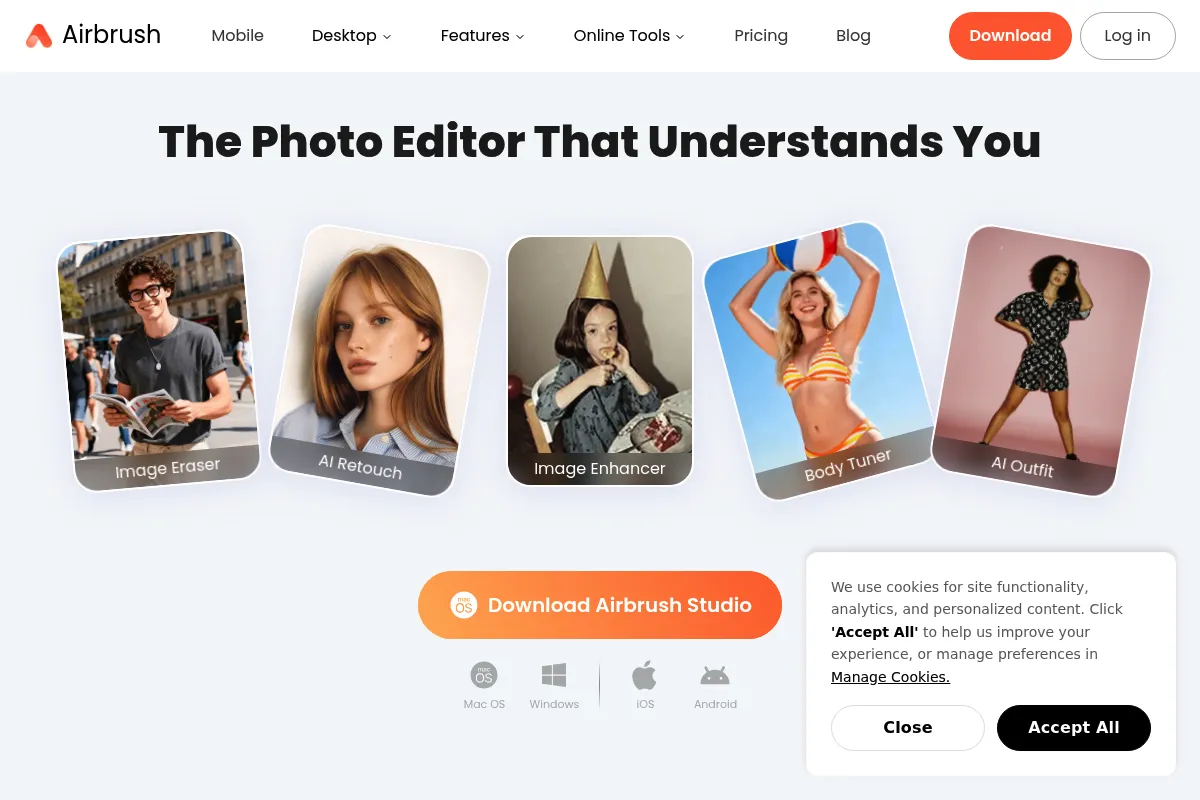
Who Should Use AirBrush?
Typical users
Solo content creators, influencers, and job seekers looking for polished portraits without learning complex software.
Maturity fit
beginner
Choose this if…
- You want one-tap skin and facial retouching that looks natural
- Your priority is social media aesthetic over technical image data
- You need a low-cost alternative to professional headshot photography
Skip this if…
- You need to edit RAW files or perform high-end commercial retouching
- Your workflow requires batch processing hundreds of images at once
- You require advanced layer-based compositing
About AirBrush
AirBrush is a specialized photo editing tool focused on portrait enhancement and AI-driven image generation. Originally a mobile app for 'beauty' edits, it has expanded into a web-based suite for AI headshots, object removal, and image upscaling.
Official profiles
What it actually does
The tool provides a set of automated and manual brushes to modify facial features, skin texture, and body proportions. It also includes generative AI features to transform casual selfies into professional business headshots and tools to clean up backgrounds.
What makes it different
Unlike general editors like Lightroom, AirBrush focuses almost exclusively on the human subject. It balances ease of use with 'natural' results, avoiding the overly plastic look common in older beauty apps while remaining significantly faster than Photoshop.
Ratings across the web

Ratings aggregated from independent review platforms.
Key Features
AI Headshot Creator
Generates professional studio-style portraits from a few uploaded selfies.
Magic Retouch
One-tap tool that automatically smooths skin and brightens eyes.
Eraser Tool
Removes unwanted people or objects from the background using AI filling.
Relight
Adjusts the lighting source on a face after the photo has been taken.
Reshape
Allows for subtle adjustments to body proportions and facial structure.
AI Upscaler
Increases image resolution and clarity for low-quality photos.
Beauty Filters
Applies color grading specifically tuned for skin tones.
Pricing
Free
- Basic retouching tools
- Limited filters
- Watermarked exports on some features
Premium (Mobile)
- Full access to all retouching tools
- No watermarks
- Exclusive filters and makeup sets
- Ad-free experience
AI Headshot Credits
- 40 to 120 AI-generated headshots
- Multiple style options
- High-resolution downloads
Pricing checked 6 months ago
Pricing guidance
- When you need to remove watermarks
- When you want to use the AI Eraser on complex objects
- When you need the AI Headshot generator for job hunting
- AI Headshots usually require a separate purchase even for Premium subscribers
- Cloud storage for edited photos is limited on lower tiers
- Subscription pricing varies significantly between iOS, Android, and Web
Mid-range pricing that is affordable for individuals but can feel expensive if only used occasionally.
Pros & Cons
Strengths
-
Low learning curve
Most retouching tasks are automated or require simple brush strokes, making it accessible to non-designers.
-
Natural-looking AI headshots
The generative headshot feature is more affordable than a professional photoshoot and produces usable results for LinkedIn.
-
Effective object removal
The AI Eraser handles complex backgrounds better than standard mobile editors, saving time on manual cloning.
Weaknesses
-
Aggressive monetization
The free version is heavily restricted, and users are frequently prompted to upgrade to access basic tools.
Affects: Free-tier users
-
Mobile-to-Web inconsistency
Features and subscription statuses don't always sync perfectly between the mobile app and the web-based 'Studio' version.
Affects: Multi-device users
-
Limited creative control
Advanced users will find the lack of curves, levels, and masking tools frustrating for precise color work.
Affects: Professional photographers
Real User Sentiment
Generally positive for ease of use, though users are increasingly frustrated by the transition to a credit-based system for AI features.
Users tend to like
- Natural skin smoothing results
- Speed of the AI Headshot generator
- Intuitive interface for non-technical users
Users commonly complain about
- High cost of AI credits on top of subscriptions
- Occasional 'uncanny valley' results in AI generations
- Difficulty canceling subscriptions through app stores
Recurring tradeoffs
- You trade professional-grade control for one-tap speed
- You trade privacy (uploading selfies to AI) for convenience
Happiest users
LinkedIn users needing a quick profile photo and Instagram influencers who post daily portraits.
Often frustrated
Professional editors who expect granular control and users on a tight budget who find the free version too limiting.
Use Cases
LinkedIn Profile
Creating a professional headshot from a casual home selfie.
Social Media Content
Smoothing skin and adjusting lighting for Instagram portraits.
Resume Building
Enhancing a photo to look more polished for job applications.
Photo Cleanup
Removing a photobomber or distracting object from a vacation photo.
E-commerce
Retouching lifestyle shots for small business owners.
Frequently Asked Questions
Is AirBrush free to use?
AirBrush offers a free version, but it is very limited. Most effective tools, like the AI Eraser and specific retouching brushes, require a Premium subscription. Additionally, AI Headshots are typically sold as separate credit packs.
How does AirBrush compare to Facetune?
AirBrush is often cited for producing more 'natural' results compared to Facetune's sometimes aggressive defaults. While both offer similar tools, AirBrush has a stronger focus on AI-generated professional headshots recently.
Can I use AirBrush on my computer?
Yes, AirBrush has a web-based version called AirBrush Studio. However, the feature set and pricing can differ from the mobile app, and subscriptions don't always transfer between the two seamlessly.
Does AirBrush store my photos?
AirBrush processes photos on their servers, especially for AI features. While they claim to prioritize privacy, users must upload their images to the cloud for generative tasks, which may be a concern for privacy-conscious individuals.
What are the limitations of the AI Headshot tool?
The AI Headshot tool requires 15-20 source photos for the best results. It can sometimes struggle with specific hair textures or accessories like glasses, and the results are final—you cannot manually 'tweak' the AI's generation.
Does AirBrush support RAW files?
No, AirBrush is designed for JPEGs and PNGs. It does not have the processing engine required for professional RAW photo development found in tools like Adobe Lightroom or Capture One.
Why trust this page?
This evaluation combines product positioning, pricing analysis, traffic and market signals, and public user sentiment into a single decision-support page. Content is generated editorially — not copied from the vendor's website.
Funding & Company
Founded
2008
Stage
Public
Total Raised
$590M
Latest Round
Undisclosed (May 2025)
Notable Investors
AirBrush is a product of Meitu Inc., a publicly-traded Chinese technology company (SEHK: 1357) founded in 2008. Meitu raised over $525 million in venture capital from notable investors like Tiger Global, Temasek, and Qiming Venture Partners before its IPO in December 2016. The company's public status and significant pre-IPO funding provide a strong foundation for its portfolio of apps, including AirBrush.
Market Signals & Traffic
Estimated visits, global rank, geography, traffic sources, monthly visit trends, and organic search keywords (Similarweb)—on a dedicated page built for depth and search.
- Estimated visits
- 3,878,003
- Global rank
- #13,468
- Snapshot
- Apr 2026
- Traffic trend
- Steady
Estimated monthly visits
Similar Tools
Khroma
Design, Content Creation

AI-powered color palette generator that learns your preferences.
PicMonkey
Design, Content Creation

Online photo editor and graphic design tool for creators.
GIMP
Design, Content Creation

Professional open-source image editor for photo retouching and graphic design.
Stylar
Design, Content Creation

Controllable image editor for precise graphic design and composition.
Logo.com
Design, Content Creation

Automated logo maker and brand identity design platform.
Vizcom
Design, Content Creation

Real-time sketch-to-render tool for industrial and product designers.